Amateur Photographer verdict
The Lumix L10 is a fine compact camera for enthusiasts, thanks to its a bright zoom lens, clever multi-aspect ratio sensor, and fully articulated screen. However, some might be put off by its size.- Very respectable image quality
- Versatile large-aperture, optically-stabilised zoom
- Best viewfinder and screen yet on a zoom compact
- Multi-aspect ratio design encourages creativity
- Excellent battery life
- Rather larger than older LX100, not really pocketable
- Lens is showing its age
- Illogical default control setup
- Aspect ratio switch is now unlabelled
The Panasonic Lumix L10 is a compact camera designed for enthusiast photographers, with a relatively large 20MP Four Thirds sensor and a 24-75mm equivalent, f/1.7-2.8 optically stabilised zoom lens. It employs the firm’s unique multi aspect-ratio design, which means it’s capable of shooting 4:3, 3:2 and 16:9 images with progressively wider horizontal views. Its rangefinder-style body sports a corner-mounted electronic viewfinder, which is extremely welcome, as this is something Panasonic has left off several of its recent models. On paper at least, it looks like one of the best compact cameras you can buy.
Panasonic Lumix L10 at a glance:
- $1500 / £1299 (Black or Silver)
- $1600 / £1399 (Titanium Gold)
- 20.3MP BSI-CMOS sensor
- ISO 100-25,600 (standard)
- Up to 30fps shooting
- 2.36m-dot 0.74x OLED EVF
- 3in, 1.84m-dot screen
- 5.6K 60fps, 4K 120fps, Full HD 240fps video
If this description sounds familiar, that’s because the L10 is, to a great extent, a reinvention of the firm’s old Lumix LX100 design. This line first appeared in 2014, and was updated to the LX100 II four years later. The L10 employs the same lens and a similar overall layout, but it comes in a rather larger body, with significantly reworked controls and a fully articulated LCD screen.
The real attraction, though, is that the L10 is the first genuinely up-to-date advanced zoom compact since the Sony RX100 VII appeared in 2019. Notably, it boasts the latest autofocus technologies, with both on-sensor phase detection and intelligent subject recognition. Panasonic has included some pretty impressive video capabilities, too.
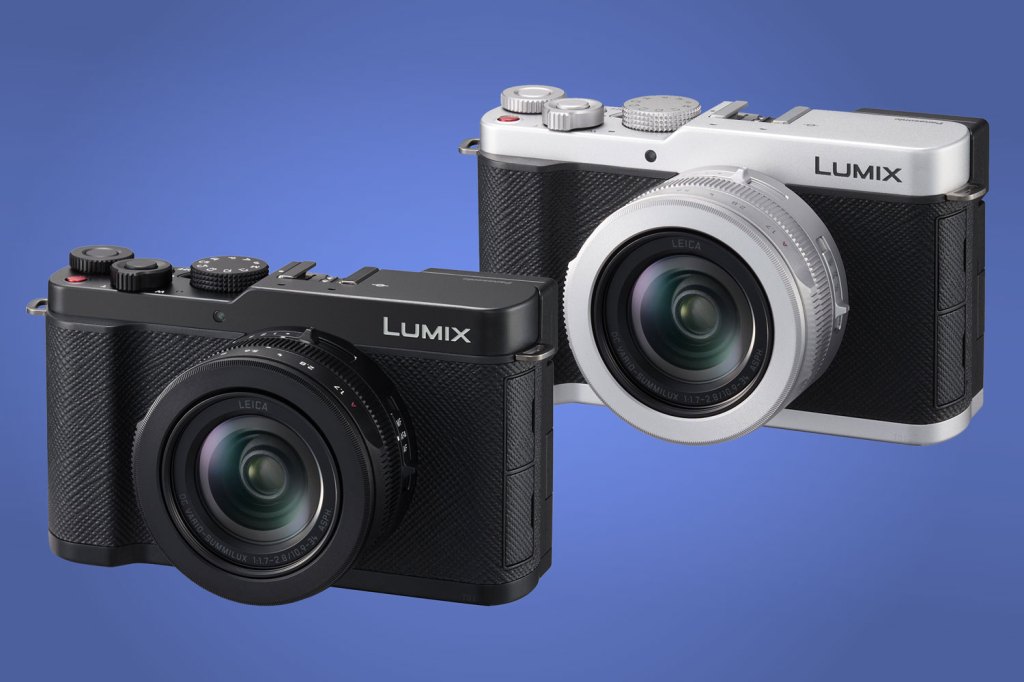
The Lumix L10 comes in all-black or black-and-silver variants for $1500 / £1299, with a ‘Titanium Gold Edition’ also available directly from Panasonic for $100 / £100 more. This makes it more expensive than other advanced zoom compact cameras such as the Sony RX100 VII and Canon PowerShot G7 X III. But both of these are much older designs, and employ smaller 1-inch type sensors. It’s more affordable than the Leica D-Lux 8, though, which is in effect a revision of the LX100 II, with a smaller body but older sensor and tech. So how does the L10 stack up against its peers?
Features
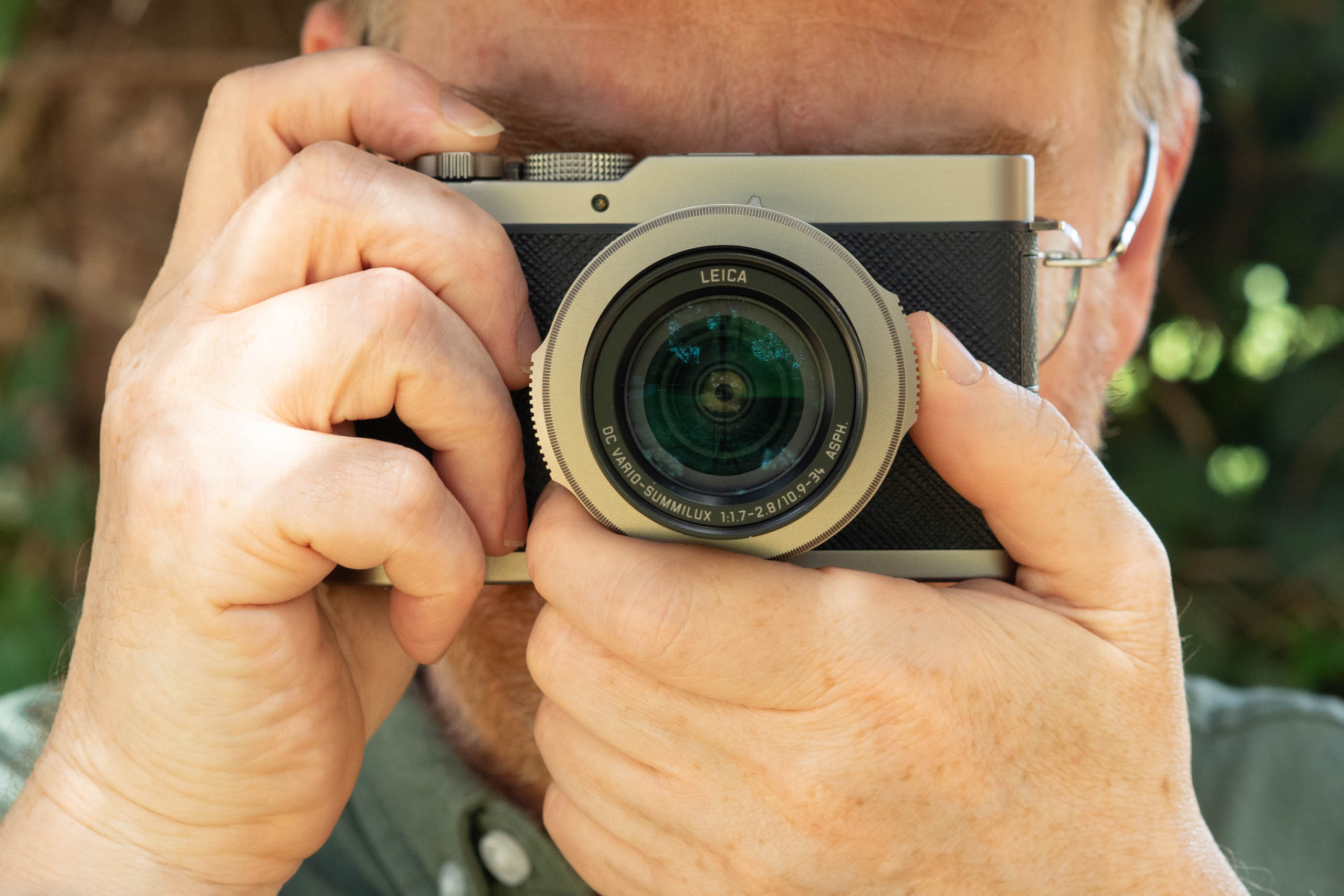
First of all, let’s take a look at the lens. This is labelled in exactly the same way as on the LX100 models, as a Leica DC Vario-Summilux 10.9-34mm f/1.7-2.8 ASPH. As before, it employs 11 elements in 8 groups, including 5 aspherical lenses. You get the same switchable macro mode which allows close-up focusing down to just 3cm at the wide end, plus a 43mm filter thread. We can safely conclude it’s fundamentally the same optic.
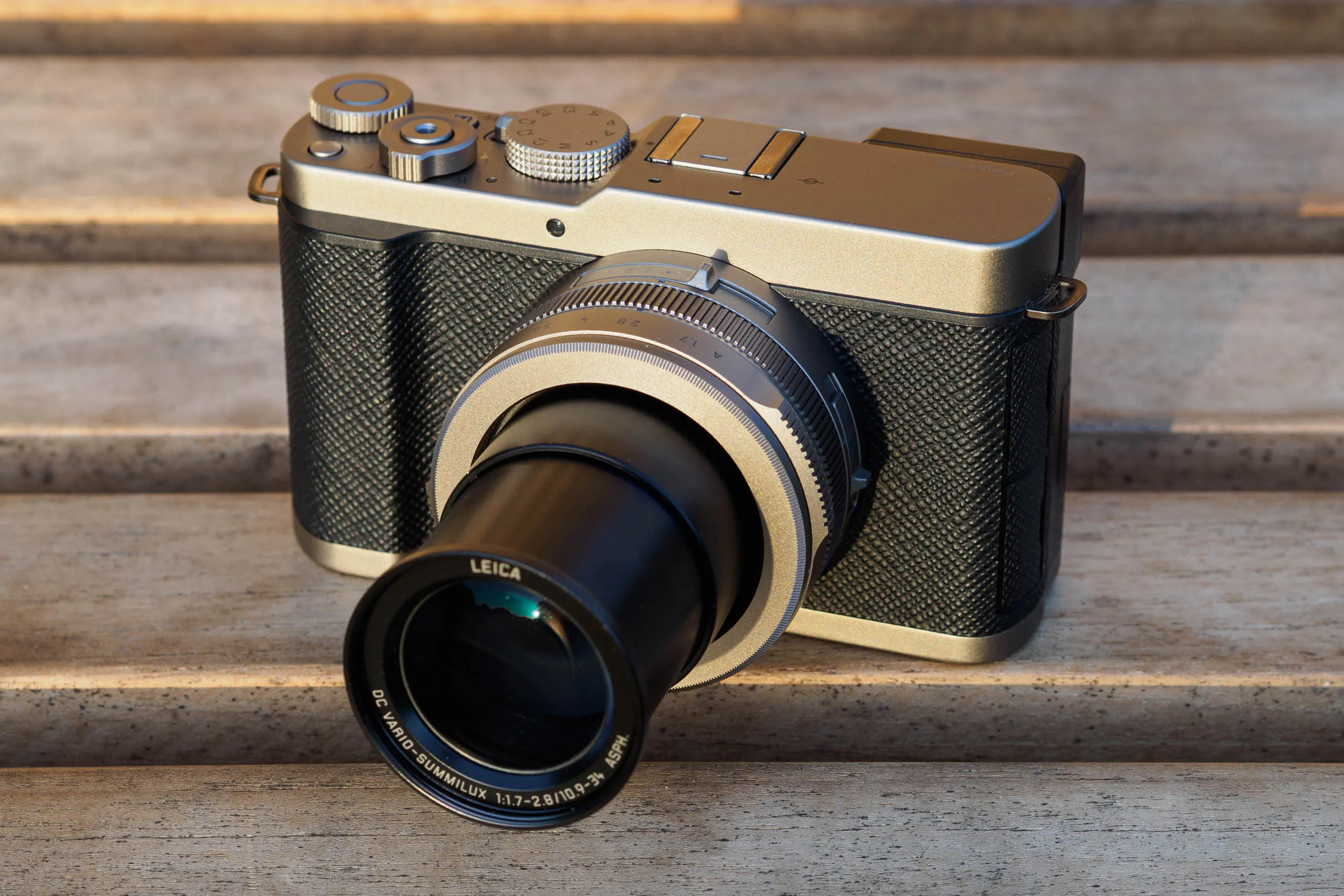
With a field of view equivalent to 24-75mm on full-frame, this makes for a general-purpose lens that’s ideal for everyday photography. It covers everything from landscapes and architecture at wideangle, to portraits at the long end. Meanwhile the maximum aperture is equivalent to f/3.7-6.3, in terms of depth-of-field, which means you can get a degree of background blur for portraits – if not necessarily a huge amount.
As for the sensor, it’s the same 26.5MP BSI-CMOS unit as used by the Lumix GH7 Micro Four Thirds model. That makes it rather more up-to-date than the 20MP unit that was in the LX100 II and D-Lux 8. Notably, it includes phase detection pixels for autofocus, which is a relatively recent addition for Panasonic.
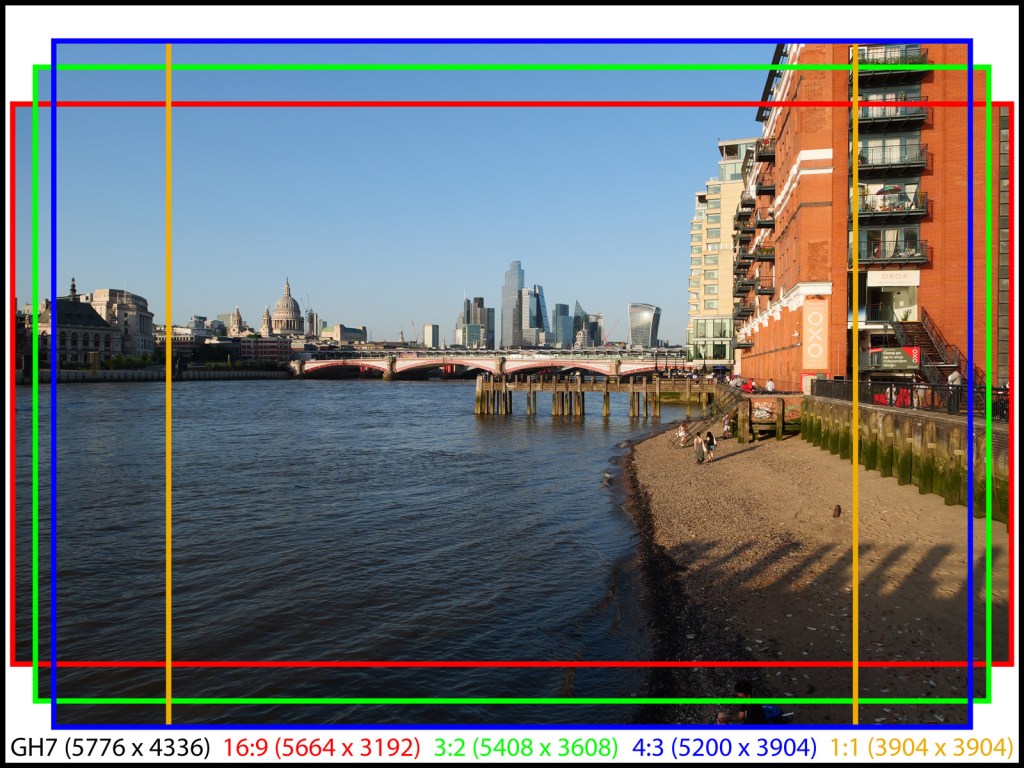
However, in the L10, the sensor is employed in a unique way. The camera never uses the entire sensor area, as in the GH7, but instead, it shoots a series of crops with different aspect ratios, but the same diagonal angle of view. Specifically, there are 4:3, 3:2 and 16:9 options that give 20.3MP, 19.5 and 18.1MP files respectively, plus 1:1 that’s cropped from 4:3, to give 15.2MP images. It seems odd – and a shame – that Panasonic can’t make the square crop cover the full sensor height, i.e. 4336 x 4336 pixels.
This sensor is paired with Panasonic’s latest processor, which enables subject detection for people, animals, and various vehicles: cars, trains, motorbikes, and planes. However, there’s no auto option for getting the camera to select between these subjects itself. That’s perhaps not a huge problem with this lens, though, as chances are you won’t be too bothered about such things as motorsports or distant wildlife. But you may well want to photograph people and their pets at the same time.
In what has become something of a theme over the past year or two, Panasonic has placed a strong emphasis on in-camera colour processing. There are a couple of new ‘film-like’ Photo Styles, L.Classic and L.Classic Gold, to go with the existing L.Classic Neo. The L10 also supports LUTs, which you can download using the Lumix Lab app, and then apply to your images to give a more personalised look. Both Photo Styles and LUTs even get their own, separate function buttons.
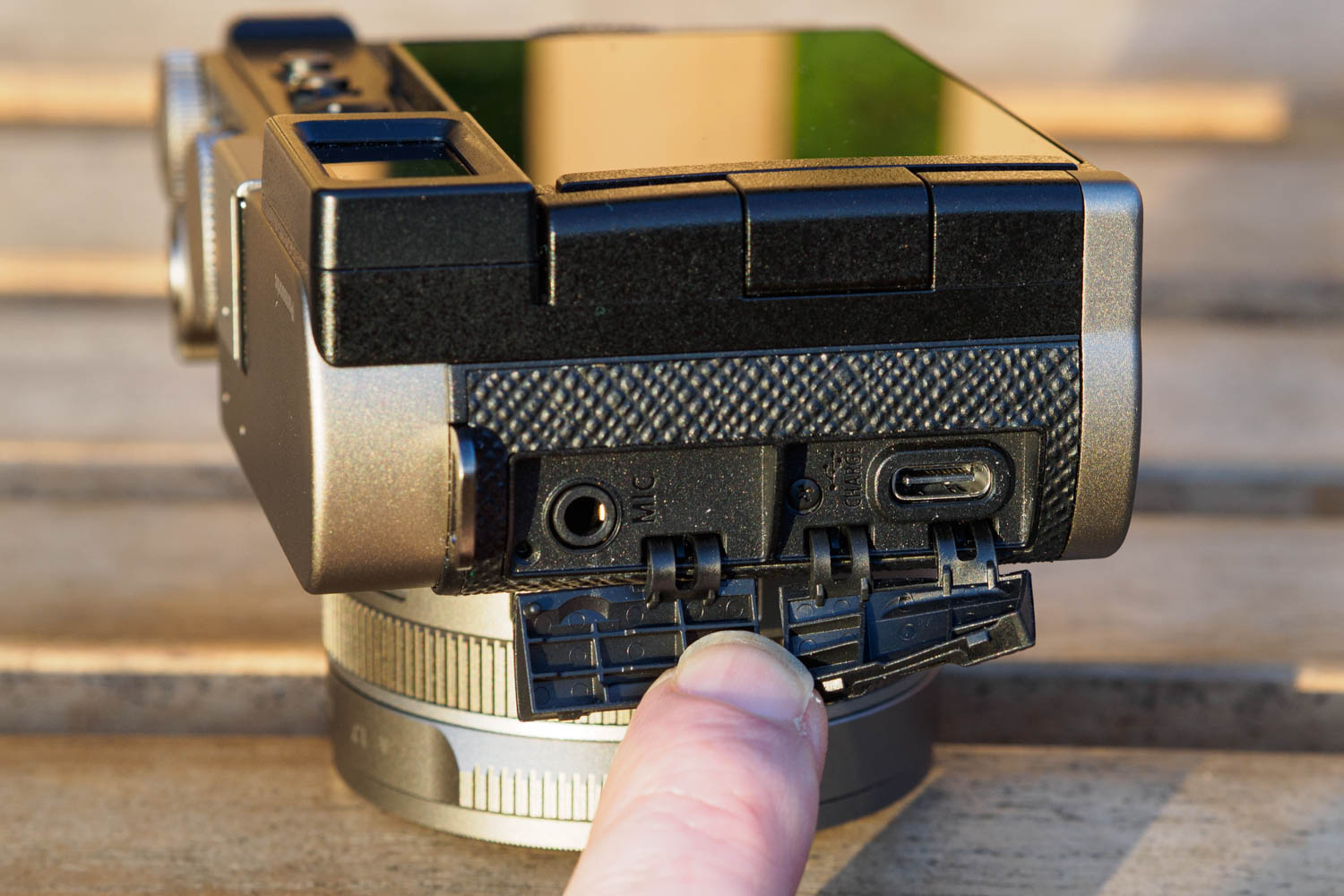
For a camera that Panasonic is specifically aiming at enthusiast photographers, the L10 also offers some impressive video capabilities. It can record in 5.6K resolution at 60fps; 4K at 120fps; and Full HD at 240fps. There’s also a 5.2K, 30fps option using the 4:3 image area. Technically this isn’t quite ‘open gate’, as it records a narrower view than the 16:9 option, but it offers essentially the same benefits. You get a 3.5mm mic input for higher quality sound, but there’s no headphone socket for monitoring audio, and no HDMI for video output.
Built-in Bluetooth and Wi-Fi provide smartphone connectivity using the Lumix Lab app. This enables image sharing, management of LUTs and Photo Styles, plus remote control of the camera. You can also wire the camera directly to your phone via USB-C for copying files across, which should be faster and more reliable. It’s worth noting that there’s no other remote release option, aside from the DMW-SHGR2 tripod grip.
Titanium Gold Edition
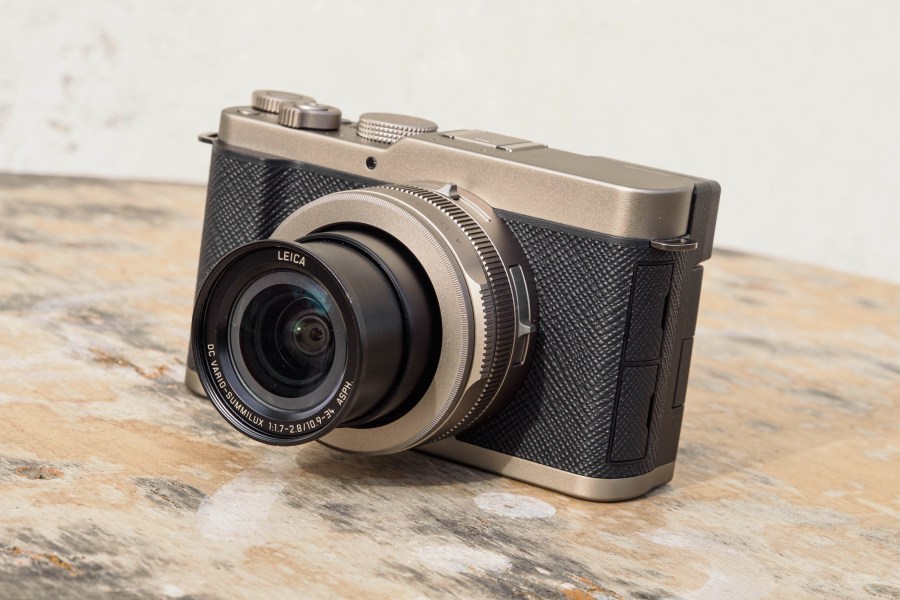
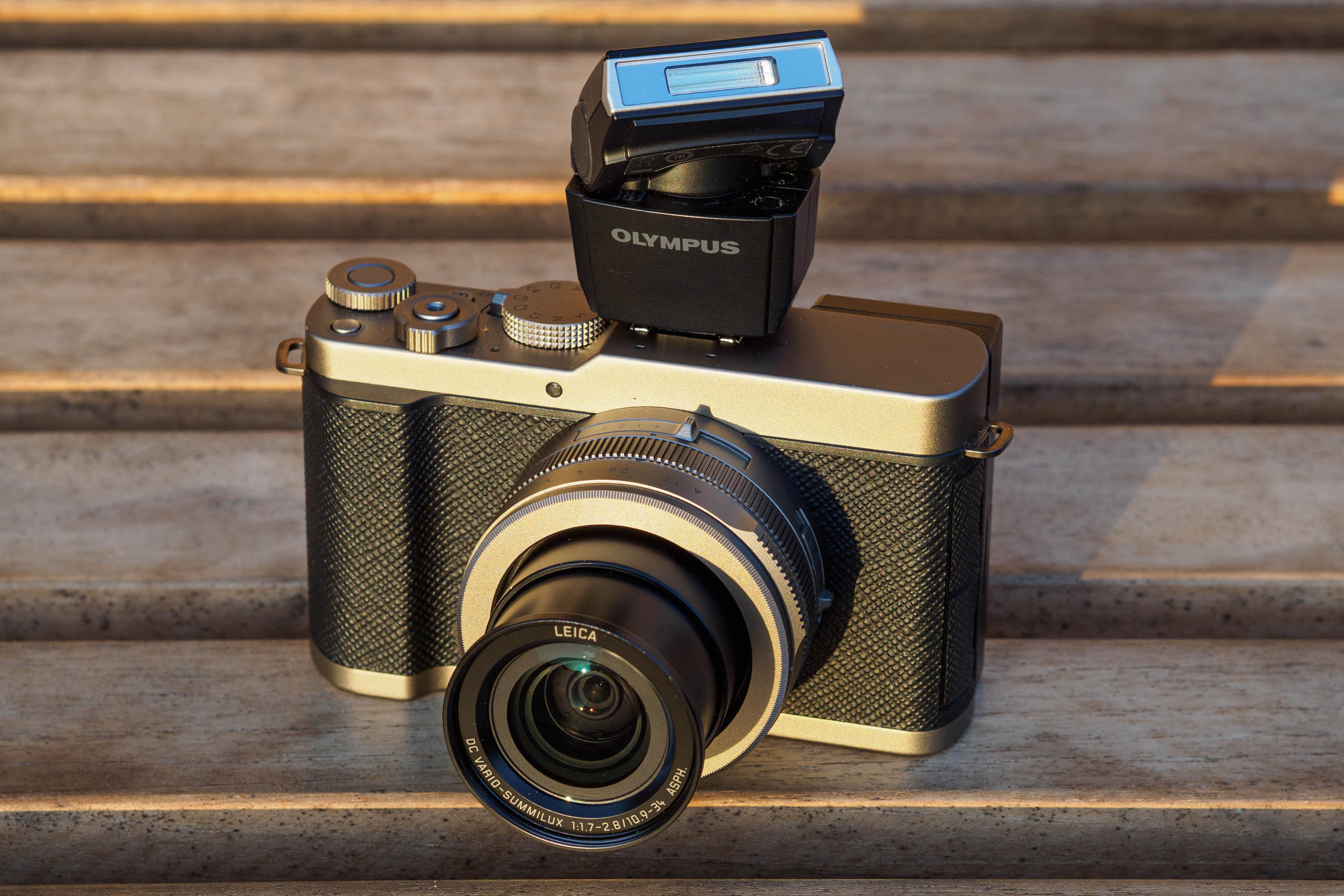
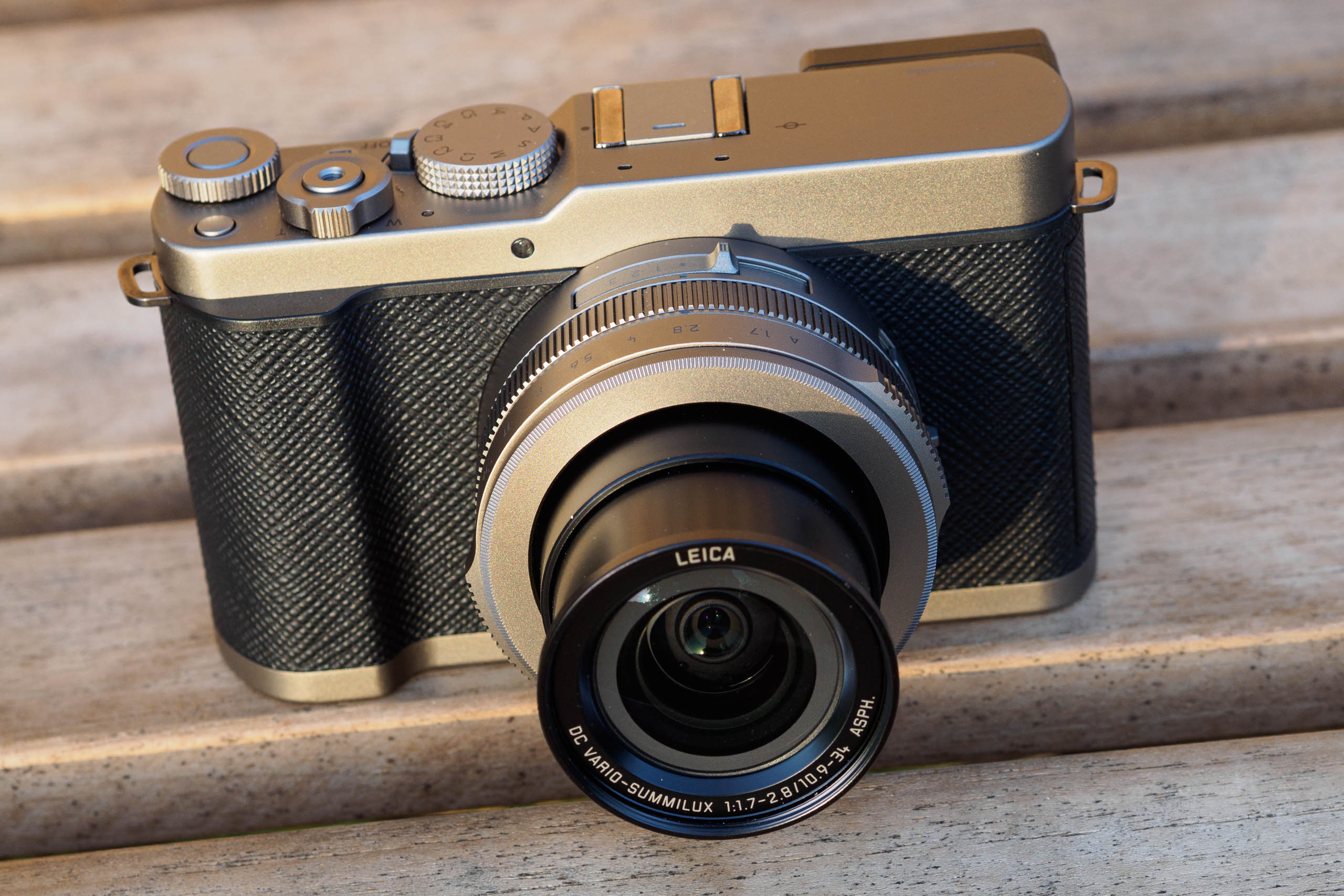
As you can tell from all my product images, I had the Titanium Gold Edition on loan for review. Functionally, this is the same as the standard L10. However, the shutter button is threaded to accept a decorative soft release (although it won’t work with a screw-in cable release). You also get a matched automatic lens cap, which is normally a £30 accessory.
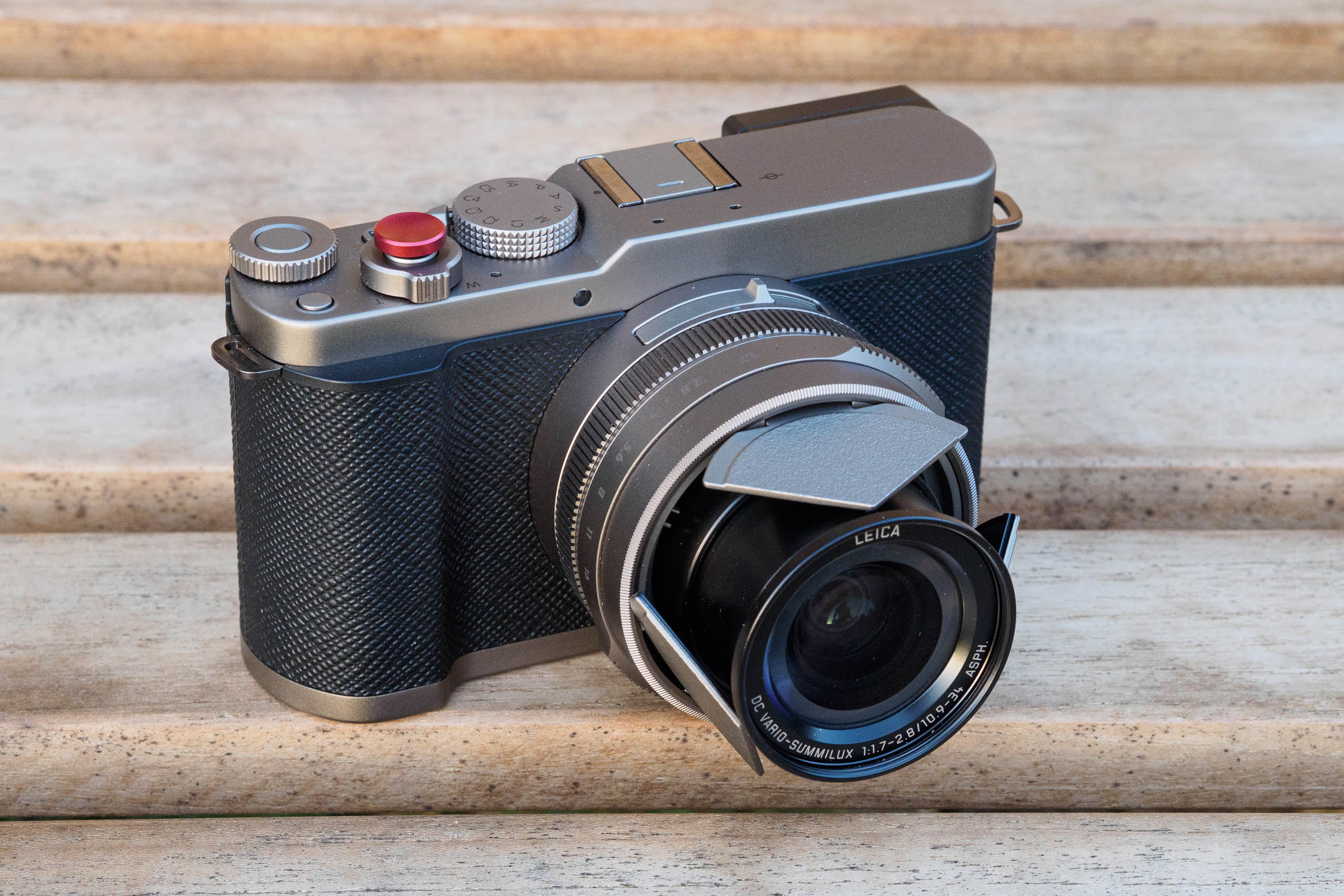
I can’t say I’m a fan of the Titanium Gold colour myself. However, other people do seem to like it more. Fundamentally it’s just down to individual taste – I’d probably go for the all-black version and add the automatic lens cap separately.
Panasonic Lumix L10: Key Features
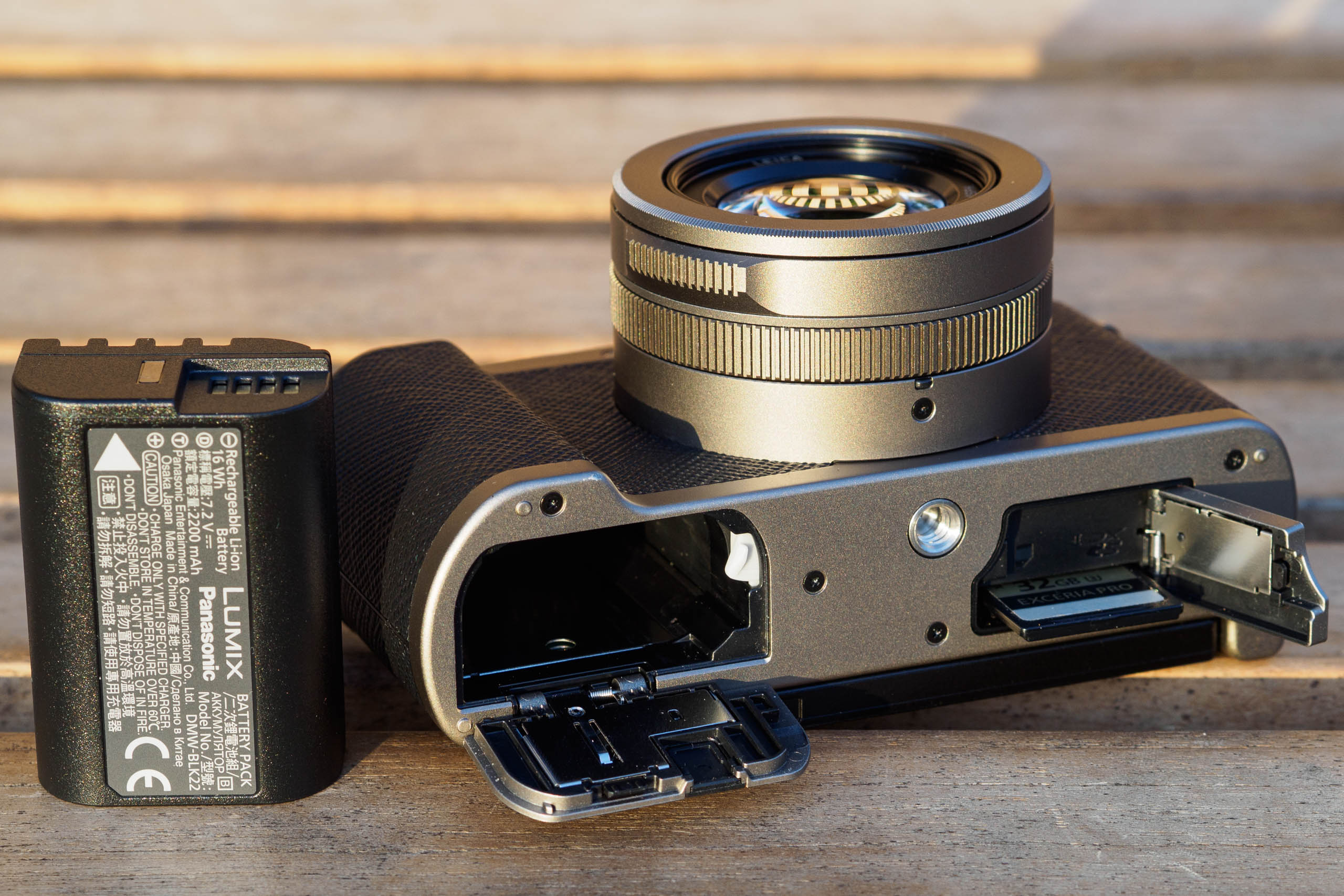
- Storage: Files are stored to a single SD card slot in the base. You’ll need faster UHS-II type cards for maximum performance.
- Power: The L10 uses the same hefty DMW-BLK22 battery as most of Panasonic’s mirrorless cameras. It should deliver 400+ shots, and charges via USB-C.
- Ports: There’s USB-C for charging and data transfer, plus a 3.5mm stereo mic input. But there’s no headphone, HDMI or remote release connector.
- Filter thread: The front of the lens is threaded to accept 43mm filters, with polarisers and neutral density filters likely to be the most useful.
- Lens caps: A 43mm clip-on cap is supplied in the box. Removing a cosmetic ring around the lens allows a rather fabulous auto lens cap to be used instead.
- Hot shoe: The hot shoe accepts dedicated flash units, and can also be used for 4-channel audio recording using the optional DMW-XLR2 adapter.
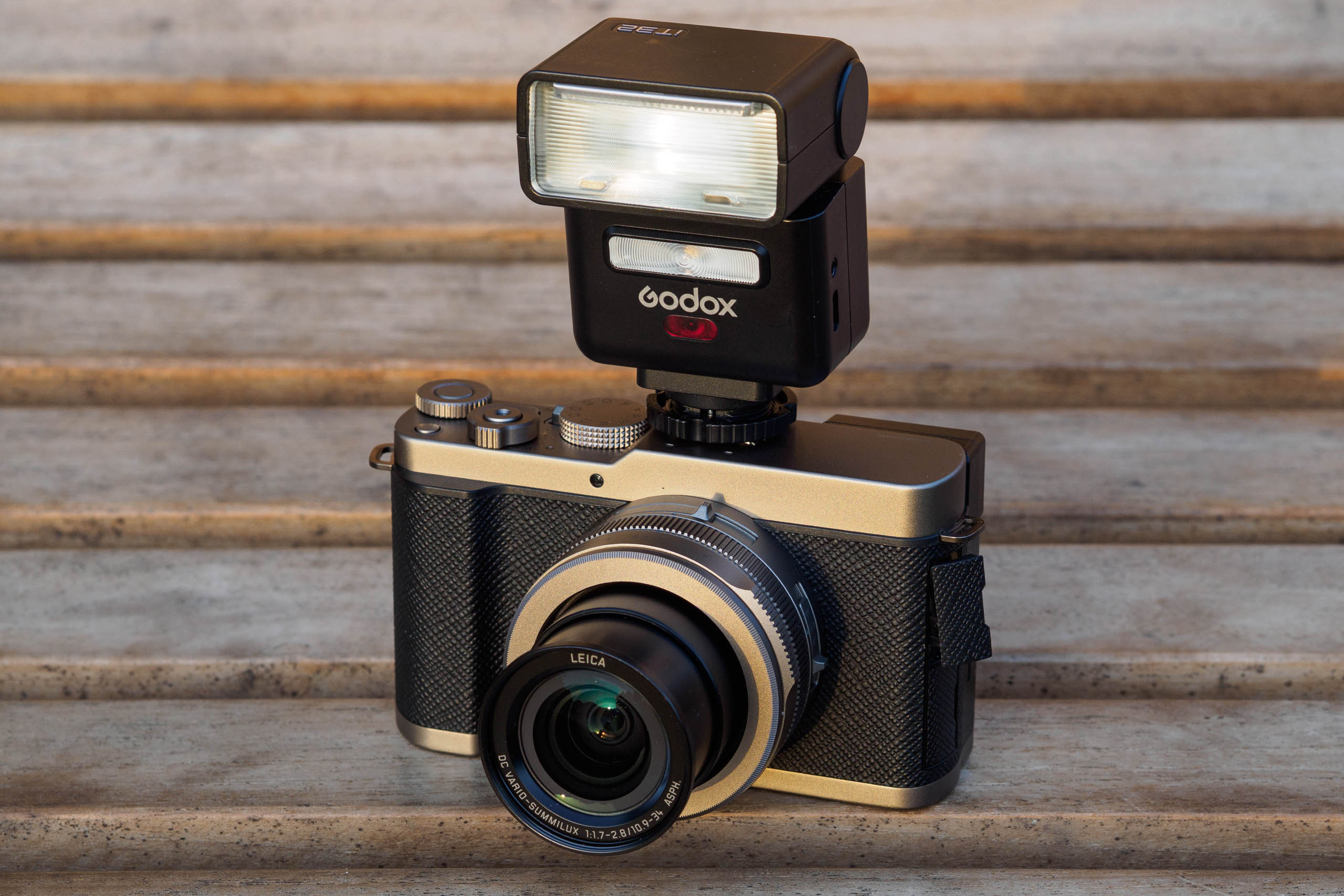
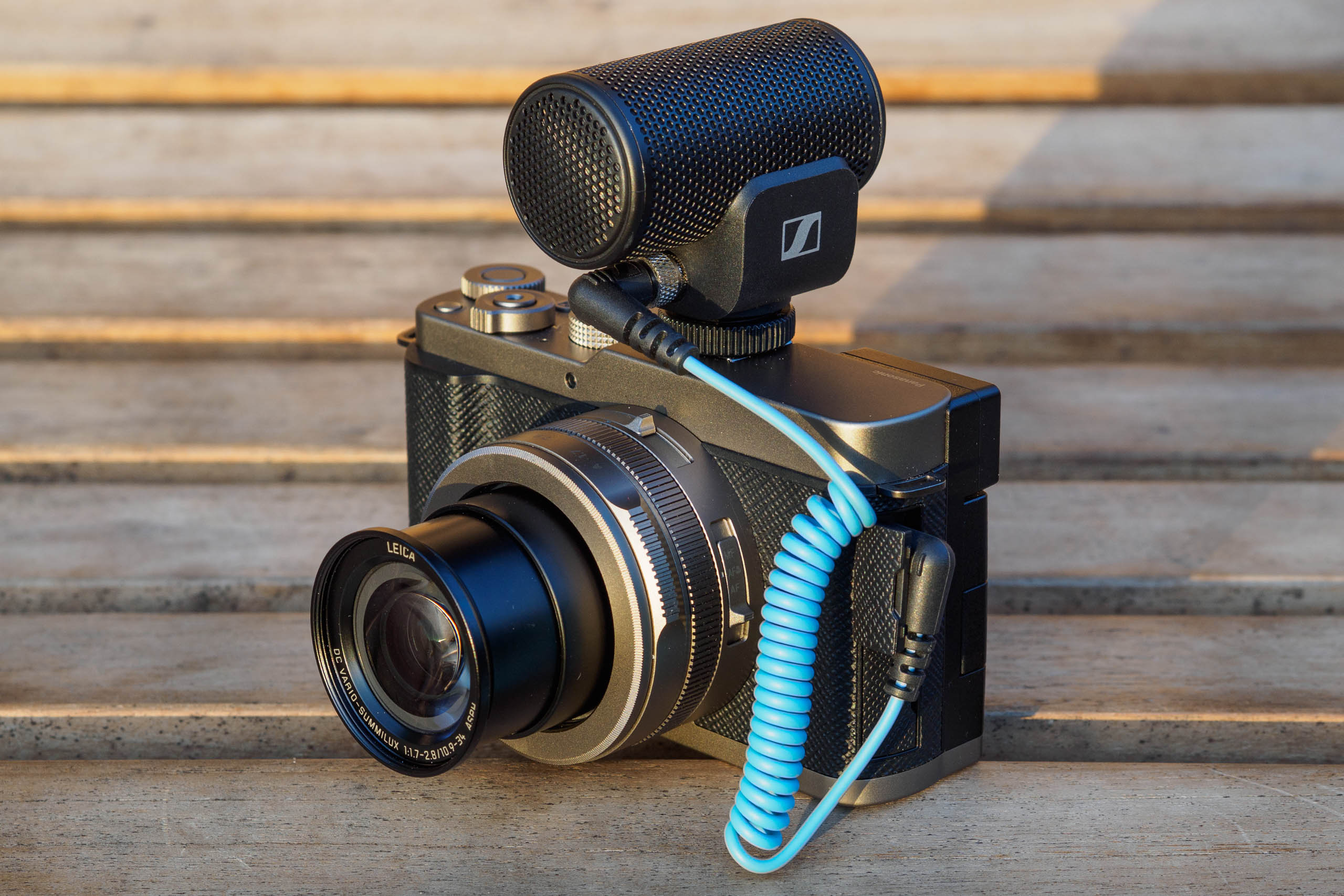
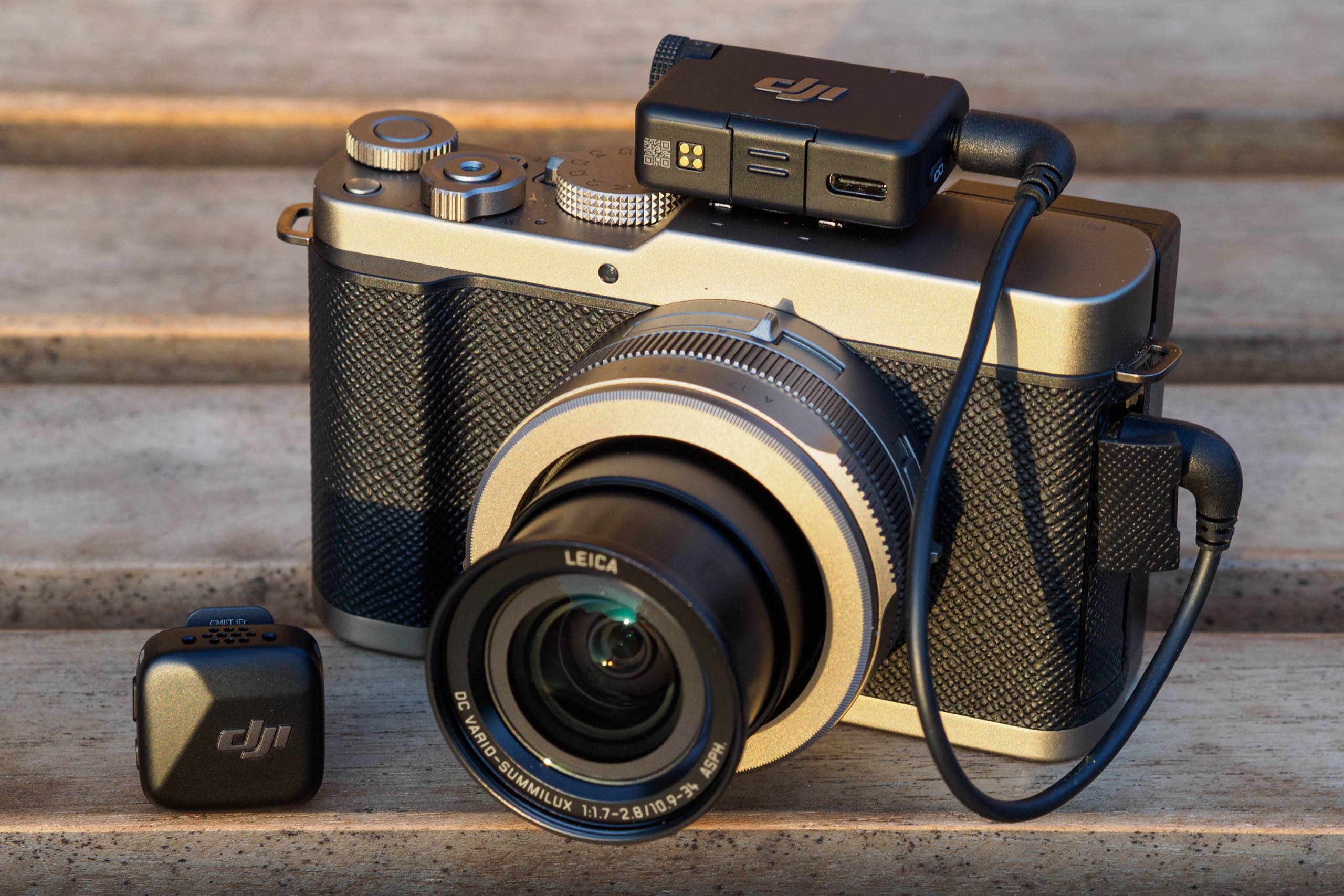
Build and Handling
If you’re familiar with the LX100 series, perhaps the most immediately striking aspect of the L10 is its size. Measuring 127.1 x 73.9 x 66.9 mm and weighing in at 508g, it’s distinctly larger and heavier than its predecessor. Indeed, it’s now about the same size as both Panasonic’s Lumix S9 full-frame mirrorless camera, and the prime-lens, APS-C format Fujifilm X100VI.
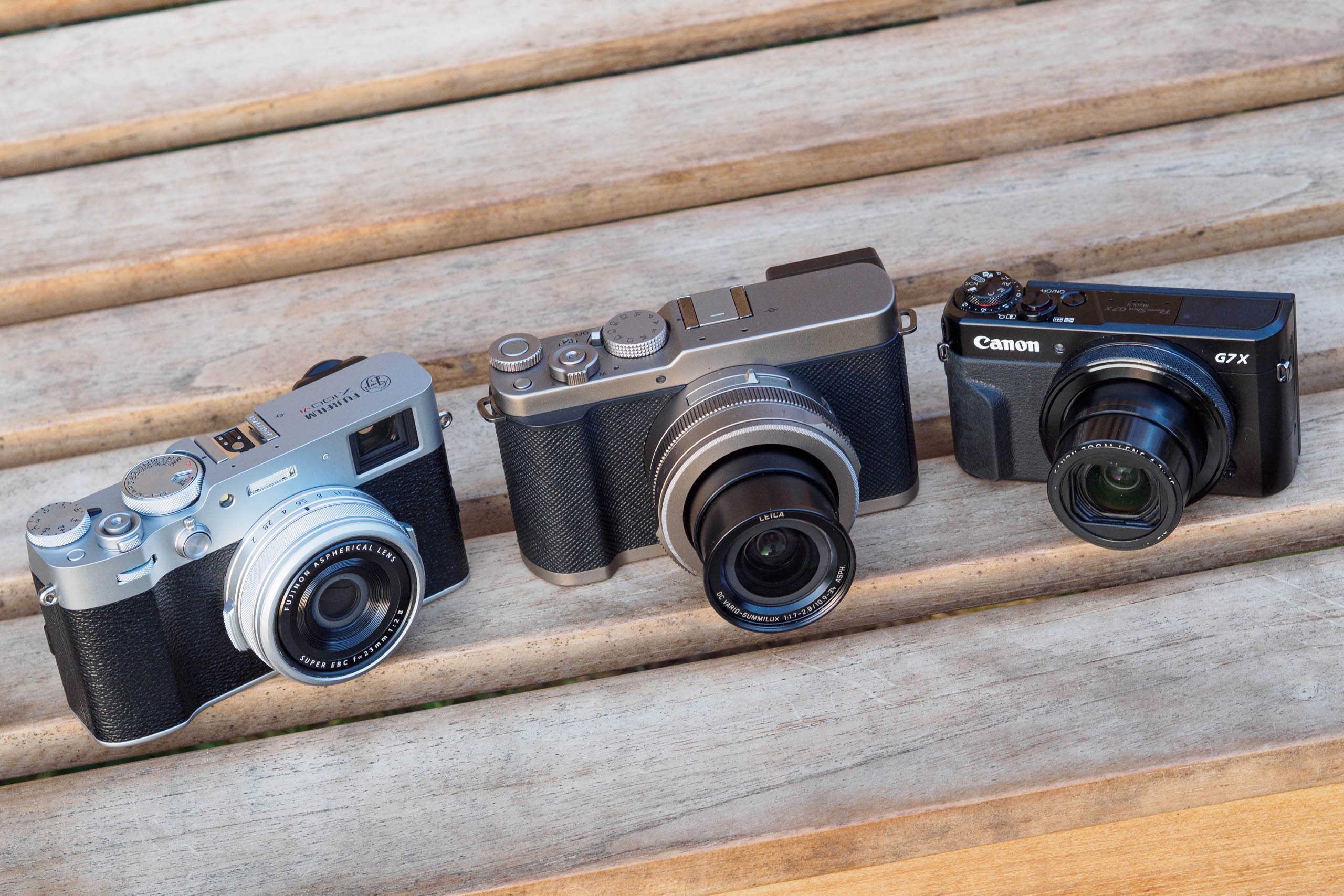
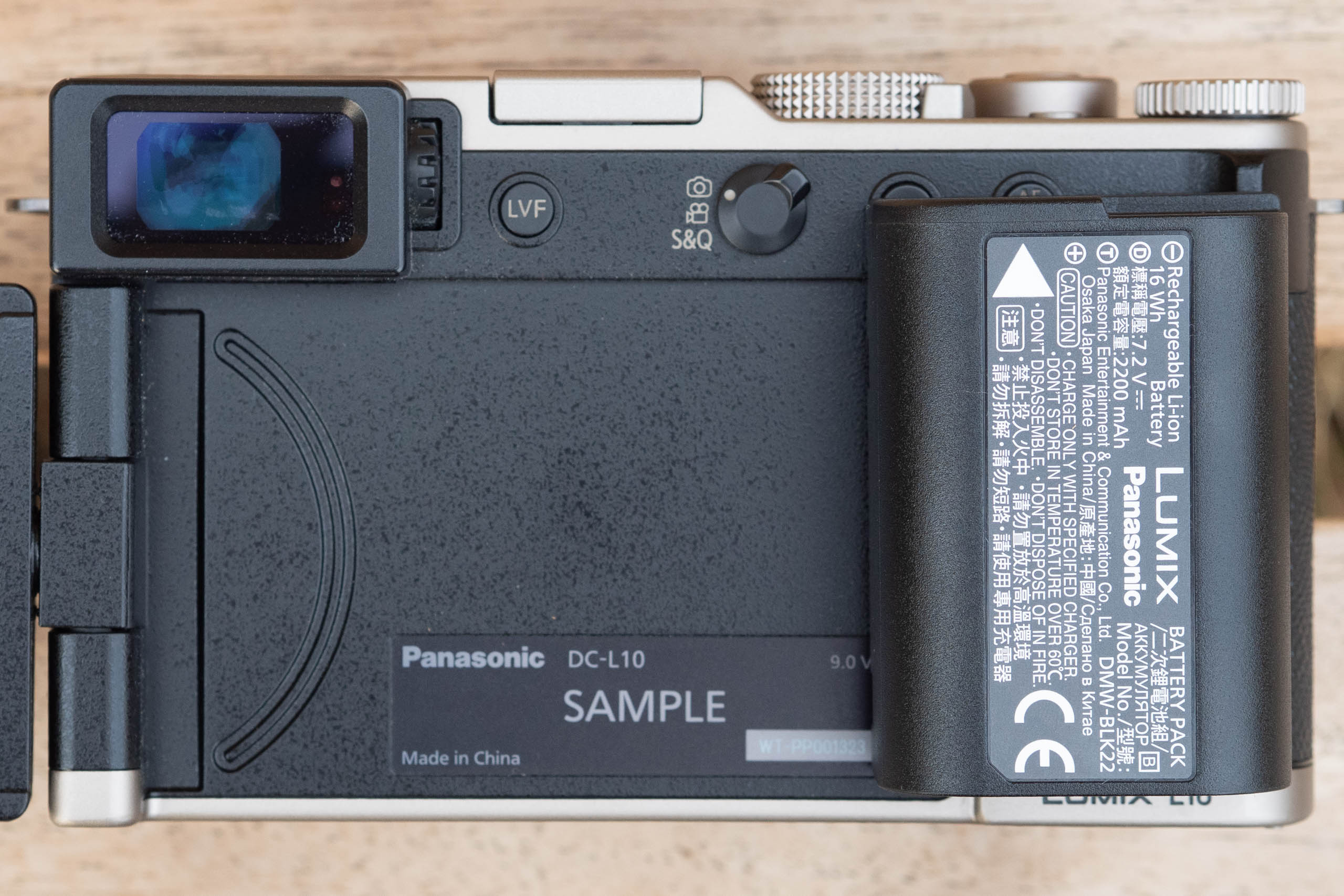
There’s been a lot of discussion about this online, bemoaning the increased size and weight and asking why Panasonic would do such a thing? But there’s a simple explanation. Not only can the larger body accommodate the higher capacity DMW-BLK22 battery, it also enables the addition of the articulated LCD, which otherwise wouldn’t fit.
In the L10, the BLK22 battery is rated to deliver a shade over 400 shots per charge, or 100 minutes of video recording. If Panasonic had used the DMW-BLG10E from the LX100 II, then based on the relative capacities, it would have delivered just 190 shots per charge, or 46 minutes of video. And I suspect many people would have complained about that instead. It also can’t have escaped Panasonic’s attention that the X100VI’s size hasn’t exactly stopped that camera from being phenomenally popular, either.
While I liked the LX100 design a lot, I think it’s important to judge the L10 on its own merits. And I have to say, I’ve found that the larger body fits my hand very nicely and provides plenty of space for controls, including larger, easier-to-use buttons. Thanks to the addition of small but effective finger and thumb grips, I also find it much more comfortable to carry around one-handed than either the LX100 II, X100VI or the S9, particularly when used with a wrist strap.
But of course, the flip side is that there’s no real chance you’ll be able to slip it into a pocket any more (not that the LX100 ever really did, either). However, it’ll fit into a small bag like the Billingham TEN-16 or the Vanguard VEO Metro Medium compact camera bag.
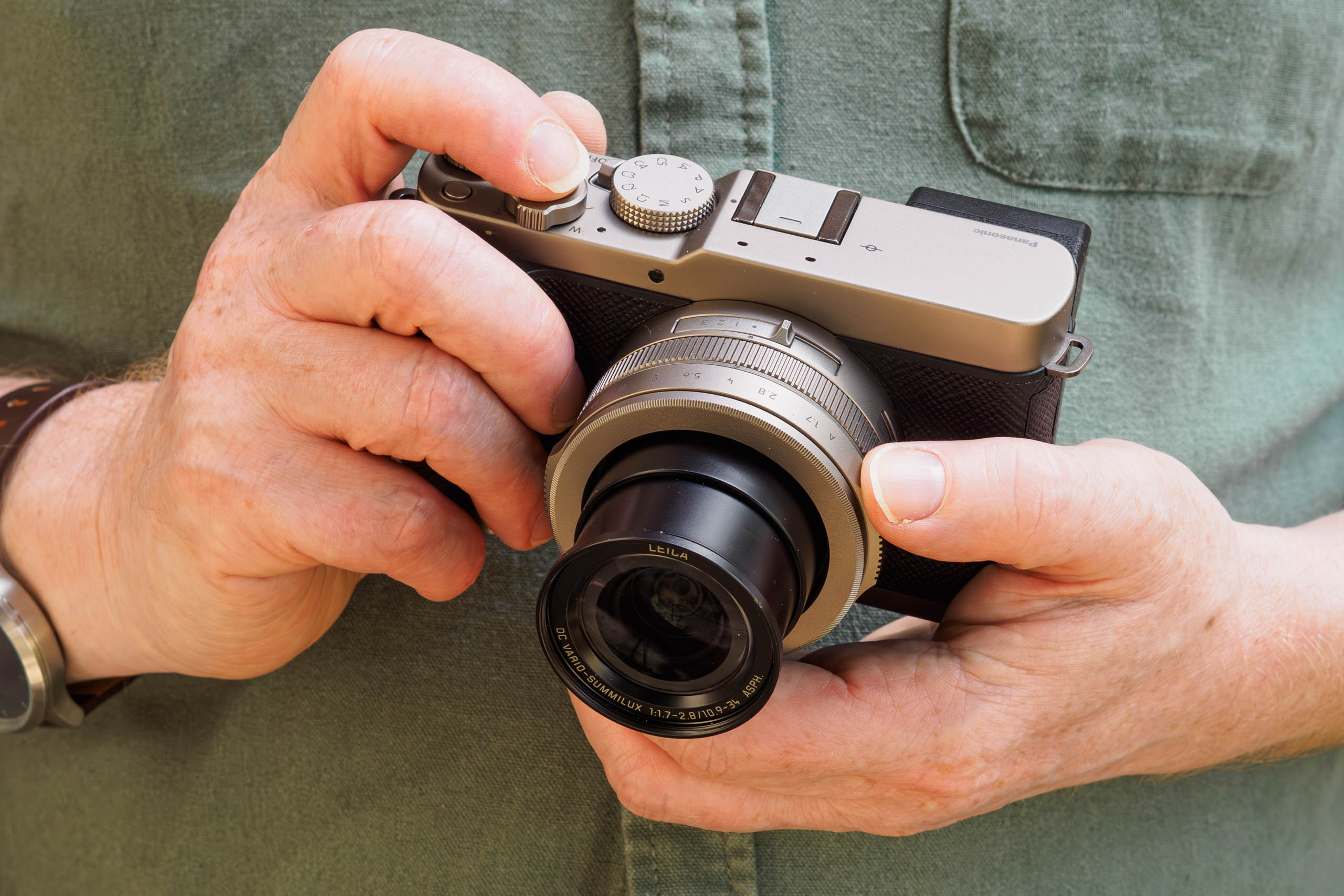
The second big change with the L10 lies with the control logic. Where the LX100 had dedicated shutter speed and exposure compensation dials on top, the L10 now sports an exposure mode dial and an electronic thumbdial. Both cameras also have an aperture ring around the lens, and a small, fiddly vertical dial on the back. The latter doubles up as a d-pad, giving direct control over ISO, white balance, AF settings and drive mode.
What I find particularly odd about the L10 is how the dials are set up by default. In manual mode, the rear dial sets the shutter speed, while the top dial changes the aperture. In other exposure modes, both control the same thing: program shift in P, aperture in A, and shutter speed in S. To set exposure compensation, you press a small button that’s placed immediately behind the shutter release and spin either dial.
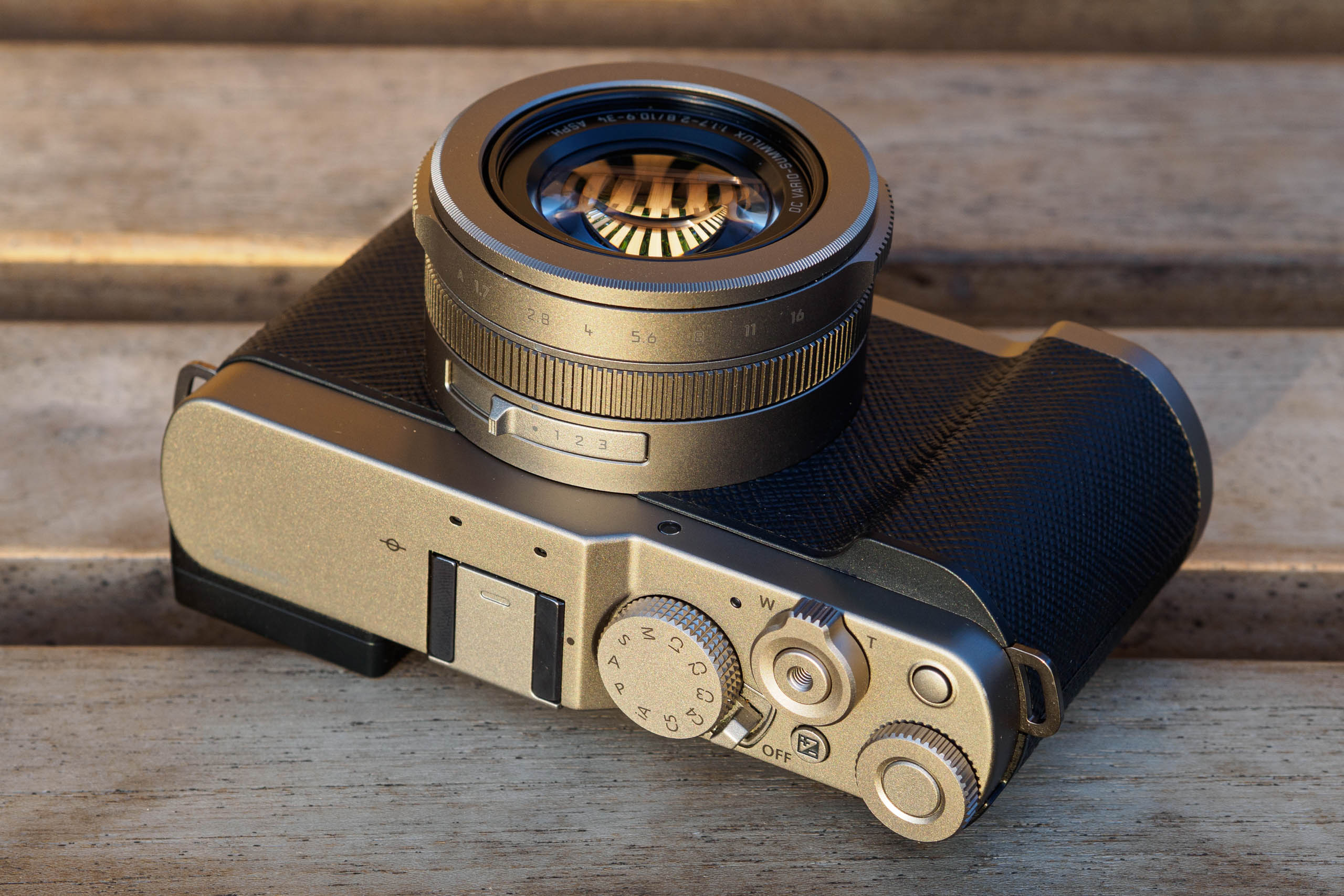
However, the moment you move the aperture ring from its A position, it takes control away from the body dials. This gives rise to the nonsensical situation that if you shoot in A mode using the aperture ring, then neither body dial does anything at all (or at least, not without pressing another button first). But I suspect this is exactly how a lot of enthusiast photographers will want to use the camera most of the time. To me, it makes a great deal more sense to configure the top dial to set exposure compensation directly (Menu – Operation – Dial Set – Exposure Comp).
Doing this then frees up the +/- button, so you can use it to set the ISO. Or even better, assign it to ‘Dial Operation Switch’, which allows you to change the ISO with one dial and white balance with the other (although I swapped them around compared to Panasonic’s standard setting, to use the top dial for ISO). Unfortunately, though, you can never really get away from having to use the painful rear dial to control the shutter speed. This means that shooting in the S&M modes is like, well…
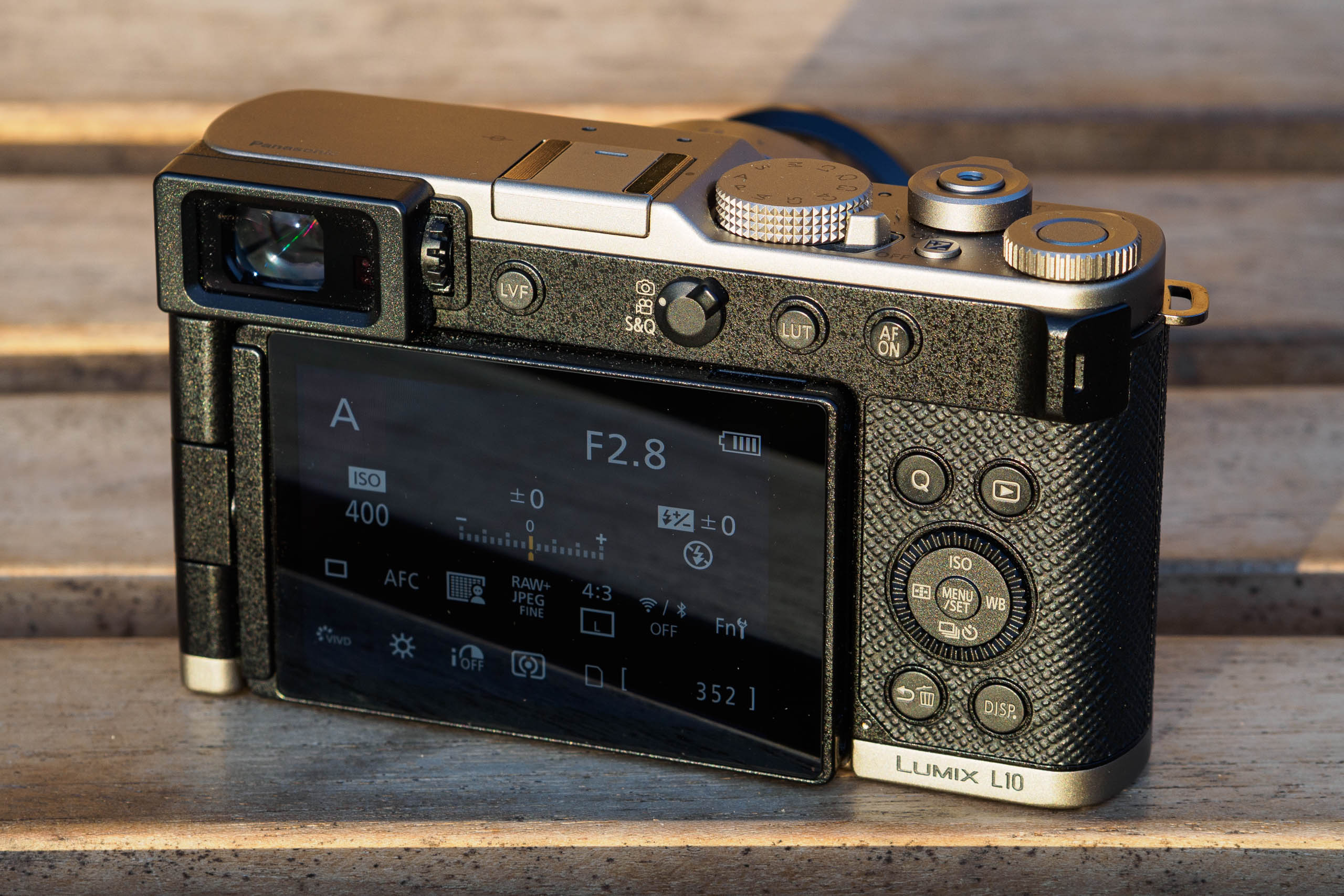
To move the focus area, you’re expected to use the touchscreen, regardless of whether you’re using the LCD or viewfinder for composition. For the majority of users, this should work perfectly well. But if, like me, you’re left-eye dominant, you’ll probably find yourself inadvertently setting the AF area with your nose instead. To combat this, I turned off Touchpad AF.
If you don’t like using the touchscreen to move the focus point, it’s possible to set the d-pad to do this directly. However, that in turn requires remapping the AF Mode and Drive buttons elsewhere, so you can still access subject recognition modes and set the continuous shooting speed. I used the AF ON and video record buttons, but pretty much all the buttons can be customised how you please.
Oddly, Panasonic has provided no easy means of switching between AFS and AFC. So I dropped this control into the onscreen Q menu. There is a physical switch on the back that selects between still, video, and S&Q shooting modes, and I can’t help but feel this would have been better used for AFS/AFC selection, as on the firm’s mirrorless models.
A conventional lever around the shutter button operates the zoom. I’ve seen complaints that this is too slow, but I fundamentally disagree. The key point is that it enables fine adjustment of composition, which I value far more than being able to zoom from wideangle to telephoto as quickly as possible. I’ve found this a particularly welcome change after reviewing the Lumix TZ300, which has a faster, but much less precise zoom control.
It’s also possible to configure the manual focus ring to operate the zoom in autofocus mode. I set it to step zoom, where it cycles though familiar focal length equivalents (24, 28, 35, 50, 70 and 75mm). I find this complements the zoom lever nicely.
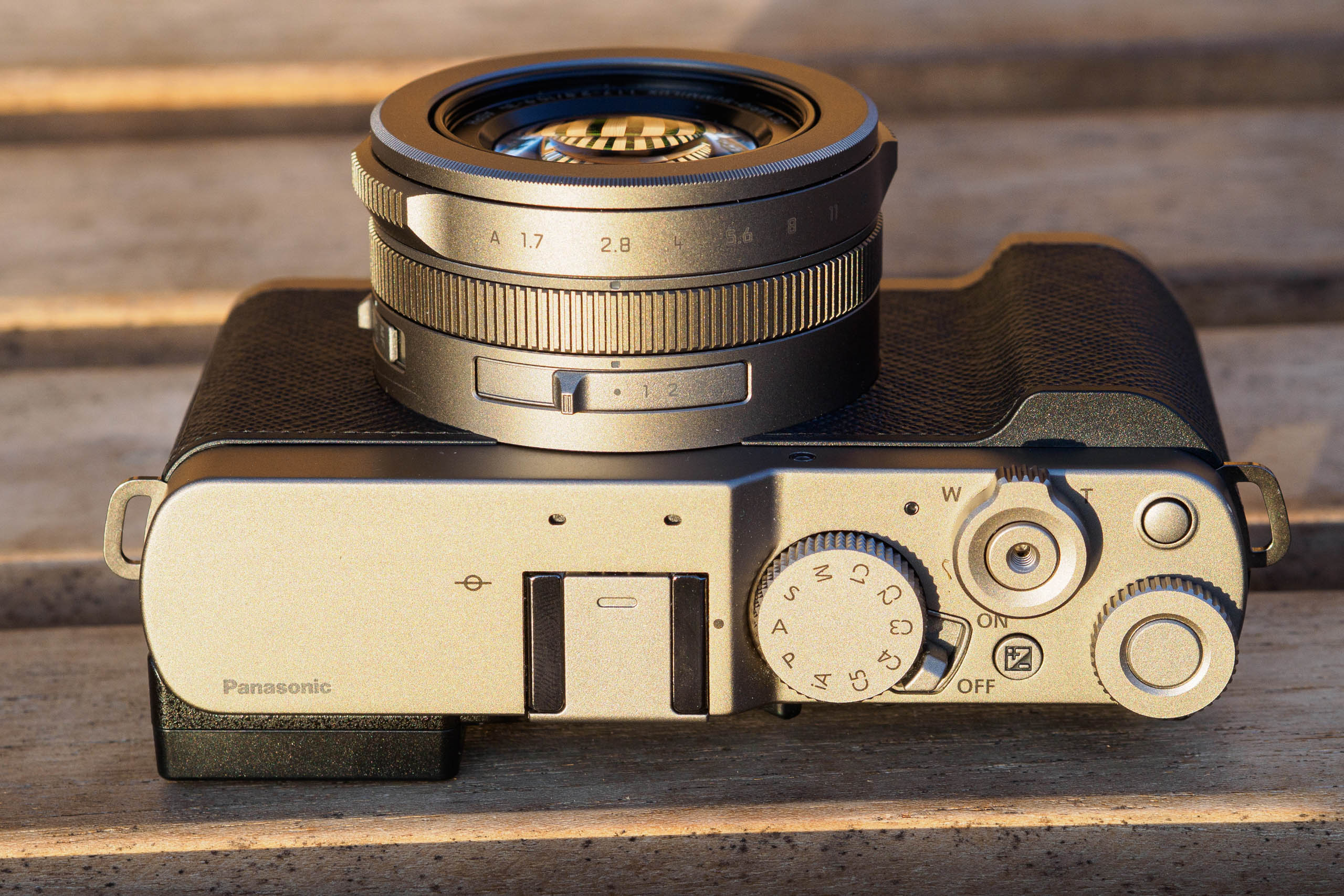
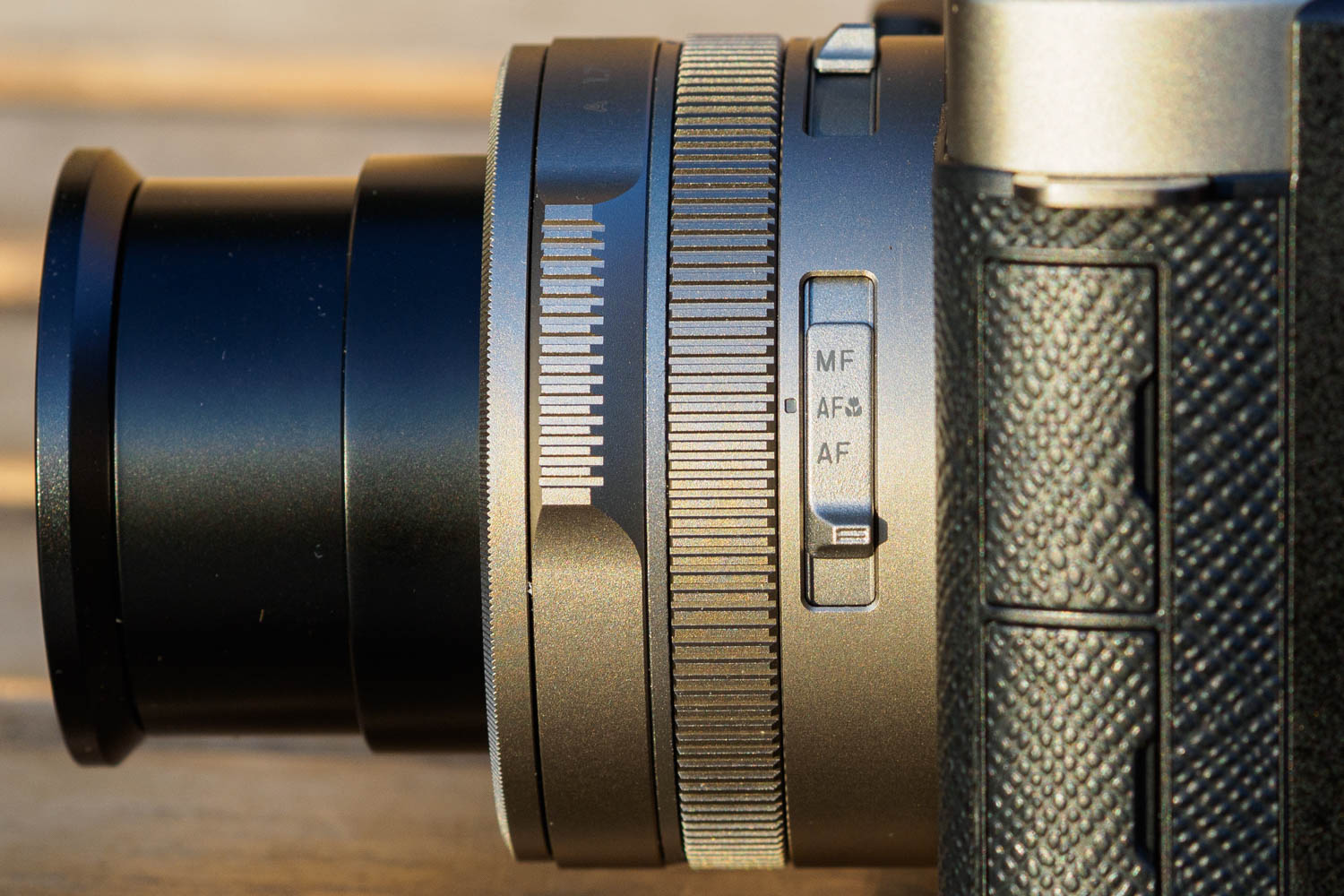
A switch on the side of the lens selects between focus modes: AF, AF macro, and manual. Another switch on top sets the aspect ratio. Personally I really enjoy having a direct control point for this, but on the L10, there’s a catch. The switch is now customisable, which means that the four positions no longer show the aspect ratios, but are labelled •, 1, 2, and 3 instead. This means you can no longer easily set the aspect ratio just by glancing down on top of the lens – you’ll probably need to look at the viewfinder or screen at the same time. And the thing about those labels is that they are equally unhelpful no matter what function you might assign to the switch.
As you can probably tell, I think that out-of-the-box, the L10’s control setup is a bit of a mess. For the enthusiast photographers that Panasonic says it’s targeting, frankly it’s a real step backwards from the original LX100. However, if you’re prepared to spend a bit of time customising it to your needs, it can be made perfectly pleasant to use. On this note, one clear advantage compared to the LX100 II is that you can save custom setups, give them meaningful names, and recall them via no fewer than 5 ‘C’ positions on the mode dial.
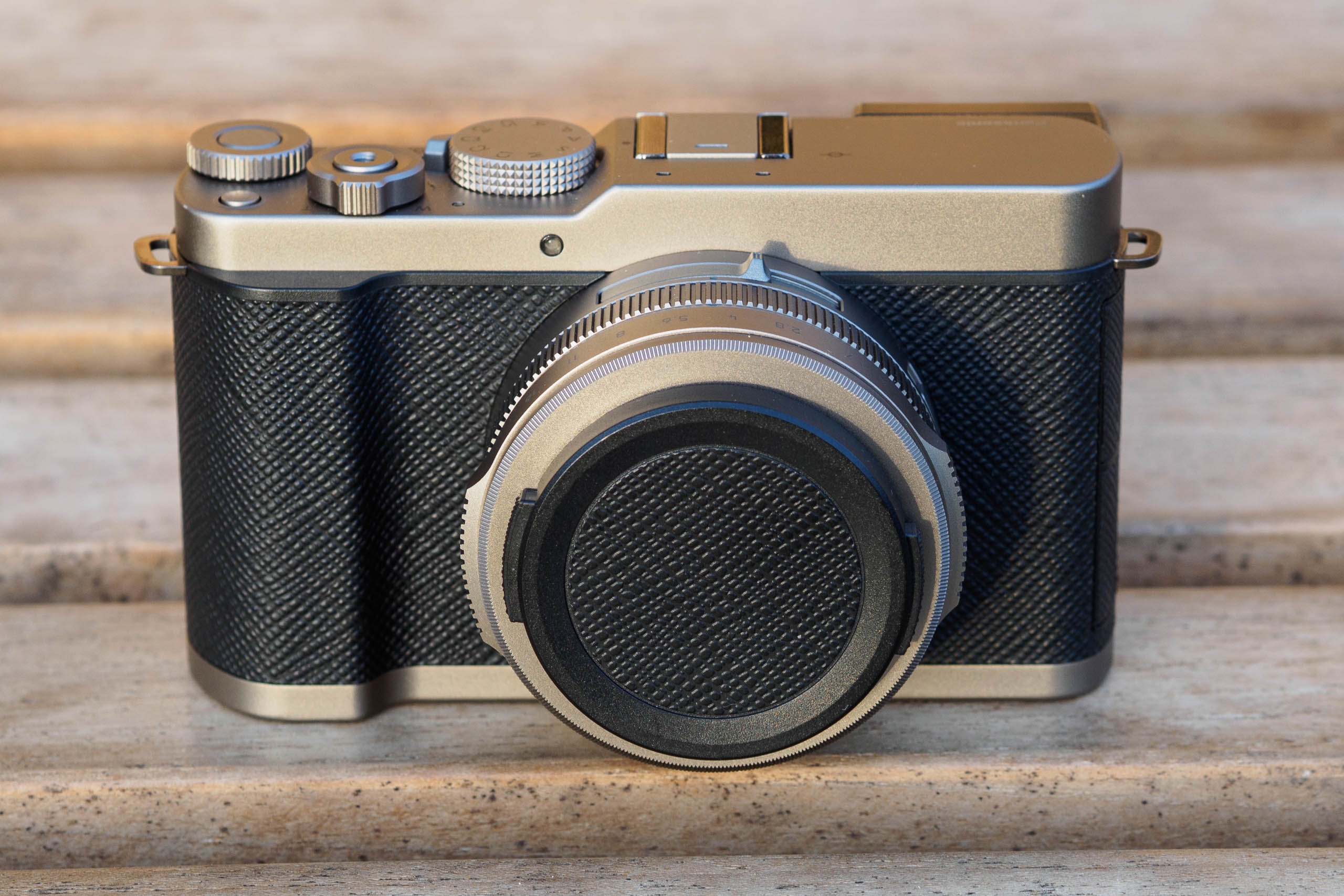
To be fair, though, the physical controls themselves all operate very nicely. The thumbdial, aperture ring and lens switches all have satisfying clicks, and I never found myself jogging any of them by accident. The buttons on the back are large and positive in action, too. The one glaring exception, though, is that back dial/d-pad, which really doesn’t feel like it belongs on a camera at this level.
One point worth noting, by the way, is that the L10 isn’t described as weathersealed. But that’s the norm for zoom compact cameras. If you want a camera of this type with sealing, you’ll either have to seek out a used Canon G1 X Mark III, or accept a fixed focal-length lens.
Viewfinder and screen
One area where the L10 is streets ahead of the LX100, though, comes with the viewfinder. With a 2.36m-dot OLED display and 0.74x magnification, this appears to be the same unit as Leica has used in its D-Lux 8. Compared to the previous 16:9 field-sequential display, it provides a considerably larger view in the 3:2 and 4:3 settings, and it doesn’t suffer from any unpleasant colour ‘tearing’ artefacts. It’s decently bright too, although I found it can become difficult to see on a really sunny day.
What’s more, the rear LCD screen has also received a major upgrade. It’s the same 3in, 1.84m-dot fully articulated touchscreen as used by Panasonic’s other recent cameras. Compared to the tilt-only screens on other enthusiast compacts, it has the considerable advantage of working equally well in both vertical and horizontal orientations. You can set it facing virtually any direction for high or low-angle shooting, and it can also face forwards for recording yourself. I’ve always enjoyed having this type of screen since I bought my first digicam, a Canon G2, in 2002, and I used it a lot on the L10, too.
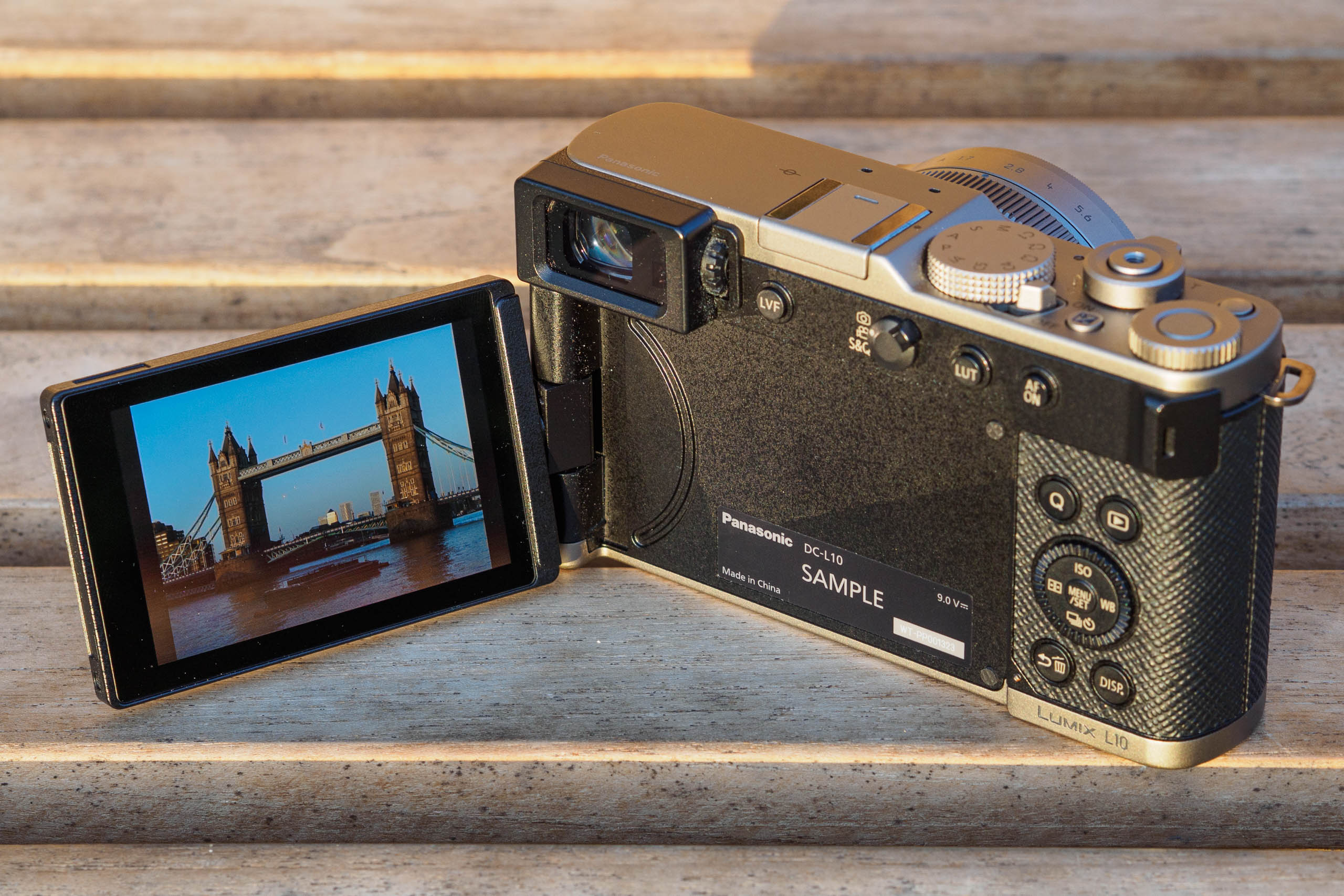
Colour, exposure and depth-of-field are all previewed in real time. All the usual exposure and compositional aids are on offer too, such as gridlines, a level gauge, and a live histogram. For the first time in a Panasonic camera, the onscreen information display rotates when you’re shooting in vertical format, which makes it easier to read. And if you generally shoot using the viewfinder, it’s possible to set the rear screen either to show a status/control panel, or simply remain blank to save power.
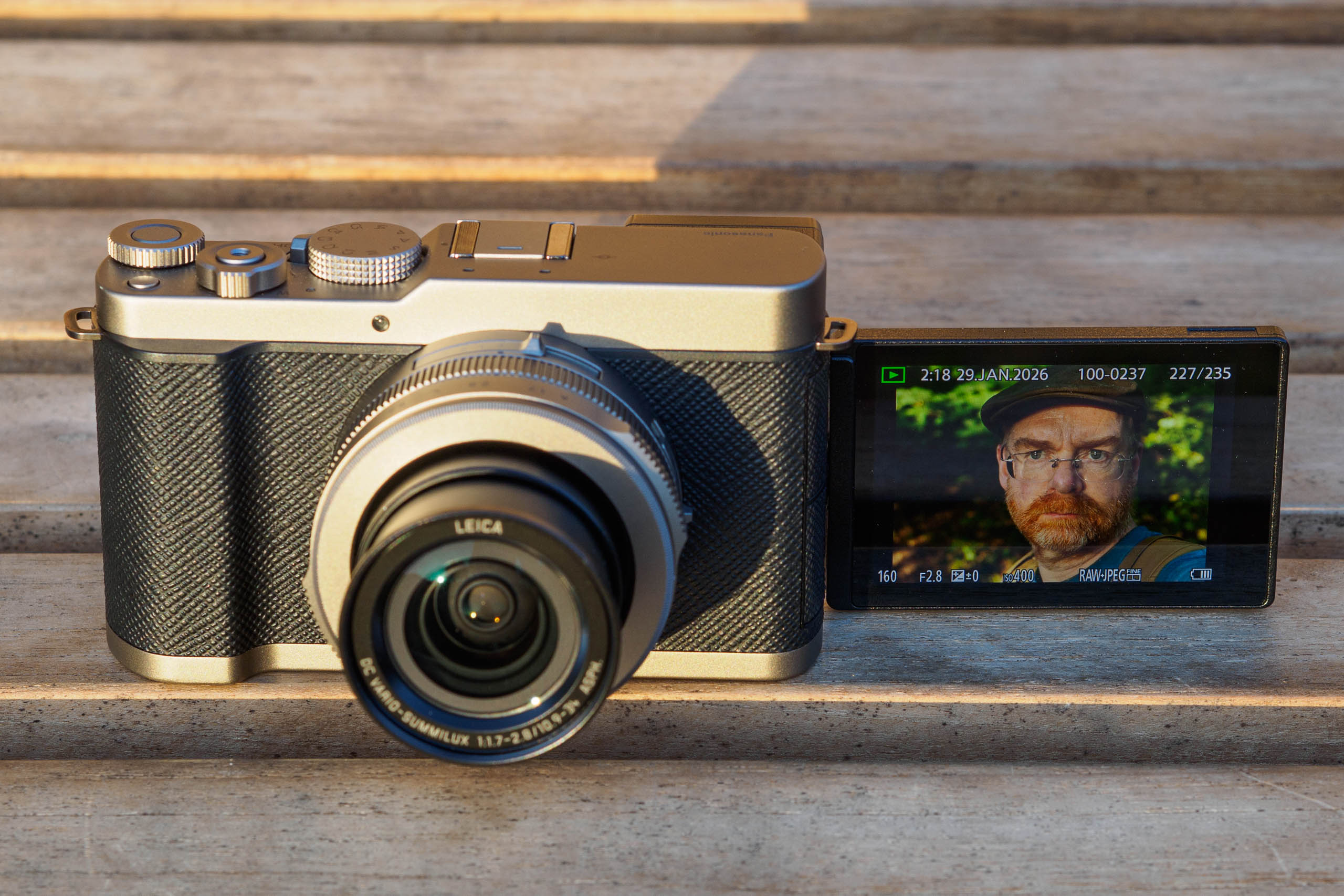
The upshot of this is that the L10 offers probably the best viewing experience of any compact camera I’ve ever tested. And let’s be clear – that’s a direct benefit of the increased body size required to fit the improved viewfinder and fully articulated screen.
Autofocus
Turning our attention to autofocus, the L10 includes one of the most sophisticated systems yet used by a fixed-lens camera. It employs both on-sensor phase detection and intelligent subject recognition, which is matched only by a few recent compacts with prime lenses, such as the Sony RX1R III and Fujifilm X100VI. But the big difference compared to those models is that, thanks to its internal-focus zoom, the L10 autofocuses significantly more quickly.

With static subjects, AF performance is practically faultless. The camera will focus quickly, accurately, and pretty much silently, wherever they may be in the frame. It’s only in very low light, or with extremely low-contrast subjects, that the camera starts to struggle.
Enable subject detection, and you can tell the camera to focus specifically on people, animals, cars, motorbikes, trains, or aeroplanes. This is particularly valuable for photographing people and pets, as you can concentrate on composition and not where you’re setting the focus point. But with the relatively short 75mm equivalent telephoto end, you’re going to be somewhat restricted with what you can do with the other kinds of subject.

I tested the system with a range of subjects, including portraits, trains, and animals, and in my experience, it works really well. The camera will outline the subject it’s tracking, and then follow it reliably as it moves around the scene. Continuous AF gives an impressive hit-rate of properly in-focus shots, too, both for large predictable subjects such as trains, and smaller, more erratic ones like wildlife (at least if it’s tame enough to get close to).
There is one minor irritation, though. If you combine subject recognition with the tracking AF area mode, the camera won’t fall back on its conventional tracking system if it doesn’t detect a subject of the specified type. But that’s not too hard to work around – for example you could configure a function button to turn subject detection on and off.
Performance
Like all zoom compacts, the L10 takes a second or two to power up and extend the lens before it’s ready to shoot. But after that, it’s quick and responsive to all the controls. It’s practically silent, too, just as long as you turn off all the electronic beeps.

One quirk that I found slightly annoying, though, is that when you’re reviewing images in playback, the lens will retract after just 15 seconds, regardless of the power save time you set. But if you want to take another photo quickly, you have to wait for the lens to extend again. This can occasionally result in missed shots.
I’ve been really impressed by the battery life, though. I suspect it will get most users through a day’s shooting with no trouble at all. That’s a huge benefit when you’re travelling, as it means you don’t necessarily have to worry about carrying a second battery or a powerbank.

Spare batteries cost $80 / £75, with third-party clones available for a fraction of the price. Many existing Panasonic users will also be able to share spares with their mirrorless cameras, such as the S1 and S5 series, the GH7, or the G9 II.
While I wouldn’t see the L10 as the obvious choice for the kinds of subjects that require high-speed continuous shooting, it’s still pretty capable in this respect. It can shoot at 9fps using its mechanical shutter, complete with continuous autofocus and live view, and happily rattle off around 40 frames in raw + JPEG before the shooting speed slows down. I think that should be more than good enough for most users.
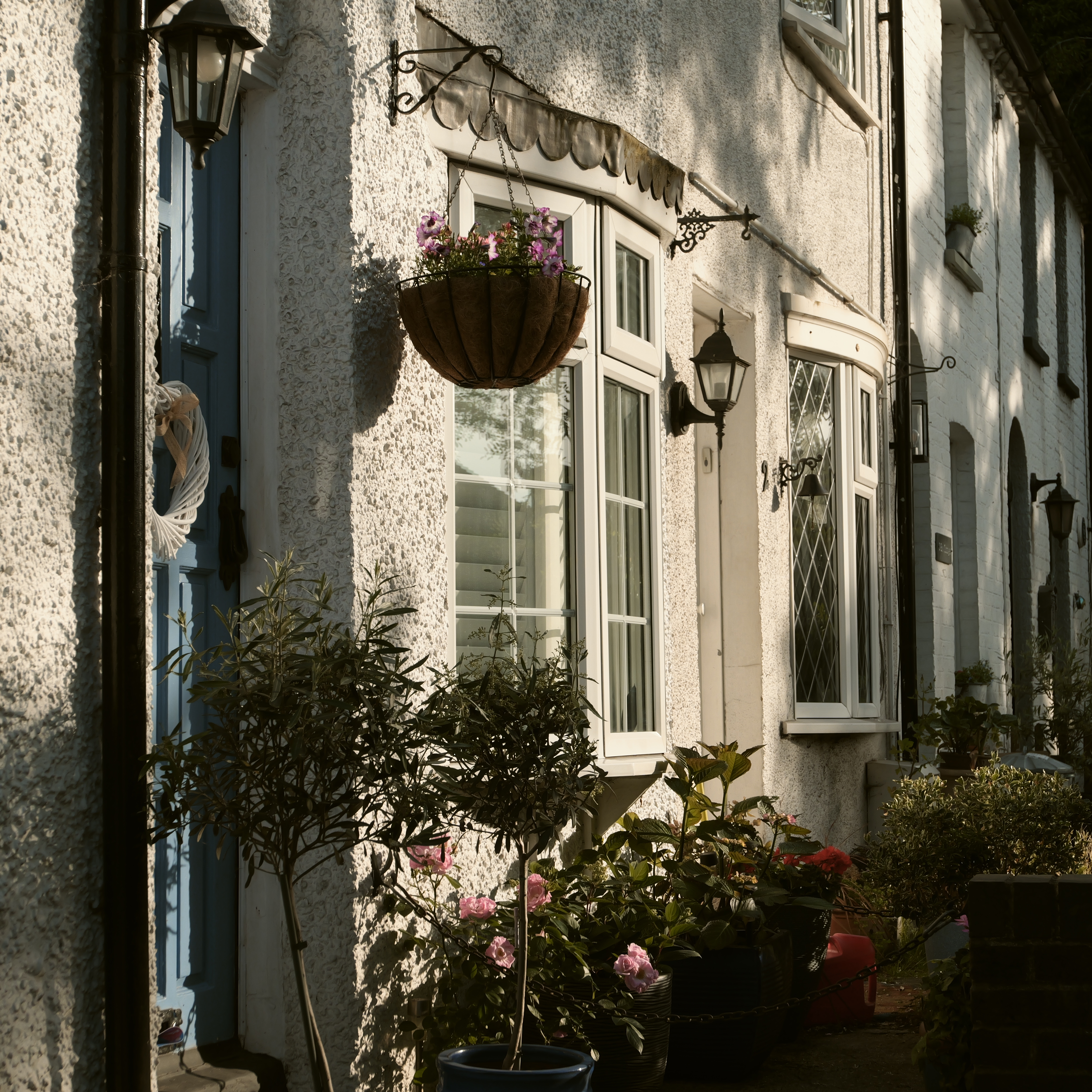
In the unlikely event you need to shoot even faster, the L10 will go at 10, 20 or even 30fps using its electronic shutter, and without much risk of rolling shutter distortion either. But operationally, these modes leave something to be desired. The camera provides little feedback about whether it’s actually shooting, with just a small red flashing dot tucked away at the bottom left of the frame, where you’re almost certainly not looking. It’ll stop after 45 frames, and unlike in mechanical shutter mode, it won’t then take any further frames as the buffer clears. Instead, it will only start shooting again if you lift your finger off the shutter button and initiate another burst.
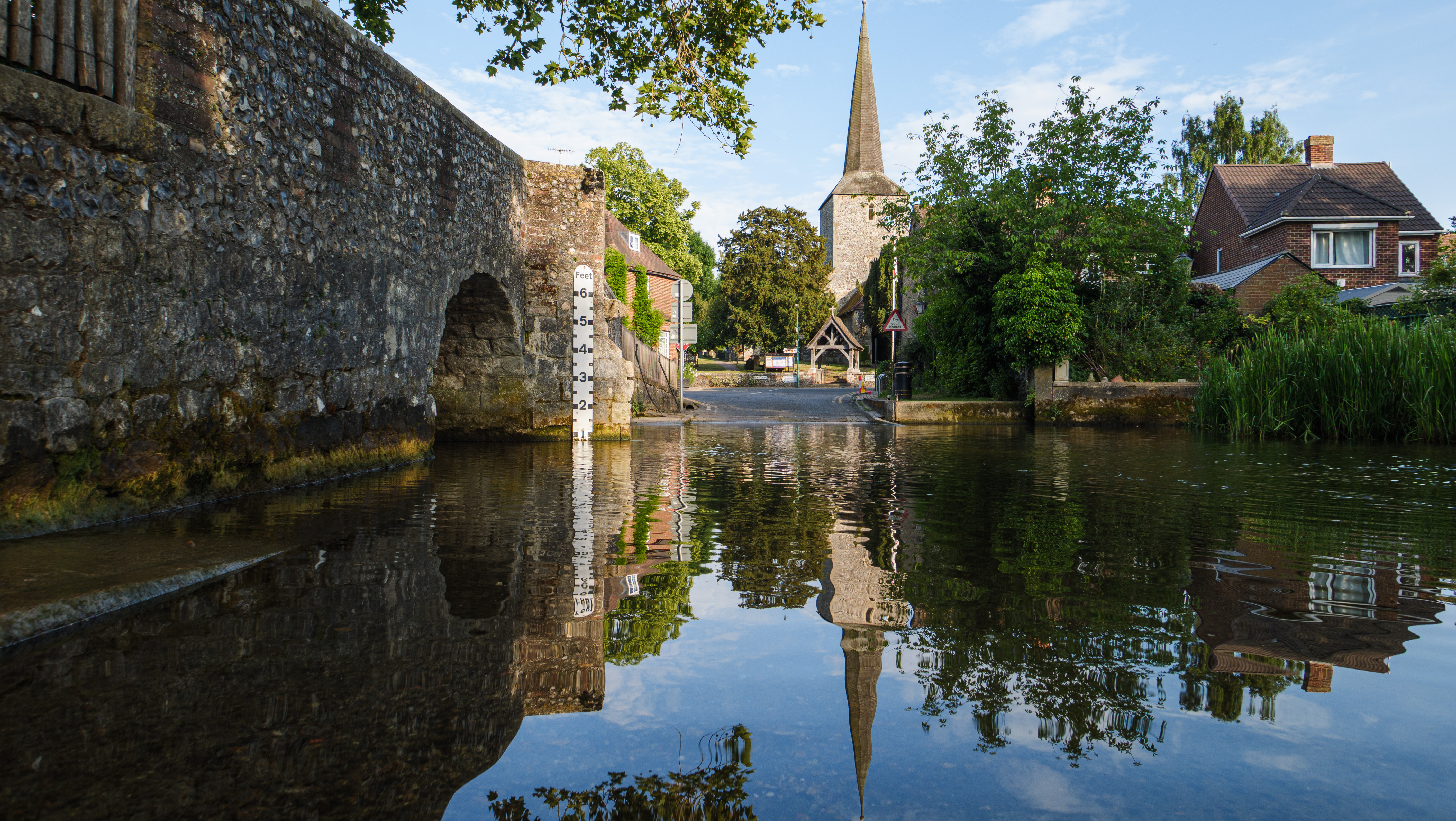
Like pretty much all zoom compact cameras, the L10 employs in-lens optical image stabilisation. In general, this does a good job of ensuring that your photos stay sharp at relatively slow shutter speeds. However, as it can’t correct rotation around the lens axis, it isn’t as effective as in some respects as the in-body stabilisation that’s employed by most mirrorless models, as well as the Fujifilm X100VI and Ricoh GR IV prime-lens compacts. Even so, when shooting stills, I was able to get consistently good results at shutter speeds down to about 1/4sec.

For hand-held video shooting, though, optical stabilisation doesn’t work very well, at least on its own. Footage ends up with the kind of swaying that we’re just not used to seeing any more from Panasonic cameras. And while electronic stabilisation is available, it’s not turned on by default. There’s a case for enabling it, although it does come with a slight field-of-view crop.
Image quality
With Panasonic’s latest processor onboard, the L10 is capable of giving some nice results directly out of the camera. I preferred using the AWB-W auto white balance mode, which gives warmer, more attractive results than the standard option. To my eye, it very rarely got things wrong.

You do need to keep an eye on the metering, though. I found the camera has a distinct tendency towards underexposure, and can often benefit from a touch of positive exposure compensation. That’s generally better than overexposing and clipping highlights, though.

Personally, I find the standard Photo Style to be too muted for my tastes, and I’ve taken to shooting Vivid most of the time – just be aware it can give odd-looking skin tones for portaits. I also rather like the new L.Classic Gold, which as the name suggests, is a pretty good emulation of Kodak’s famed colour print film. There are several nice options for black & white shooters too, with Leica Monochrome being my own favourite. If you’re into using LUTs for a more personalised colour look, there’s scope to play with them to your hearts content.

As the L10 uses the same 25MP Four Thirds sensor as the GH7, it gives much the same raw image quality. No, it’s not going to match a full-frame camera if you zoom in and stare at the pixels closely, or even an APS-C one. But it’s still capable of taking very nice photos, nonetheless.
At ISO 100, you get nicely detailed images with just a hint of luminance noise. The raw files are amenable to fairly significant tonal adjustments, so you can pull up at least three stops of additional detail during raw processing. That’s really useful for balancing the highlights and shadows in bright, contrasty conditions.

Noise does become rapidly more obvious as the ISO is raised. But even so, I’d be entirely happy shooting at up to ISO 3200, with just a judicious touch of luminance noise reduction. The top two ISO settings are very noisy indeed, but they clean up surprisingly well using more sophisticated software like Adobe Denoise. But here’s the thing: that large-aperture, optically stabilised zoom means that in practice, you don’t really need to use those high ISO settings very often.

When it comes to the lens, the L10 looks much the same as its LX100 predecessors. Images look absolutely fine when viewed full-screen on phones, laptops, or tablets, which to be fair is how they’ll mostly be viewed. But if you view them on larger monitors, or zoom in and start pixel-peeping, the edges and corners often appear a bit soft. Overall, the lens simply isn’t as sharp, corner-to-corner, as we’ve become used to seeing from modern zooms. So if you’re planning on making large prints on a regular basis, this camera may not meet your needs.

On this note, it’s important to understand that for the best results, you should as a rule use larger apertures than you would with larger sensors. On Four Thirds, maximum overall sharpness is generally achieved around f/4 to f/5.6. Stop down to f/8 or f/11, as you would on full-frame, and diffraction visibly softens fine detail; I’d avoid using f/16 entirely.
Panasonic Lumix L10: Our Verdict
Let’s make one thing clear from the start. The Panasonic Lumix L10 can stake a realistic claim to being the best zoom compact camera yet made for enthusiast photographers. You get a versatile, large-aperture, optically-stabilised lens, coupled with a very decent sensor. And that’s complemented by the best autofocus system I’ve yet seen in this kind of camera.
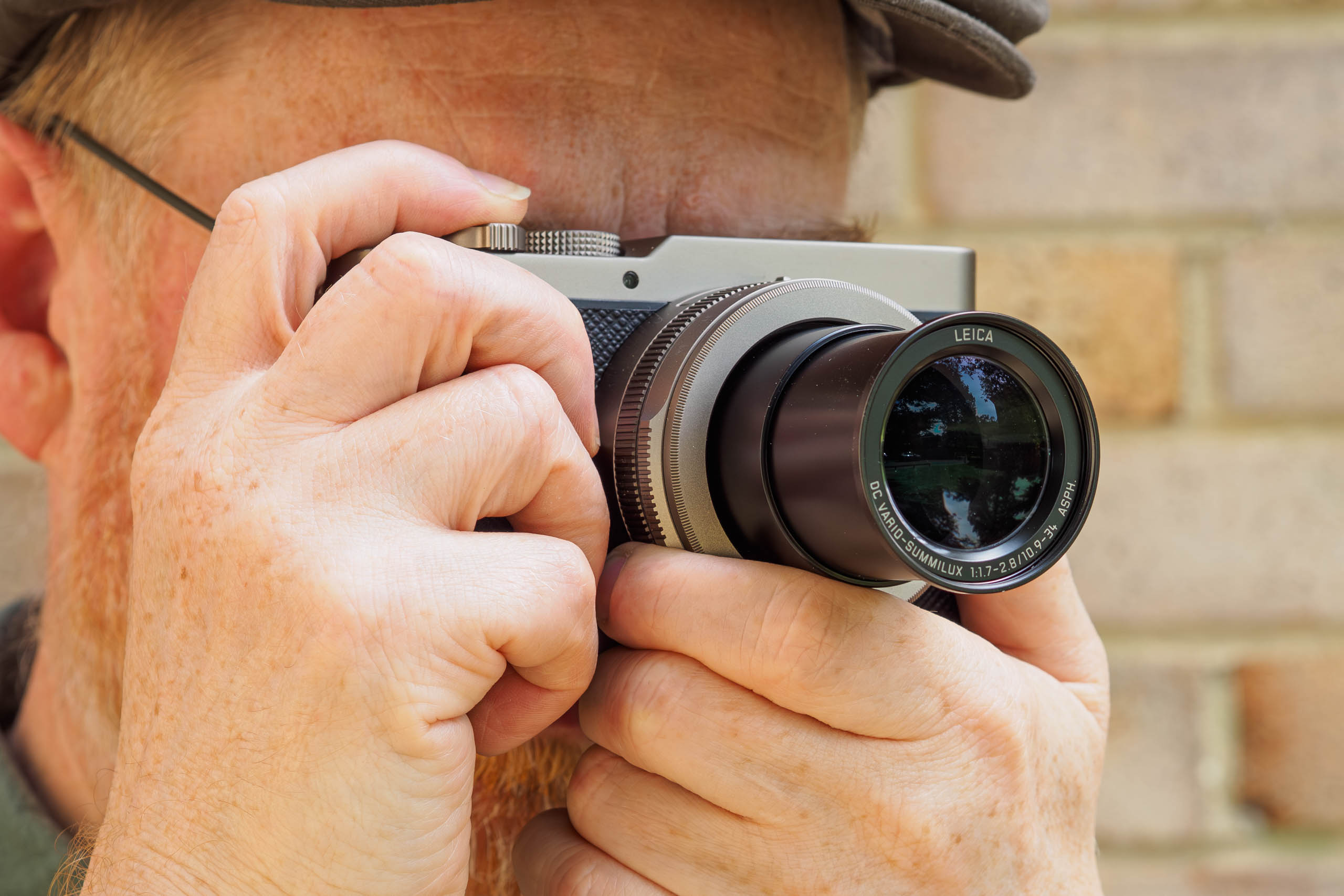
I’m also a big fan of the multi-aspect ratio design. The fact that this feature has its own physical switch encourages you to explore it creatively, in a way that a software control never does. Particularly as the effect can’t be replicated exactly by cropping in post-processing.
While there’s no getting away from the increased size compared to the older LX100 design, it does bring some advantages. There’s space for a larger, longer-lasting battery, along with both a decent viewfinder and a useful fully articulated screen. The grip also means it’s nicer to carry around one-handed. The flipside is that you really can’t fit the L10 into a pocket any more. But let’s be clear – the LX100’s large lens barrel meant it was never particularly pocketable, anyway.

Of course, the L10 isn’t perfect. Personally, I think its control setup is a disappointing step backwards from the LX100, and I really wish it had a longer lens too, more like 100mm equivalent. I constantly found myself zooming in on a subject, and finding the lens stopping short of where I really wanted. There’s also an image quality compromise compared to a larger and heavier DSLR or mirrorless setup, but that’s always been the case with compact cameras. However, the lens is now really starting to show its age.
Ultimately, if you’re looking for a truly pocketable camera, or are a stickler for image quality, then the L10 probably isn’t for you. In this case, the Sony RX100 VII may well be the best choice, although it’s notoriously fiddly to use. If you want a slightly smaller camera and can live with the older tech, the Leica D-Lux 8 is also well worth considering. But if you’d like a compact camera for everyday photography, with a good level of creative control, the Lumix L10 is very much worth a look.

Panasonic Lumix L10 Full Specifications
| Specifications | Panasonic Lumix L10 |
|---|---|
| Sensor | 26.5MP BSI-CMOS, 17.3 x 13mm (5776 x 4336 total pixels) |
| Output Size | 5200×3904 (4:3, 20.3MP); 5408×3608 (3:2, 19.5MP); 5664×3192 (16:9, 18.1MP); 3904×3904 (1:1, 15.2MP) |
| Focal length magnification | 2.2x |
| Lens | 10.9-34mm f/1.7-2.8 Leica DC Vario Summilux ASPH |
| Shutter speeds | 60sec – 1/2000sec (mechanical), 60sec – 1/32000sec (electronic) |
| Sensitivity | ISO 100-25,600 (standard), ISO 50-25,600 (extended) |
| Exposure modes | PASM, Auto, 5x Custom |
| Metering | Multi, centre-weighted, spot, highlight |
| Exposure comp | +/-5 EV in 0.3EV steps |
| Continuous shooting | 11fps (AFS), 9fps (AFC), 30fps (electronic, AFC) |
| Screen | 3in, 1.84m-dot, fully articulated touchscreen |
| Viewfinder | 2.36m-dot OLED, 0.74x magnification |
| AF points | 779 |
| Video | 5.6K 60fps; 4K 120fps; Full HD 240fps |
| External mic | 3.5mm stereo |
| Memory card | UHS-II SD |
| Power | DMW-BLK22 Rechargeable Li-ion |
| Battery life | 410 (EVF), 420 (LCD), 1000 (power save mode) |
| Dimensions | 127.1 x 73.9 x 66.9 mm |
| Weight | 508g with battery and card |
Related reading:
- Leica D-Lux 8 review – a classic reinvented?
- Panasonic Lumix LX100 II review – the enthusiast’s compact camera
- Panasonic Lumix TZ300 review – this should have been the perfect travel compact, but there is one big problem
Follow AP on Facebook, Instagram, YouTube, TikTok and Irys.
Panasonic Lumix L10 – black
Panasonic Lumix L10 – silver