Amateur Photographer verdict
The Panasonic Lumix TZ300 fits an extraordinarily versatile lens into a pocketable body. It takes decent photos, too. But the lack of a viewfinder, and the fixed rear screen, are problematic.- Small, pocketable size
- Extremely versatile zoom range
- Good build quality and responsive operation
- Delivers decent image quality in most situations
- No electronic viewfinder
- Screen is fixed, not tilting
- No subject recognition autofocus
- 4K video is heavily cropped
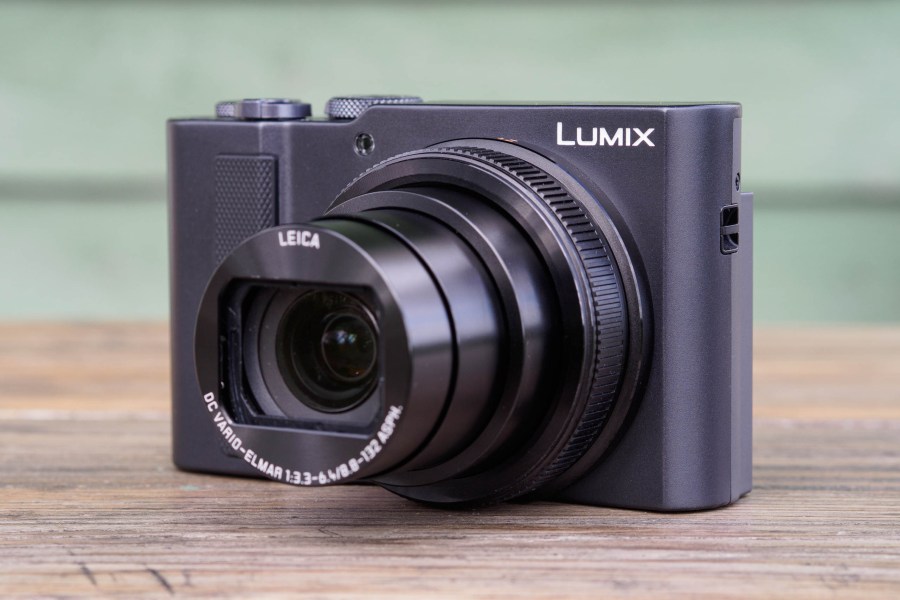
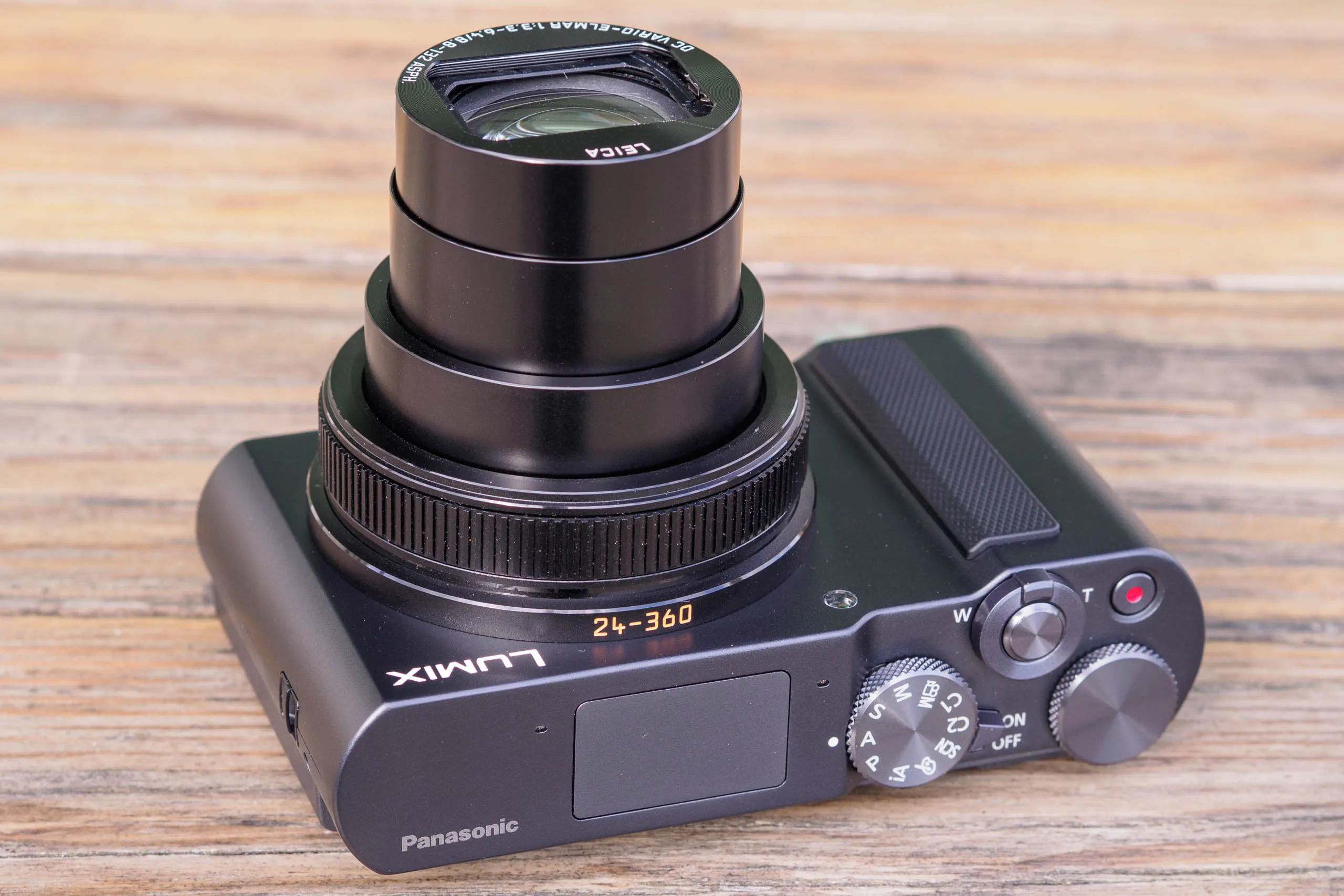
The Panasonic Lumix ZS300/TZ300 is the latest iteration of Panasonic’s premium ‘travel zoom’ camera. This means it places a versatile long zoom lens into a compact body that’ll slip easily into a small bag or a jacket pocket. And because it uses a larger 1-in type sensor than its cheaper sibling, the TZ99, it should deliver noticeably better image quality. It’s a tempting package on paper, but does that make it one of the best compact cameras you can buy?
Panasonic Lumix ZS300/TZ300 at a glance:
- $899 / £869
- 20.1 MP, 1-in sensor
- 24-360mm equivalent f/3.3-6.4 lens
- ISO 125 – 12,800 standard
- Up to 10fps shooting
- 3in, 1.84m-dot fixed touchscreen
- 4K 30p video recording
In most respects, the ZS300/TZ300 is the same camera as its predecessor, the Lumix TZ200 from 2018. It employs the same 24-360mm equivalent lens and 20MP 1-in sensor, and essentially the same body design. But it now has a USB-C port for charging, rather than micro-USB, while a couple of the button functions have been reassigned to better suit current tastes.
There is, however, one glaring difference. Because where the TZ200 had a small electronic viewfinder in one corner, on the TZ300 there’s just a sad, empty space. And unlike on the TZ99, the rear screen is fixed and doesn’t tilt. As a result, whenever you’re taking pictures, you have to hold the camera up and out in front of you to see the screen. A lot of photographers don’t particularly like that way of shooting.
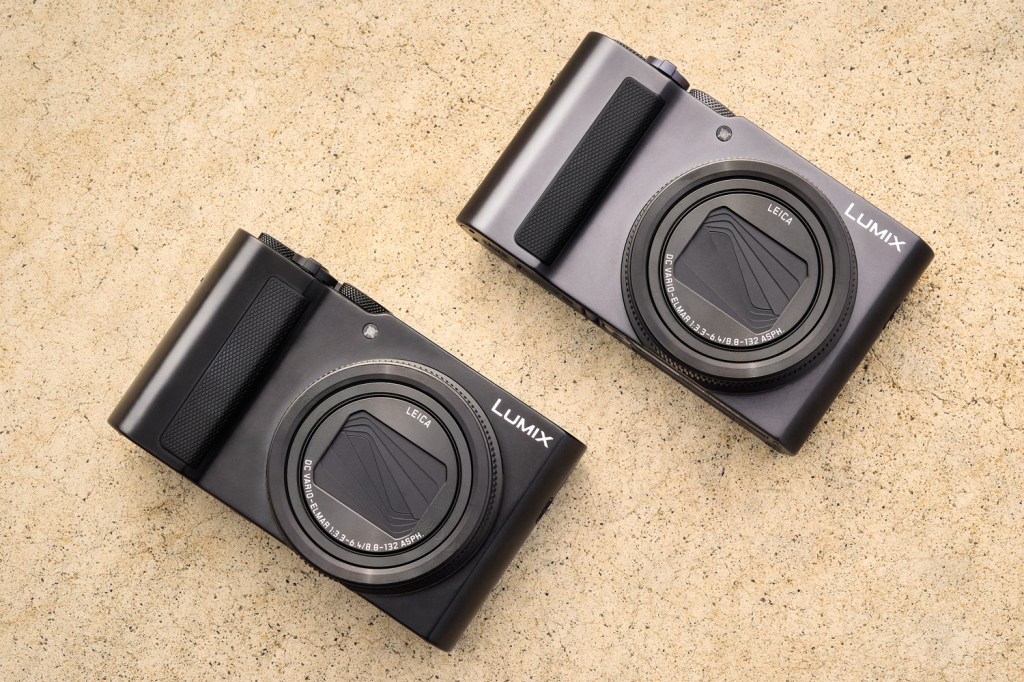
But the thing is, if you want to buy a new premium zoom camera right now, the TZ300 doesn’t have a whole lot of competition. Canon offers the PowerShot G7 X Mark III with a much shorter 24-100mm equivalent lens, tilting rear screen, and enthusiast-friendly controls at about the same price (although good luck finding one in stock). Then there’s the Sony RX100 VII, which has a 24-200mm equivalent zoom, pop-up viewfinder and tilting rear screen, but is considerably more expensive. So how does the TZ300 stack up against its competitors that you can actually buy?
Features
Without doubt the TZ300’s standout feature is its 24-360mm equivalent optically stabilised zoom lens, which is by the far longest on any pocket camera with a 1in sensor. This means that it can tackle almost any kind of subject, from landscape and architecture at wideangle, through to sports, action and wildlife at telephoto. The minimum focus distance is 50-100cm in normal shooting, but switch to macro mode, and this drops to as close as 3cm from the front element at wideangle. As a result, it’s not at all bad for close-ups, either.
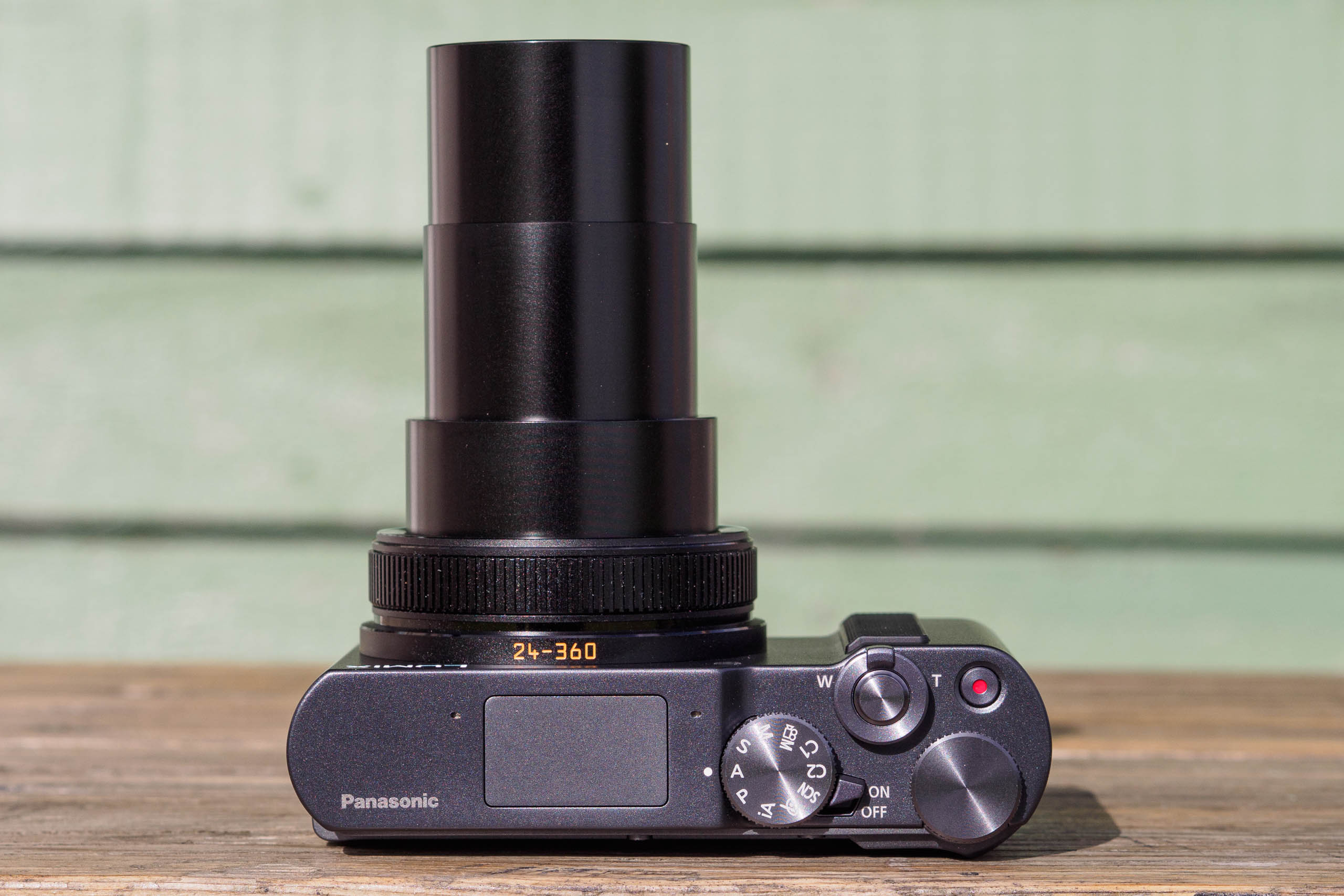
Optically, the lens is constructed using 13 elements in 11 groups, including 1 aspherical ED lens, 5 aspherical lenses, and 3 ED lenses. Its maximum aperture is f/3.3-6.4, but the minimum aperture is f/8. This is entirely sensible with a 1-in sensor, as f/8 will suffer the same degree of diffraction blurring as f/22 on full-frame. But it does mean that there’s not a whole lot of adjustment to play with for creative effect.
Images are recorded using a 20.1MP, backside-illuminated 1-in type sensor. It provides a standard sensitivity range of ISO 125-25,600, which is expandable to ISO 80-25,600. Images can be shot at up to 10 frames per second at full resolution, or 6fps with continuous autofocus and live view between frames.
One area where the design shows its age lies with autofocus. The TZ300 still employs the firm’s old Depth From Defocus (DFD) technology, in contrast to Panasonic’s recent mirrorless models which have switched to phase detection instead. There’s also no subject recognition on board, beyond face detection for people. But that long zoom lens means that animal and vehicle detection could be genuinely useful on this camera.
Unlike most of Panasonic’s recent models, the TZ300 is very much tailored towards shooting stills rather than video. You can record in 4K at 30fps, but just like on the TZ200, this comes with a significant 1.4x crop, resulting in a 34-500mm equivalent view. There’s no way of using an external microphone for higher quality sound, either.
This being 2026, Panasonic has placed JPEG colour modes very much to the fore. These get their own position on the mode dial, plus an onscreen touch button, plus a physical button to switch them on or off in any exposure modes. That feels like overkill to me.
However, unlike the firm’s latest cameras, the TZ300 doesn’t support LUTs, so instead it’s all about decade-old creative filter effects. Most of these feel quite cliched, to be honest, but there are some nice monochrome options that are worth trying.
Bluetooth and Wi-Fi are built-in for smartphone connectivity, but this uses Panasonic’s older Image App, rather than the Lumix Lab app employed by its more recent cameras. You still get the most important functionality, though. You can use your phone as either a simple remote release via Bluetooth, or a comprehensive remote control over Wi-Fi, including live view. Then after shooting, you can copy your favourite photos to your phone for sharing.
Key features:
- 4K Photo: This mode allows 8MP still images to be captured at up to 30 frames per second with a 1.4x crop. This includes a pre-burst mode for unpredictable subjects. But you only get JPEGs, which have to be extracted from a video stream.
- Zoom focus assist: Pressing the Fn2 button zooms the lens out temporarily, so you can reacquire a subject that’s left the frame. Releasing the button zooms back in again.
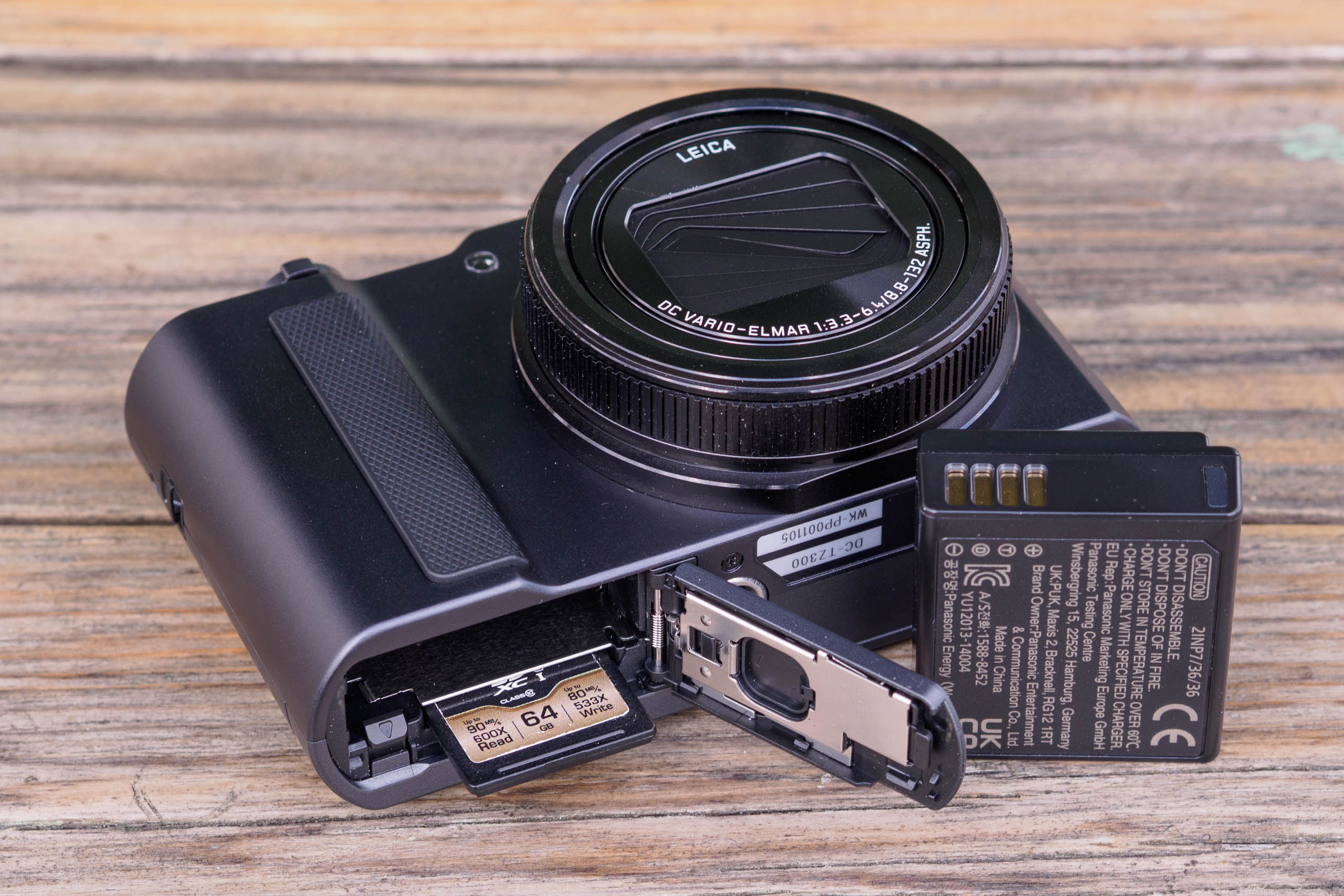
- Power: Panasonic’s long-running DMW-BLG10E battery should last 360 shots, and is recharged via USB-C
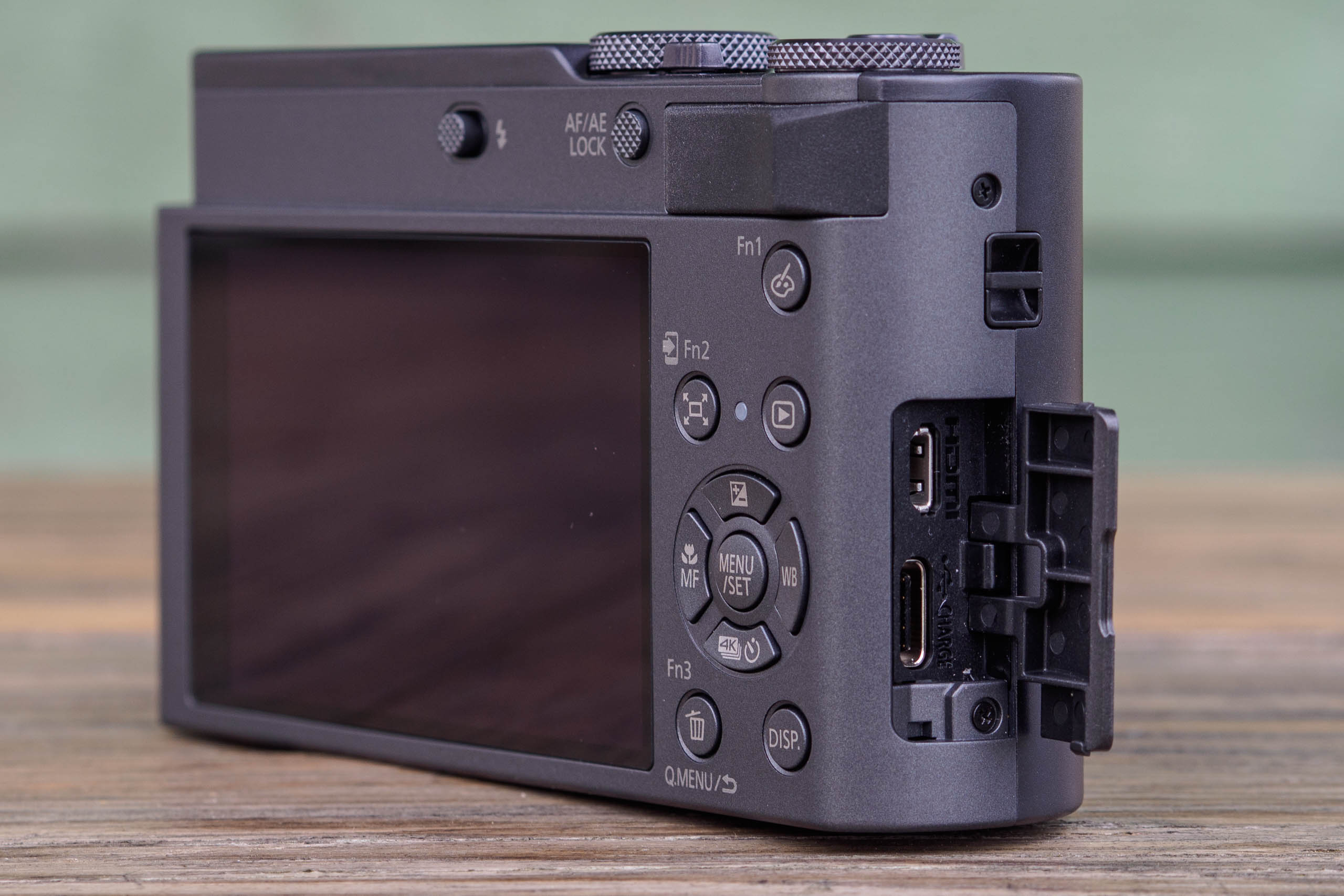
- Ports: A door on the handgrip conceals a USB-C port for data and charging, plus micro-HDMI for video out
- Storage: There’s a single SD card slot alongside the battery. It will take both UHS-I and UHS-II cards, but it can’t take advantage of the latter’s faster write speeds
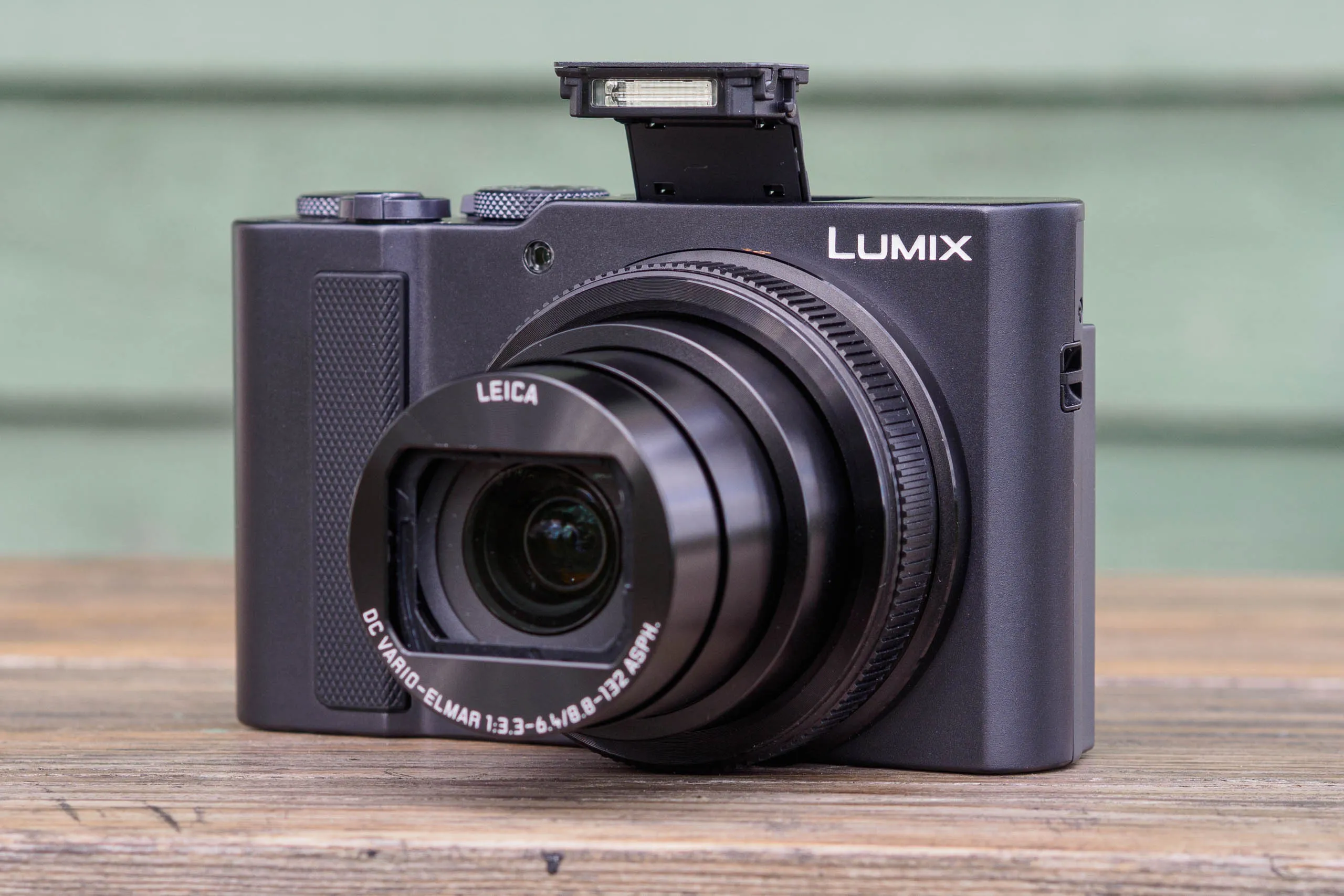
- Flash: A small flash pops up from the top-plate, released by a sliding catch. Panasonic specifies a maximum range of 6.8m at wideangle and 3.9m at telephoto
Build and Handling
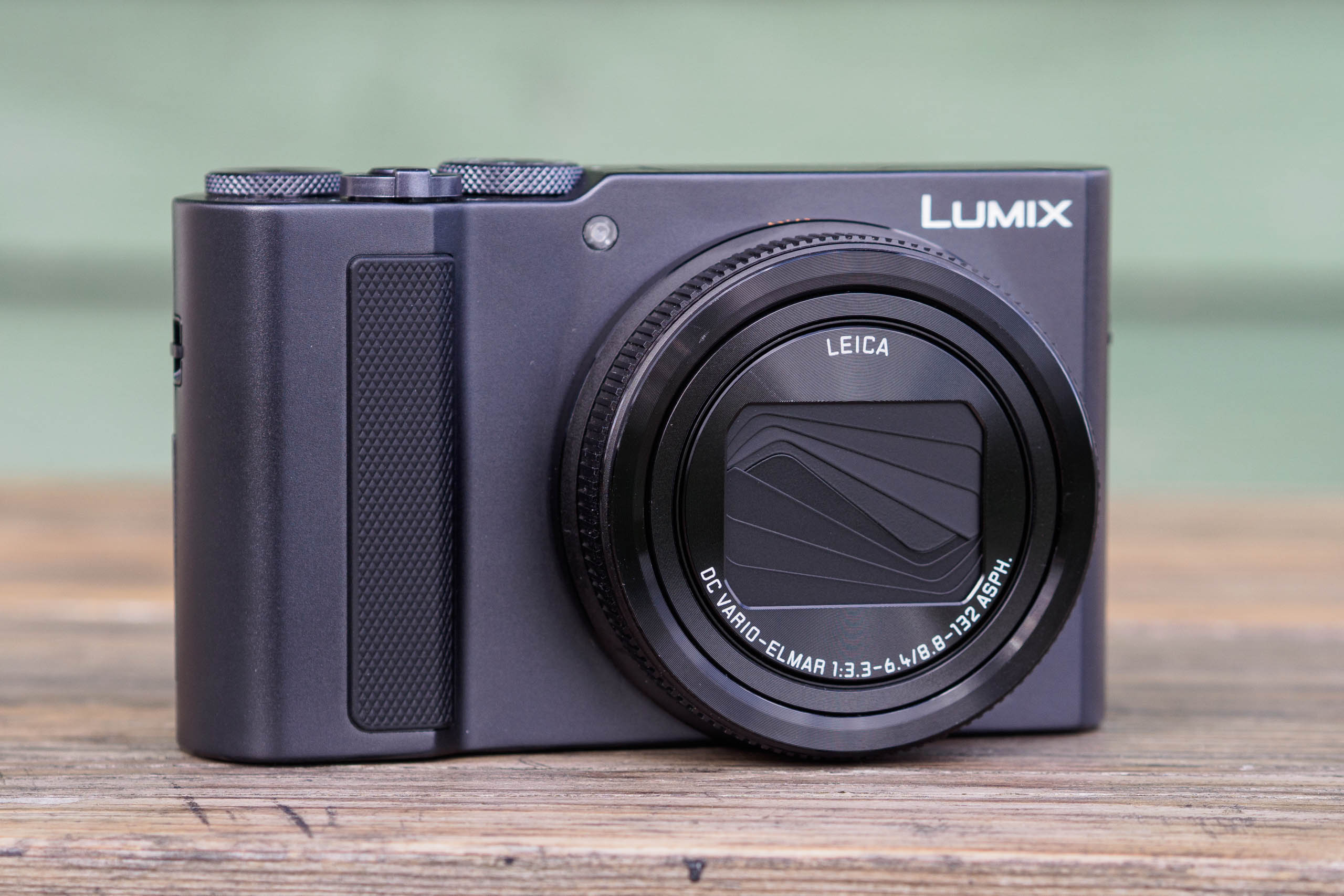
In your hand, the TZ300 comes across as a premium product, with a solid-feeling metal front and top. The back / baseplate has a slightly different colour and texture, though, and now appears to be plastic. But overall, this feels like a camera that should survive the odd bit of careless handling easily enough.
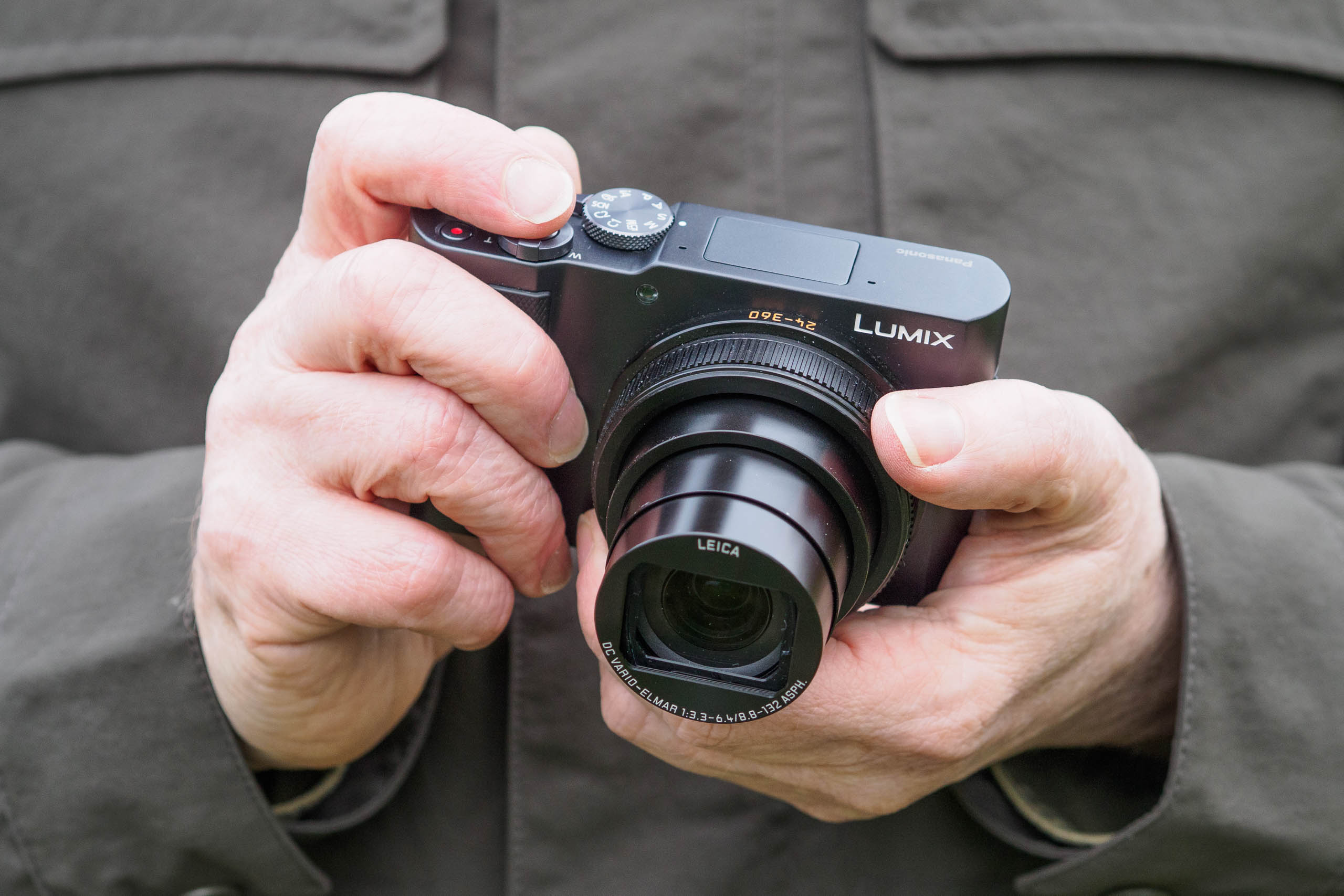
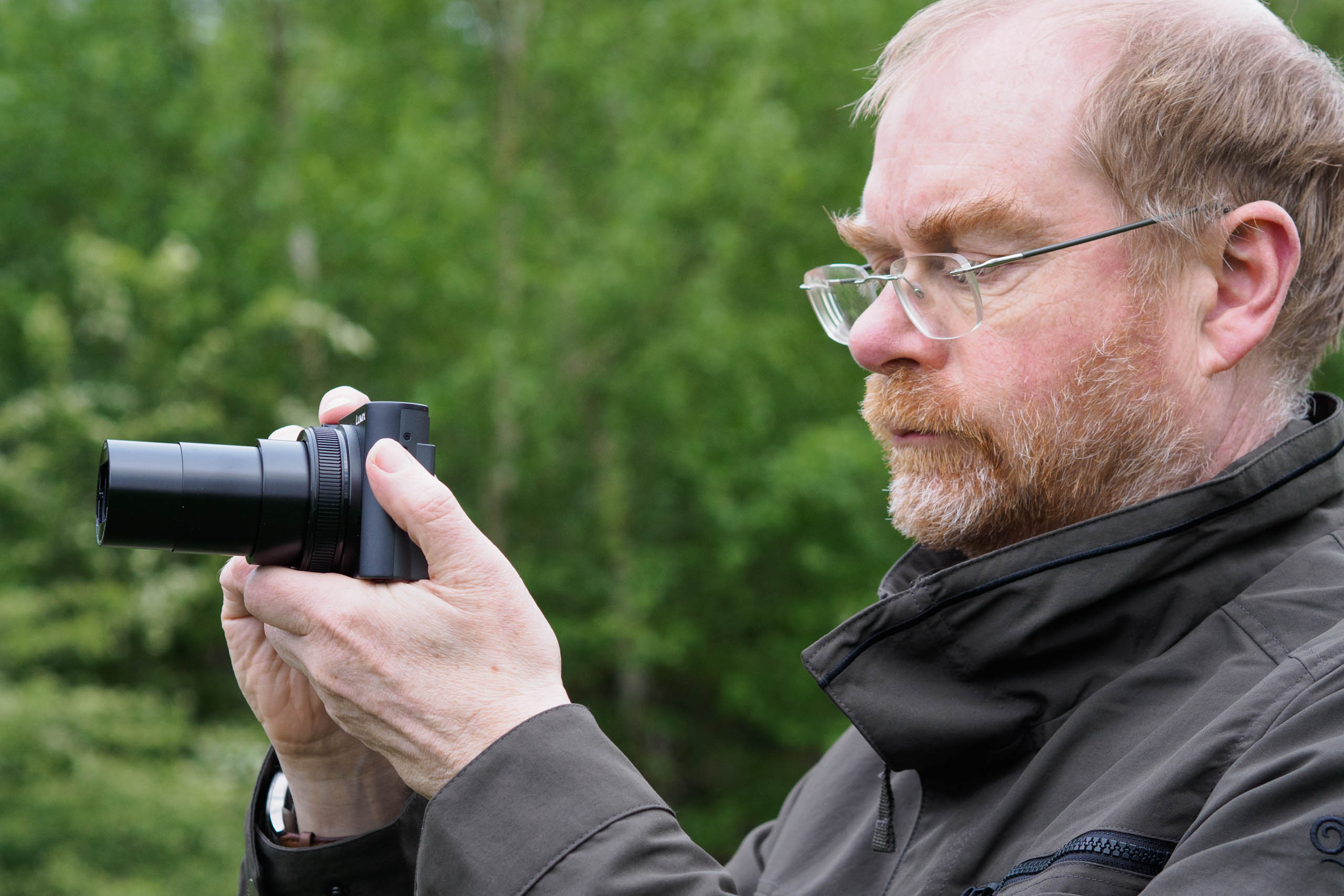
At 111 x 66 x 45mm with the lens retracted and 337g with the battery and card, this is also a camera that you can easily carry around all day, every day, without being weighed down. Most of the time, I simply slipped it into a jacket pocket. It won’t take up much space in a bag, either.
Panasonic has fitted a small handgrip on the front, with a textured rubber grip. There’s also a rubberised thumb rest on the back. Together these work wonders, and unlike some other small cameras (most obviously the Sony RX100 VII), I was quite happy carrying the TZ300 around one-handed, secured by a wrist strap.
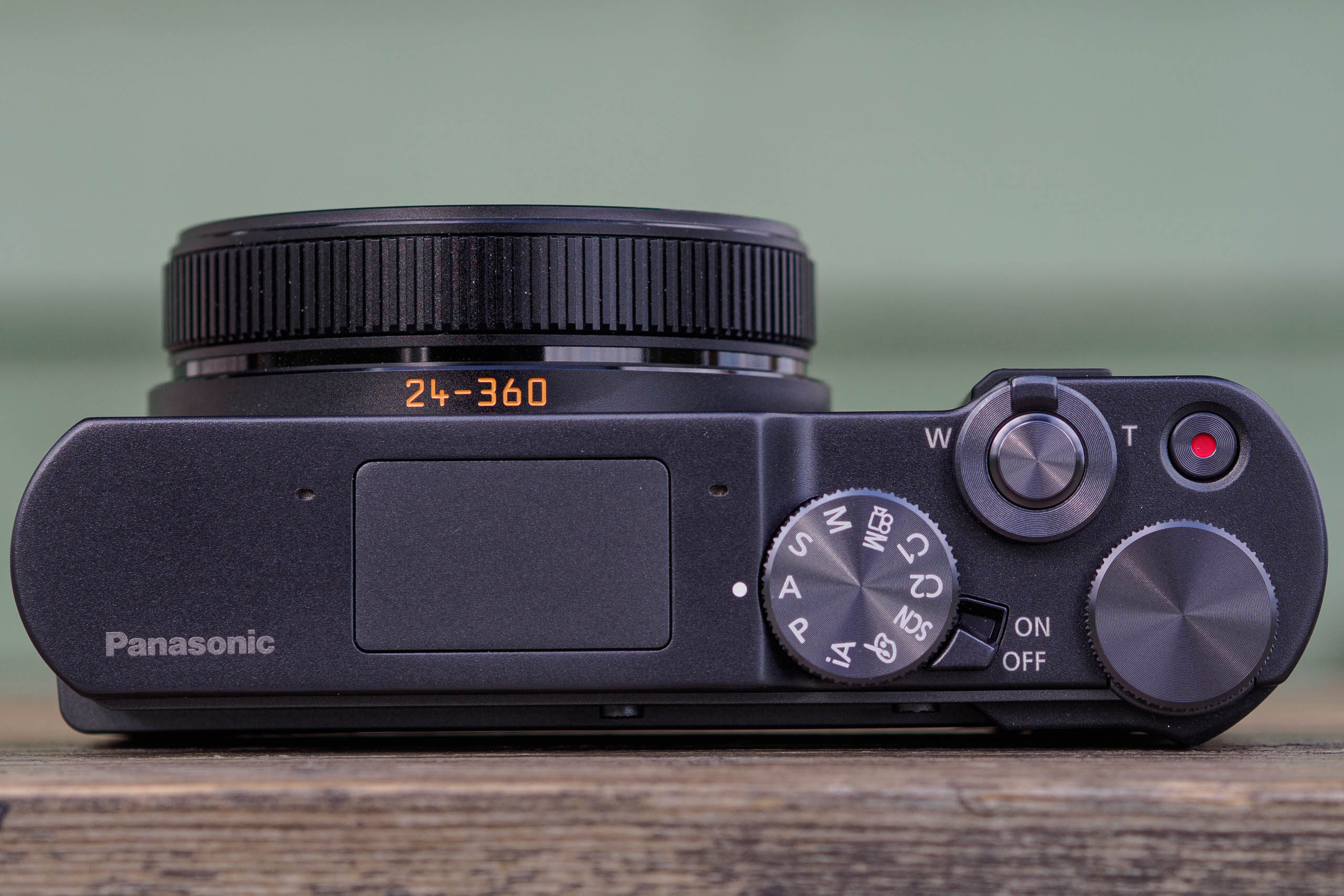
A mode dial on top includes the usual PASM options for experienced photographers, plus full auto and scene modes for more casual users. You even get two custom positions where you can save camera setups for different shooting scenarios, which is actually pretty useful. I set one up for shooting moving subjects such as wildlife, with C-AF tracking and continuous shooting, and the other for portraits with face detection enabled.
Tor changing exposure settings, there’s a control dial on top by your thumb, plus a smoothly rotating ring around the lens. But what you’ll quickly find is that the TZ300 doesn’t offer a whole lot of creative freedom, outside of that vast zoom range. The lens doesn’t give much control over depth of field, and most of the time I found myself shooting with the aperture wide open to keep the ISO as low as possible and minimise diffraction blurring. For general photography I often ended up shooting in program mode, which I rarely use on other cameras.
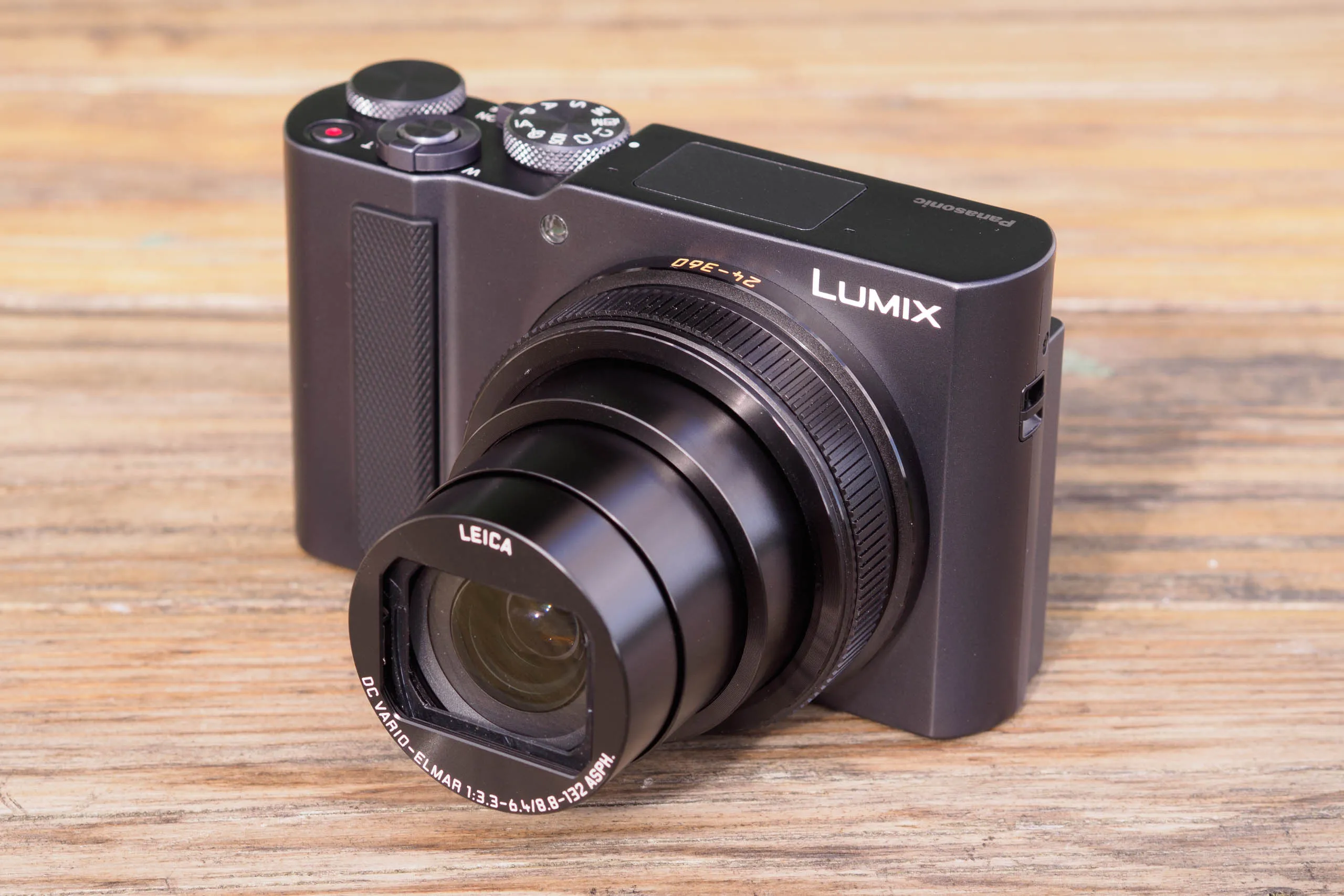
A conventional lever around the shutter button controls the zoom. Unfortunately, though, it’s still every bit as twitchy as that on the TZ200. So while you can get from one end of the zoom to the other very quickly, the problem is that you can’t hit intermediate settings with any kind of certainty. This means it’s difficult to achieve precise compositions.
Help is at hand, though, in the shape of that lens ring, which can also be configured to operate the zoom, and which gives finer control over composition. Most of the time that lens ring simply duplicates the function of the top dial anyway, so you don’t lose much by reassigning it. Another option is to set the zoom lever to step zoom, so it selects between familiar-looking focal length positions.
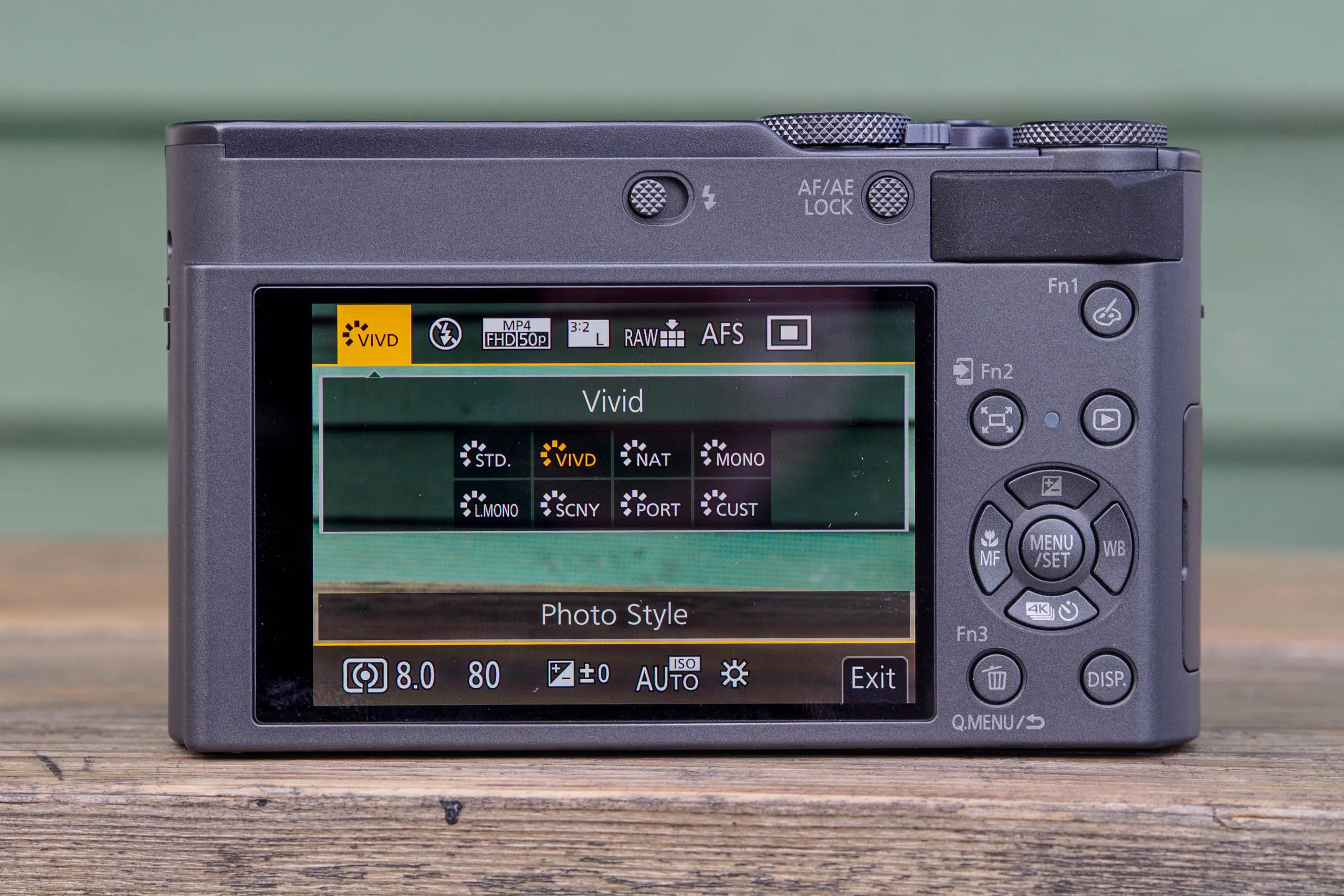
Exposure compensation is accessed by pressing the ‘up’ key on the d-pad, with the other three buttons setting focus mode, drive mode and white balance. Panasonic clearly expects you to use Auto ISO all the time, but I reconfigured the Fn1 button for direct access to ISO when I needed it. Overall, though, I think this really isn’t a camera for photographers who like to tinker with their settings every shot, although the manual control is there if you want it.
Rear LCD screen
As I mentioned at the start of this review, the TZ300 is entirely reliant on its rear screen for composition. The screen is fixed, too, so you can’t tilt it up for waist-level shooting, or flip it forwards for selfies. And unlike the old TZ200, there’s no viewfinder.
To be fair, the screen is pretty much what I’d expect to get on a current compact camera. It’s a 3-in, 1.84m-dot unit, which makes it higher resolution than the TZ200’s was. It does a good job of previewing colour and exposure, and it offers all the usual compositional aids, including gridlines and an electronic level.
But here’s the thing. Every time you want to take a picture, you have to hold the camera up and out in front of you to see the screen. Unfortunately, though, that screen is really difficult to make out in sunlight, even when set to its maximum brightness. Yet this is precisely when you’re most likely to want to use the camera. When I reviewed the TZ200 I used the viewfinder most of the time for exactly this reason, and it’s pretty galling that the TZ300 is such a clear step backwards.
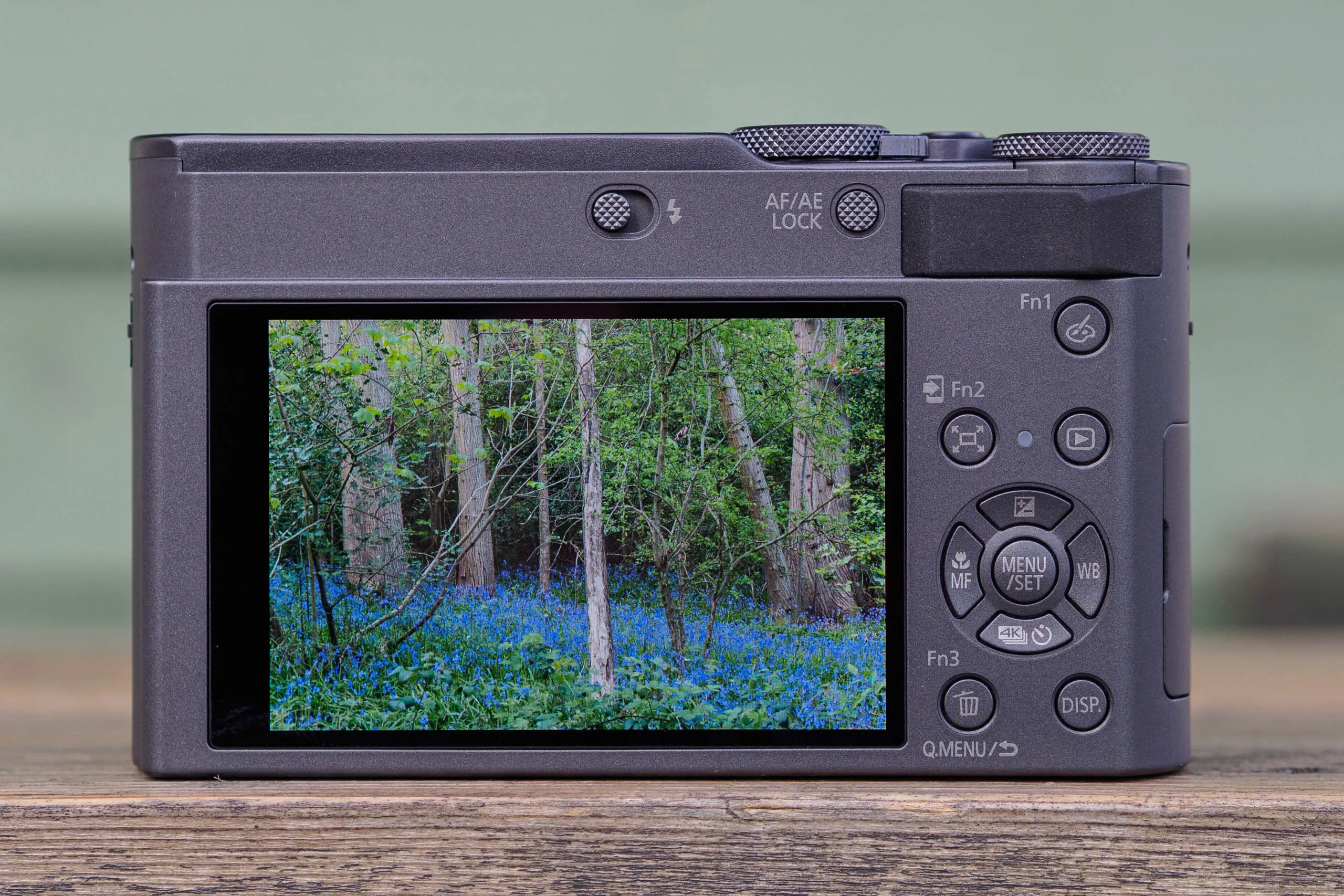
Likewise, if you want to take photos at high or low angles, then on the TZ200 that’s essentially just guesswork. I ended up taking loads of shots and hoping one would work out. Sometimes it did, but sometimes it didn’t.
Autofocus
When it comes to autofocus, the ZS300/TZ300 again inherits exactly the same setup from the TZ200. In 2018, it was close to being state-of-the-art, but in 2026 the lack of either phase detection or subject recognition makes it look rather dated. In practice, though, it still works pretty well, within certain limitations.
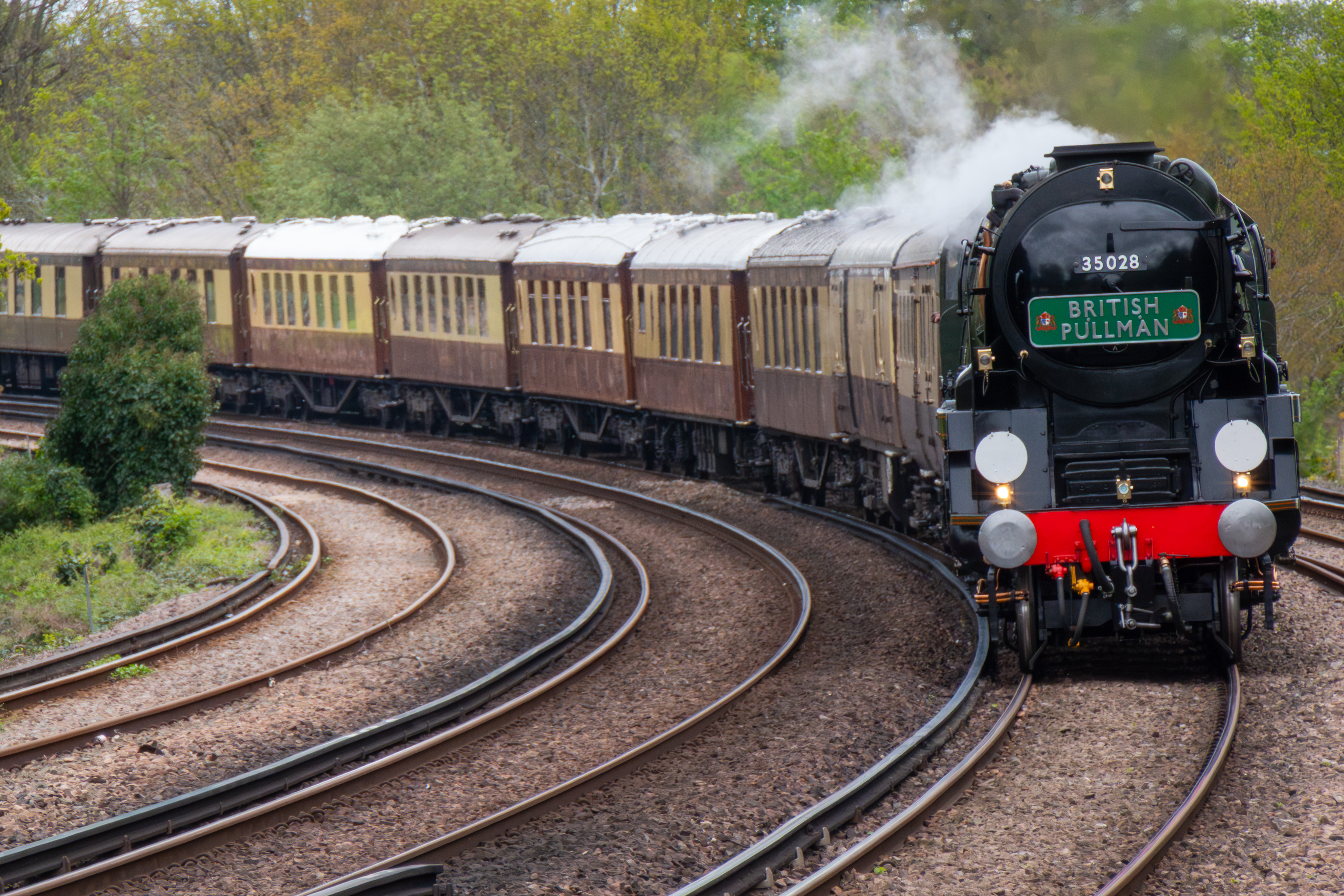
For static subjects, you just tap the screen to position the focus point. The AF area box can be positioned anywhere you want within the frame and set to 8 different sizes. Or if you’re felling lazy, you can just let the camera select the best focus point for you, which usually means the closest.

For when you’re photographing people, face detection is available. The camera will outline a detected face and even place a cross-hair over an eye. If there are two people in a scene, the camera will focus on the closer one and draw brackets around the other. But there’s no obvious way to tell it shift its attention specifically onto that second person.
There’s also a tracking mode for moving subjects, which will aim to follow an object around the frame based on colour and pattern. I found that this worked well for relatively large and predictable subjects such as vehicles. But it struggles with smaller, erratically moving subjects such as wildlife.

Overall, the autofocus works well in good light when faced with static or slowly moving subjects. But it does slow down noticeably when light levels drop. And unsurprisingly, it’s no match for any current mirrorless model with faster moving subjects.
Performance
In practical use, the TZ300 is a quick and responsive performer. It takes a second or so for the lens to extend and be set for shooting after you flick the power switch, but chances are it’ll be ready to go by the time you have the camera held up in front of you for shooting. If you turn off the operational beeps and the fake shutter sounds, it’s essentially silent, too.
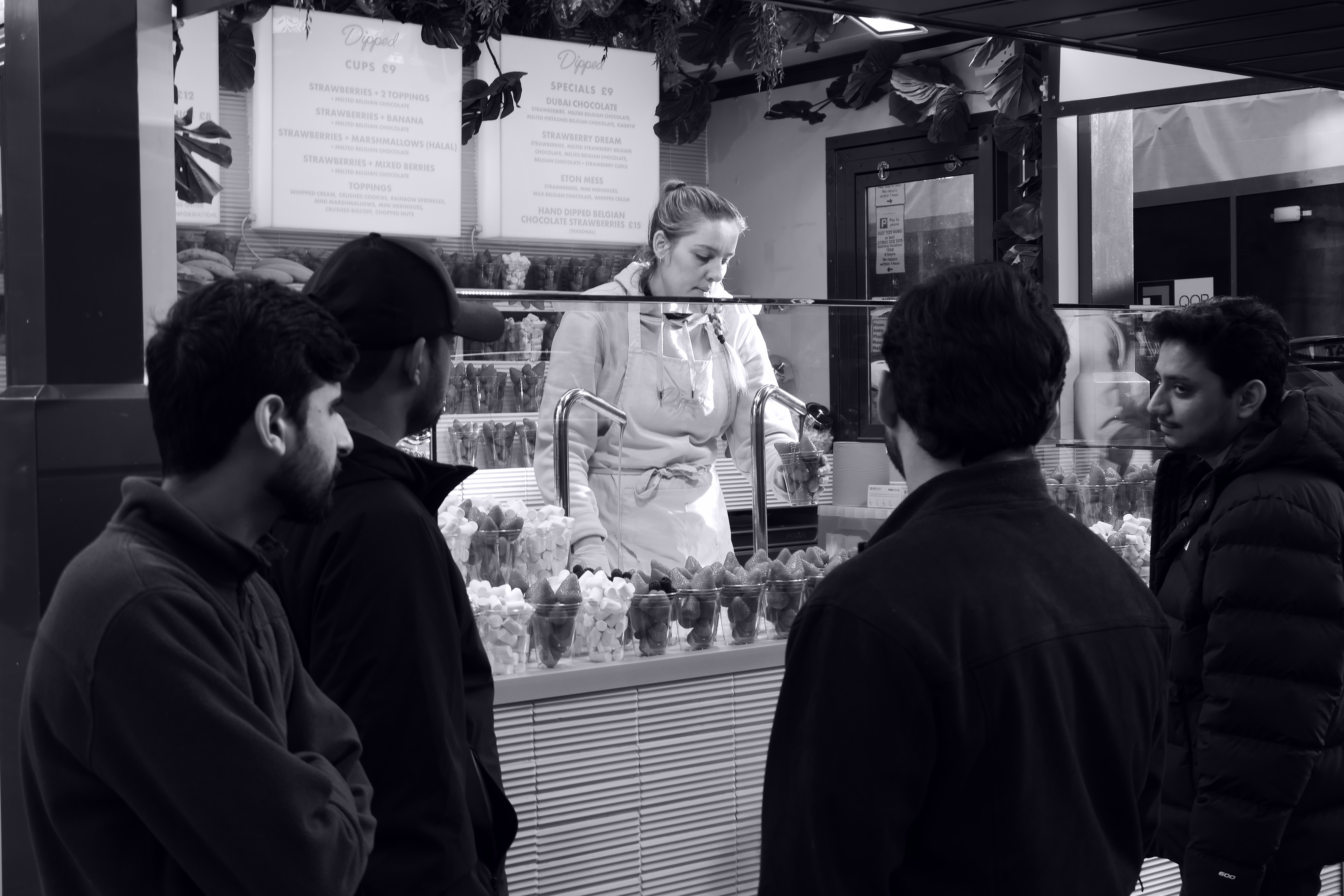
Operation is snappy enough, with the camera responding instantly to the buttons and the touchscreen. If I have one irritation, though, is that you can’t tap the screen to set the focus point when the focal length display is shown. And it persists onscreen for a second whenever you’ve adjusted the zoom, which slows down operation just enough to be annoying.

I’ve been happy with the battery life, though. Panasonic specifies 360 shots per charge, which I think is a fair representation of what you’re likely to get when taking single frames at a time. I never had the battery run out on me during the course of this review, and you can top up from a powerbank during breaks in shooting. The BLG10 battery has been around for a long time, too, so spares are easy to source ($70 / £50), with cheap third-party clones widely available too.
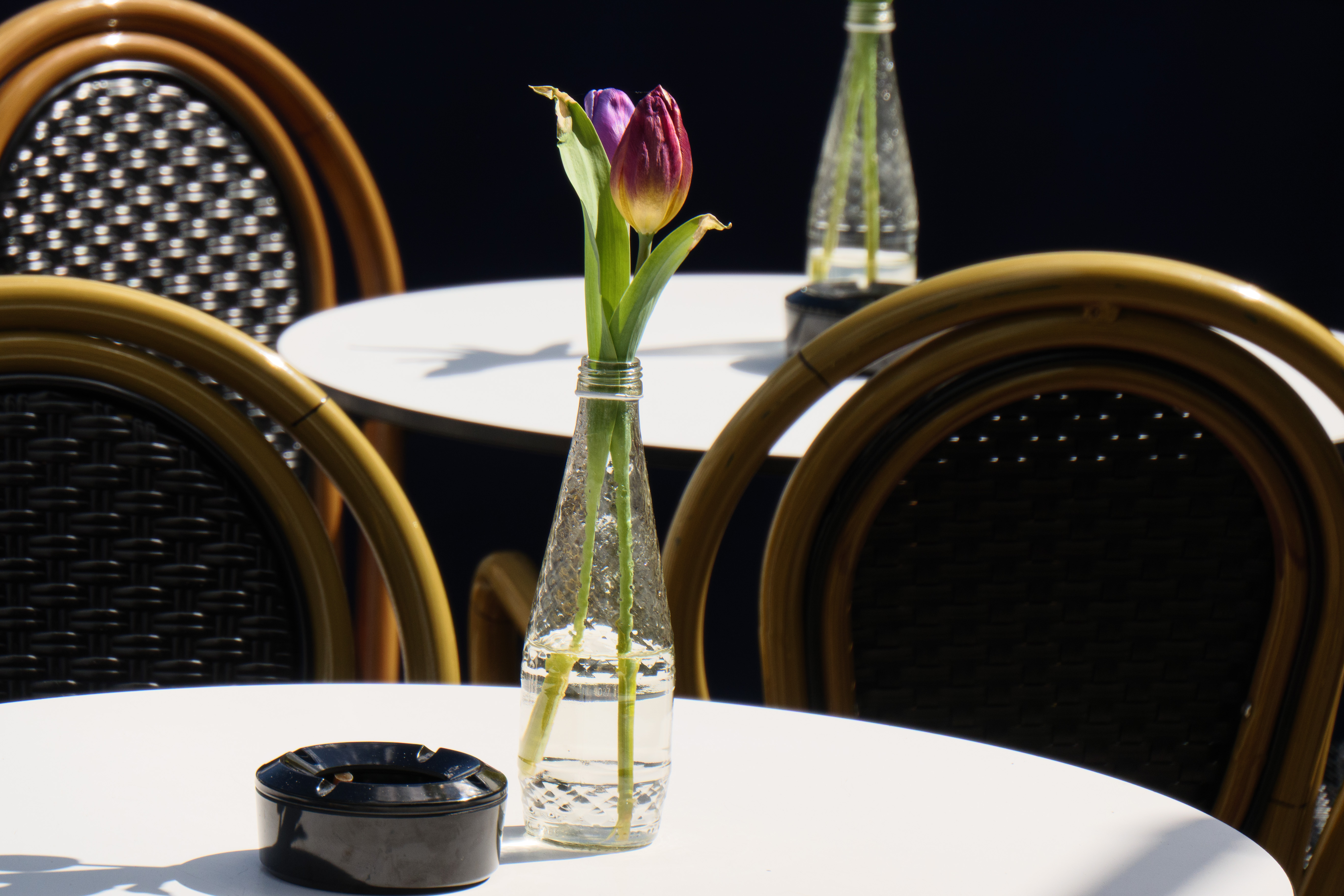
Panasonic’s in-lens optical stabilisation works well both for keeping your composition steady and your images sharp at the long end of zoom. It also lets you shoot with fairly slow shutter speeds hand-held at the wide end, although the lack of rotational correction means it can’t match in-body stabilisation systems in this respect. Even so, I was able to get acceptable results shooting at 1/5sec at wideangle, which was fine for shooting city scenes at dusk.

As for continuous shooting performance, it’s pretty impressive for a pocket camera. I’d recommend setting the camera to continuous autofocus (AFC) and the ‘M’ Burst setting. Then you’ll get live view between frames, which makes it much easier to follow motion. Used this way, it’s possible to shoot a burst of 28 frames at about 6fps. The camera can slow down considerably if it needs to make large focus adjustments between shots, but I’d rather have fewer properly sharp images than loads which are mostly out-of-focus.
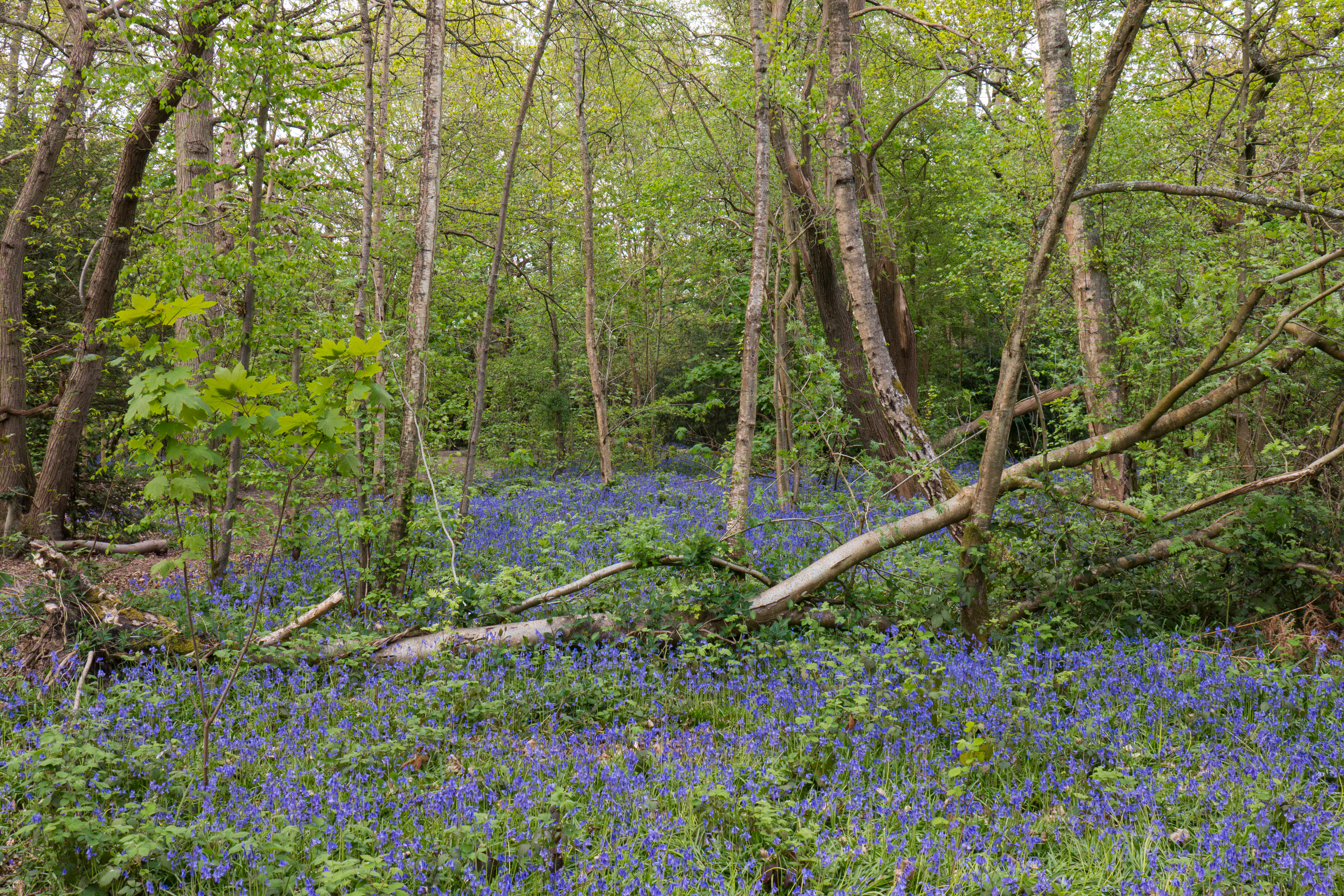
I’ve found Panasonic’s metering to be generally reliable, giving consistently well-judged exposures. It can get thrown occasionally, though, for example clipping highlights in bright, high-contrast conditions, and underexposing strongly backlit subjects. In these situations, you can intervene with a touch of exposure compensation – but that assumes you can see the screen well enough to spot what’s going on.

Similarly auto white balance works well most of the time, especially when shooting outdoors in daylight. But things can go awry under artificial or fixed lighting, or in tricky scenarios such as woodland. As always, the best option then is to shoot in raw and either use in-camera raw conversion after shooting, or process your files on a computer.

I’m not a huge fan of the default Standard Photo Style, which I find a touch bland. I’d probably switch to Vivid if I were planning on sharing camera JPEGs on social media, although you have to be wary that it can do odd things to skin tones. If you like to shoot in black & white, I think the L. Monochrome option gives really nice results.
Image quality
When it comes to image quality, the ZS300/TZ300 is a camera for which you need to set realistic expectations. Its 1-in sensor may be large for a compact, but it’s rather smaller than those found in interchangeable-lens cameras. Likewise, it has an extremely ambitious lens whose f/3.3-6.4 maximum aperture is equivalent to f/9-17 in full-frame terms, which means that resolution is limited by diffraction blurring over much of the zoom range.
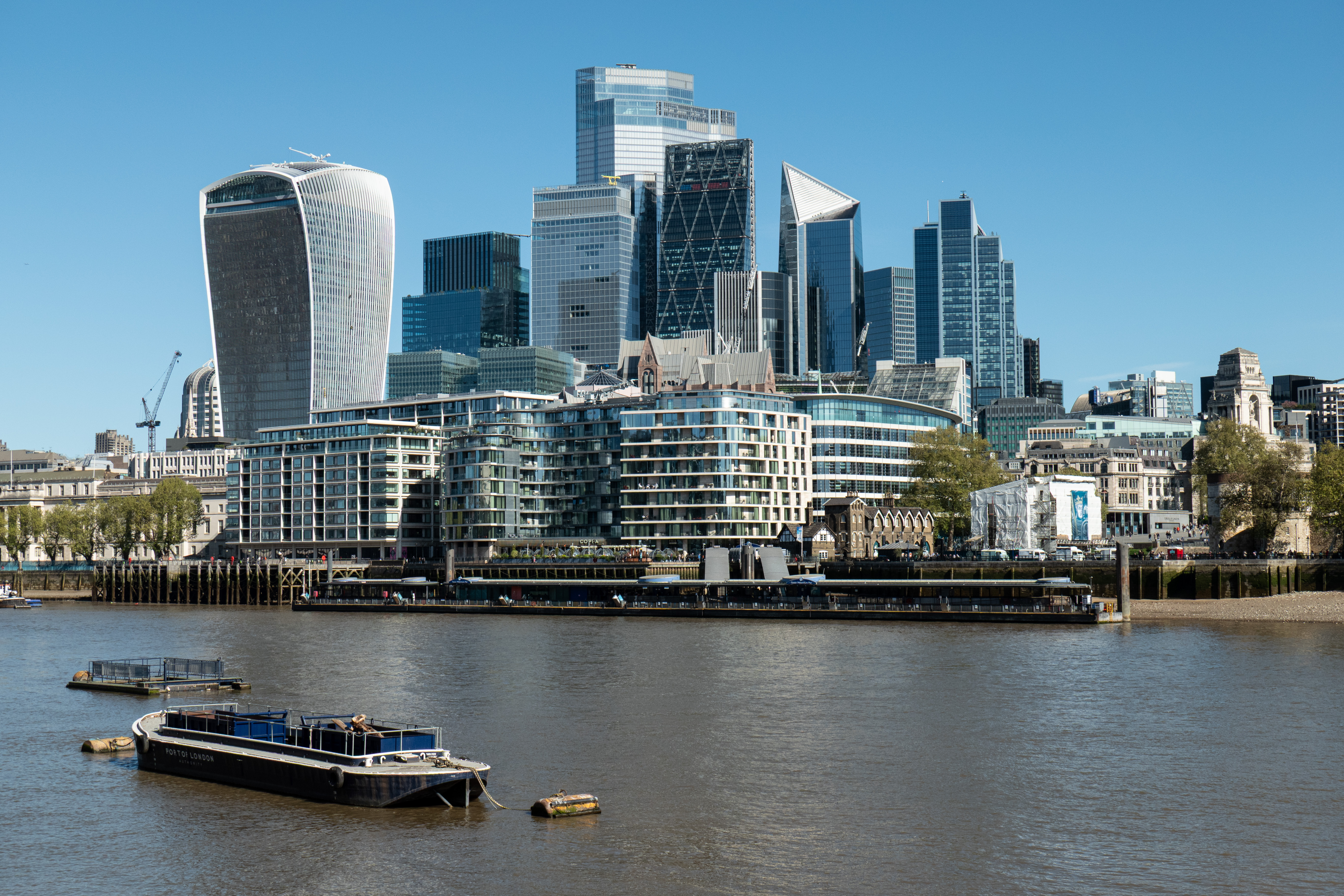
As a result, you simply can’t expect the kind of noise-free, super-detailed images that we’ve become used to seeing from modern mirrorless cameras, particularly when examining them close-up onscreen.
That said, the sensor delivers pretty clean images at ISO 125, with only a little luminance noise visible when looking at evenly toned areas. Noise does increase visibly the moment you start to go up through the sensitivity range, but I was still entirely happy using settings up to ISO 1600 as a matter of course. This seems to be the highest the camera is prepared to use as a matter of course in Auto ISO.

However, with careful raw processing using AI noise reduction algorithms such as Adobe Denoise, you can easily go higher still and still get acceptable images, to ISO 3200 or 6400. This means it’s possible to get rather better low-light images from the TZ300 in 2026, than it was from the TZ200 when I reviewed it in 2018. (Of course, the same thing now applies to the TZ200’s files.)
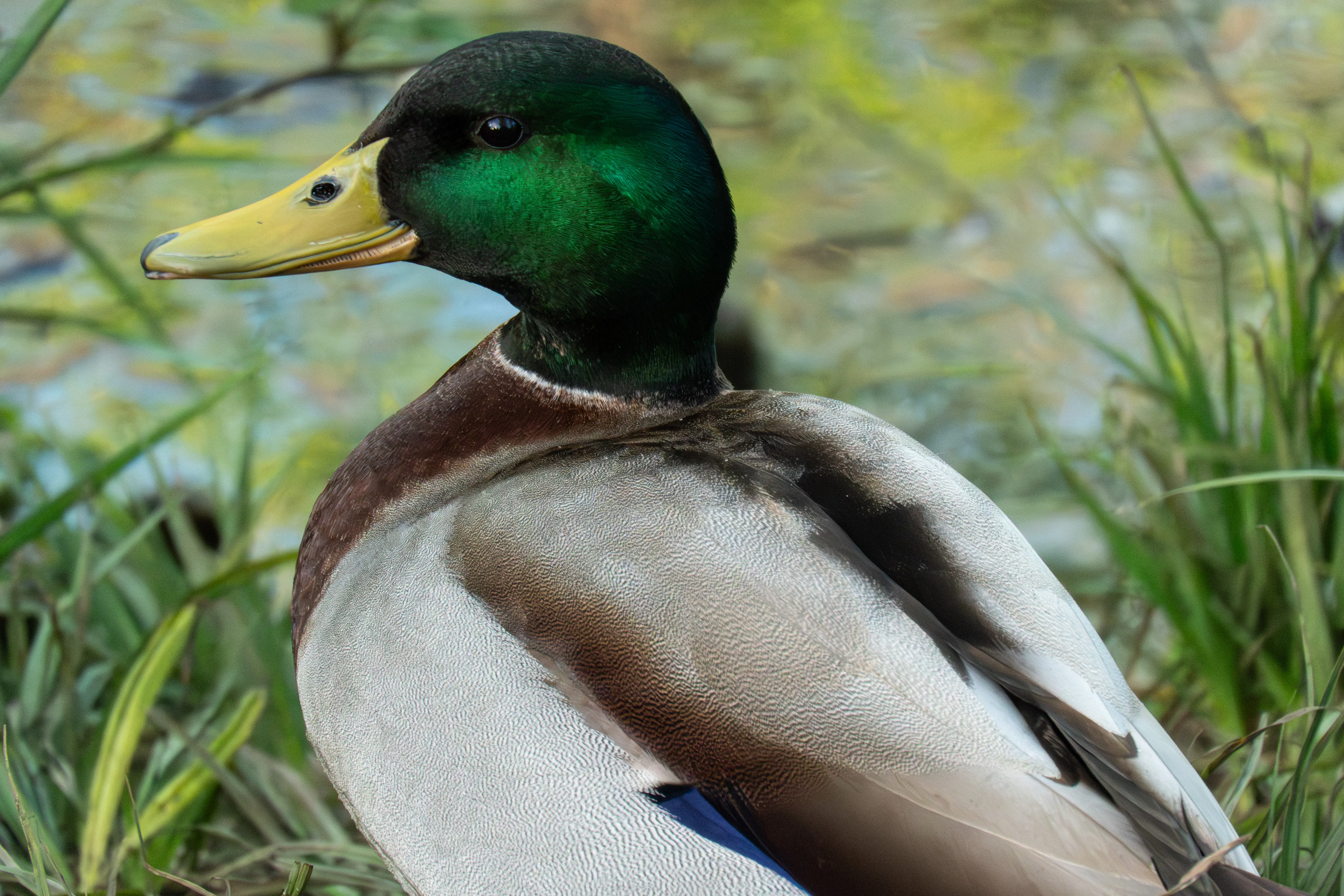
Unsurprisingly, you don’t get the same dynamic range as from cameras with larger sensors. In particular, highlights tend to clip to white noticeably quicker. You can’t delve in as deep into the shadows when processing raw files, either, although you can still boost them by a couple of stops. But a lot of the time, this doesn’t really matter – only in very high-contrast situations.
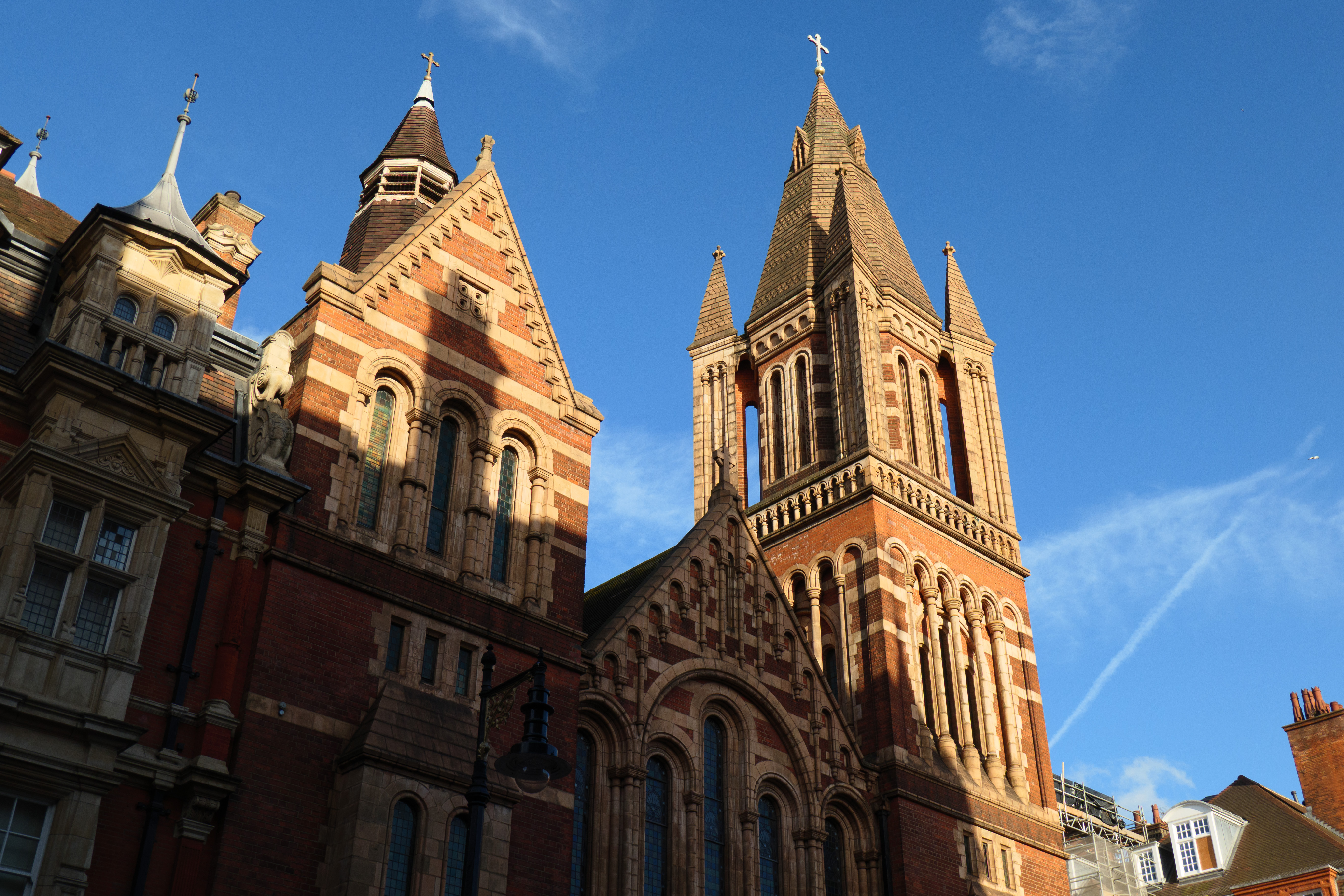
And here’s the thing. Going back through my hundreds of real-world samples shot with the TZ300, across a wide range of subjects and lighting conditions, the vast majority look absolutely fine, just as long as you consider the image as a whole, rather than the pixels. And surely, that’s what really matters.
Panasonic Lumix ZS300/TZ300: Our Verdict
Testing the Panasonic Lumix ZS300/TZ300 has been a decidedly mixed experience. I love having that incredibly versatile long zoom lens in my pocket, and I’m very happy with a lot of the photos I’ve taken with it. It’s easy to get hung up on the perceived drawbacks of smaller sensors and overlook their considerable benefits in terms of camera and lens size. And this is, very definitely, a camera you should judge on the pictures it lets you take, not the pixels.
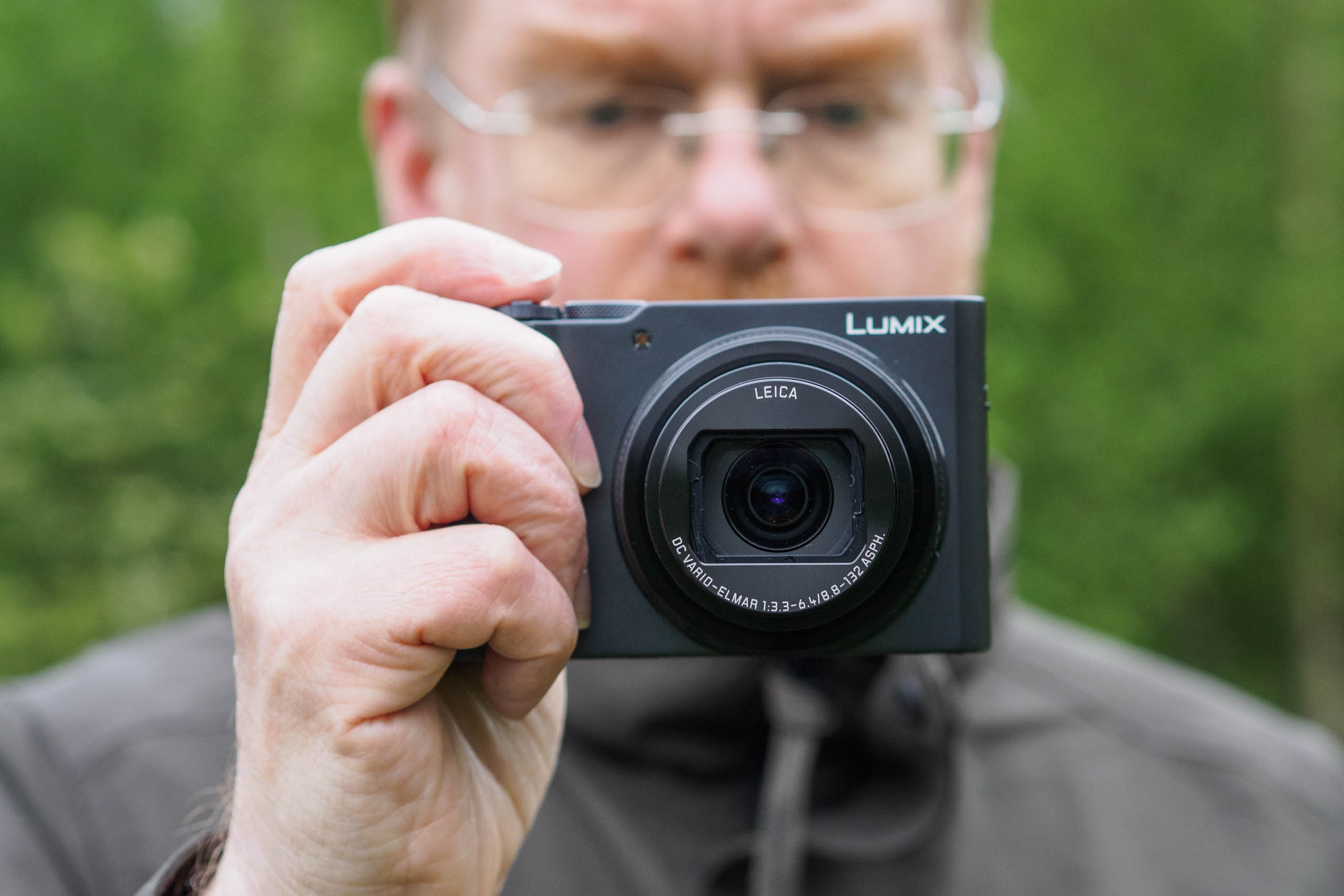
However, using the ZS300/TZ300 has also reinforced that personally, I really want a viewfinder in a camera of this type, and the lack of one is a serious drawback here. I took it out to do exactly the thing it’s designed for, walking around London on a sunny Sunday morning, photographing the sights. But that small, not-very-bright screen is really difficult to see in sunlight, which is precisely when users are most likely to want to use it. When I reviewed the TZ200 I used the viewfinder most of the time, and it’s just a bit galling that the TZ300 is such a clear step backwards. Also, if you’d like to take photos at high or low angles, well that’s basically just guesswork.
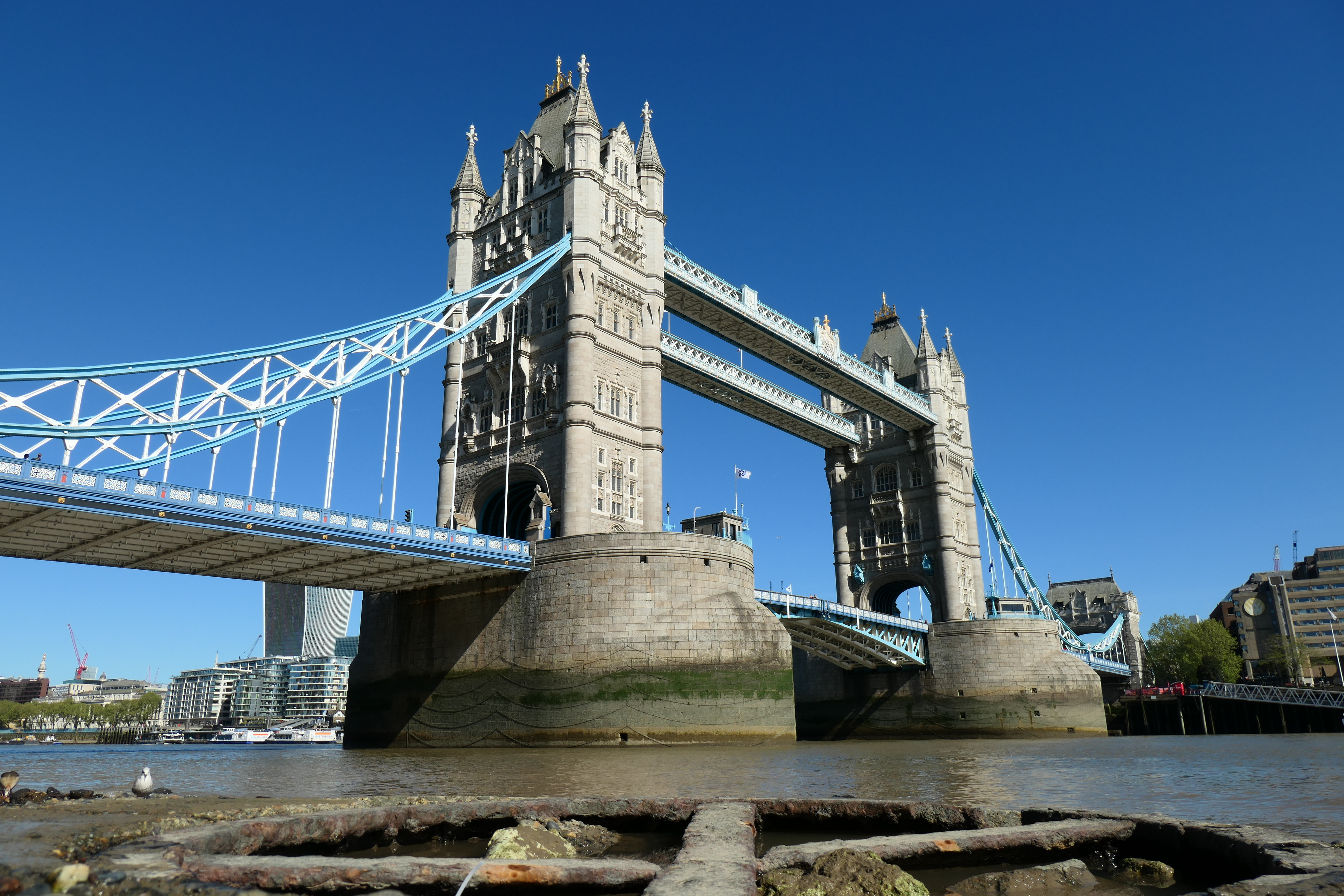
Ultimately, I’m rather conflicted about this camera. There’s still no other way to get this combination of long zoom lens and decently large sensor in a pocket camera, and if you think you can live with using that fixed screen all the time, it could be a great option for travel. But personally, I’d recommend springing a bit more money on a Sony RX100 VII, or seeking out a second-hand TZ200. In fact, it’s a shame Panasonic didn’t just re-release the old camera, really.

Panasonic Lumix ZS300/TZ300: Full Specifications
| Specifications | Panasonic Lumix ZS300/TZ300 |
|---|---|
| Sensor | 20MP 1-in BSI-CMOS, 13.2×8.8mm |
| Output size | 5472×3648 |
| Focal length mag | 2.7x |
| Lens | 24-360mm equivalent, f/3.3-6.4 |
| Shutter speeds | 60-1/2,000sec (mechanical); 1-1/16,000 (electronic) |
| Sensitivity | ISO 125 – 12,800 (standard); ISO 80-25,600 (extended) |
| Exposure modes | P, A, S, M, Auto, Scene |
| Metering | Multi / Centre weighted / Spot |
| Exposure comp | +/-5 EV in 0.3 EV steps |
| Continuous shooting | 10fps (AF-S); 6fps (AF-C, live view) |
| Screen | 3in, 1.84m-dot fixed touchscreen LCD |
| Viewfinder | None |
| AF points | 49 |
| Video | 4K 30fps (1.4x crop); Full HD 120fps |
| External mic | No |
| Memory card | UHS-I SD |
| Power | DMW-BLG10E rechargeable lithium-ion |
| Battery life | 360 shots |
| Dimensions | 111.2 x 66.4 x 45.2 mm |
| Weight | 337g including battery and card |
Follow AP on Facebook, Instagram, YouTube and TikTok.