Amateur Photographer verdict
The Canon EOS C50 delivers impressive 7K open-gate RAW video, superb Canon colour science, and pro-level cinema features in a compact body, though the lack of IBIS and dim screen may frustrate some- 7K RAW open gate recording
- Excellent top handle with dual XLR
- Canon colour science
- 32-million-pixel photos
- Dual card slots
- Dual base ISO sensitivity
- No sensor stabilisation
- The screen isn’t very bright
- Cinema menus may feel alien to photographers
There are just a handful of digital cameras that could be considered classic, but the Canon EOS 5D Mark II is certainly a contender for the title. At a time when the Canon EOS C100 and Canon EOS C300 were the cinema camera of choice for many commercial videographers, the EOS 5D Mark II brought cinema-grade features and quality to the DSLR audience, and, in turn, helped create the content-creator and YouTube markets that exist today. However, the best mirrorless cameras allowed others to catch up, especially Sony and Panasonic, and more recently Nikon and Fujifilm, with every major brand now offering cameras that filmmakers could only dream of a decade ago.
Canon EOS C50 at a glance:
- $3,899 / £2,999.99 (body with XLR handle)
- 32MP full-frame CMOS sensor
- 7K 30p internal RAW recording
- 3:2 open gate recording
- 3in, 1.62m-dot fully articulating touchscreen
- Dual Base ISO 800/6400
- 15+ stops dynamic range
But recently, Canon’s entry point has been its EOS R range, with the Canon EOS R5 C and the Canon EOS R6 Mark III being the go-to models for those who veer more towards video than stills. But now the Canon EOS C50 has come along to offer a true entry point to the cinema line-up, competing with the likes of the Sony FX3 and more recently the Nikon ZR.
Canon EOS C50 – Features
At the heart of the C50 is a newly developed 32MP full-frame CMOS sensor that’s shared with the Canon EOS R6 Mark III. It’s capable of recording 7K open gate RAW footage at up to 30fps, or compressed footage at up to 60fps – a first for any Canon Cinema EOS camera. The 3:2 aspect-ratio open-gate mode is significant; it gives shooters the flexibility to frame for multiple formats in post and enables anamorphic shooting.
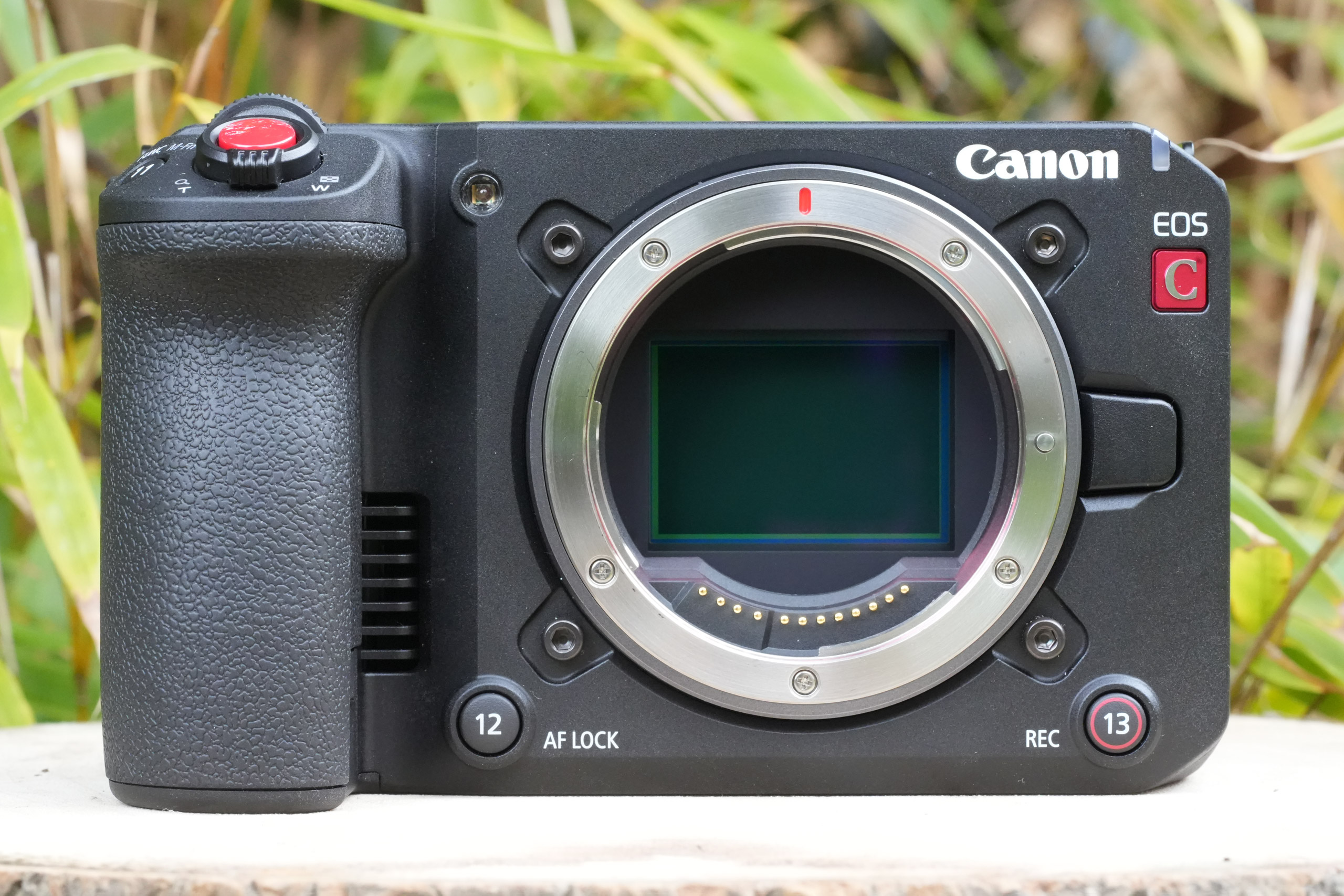
The sensor and processor support 12-bit Cinema RAW (including the Light variant) recording internally, oversampled 4K up to 120 fps, and Canon Log 2 and 3 colour profiles, with a claimed 15-plus stops of dynamic range. There is also Dual Base ISO when shooting Canon Log footage, with ISO 800 and 6400, the two native sensitivity settings, offering cleaner footage as the ISO limits go over that ISO 6400 setting compared to a single-base ISO sensitivity camera.
Autofocus is handled by Canon’s Dual Pixel CMOS AF II system – the same technology found in the Canon EOS R5 II and R6 III – with subject detection for people, animals, and vehicles. The RF lens lineup continues to grow steadily, offering a wide range of lenses for the camera, with the option to use the EF mount adapter for those with legacy Canon EF lenses.
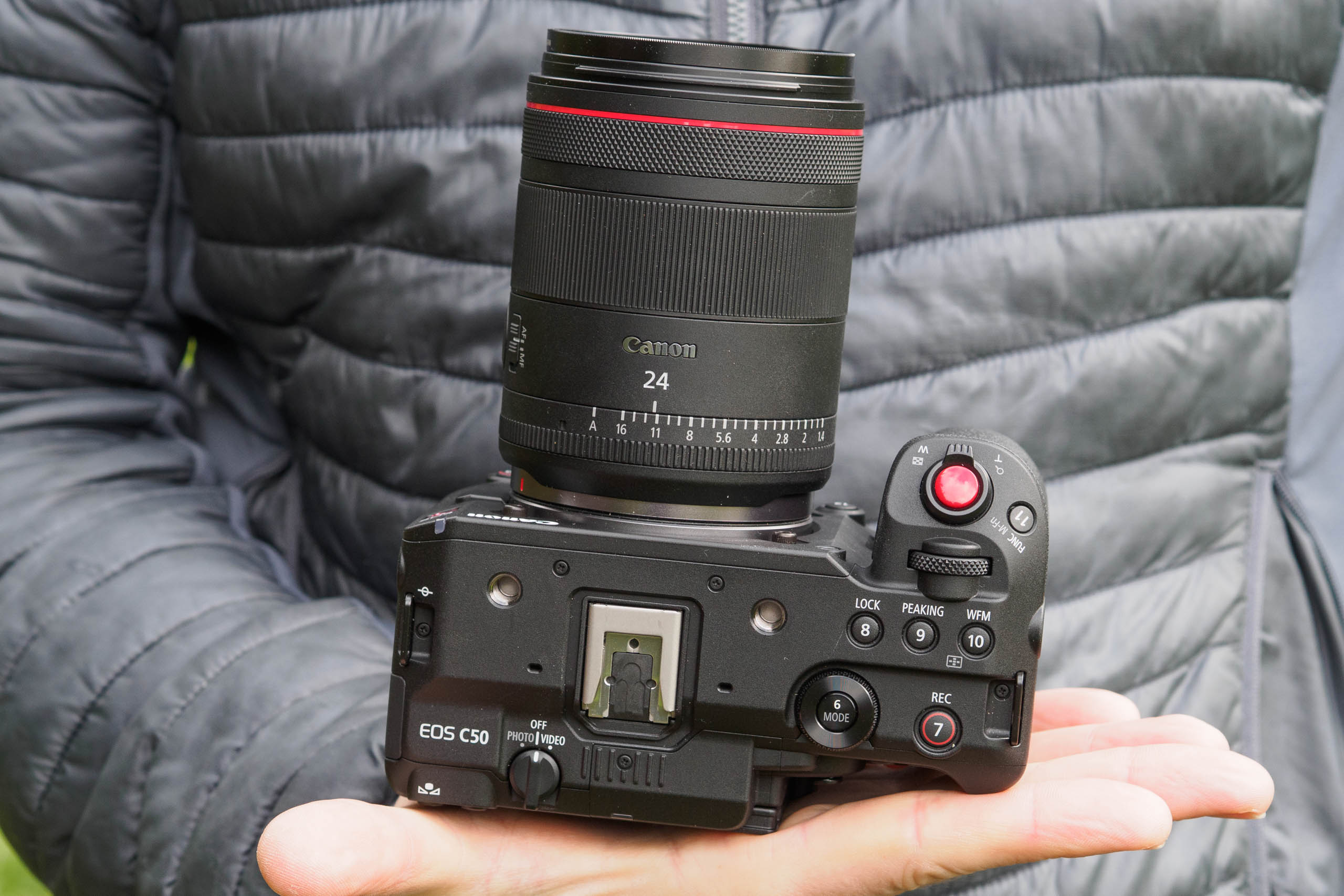
In the box for the EOS C50, you will also find the detachable top handle and audio interface. It is one of the most impressive accessory top-handles, providing two full-size XLR inputs, audio gain controls, phantom power, and impressively also has a zoom rocker control and a start/stop record button. The handle does weigh 440g, which, when combined with the camera, brings the total weight to 1.1kg.
Whilst the C50 is very much a Cinema camera at its heart, it also offers some great features for photographers. The camera is capable of shooting 32MP raw images and can shoot at up to 40 fps thanks to its use of an electronic rather than a mechanical shutter. The downside is that the electronic shutter reduces the flash sync speed to just 1/60th sec and may also cause readout speed issues for those photographing fast-moving subjects. To make photographers feel at home, switching from video to photo mode changes the menu system to the familiar photo-centric Canon EOS R menu.
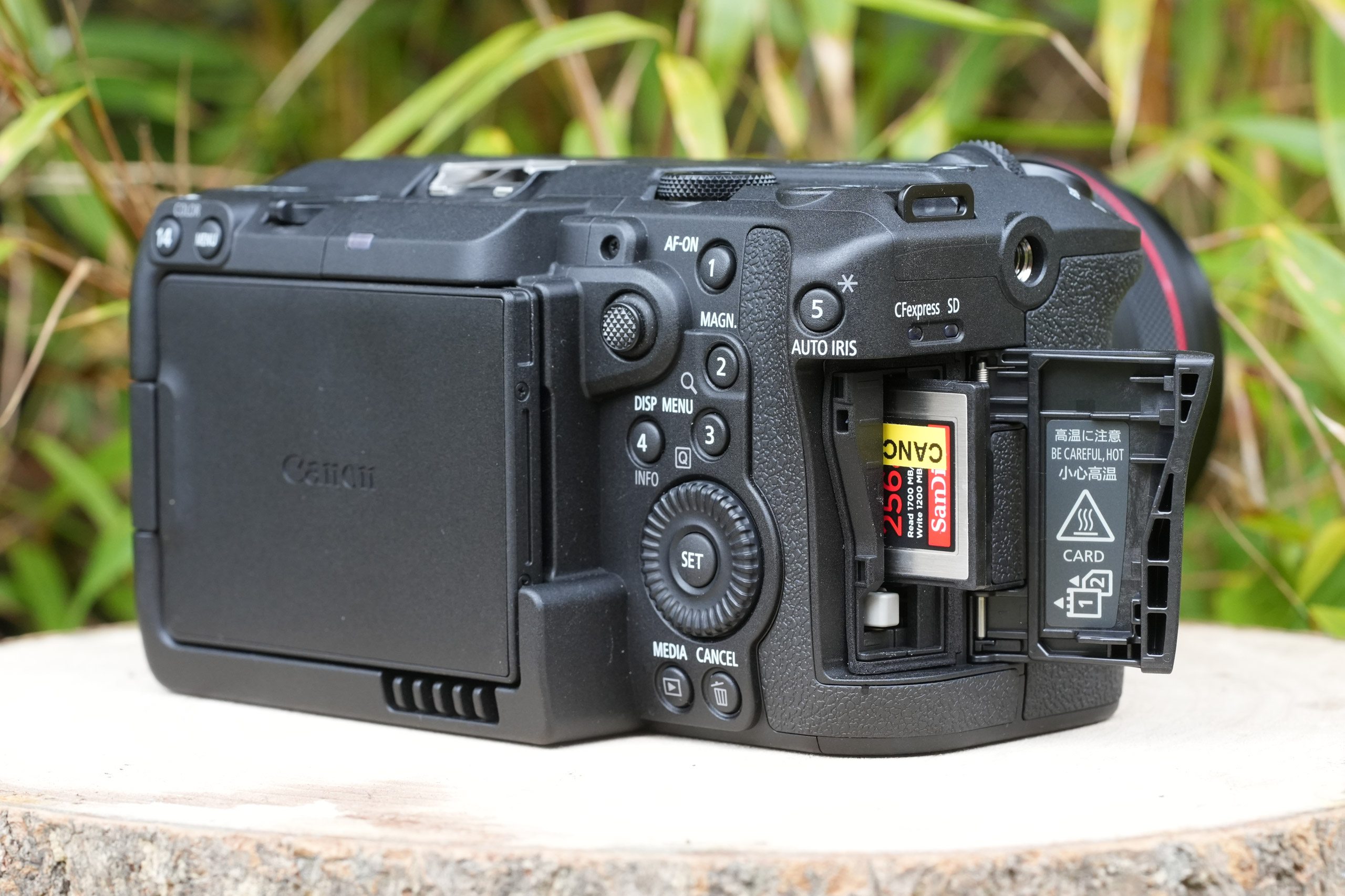
As for storage, the C50 uses a CFexpress Type B card for primary recording – required for 7K RAW – with an SD card slot for proxy files or lower-resolution footage. CFexpress Type B cards remain relatively expensive, and it is worth factoring this into the total cost of ownership.
Canon C50 – Focal Points
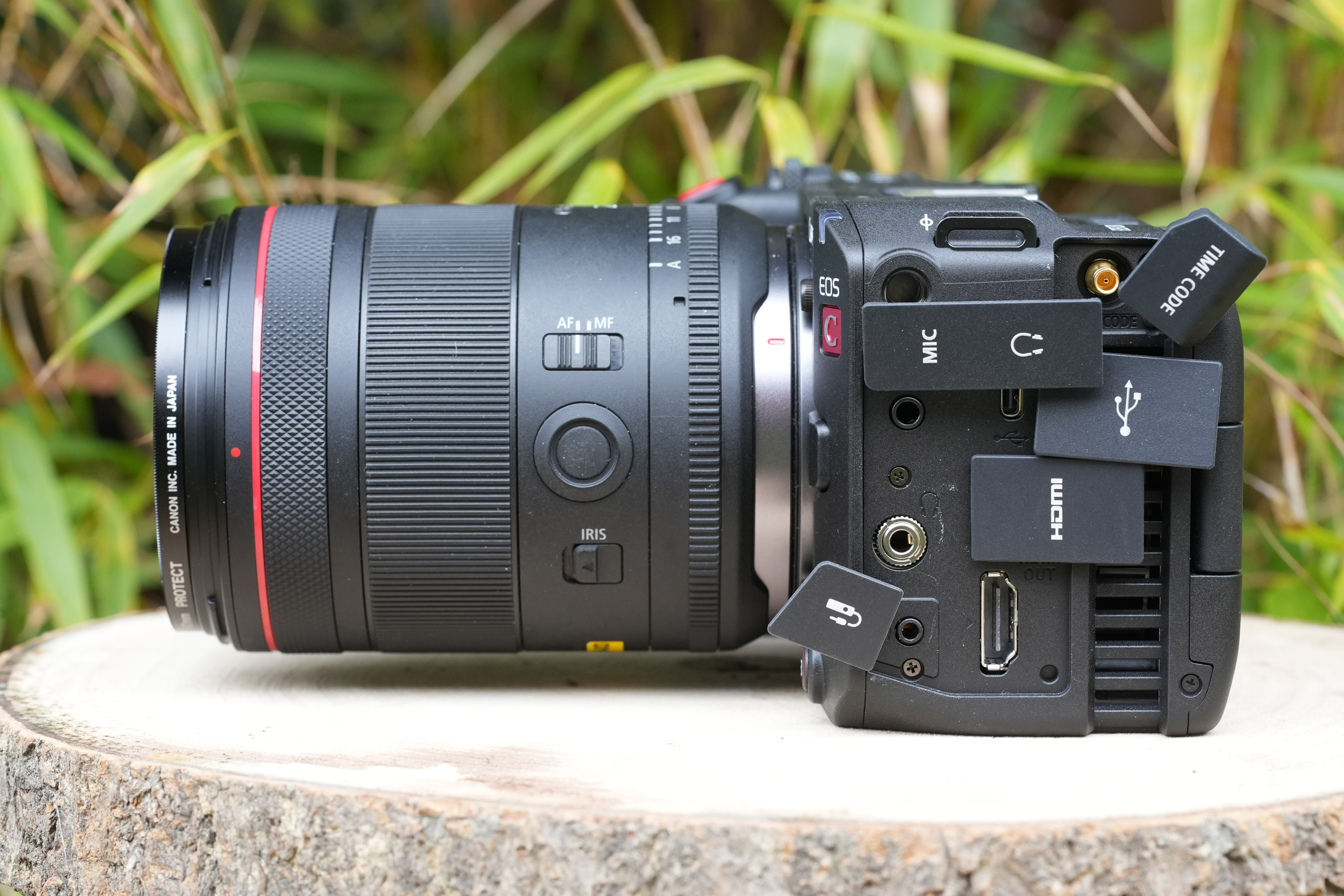
- Dual Card Slots: the Canon EOS C50 uses both CF Express and SD cards, and usefully has small LED indicators on the side of the camera os that you know without checking the camera screen/menu, which are in use.
- Top Handle: the detachable handle comes included as standard and is one of the C50’s best features, adding two full-size XLR inputs, a start/stop button, and a zoom rocker.
- Tally Lights: there are three tally lights total – two on the body and one on the top handle. They light up when recording, useful when the camera is on a rig, or the screen isn’t visible.
- Full-size HDMI: the C50 has a full-size HDMI Type-A port. This is a more robust connection than a Micro HDMI port, which the Nikon ZR was criticised for having.
- Timecode Terminal: a dedicated DIN timecode input/output port on the body – a proper cinema feature that lets multiple cameras sync timecode on a multi-camera shoot.
- USB-C (USB 3.2 Gen 2): high-speed USB-C for data transfer, but also supports UVC/UAC, meaning it can be used as a webcam or audio interface.
Canon EOS C50 – Build and Handling
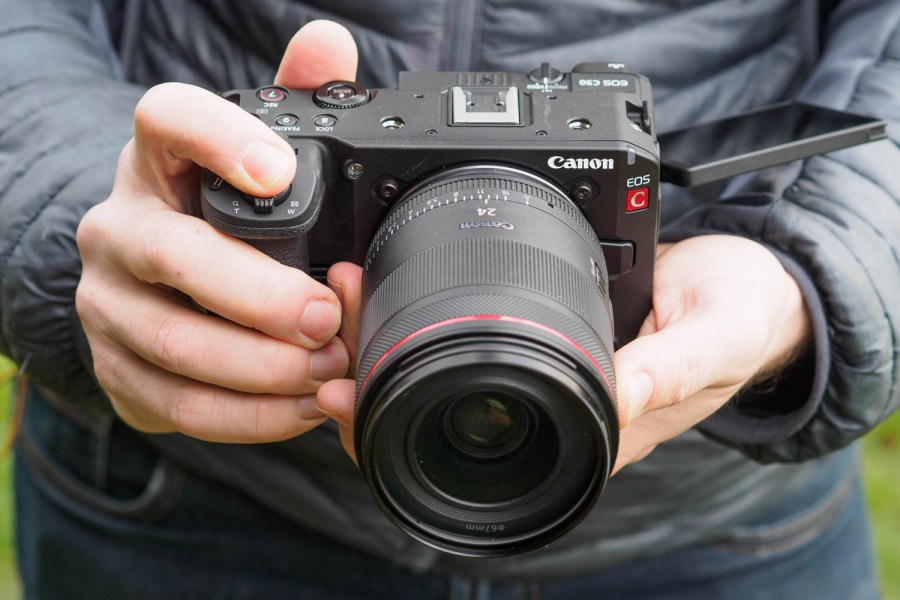
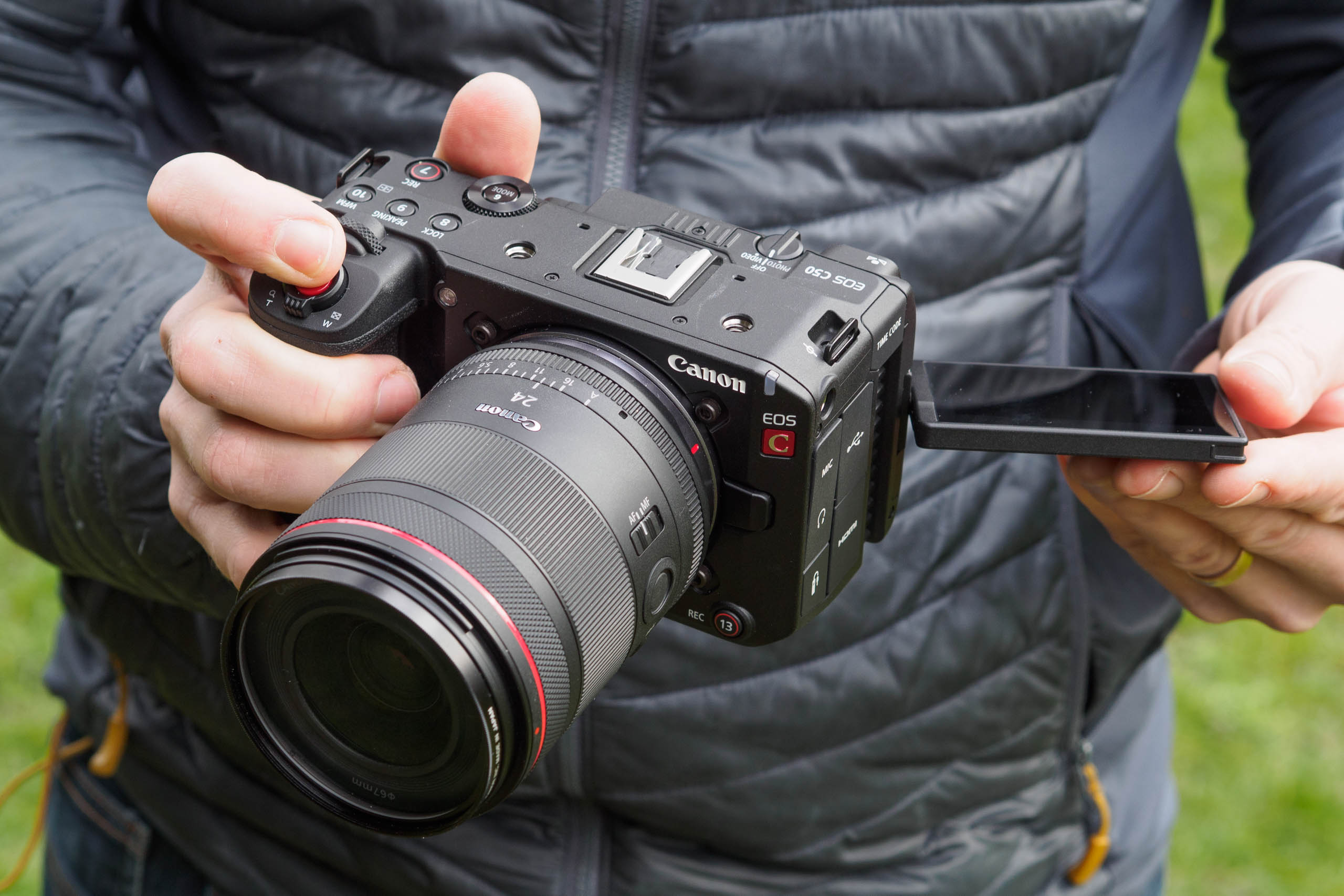
The first thing you notice about the C50 is that it looks and feels nothing like a Canon R-series camera. It is a much ‘boxier’ cinema-style shape. It is a well-made box, with thoughtfully placed buttons, but you cannot escape its shape, especially compared to the Nikon ZR and Sony FX3. Cinema camera users will feel right at home with the familiar shape, often rigged with accessories. Photographers transitioning from an EOS R camera will need some time to adjust.
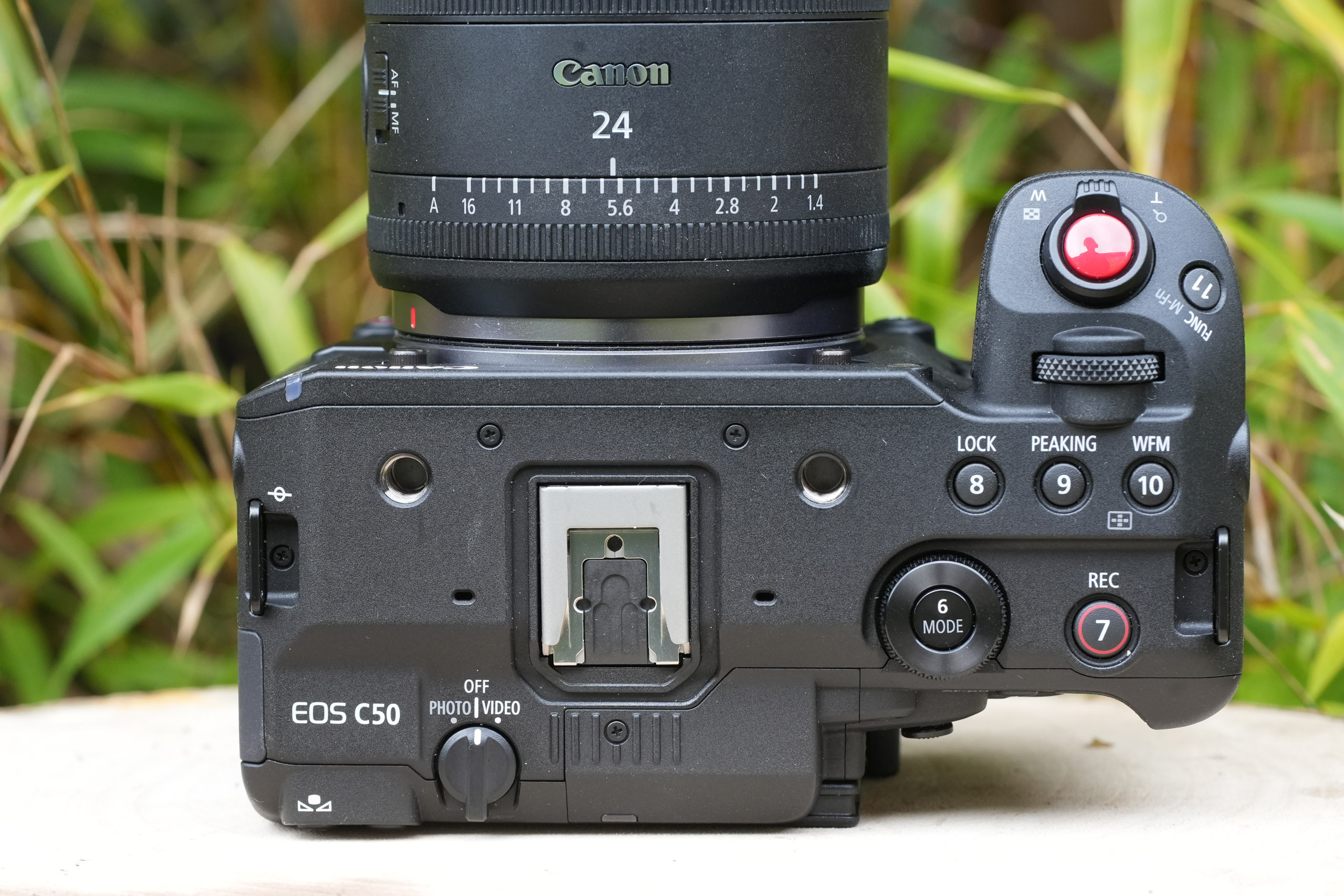
All of that said, the body is fairly compact by cinema camera standards, measuring 143 x 88 x 95mm and weighing just 665g without the handle. That makes it the smallest and lightest camera in the Cinema EOS line-up. It is a mirrorless weight and volume, but the form factor is quite different; it is very definitely a cinema-first design.
Part of the reason for the form factor is the C50’s built-in fans. Around the circumference of the rear of the box are air vents to let heat out and draw in cool air, with fans kicking in as the camera heats up. They aren’t loud, per se, but they are audible. It shouldn’t be given too much consideration for anything but the quietest film shoots.
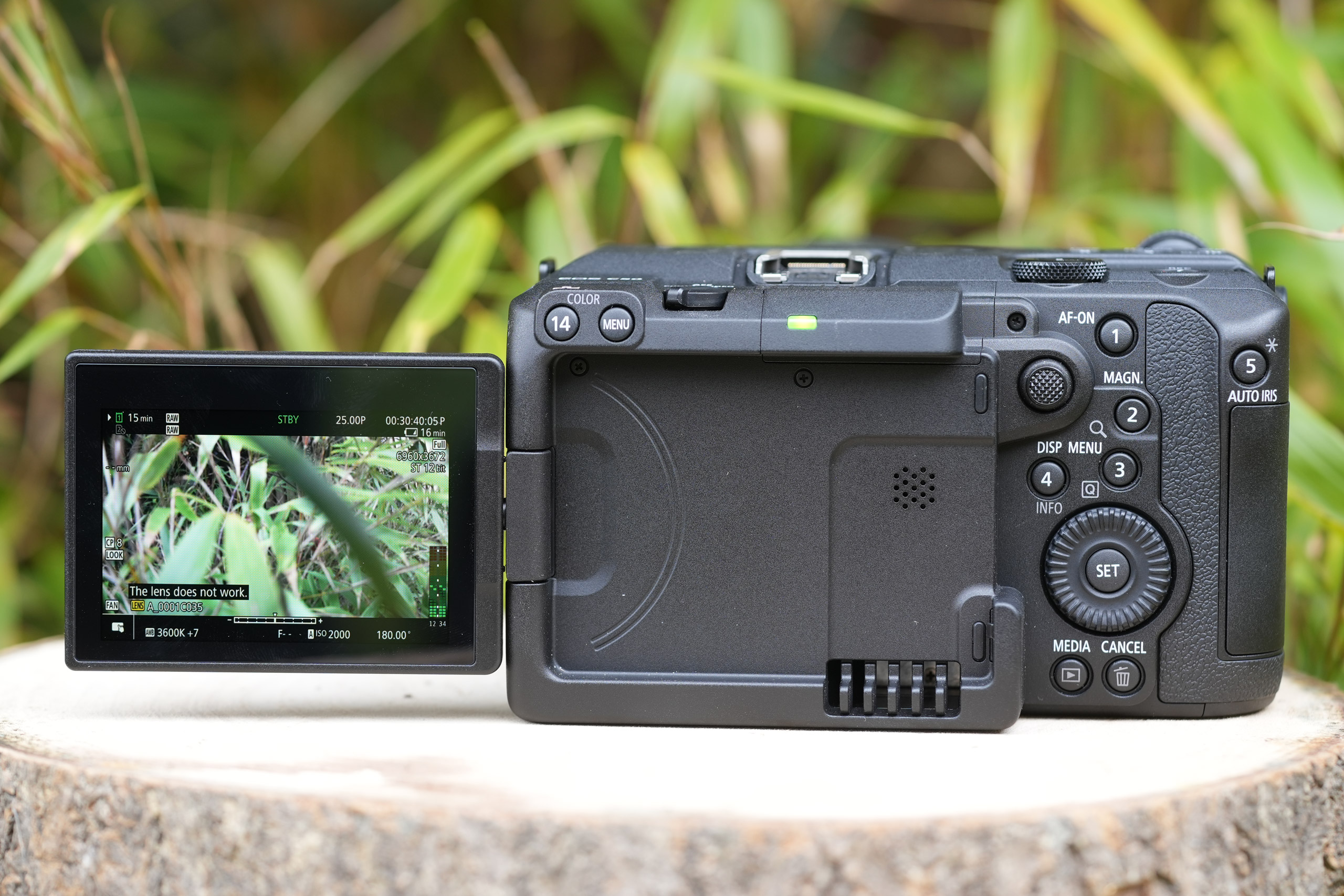
The top handle transforms the camera into something that certainly looks like a more serious cinema camera. It locks securely to the camera body, and the additional XLR input supports professional recording microphones. Plus, the zoom rocker and start/stop record make it a much more useful addition than a pure audio handle would be. That said, whilst it makes a great documentary or interview camera, for vlogging or more casual work, it is more cumbersome and overkill.
Controls are logical once you have spent some time with them, and Canon has provided good customisation options. However, as a photographer, I found the cinema menu system to be a very different world. Everything will be familiar to cinema users; the menu is deep and structured, and photographers coming from an R-series camera should put aside plenty of time to familiarise themselves with the cinema menu, especially before doing a serious shoot. However, features such as a 180-degree shutter priority mode help to ease the transition.
The rear screen is a 3-inch, fully articulating touchscreen with 1.62 million dots. It is functional and responsive, but it is the camera’s most obvious weak point. Compared to the Nikon ZR’s superb 4-inch, 1000-nit display, it falls far behind. Even on overcast days outdoors, I found myself pushing the screen’s luminance setting, which, in turn, makes the image appear brighter than it will be recorded. There is a warning when you switch on the luminance boost, which serves as a reminder to use other exposure aids, such as the histogram or zebra patterning. Sadly, there is no electronic viewfinder, nor is there even the option to add an external one. Although they shouldn’t be expected at a camera in this price range, it is also worth noting that there are no internal ND filters.
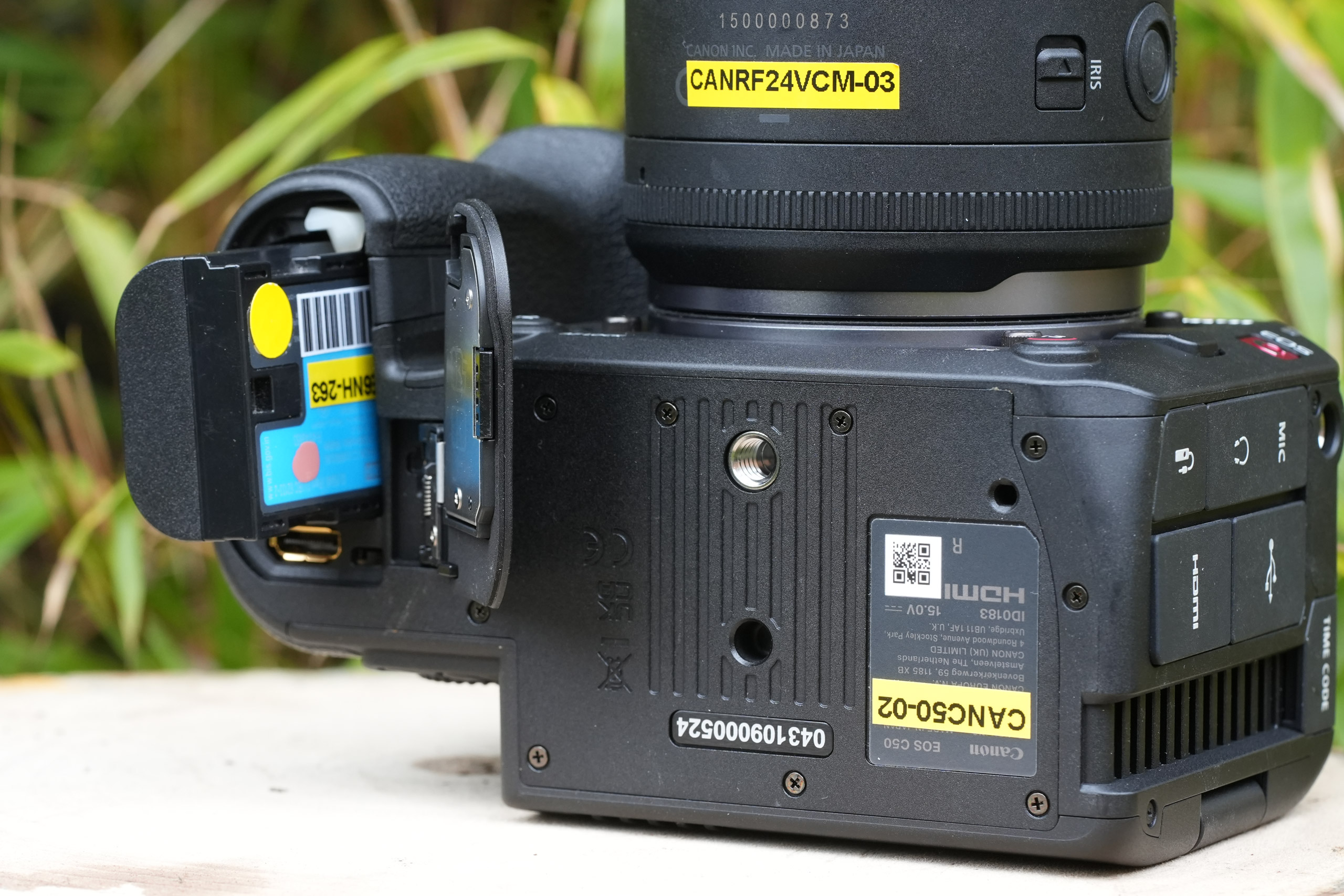
Power comes in the classic LP-E6 battery shape, this time in the guise of the latest P variant. It is quoted as providing around 90 minutes of continuous recording, which I found matches real-world use, shooting bits of video, still images, as well as reviewing both on the camera’s rear screen. Obviously, the exact numbers will depend on what you are shooting and if you are using the external handle, etc. As always, I would recommend having at least one spare battery.
Canon EOS C50 – Performance
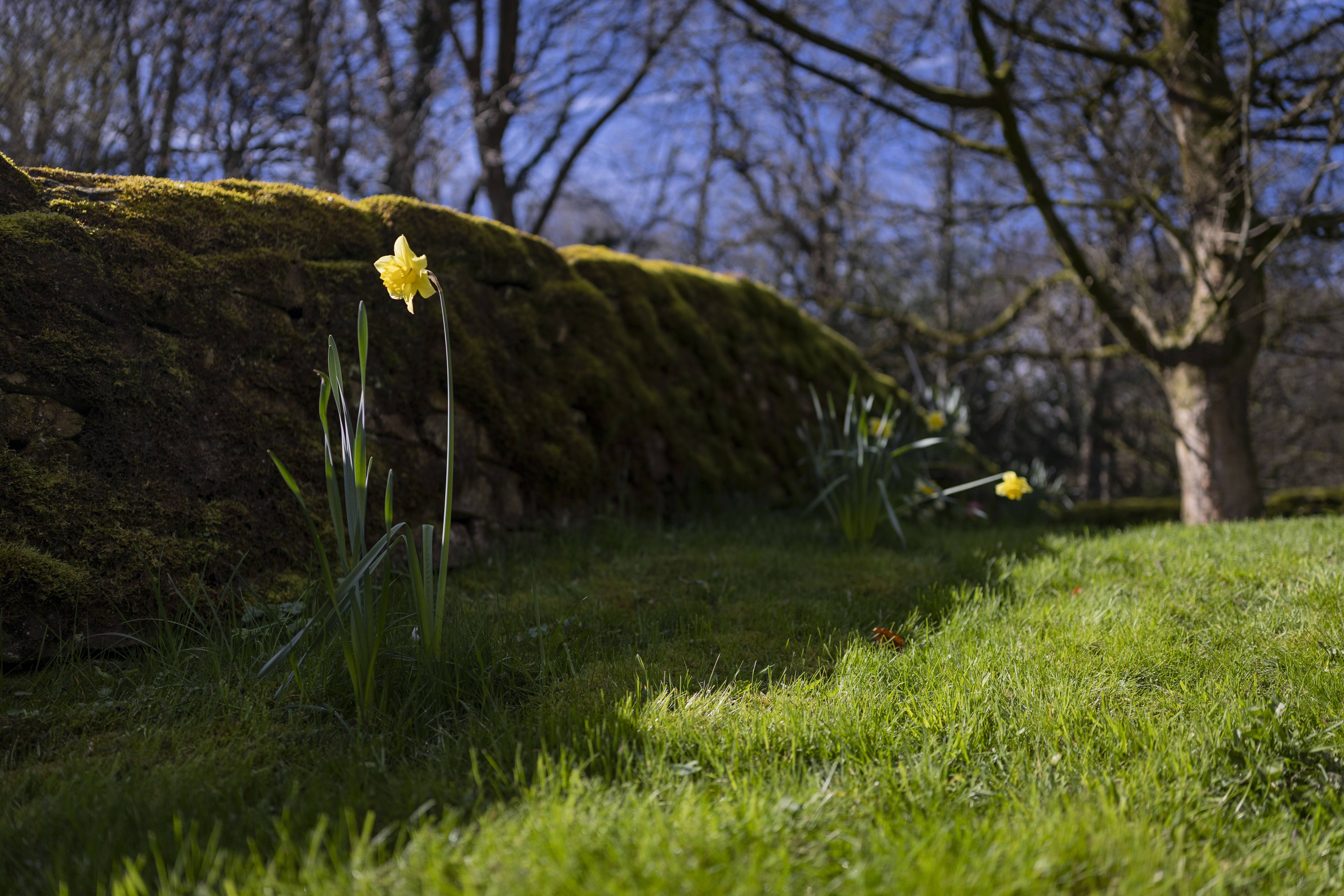
For stills, the C50 performs as you would expect from a Canon full-frame sensor. The 32MP files are detailed and well-rendered, with the familiar Canon colour science. The stills menu system is essentially identical to the EOS R-series, which makes the camera feel immediately approachable for photography. There is an electronic shutter limitation for those who shoot with flash or for sports or wildlife, but this really isn’t the camera for any of those pursuits. In terms of colour and dynamic range, the camera is very capable.
It is a similar story with the C50’s video quality, which performed well across the various modes. It is worth noting that the various recording options can be intimidating for those getting into video with options such as XF-AVC 10-bit 4:2:2, XF-HEVC S 10-bit 4:2:2, which are H.264 and H.265, respectively… and then there is also XF-AVC S which is H.264 but in an MP4 wrapper rather than the MXF wrapper, which is more for professional broadcast workflows. Sit down and take some time to look at all of the options before shooting, and also note that there are separate options for the crop used, with 3:2 (open gate), 16:9, Super 35 and Super 16 options all available.

The dual base ISO is a genuine practical benefit. Switching to ISO 6400 in low light produces footage that is clean and usable, whereas a single-base-ISO camera at the same setting would not. I recorded some video of myself lit only by my computer monitor, and it was usable at ISO 6400. But obviously, noise starts to increase in the shadow areas the more you push it from the two base ISO settings.
Focusing was straightforward thanks to the Dual Pixel CMOS AF II system. Using the touchscreen to select a point of focus was easy with the camera staying locked on if you wanted to reframe a shot – both in stills and video. In its default setting, I found that whilst the Face Detection locked on well, the focus was slow to settle or lost quickly if I moved quickly or jumped in and out of the scene. Changing the AF and tracking speed improved this significantly, and those filming themselves may also want to increase these settings before shooting. Anecdotally, the C50 autofocus speed feels on par with the competition. I have the feeling that the Sony FX3 and Nikon ZR may just edge it out in terms of performance, but in practice, the C50 is perfectly capable, and any AF or tracking would really be splitting hairs or for niche use cases.

The lack of in-camera stabilisation will be headline concern for many potential buyers. There are, of course, many R-series lenses with excellent optical stabilisation, and there is also in-camera digital stabilisation, albeit with the usual caveat that it crops the images. Handheld footage will require a little more care, but honestly, again, this isn’t really designed as a vlogging camera, so the need for super-steady gimbal-like shots isn’t as applicable as it would be for a more ‘handheld-friendly’ camera body such as the Nikon Zr or Sony FX3. That said, if I were considering features relative to price, I would always opt for sensor-based stabilisation if possible.
I edited the raw footage from the Canon EOS C50 in Da Vinci Resolve, and once the initial colour workflow was established, it was straightforward to produce nice-looking colour grades with plenty of detail in highlights and shadows. As a photographer, it can take a while to get your head around how the different raw formats and Log modes behave, but it was quite straightforward with the C50 files. Similarly, I shot some MP4 video using the standard Canon image style, and the result looked good straight out of the box, which will be good news for those who want more instant results and aren’t as concerned with getting every ounce of cinema style out of the camera.
Of course, the headline feature is still that open gate recording option – a 3:2 ratio image from the sensor, which you can then crop as you please. In a 16:9 format, this means you will lose the top and bottom of the image, so this needs to be considered when framing. What it does mean is that square or vertical output is less awkward than when coming from a native 16:9 frame. In practice, it is still quite tight going from 3:2 to a 9:16 vertical frame – you do really have to shoot wider than feels comfortable to get the best result, but it is still a big improvement and easier. A square format still feels like the ideal dual orientation output, which is why 6×6 cm Hasselblads were the go-to cameras for editorial photography for so long – it was much easier to crop the shot for a magazine cover, double page spread or a square insert image.
Canon EOS C50 – Verdict
The Canon EOS C50 is a solid entry point into Canon’s Cinema EOS range – and for the right user, it is a genuinely exciting camera. The 7K open-gate RAW recording, dual-base ISO, Canon Log colour science, and that excellent top handle add up to a compelling package for the price, with specifications that outpace the ageing Sony FX3 on paper and match it in many areas of real-world performance.

However, there are limitations: the 3-inch screen and its brightness already feel dated compared with the Nikon ZR; the cinema menu system may take some users a while to get their heads around; and, of course, there is no built-in sensor stabilisation. For photographers, there is the electronic shutter caveat, but the colours and features will feel very familiar, even if the body shape does not.
It is also worth clarifying where the C50 sits in the broader market. The Nikon ZR offers 6K RAW, IBIS, a superb 4-inch screen and 32-bit float audio, packaged in a more mirrorless-style body, for considerably less money. The C50 makes most sense as a first dedicated cinema camera for those who want the flexibility of open gate shooting and know they want to build within the Canon R mirrorless ecosystem. For professionals already working within the Canon Cinema EOS system, it will represent a fantastic B camera, especially with features such as the Timecode sync port.

Canon C50 – Full Specifications
| Specifications | Canon EOS C50 |
|---|---|
| Sensor | 32.3MP CMOS, 35.9mm x 23.9mm |
| Output size | 6960 x 4640 |
| Focal Length magnification | 1x (Full Frame 3:2 mode) |
| Lens Mount | Canon RF |
| Shutter Speeds | 1/16000 to 30sec (electronic); Bulb |
| Sensitivity | ISO 100-25,600 (standard); ISO 100-102,400 (extended) |
| Exposure Modes | P, Av, Tv M, (photo mode) |
| Metering | Evaluative, partial, spot, centre-weighted average |
| Exposure Comp | ±3 EV in 1/3 EV steps |
| Continuous Shooting | Up to 40fps (electronic shutter) |
| Screen | 3.0in, 1.62m-dot fully articulating touchscreen |
| Viewfinder | N/A |
| AF Points | Approx 100% coverage |
| Video | 7K 30p RAW; 4K 120p; 2K 180p |
| External Mic | 3.5mm stereo; 2x XLR via detachable handl |
| Memory Card | CFexpress 1x CFexpress Type B; 1x SD UHS-I |
| Power | LP-E6P Li-ion |
| Battery Life | Approx. 90 min video recording |
| Dimensions | 142 x 88 x 95mm |
| Weight | 670g (body only); 1105g (with handle, battery and card) |
Follow AP on Facebook, Instagram, YouTube and TikTok.