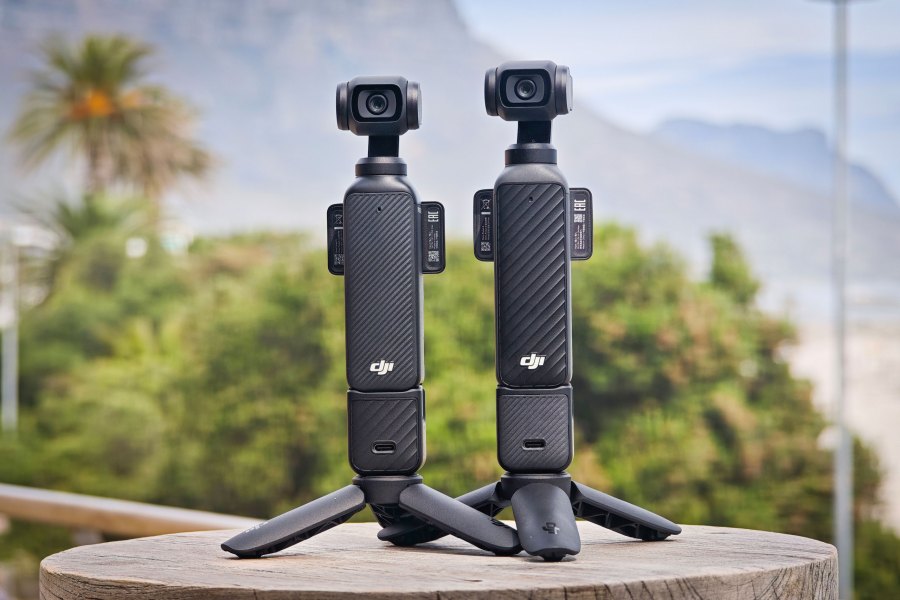
Amateur Photographer verdict
An excellent choice for vloggers, DJI has improved almost everything, but if you already own the Pocket 3 the improvements are probably not radical enough to justify the additional expense- Excellent video quality with effective gimbal-based stabilisation
- Useful magnetic mount for accessories including new fill-light
- Film tones apply variety of colour grading profiles in-camera
- Inclusion of excellent DJI Mic 3 in Creator Combo kit
- Outstanding DJI Mimo app provides seamless connection to phone
- Fixed 20mm (equiv) wideangle lens is limiting
- Battery handle no longer included in Creator Combo
DJI Osmo Pocket 4 at a glance:
- Price: camera only £445/€499, Essential combo £429/€479, Creator combo £549/€619
- Sensor: 1-inch CMOS
- Lens: 20mm (equiv) f/2
- Video: 4K/24fps-240fps; 1080p
- ISO range: 50-12,800
- Screen: 2-inch; 556x314px
Visit anywhere that content creators are likely to congregate and the chances are high that you’ll be surrounded by people holding wand-like sticks with tiny rotating cameras on the top. Some will be waving them around at the scenery, other will be talking into them. The DJI Osmo Pocket 3 has been a phenomenon in the vlogging world, and its ubiquity is well deserved – it is great at what it is designed to do, which is delivering high quality, gimbal-stabilised 4K video with decent audio, in a pocket-friendly device that’s easy to use even with one hand. You may even have one yourself.
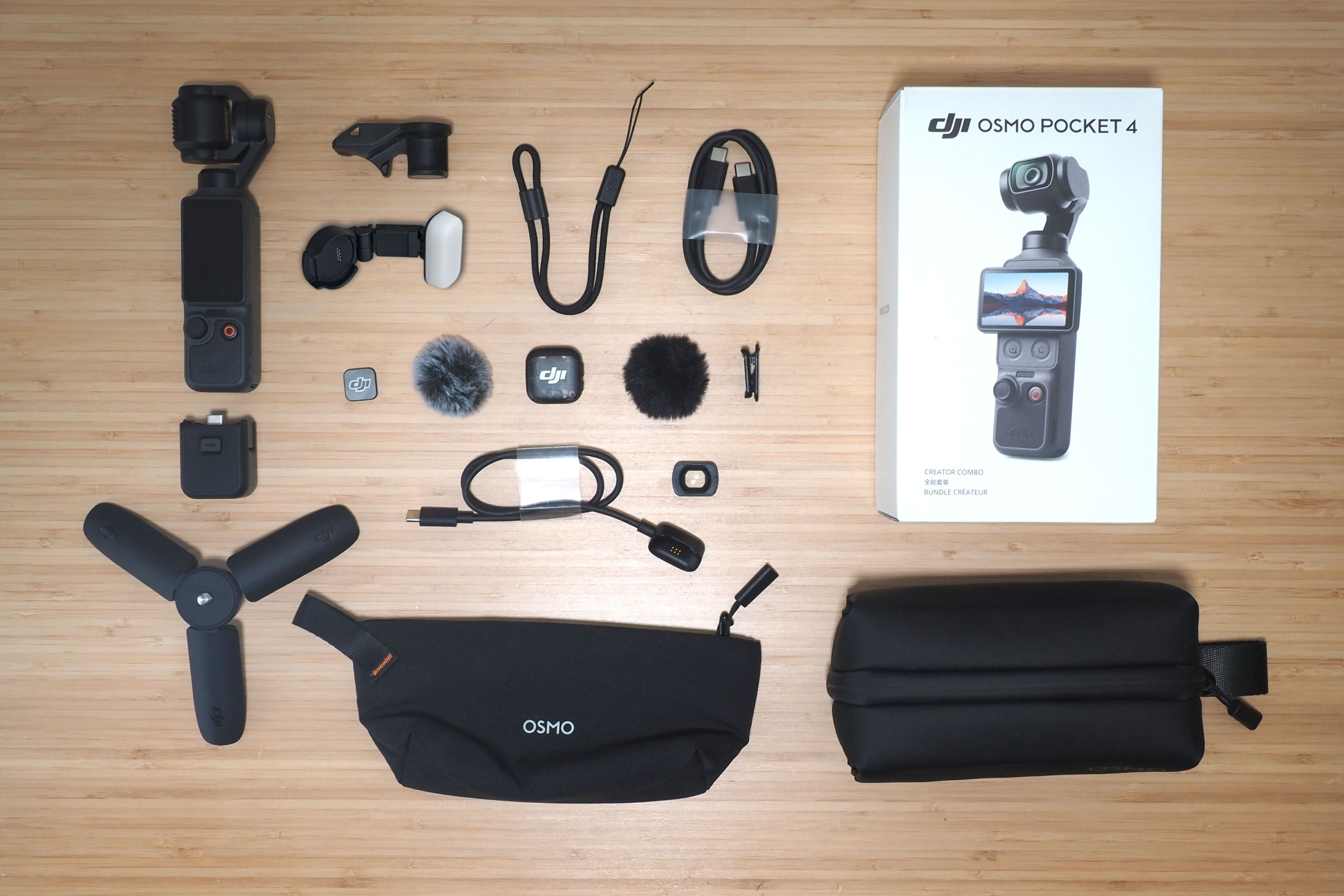
Now DJI has released the Osmo Pocket 4, but it’s more of an evolution than a revolution. I took one to Cape Town, South Africa, along with my Pocket 3, to compare them. From the outside the new model looks almost identical to its predecessor, but inside it features a new sensor and a host of new features designed to take your videos to the next level. It can bought on its own for £445/€499, or as part of a Creator Combo kit for £549/€619, which is what I am reviewing here. It includes a host of useful extras, including the high quality DJI Mic 3, mini-tripod, fill-light and pouch, but notably not the 950 mAh Battery Handle you get in the Pocket 3 Creator Combo which extends the shooting time by 60%. This is available separately and the output has been boosted slightly to 1080 mAh. Nevertheless it’s still probably worth it for most people to splash out for the kit if you can afford it. Note that the Pocket 4 is not officially available in the USA.
DJI Osmo Pocket 4 – Features
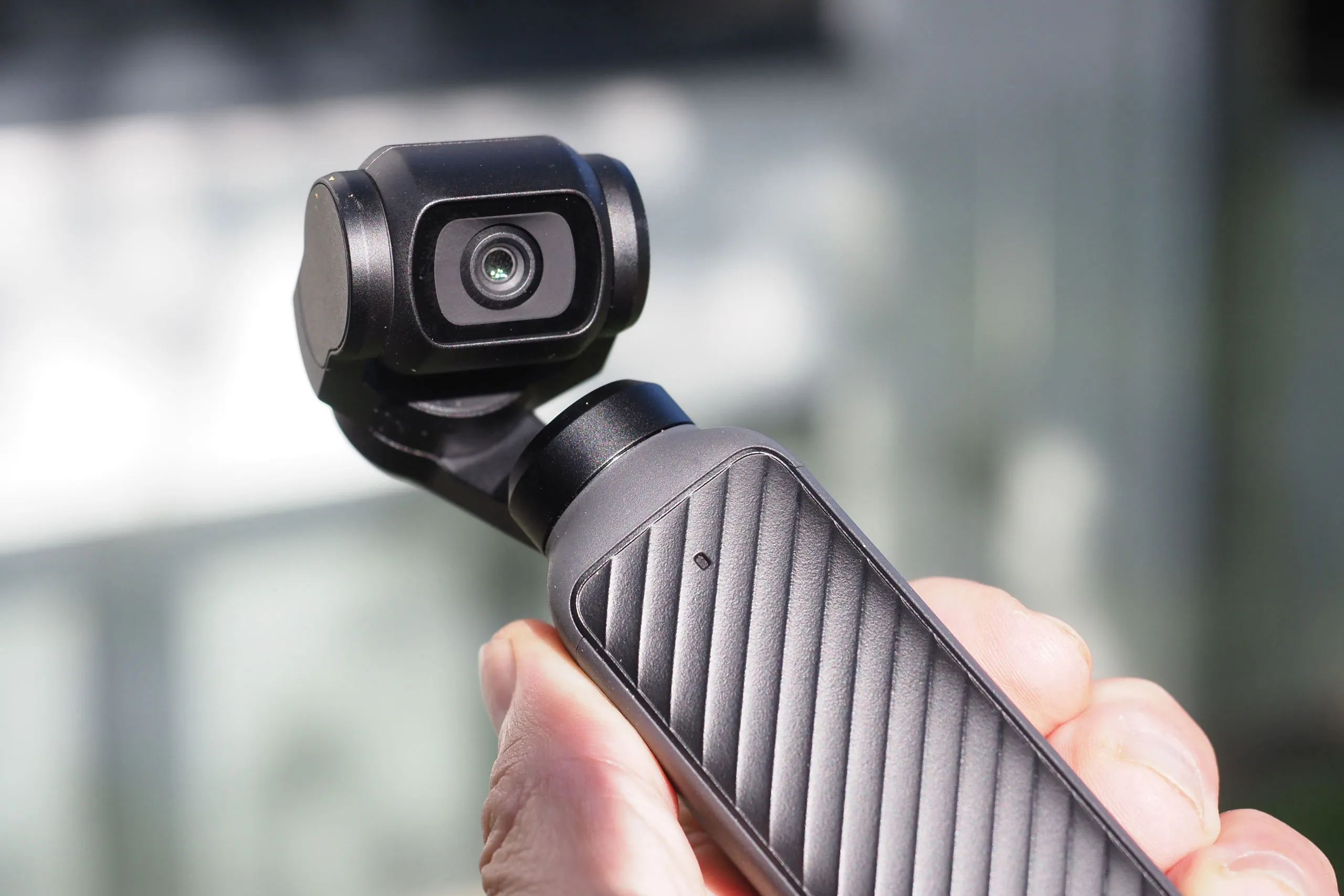
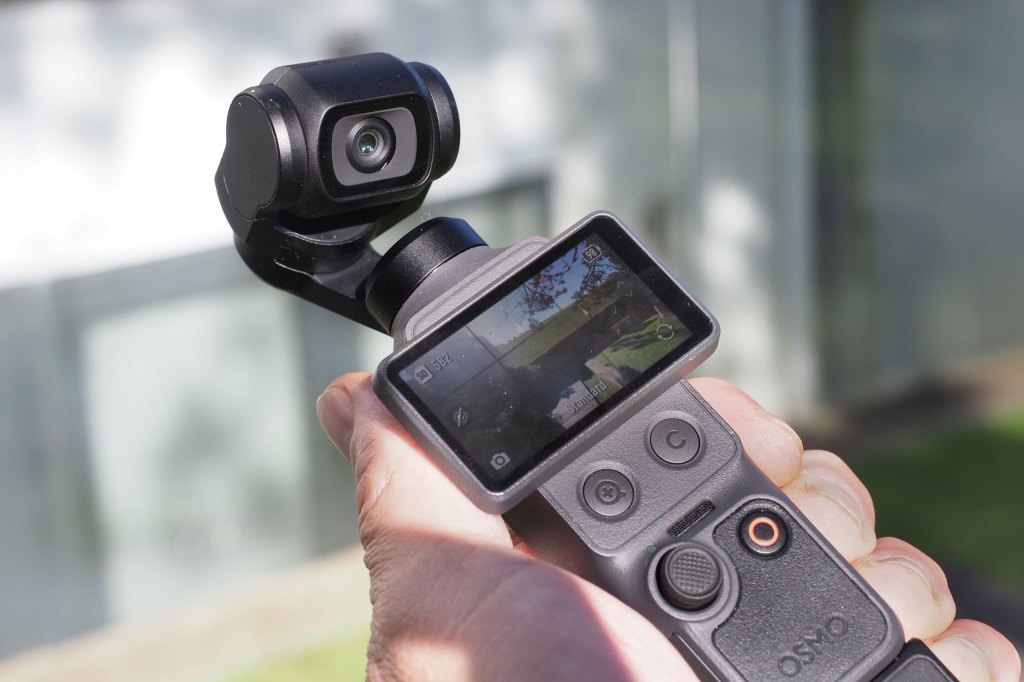
Like its predecessor, the Pocket 4 features a 20mm equivalent f/2.0 lens mounted on a 3-axis rotating gimbal, a one-inch sensor, and a two-inch touchscreen. The most obvious external difference, other than an extra 5mm in height and 11 grams in weight, are the addition of two hidden extra buttons that materialise beneath the two-inch screen when you flick it 90 degrees into landscape mode. On the left is a direct zoom button, enabling you to jump to 2x or 4x magnification on a single or double press. Although this is a digital crop, not an optical zoom, it is lossless at 2x when shooting video, but not at 4x. Next to it is a custom button that can be programmed for a range of functions, but by default takes a still photo.

Sharp-eyed observers may also spot the addition of four tiny dots on the gimbal head. These provide power for the cleverly designed new fill-light that comes as part of the Creator Combo bundle and clips on magnetically – ideal for selfie videos. Brightness and colour temperature can be controlled via the menu or using the buttons on the light, and it folds in half when not in use. This magnetic attachment could potentially hold other yet to be announced accessories in the future.
Inside, at the heart of the Pocket 4 is a new sensor, which is still a one-inch CMOS chip but it now offers an expanded 14 stop dynamic range in 4K/60fps and 4K/30fps (or 3K when shooting in portrait orientation) with 10-bit colour. DJI claims that this preserves more highlight detail and reduces shadow noise, as well as delivering a greater range of colours with smoother colour gradation and reduced banding. In addition a new D-Log Pro mode delivers low contrast, unsaturated video for more flexible colour grading at the editing stage. DJI also claims a significantly better performance in Low Light Mode, with a two-stop improvement over the Pocket 3.
In an industry first for a device at this price the Pocket 4 also offers an impressive 4K 240fps Slow Motion setting, but only in landscape orientation. If you’re worried about the amount of space this will eat up on the memory card you’ll be pleased to note that the new model now offers 107GB of built-in storage, unlike the Pocket 3 which has none.
You would never buy one of these devices primarily as a stills camera but the fact they can shoot stills too is a bonus, and on the Pocket 4 still photo resolution has been boosted from a paltry 9.4 megapixels to a much more useful maximum of 37 megapixels in Super Photo mode (at 1:1).
One of the most popular vlogging features of the Osmo Pocket series is the Active Track technology which follows and tracks a subject, such as a presenter, as they move around, maintaining focus and position in the frame. The Pocket 4 features the next generation Active Track 7.0, which now supports vehicles, pets and other moving subjects such as wildlife. Register a face, such as your own or your dog’s, and the Pocket 4 will recognise it in the frame and automatically prioritise it for framing and focus.
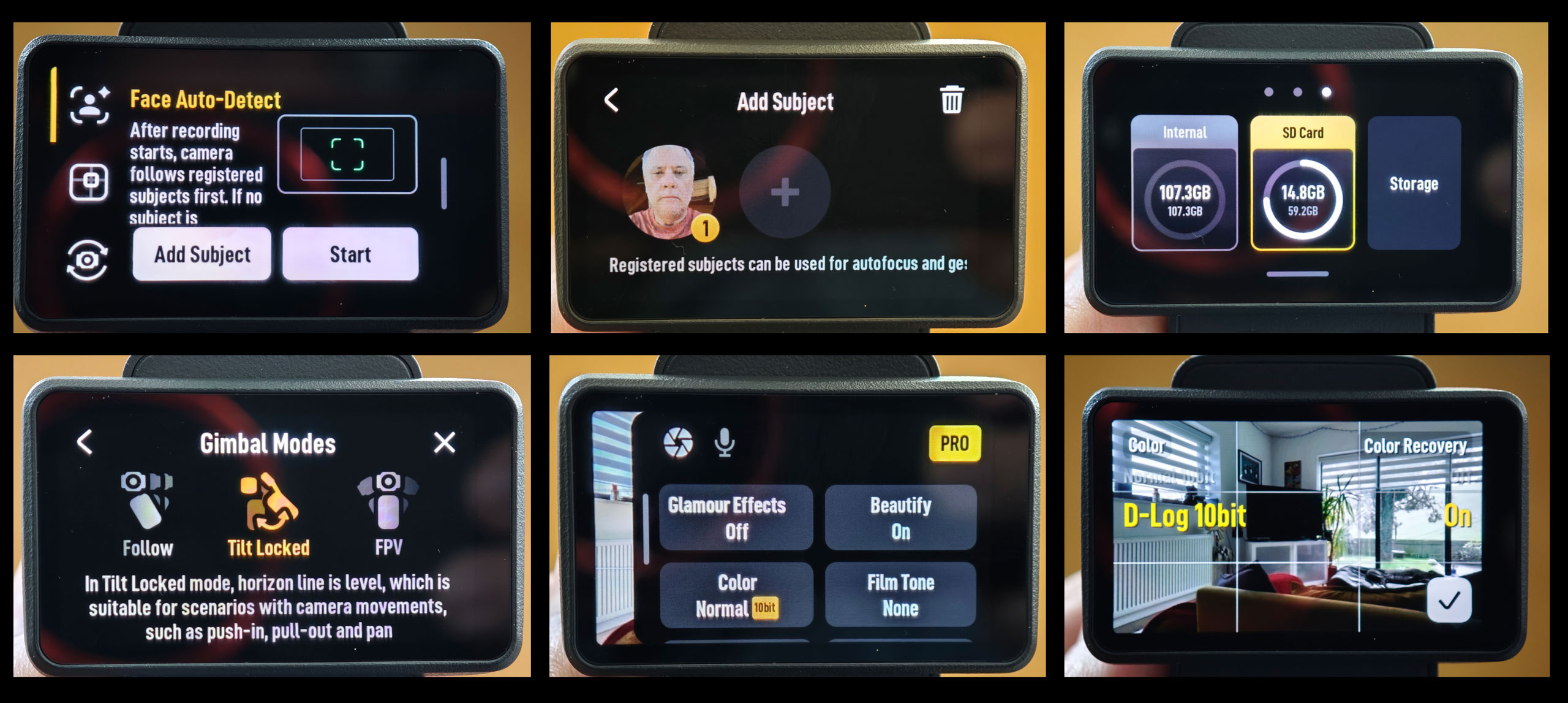
Borrowing inspiration from Fujifilm’s Film Simulation modes the Pocket 4 now has a range of colour profiles which it calls Film Tones, to give your video a professionally graded look straight out of the camera. Settings include CC Film (which DJI describes as ‘Fuji-inspired’); NC Film (based on classic colour neg film); Pastel; Warm Tone; Movie and Retro.
If faces are your main subject, perhaps even your own face, then you might be interested in the suite of skin enhancement filters in the new ‘Beautify’ menu. The ‘Smoothness’ and ‘Brightness’ filters are adjustable in strength on a scale of 1 to 5, while the ‘Skin Tone’ filter asks you to choose your suntan level: Fair, Light, Warm or Tanned. You can of course turn the whole thing off.
One of the great things about these DJI devices is that they’re intuitive to use even without any technical knowledge, but if you do know a thing or two about photography there is a Pro mode which offers a degree of control. In Auto you can cap the ISO range at anywhere from ISO 100 up to ISO 12800 in one stop increments, and apply exposure compensation of up to +/- 3 stops in 1/3rd stop increments. Go Manual and you can set a specific ISO sensitivity and shutter speed. This isn’t new to the Pocket 4 but what is new is that the selectable shutter speed range has been extended from 1/8000sec down to 1/4sec, instead of stopping at 1/30sec. This enables you to get really creative with blurry, shaky Blair Witch Project style videos.
Not new but worth mentioning, in Pro mode you can also manually select your white balance and focus. In the latter you can use Single Focus mode to stay locked onto static subjects; Product Showcase which focuses on near objects instead of the face of the person holding them; Subject Lock Tracking, which prioritises the person nearest the centre of the frame, and Registered Subject Priority, which locks and tracks a pre-registered face in the frame.
Switch to the Audio tab and now, in addition to Stereo and Mono, users can select Spatial Audio, which creates an immersive surround sound that’s ideal for live music but you need to be listening with headphones to fully appreciate it. Also new on the Pocket 4 is an Audio Zoom function which amplifies the sound when you zoom in and vice versa, so the audio better matches the visuals. It also now supports four-channel audio so you can connect two DJI mics (Mic 2, Mic 3 or Mic Mini) for, say, an interview, and record all four channels separately for individual control over the audio in the edit.
Most of the camera’s features are located within menus that are accessed either via icons on the touchscreen or that slide in from the top, bottom, left and right as you swipe from the edge of the screen.
At the bottom left corner of the screen is the shooting mode icon which lets you scroll between video, photo, panorama, low light, slo-mo and timelapse.
The icon at bottom right rotates the lens 180 degrees for filming yourself. Down the left side another icon lets you select between Face Auto-Detect mode (which follows faces that you have pre-programmed into the memory, or the closest person to the centre if no faces have been added): Dynamic Framing, which allows you to manually select from a grid of focus points, from where it will track whoever is nearest; and Spinshot mode which lets you spin the camera around to simulate the effect of being on a fast spinning playground roundabout. I struggle to see much use for this one but it’s there if that’s your bag.
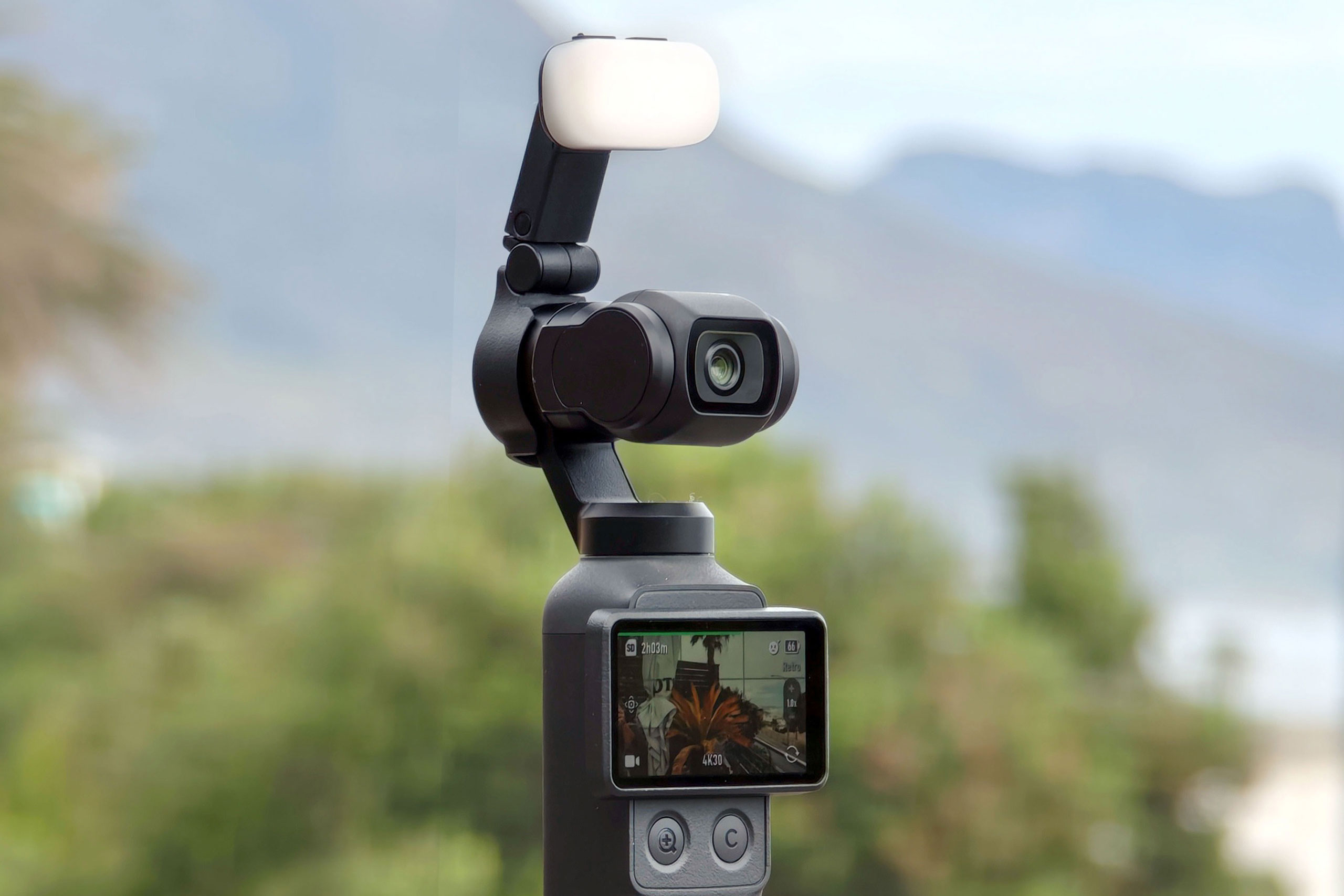
Swipe up from the bottom of the screen you get your resolution and fps selection: 1080P or 4K at speeds from 24 up to 60fps (or up to 240 in Slo-Mo). From the right is the shooting and audio settings menu, where you can control exposure, focus, colour profile and other parameters. From the top is the settings menu which runs to three pages (up from one on the Pocket 3) and controls things like the tracking speed, gimbal modes, custom buttons, grid lines, and whether to record to the internal storage or a Micro SD card. From the left is the playback menu where you can view previously shot clips and photos.
The entire interface is well thought out, and once you learn what the icons mean, quick to use. There’s no deep-diving into long menus of ambiguously titled functions, like on some cameras.
DJI Osmo Pocket 4 – Build and Handling
The stick-like shape of the Osmo Pocket 3 completely trashes the traditional idea of what a consumer level video camera should look like. The ergonomics are great, and it is very comfortable to use even with one hand. The main interface is via the two-inch, 556×314 pixel touchscreen in the centre. Beneath this the joystick and record buttons fall right under where your thumb naturally wants them. It’s a little short for big hands but that’s easily fixed by adding the ‘handle’ which adds 35mm to the length and has a 1/4 “ thread at the bottom for tripod mounting. (The creator kit includes a set of screw-in mini tripod feet which when folded extends the length by another 75mm if required.)
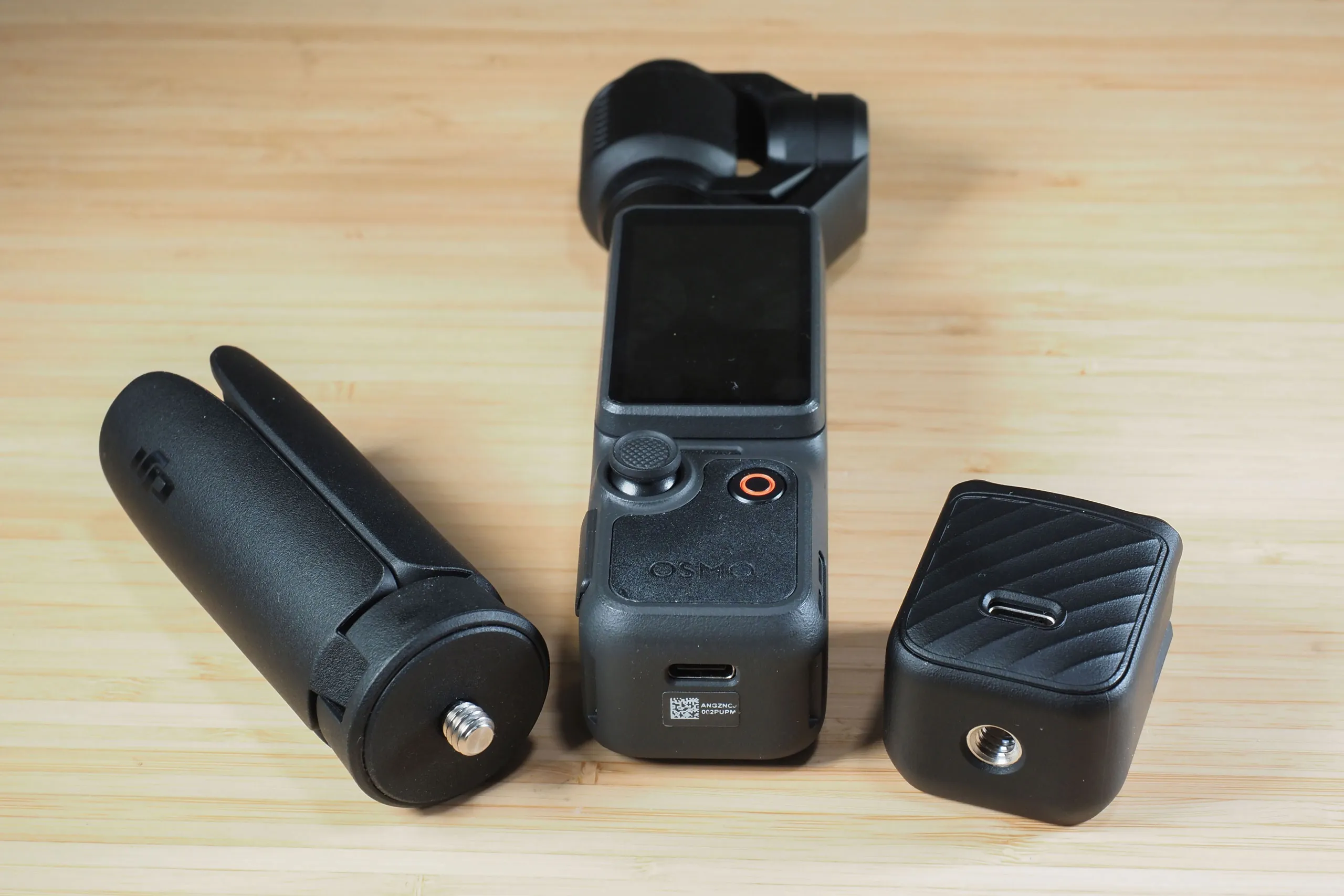
The stick part feels solid and robust but if there is an Achilles heel it’s the rotating gimbal which although solid metal looks as if it could be easily damaged if it took a hard knock, though I haven’t put that to the test. The gimbal has a mind of its own and if you lay it down on a table when it’s switched on it has a tendency to flap around like a fish on a hook, trying to find its bearings. The camera comes with a clip-on gimbal clamp to lock the head in place when not in use, which offers some protection.
DJI Osmo Pocket 4 – Screen
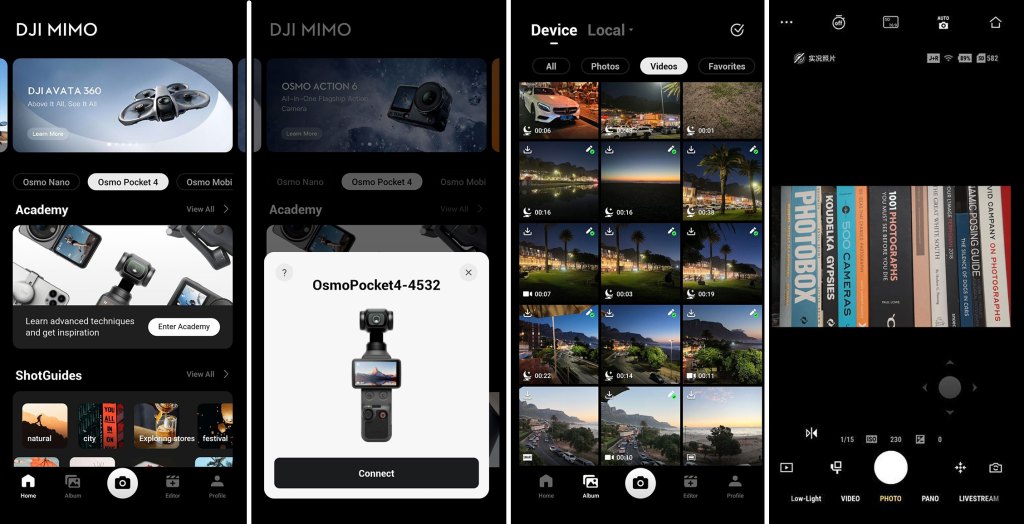
The 2 inch touchscreen is detailed, bright, punchy and responsive but very small and difficult to see if you don’t have great eyesight. However, DJI has produced an elegant solution in the form of its excellent free Mimo app which runs on your phone and enables you to control virtually every aspect of the camera remotely, from composing and shooting, accessing the camera menus, playing back your clips at a much larger size, and downloading or deleting them, and even some surprisingly good video editing functionality. Connecting Mimo with the Pocket 4 is simplicity itself (once registered it automatically finds your device as soon as you switch it on) and if you own other DJI devices you use the same app to connect to them too.

DJI Osmo Pocket 4 – Autofocus
The Pocket 4 features what DJI calls Full-Pixel Fast Focusing. Whatever that means it seems to have no trouble locking focus on the subject wherever it is in the frame, and it tracks moving subjects flawlessly. The very wide fixed 20mm equivalent lens no doubt makes this a little easier.
DJI Osmo Pocket 4 – Performance
Rotating the screen 90 degrees from its vertical resting position into the horizontal orientation turns the camera on. If you’re shooting in portrait orientation you then need to rotate the screen back to the vertical position and press the ‘Continue’ button on the screen, or it will switch off again.
By default the camera will record in the same orientation as the screen, making it easy to switch between horizontal and vertical shooting simply by turning the screen to the desired position. But if you only ever shoot in one orientation you can select landscape or portrait in the menu and it will shoot only in this orientation irrespective of the screen orientation.
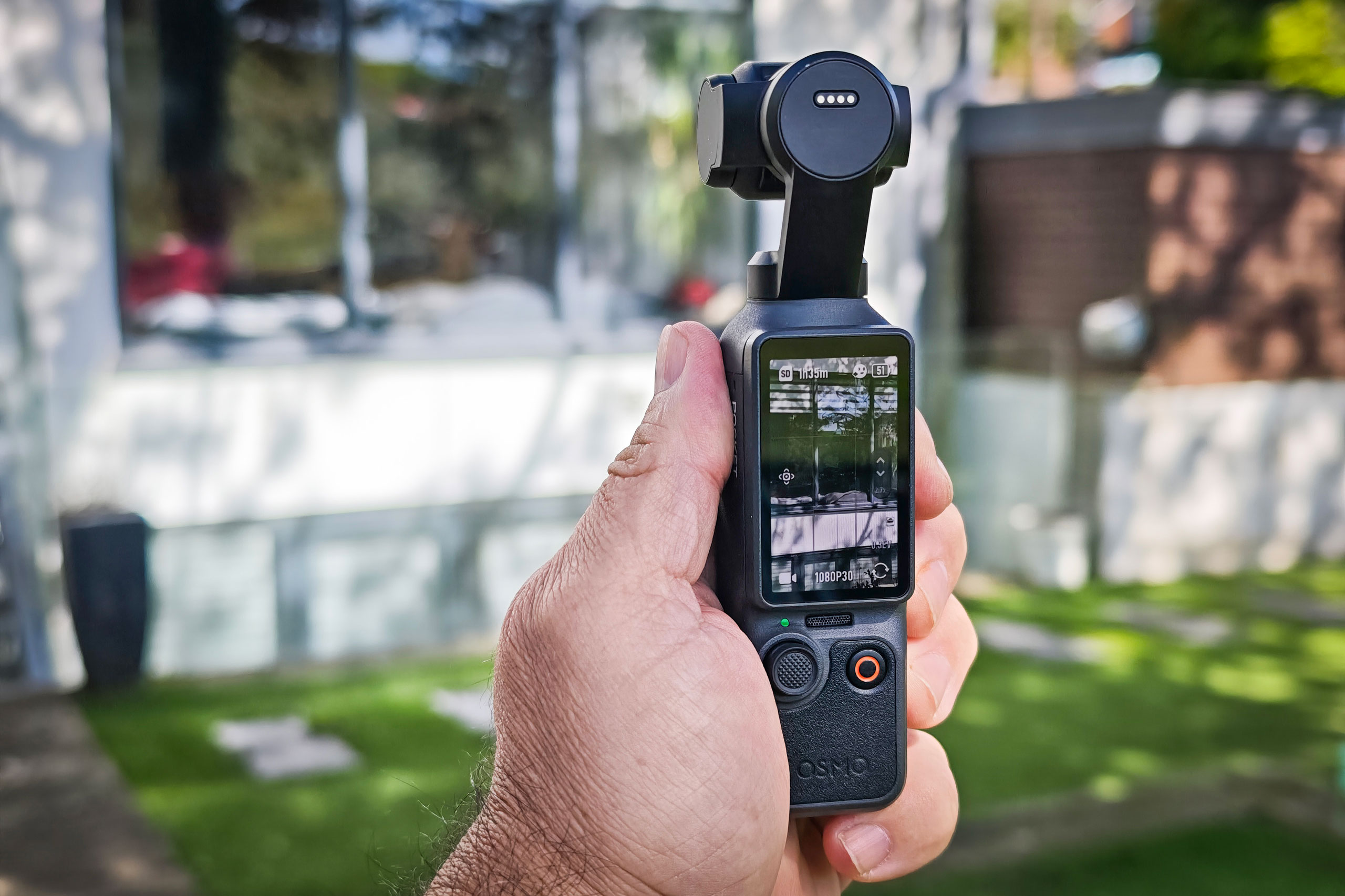
So once you’ve turned it on, and chosen your shooting mode and parameters, it’s time to shoot. Moving the joystick up, down and sideways controls the camera, subject to what modes are set in the menu. It may well be that the camera will move around by itself if it’s tracking a subject. The joystick has been improved to be more responsive to the speed at which you move it. It can also be switched to become a zoom control by tapping the on-screen icon, and it zooms in at a speed corresponding to your pressure on the joystick – unlike the dedicated magnify button under the screen which simply jumps to 2x magnification on a single press (or 4x if you double press).
There are four gimbal modes to choose from. The default Follow mode covers most eventualities but there are others for different scenarios, and you can also control the speed. In practice the gimbal is extremely effective, whatever mode you’re in. Even when fairly briskly walking the footage appears to glide effortlessly and you have to be quite vigorous in your movement in order to notice any judderiness.
It’s common for the gimbal to lose its sense of direction, especially when you’re moving the stick around, but a double press of the joystick immediately recentres it, while a triple press switches the camera between back and front facing, as an alternative to using the touchscreen.
If you’re recording your voice, or someone else’s, the audio is pretty good if you’re narrating, though being omni-directional it does pick up some background noise. There is a marked step up in quality if you use the tiny 16 gram DJI Mic 3 that comes supplied in the Creator Combo. It features 32-bit float internal recording for a wide dynamic range, delivering cleaner audio at low levels and much and less risk of distortion with loud sounds. The Mic 3 comes with two magnetic attachments – a clip and a small plate that goes under the clothing, and there are also two wind-mufflers supplied, in black and grey. These same mics are widely used by vloggers and podcasters and are highly regarded, with good reason. The best thing about it though is that when you turn it on it automatically syncs with the Pocket 4.
DJI Osmo Pocket 4 – Image quality
Most people buying a Pocket 4 will be doing so for the video, and they will not be disappointed. The Pocket 4 builds upon the already formidable reputation of its predecessor. Clearly not intended as a competitor for a full-frame professional set-up the quality is more than adequate for social media, where most of the content will end up.
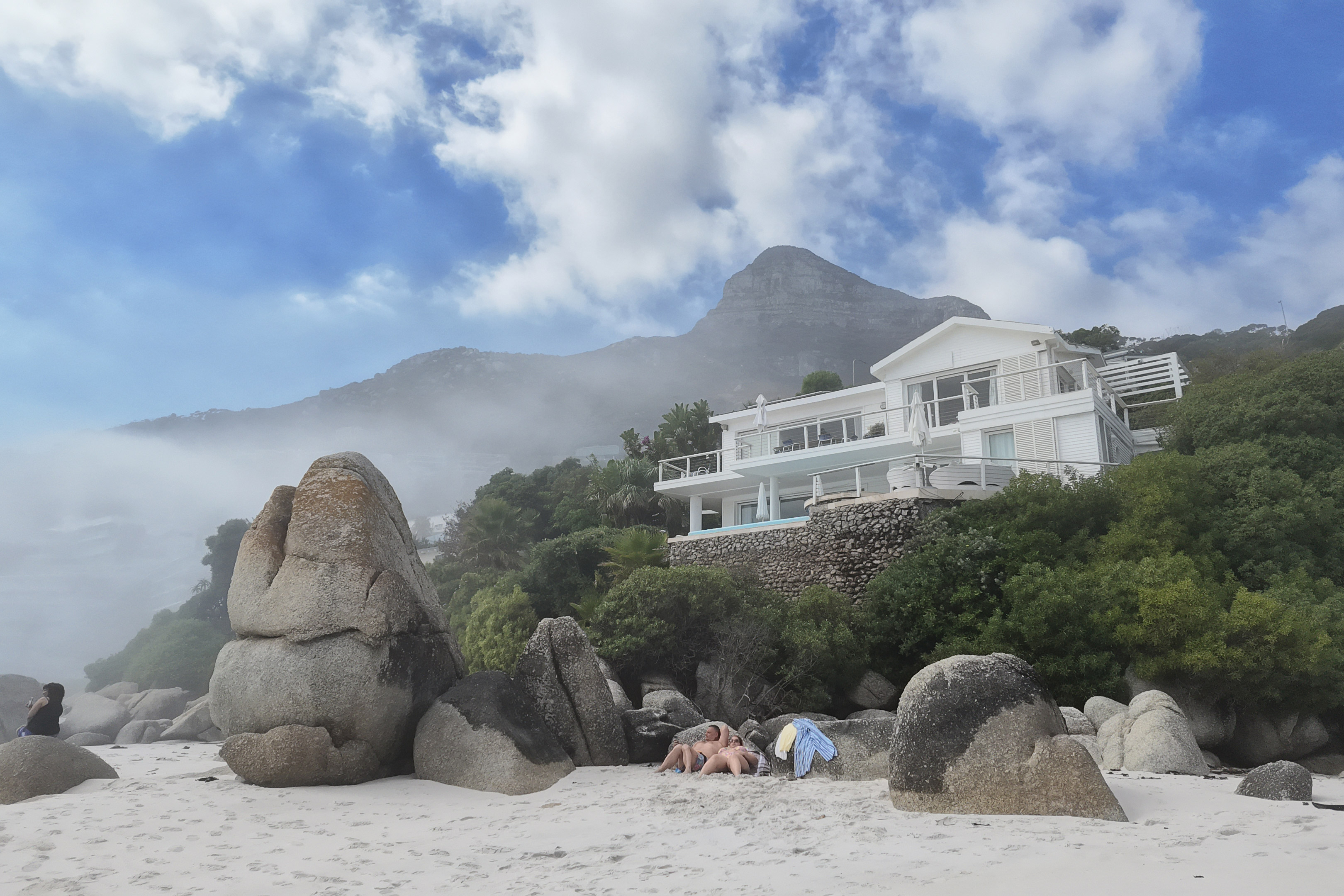
Whether shooting in bright outdoor conditions or dim interiors the video manages to capture all the detail in both highlights and shadows, even when moving from one environment to the other. There are obvious limitations with being stuck with a fixed 20mm equivalent lens, which may be ideal for vloggers but is far from ideal for portraits, far away subjects and small subjects where you have to be almost upon it to fill the frame. Sadly the digital zoom does produce a noticeable degradation in image quality and is generally best avoided where possible.
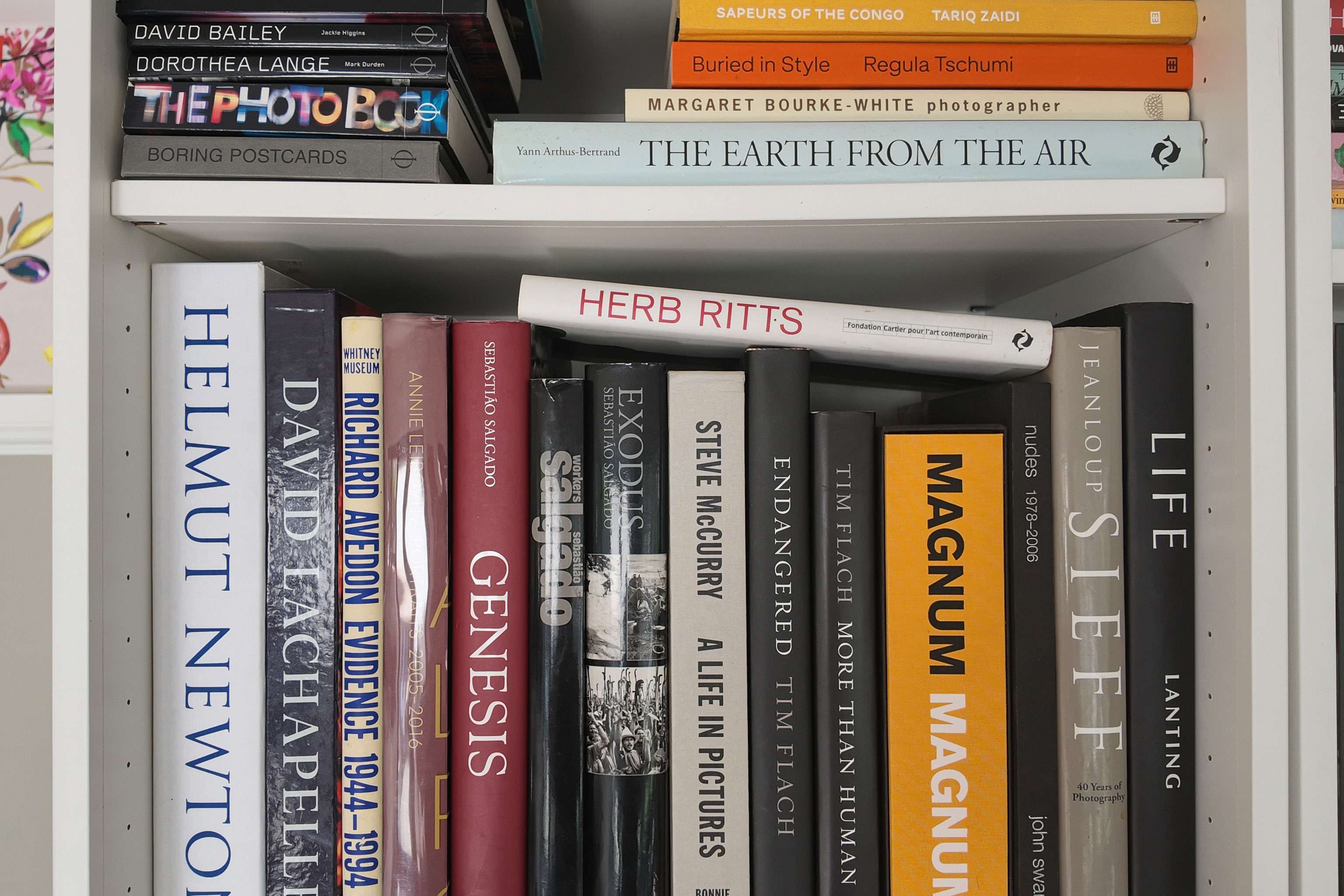
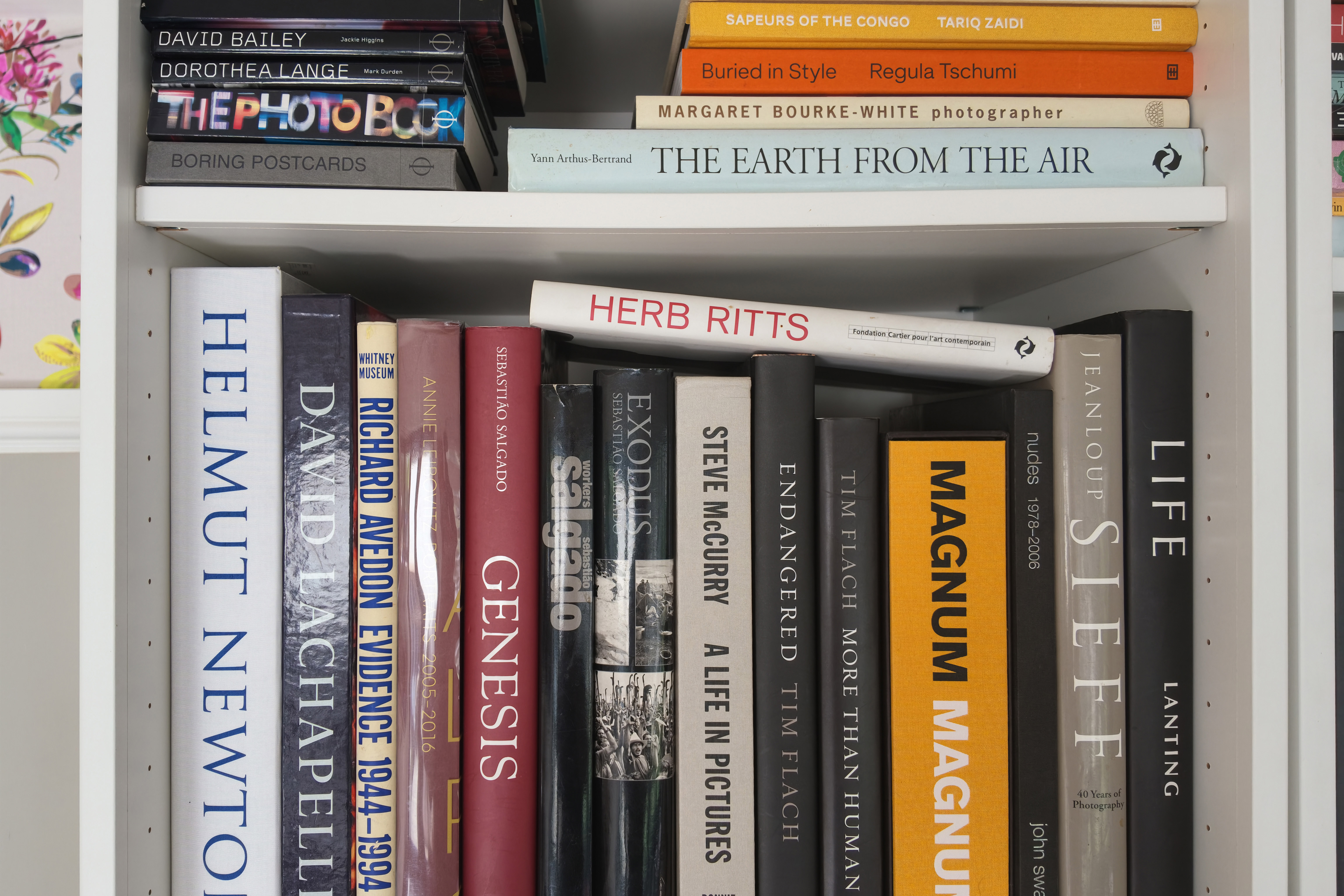
In addition to video there are several other shooting modes to choose from. Still photos can be captures in JPEG, raw or both, in a choice of 16:9 or 1:1 aspect ratios. By default you get 4K resolution stills that are 3840×2160 pixels, and these are fine for social media and online use, with good sharpness and punchy colour. But if you switch up to SuperPhoto mode you get much more finely detailed 7680×4320 pixel images (33MP) in 16:9 or 6144×6144 (37MP) square images in 1:1 which are more suitable for making large prints.
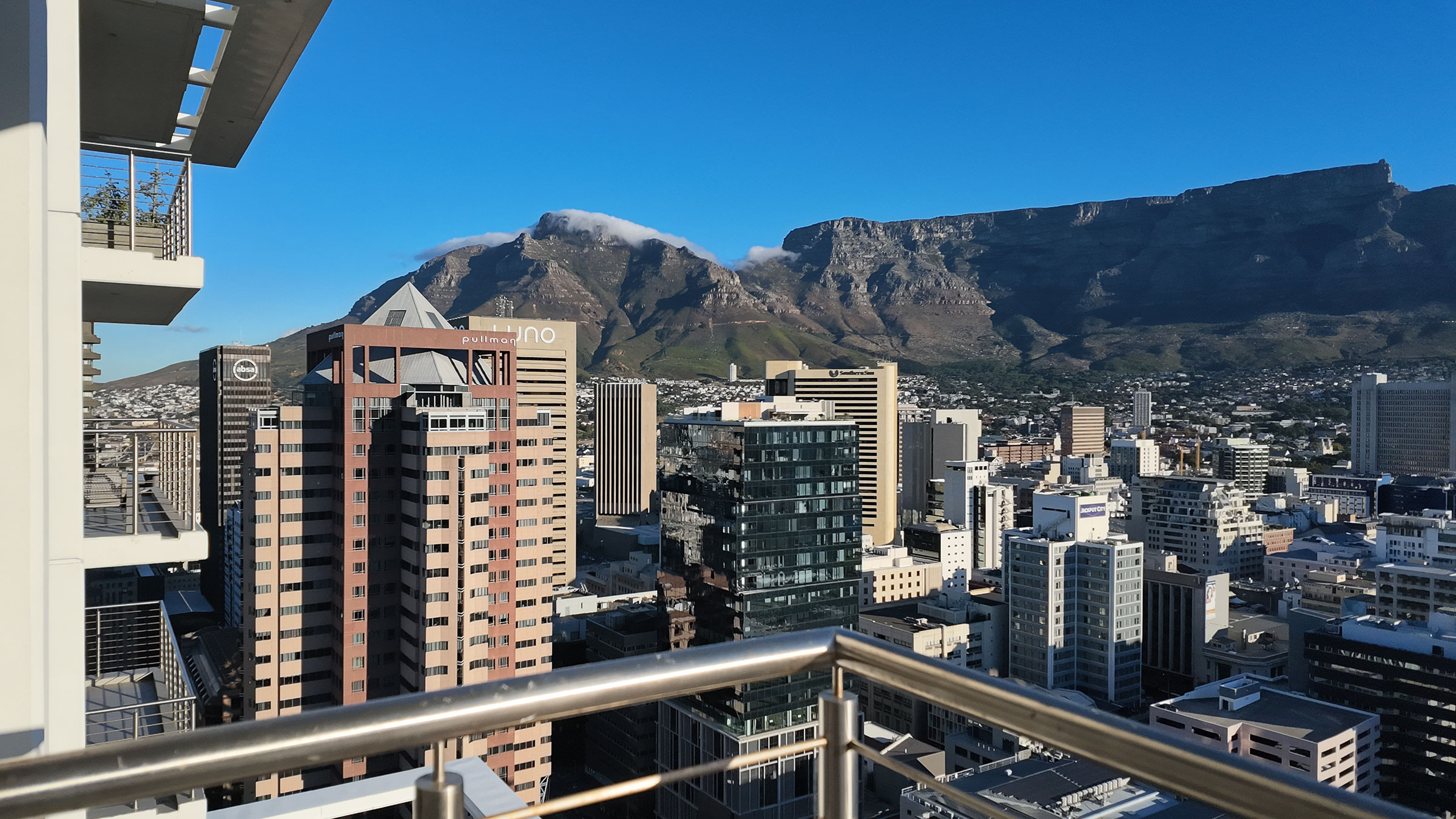
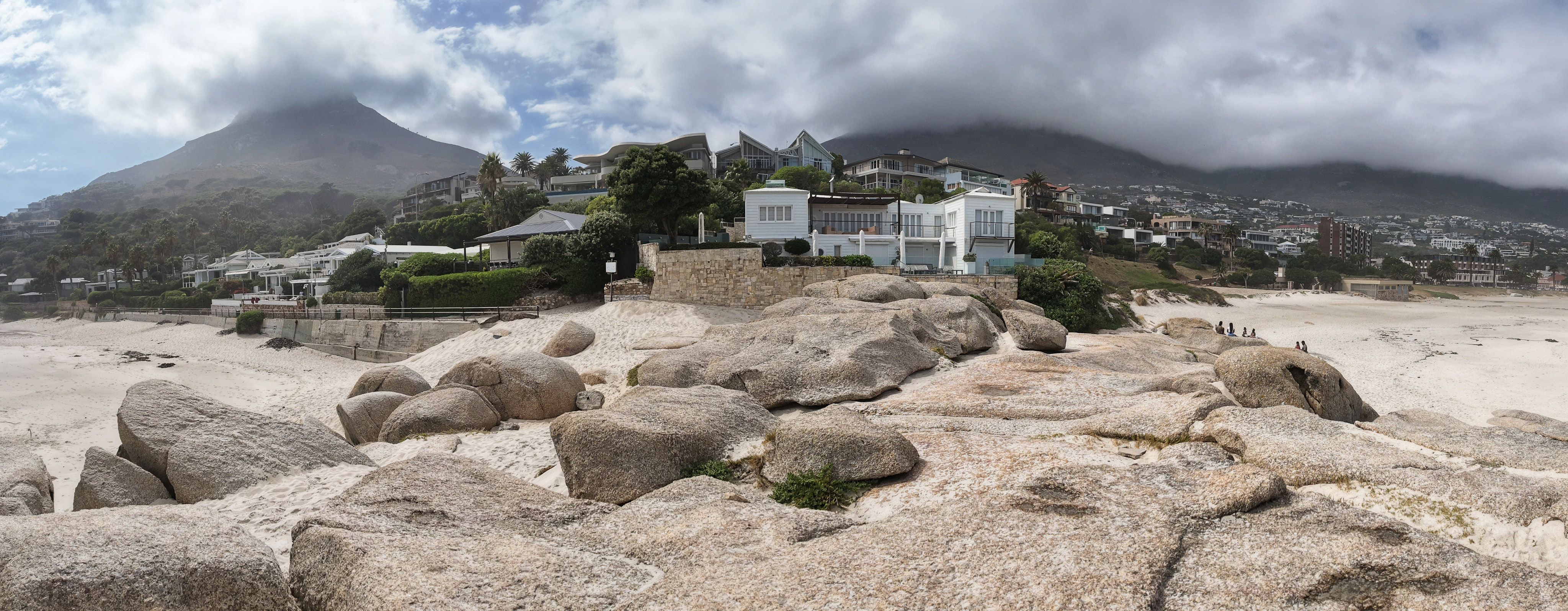
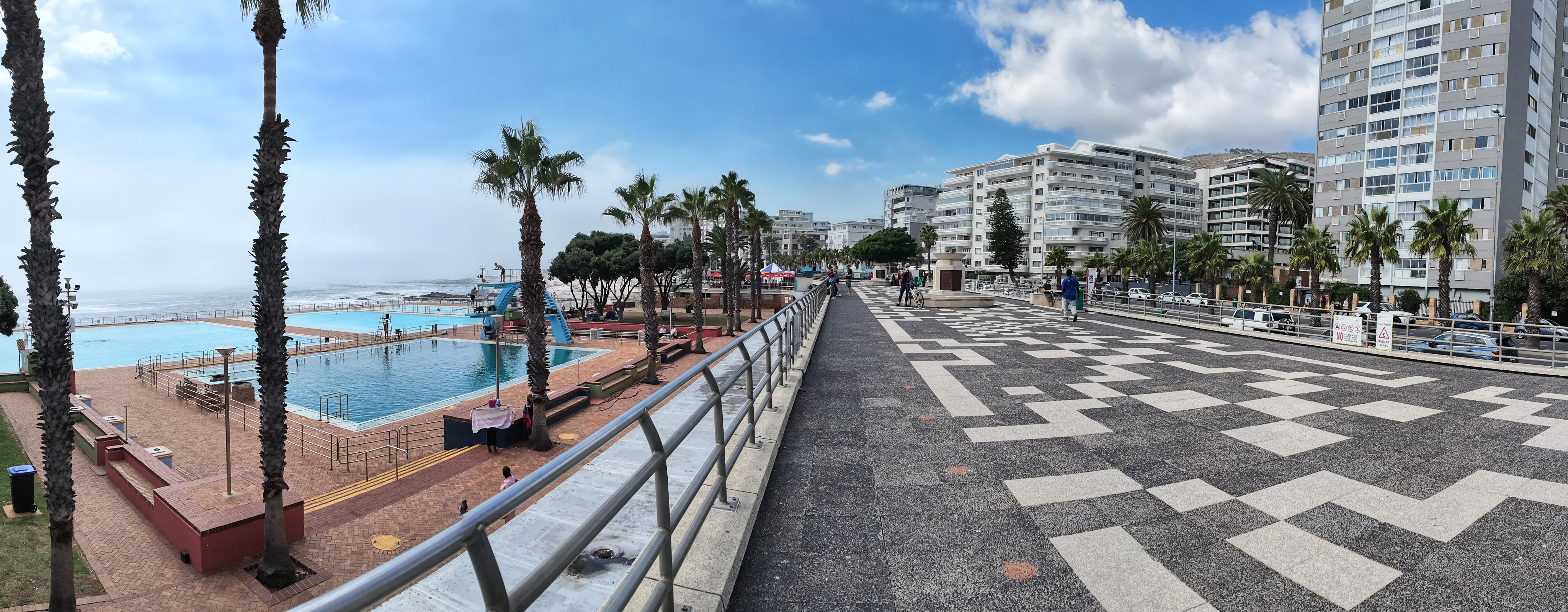
In Panorama mode the Pocket 4 takes three square frames and stitches them in the Mimo app to create a 180 degree image. I found the results to be very pleasing, with a lot less distortion than panoramic modes on phones where you effectively paint in a continuous sweep.
The 240fps slo-mo mode is fun if you can find subjects that you can get close enough to with that wideangle lens, and the results look impressive. Like the low light mode it only works in the landscape orientation and the digital zoom is not available. There is also a timelapse mode that lets you record at intervals from half a second to a minute for periods from 5 minutes to 10 hours if you have a big enough memory card, and the results are very effective too.
DJI Osmo Pocket 4 – Verdict
With the Osmo Pocket 4 DJI has taken an already great product and improved almost everything about it without doing anything radically different. Some will be disappointed that we are still stuck with just the 20mm equivalent wideangle lens and it would indeed be great to see a dual lens version with a more telephoto optic, like most high end phones, and the announced but yet to be seen rival Insta360 Luna. Perhaps we’ll see this at some point on a higher end sibling – an Osmo Pocket 4 PRO if you will – but judging the Pocket 4 on what it is, rather than could have been, this is still a product that is without peer if you’re a vlogger.
If you already own the Pocket 3 the improvements are probably not radical enough to justify the additional expense. If you don’t, or even if you do but you want the best possible product, then the Pocket 4 is incrementally superior in almost every department. It’s a little disappointing that the Battery Handle has been removed from the Creator Combo. If you plan on getting a day’s shooting out of it you’ll need to budget an extra £60 or so to buy one.
On the other hand if you’re on a tight budget its worth pointing out that in lieu of the Pocket 4’s release the Pocket 3 has now been slashed in price making it a great value alternative that won’t disappoint.
Related reading:
- DJI Osmo Pocket 3 review – pocketful of gold?
- DJI Osmo Mobile 6 arrives with improved subject tracking
- GoPro announces three new action cameras – one of them a mirrorless with Micro Four Thirds lens mount!
Follow AP on Facebook, Instagram, YouTube and TikTok.
DJI Osmo Pocket 4 – Full Specifications
| Specifications | DJI Osmo Pocket 4 |
|---|---|
| Sensor | 1-inch CMOS |
| Output size | 37MP still photos |
| Lens | 20mm (equiv) f/2 |
| Shutter speeds | 1/8000sec – 1/4sec |
| Sensitivity | 50-12,800 |
| Exposure modes | Auto, Manual |
| Exposure compensation | +/- 3 stops |
| Continuous shooting | n/a |
| Screen | 2-inch; 556x314px |
| Viewfinder | n/a |
| Video | 4K/24fps-240fps;1080p |
| External mic | DJI Mic 3 (with Creator Kit) |
| Memory card | Micro SD |
| Power | 1545 mAh Li-Ion |
| Battery life | n/a |
| Dimensions | 144.2×44.4×33.5 mm (L×W×H) |
| Weight | 190.5g |