Amateur Photographer verdict
The Camp Snap 2 takes the original screen-free camera, fixes almost everything, whilst keeping it beautifully simple and fun to use. It’s a serious must-buy!- So easy to use
- Smaller, faster, better
- 6 lovely filter settings
- Affordable price
- Images are a little too sharp
- Not for people obsessed by image quality
The original Camp Snap camera brought something genuinely useful to the compact camera market, for people who want something simple, fun, and digital. A camera that let’s you take photos, without worry, at a price that makes it more accessible. It sold like hot-cakes, and inspired a whole range of other companies to join in, most of them adding to the complexity with Wi-Fi and app connectivity that kind of lost the point of a simple screen-free camera.
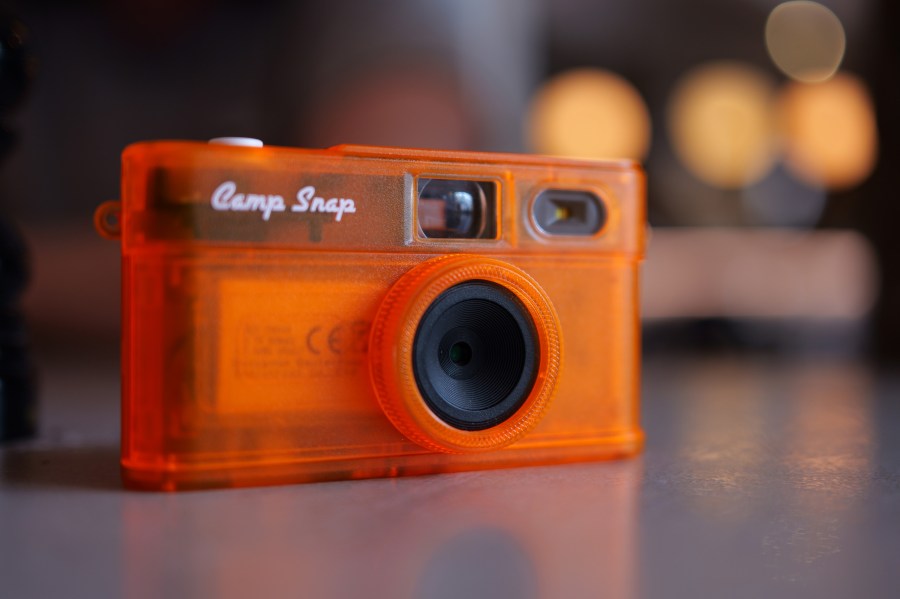
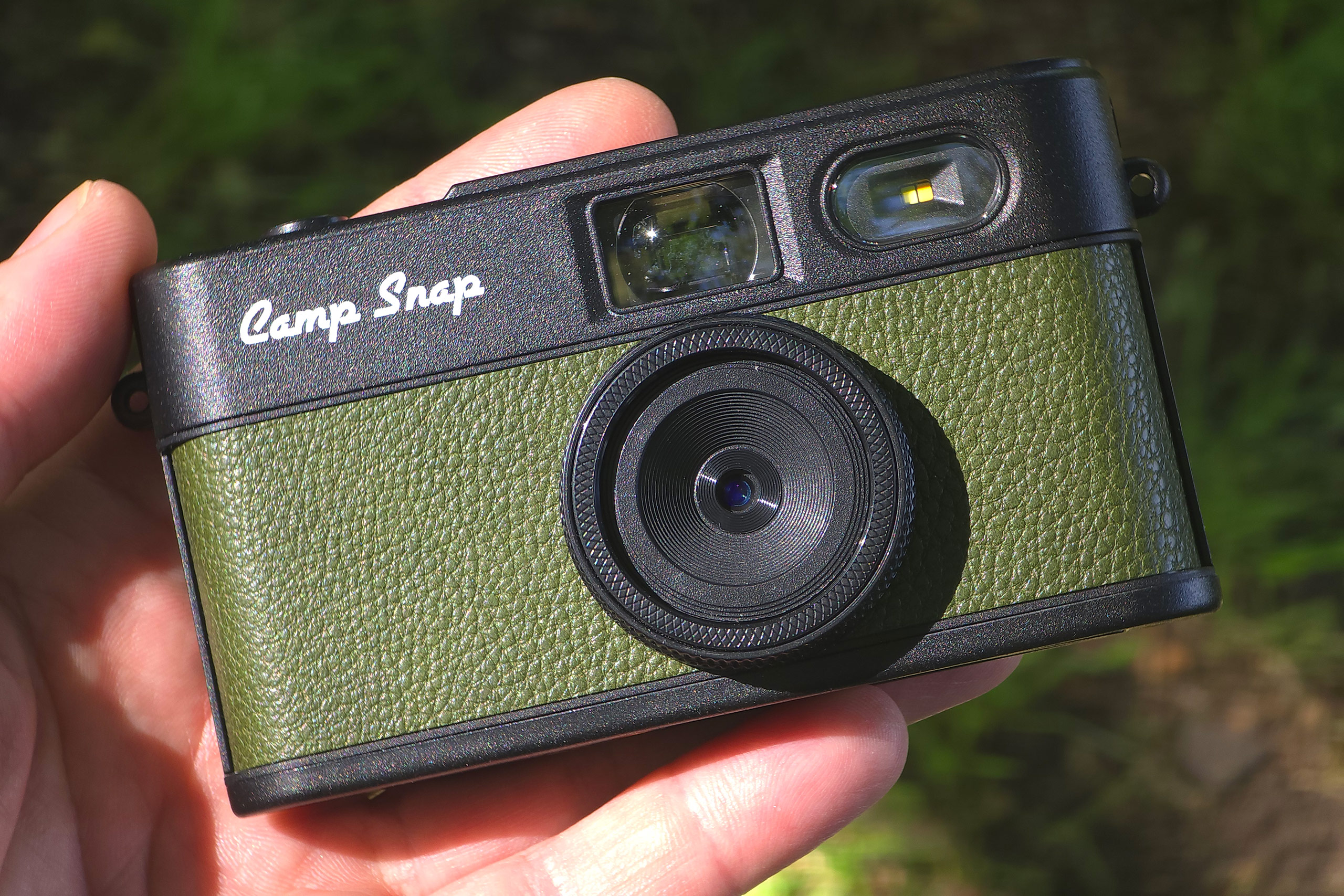
Luckily Camp Snap didn’t go down that route with the new version, it’s still simple, easy to use, but this time improved with filters selectable on the camera (without an app!), a 30.5mm filter thread, and a new more compact design, along with promised faster shutter release. And, not only that but there’s a range of new see-through translucent colours, that are bound to sell at an astronomical rate!
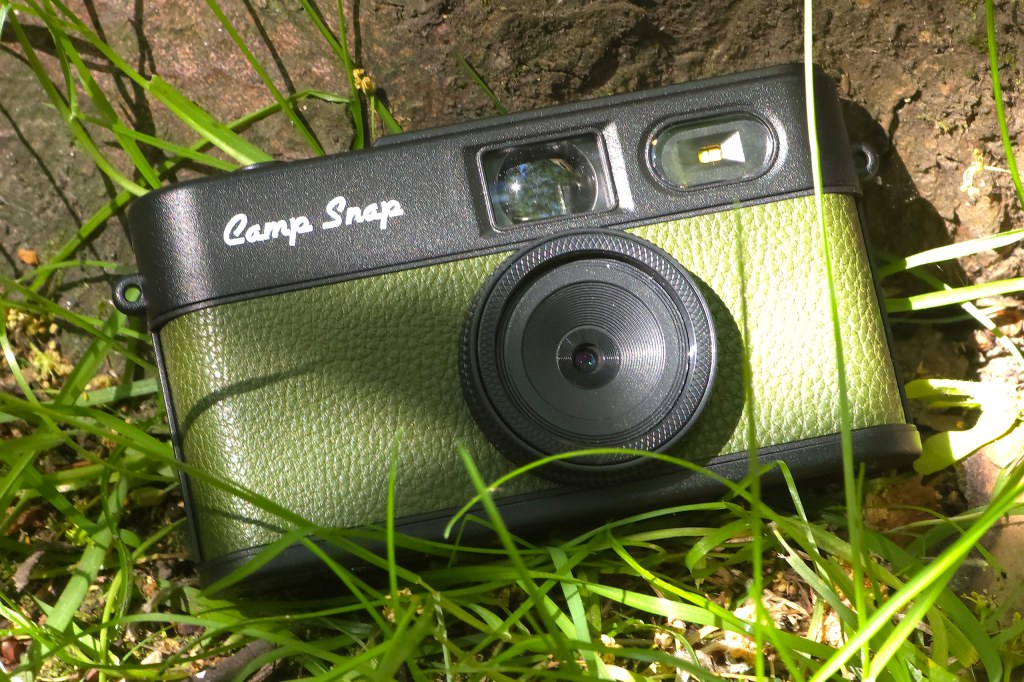
Key features at a glance:
- 8MP 1/3.2inch sensor (Sony IMX179)
- 26mm f/2.0 equivalent lens, 30.5mm filter thread
- 6 filters built-in
- Screen-free design
- 4GB MicroSD included
- Built-in battery (500 shots), 800mAh
- USB-C charging/data transfer
- 124.3 x 65 x 32mm, 108g
Features
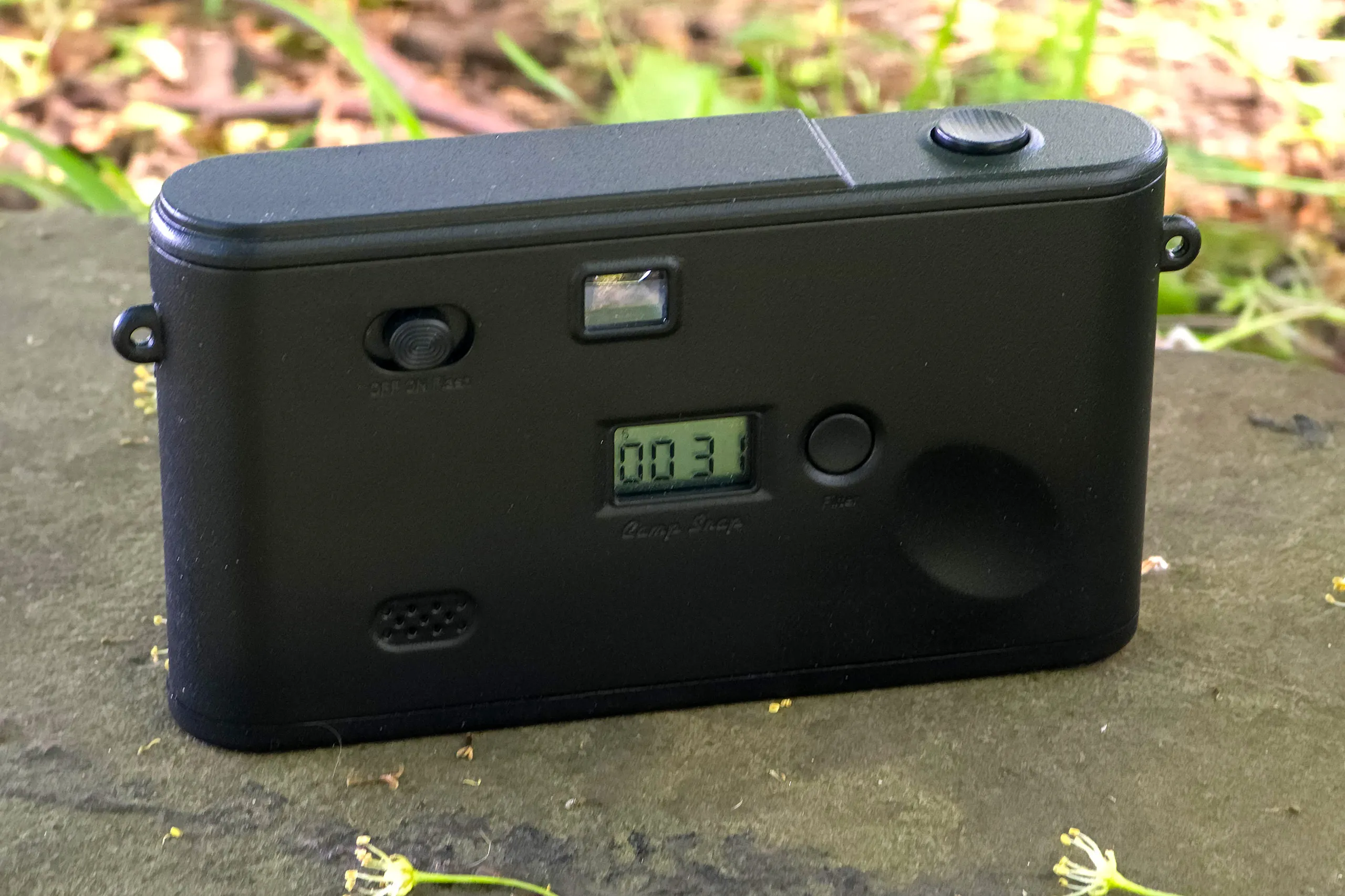
On top is the simple shutter release button – press this and the camera will make a shutter sound, so that you know when a photo has been taken. The shutter response seems quite rapid, and you can quickly take multiple shots by pressing the shutter button again. For a compact camera at this price point, the speed is quite impressive.
On the back is the Off/On/Flash switch. The small optical viewfinder. The LED display – this shows battery level when the camera is first switched on, then the number of shots you’ve taken with the camera, as well as the current filter mode (S, V1, V2, V3, BW, A).
Out of the box the filter button comes with “Camp Lock” enabled by default – pressing the button on the back takes a photo – but unlock the filter button, and you can change filter settings. This is designed for young ones, who might accidentally change the filter to black and white for example. There is a piece of card in the box that explains this, and you simply hold the button for 10 seconds to lock/unlock this feature.
The six filters include: Standard, Vintage 1, 2, 3, Analog, and Black and White, and can easily be selected using the simple filter button on the back. When you switch filters, the camera will make a beep sound, so that you know that you’ve changed a setting. This is a really welcome addition, as it was difficult to switch to different filters on the original.
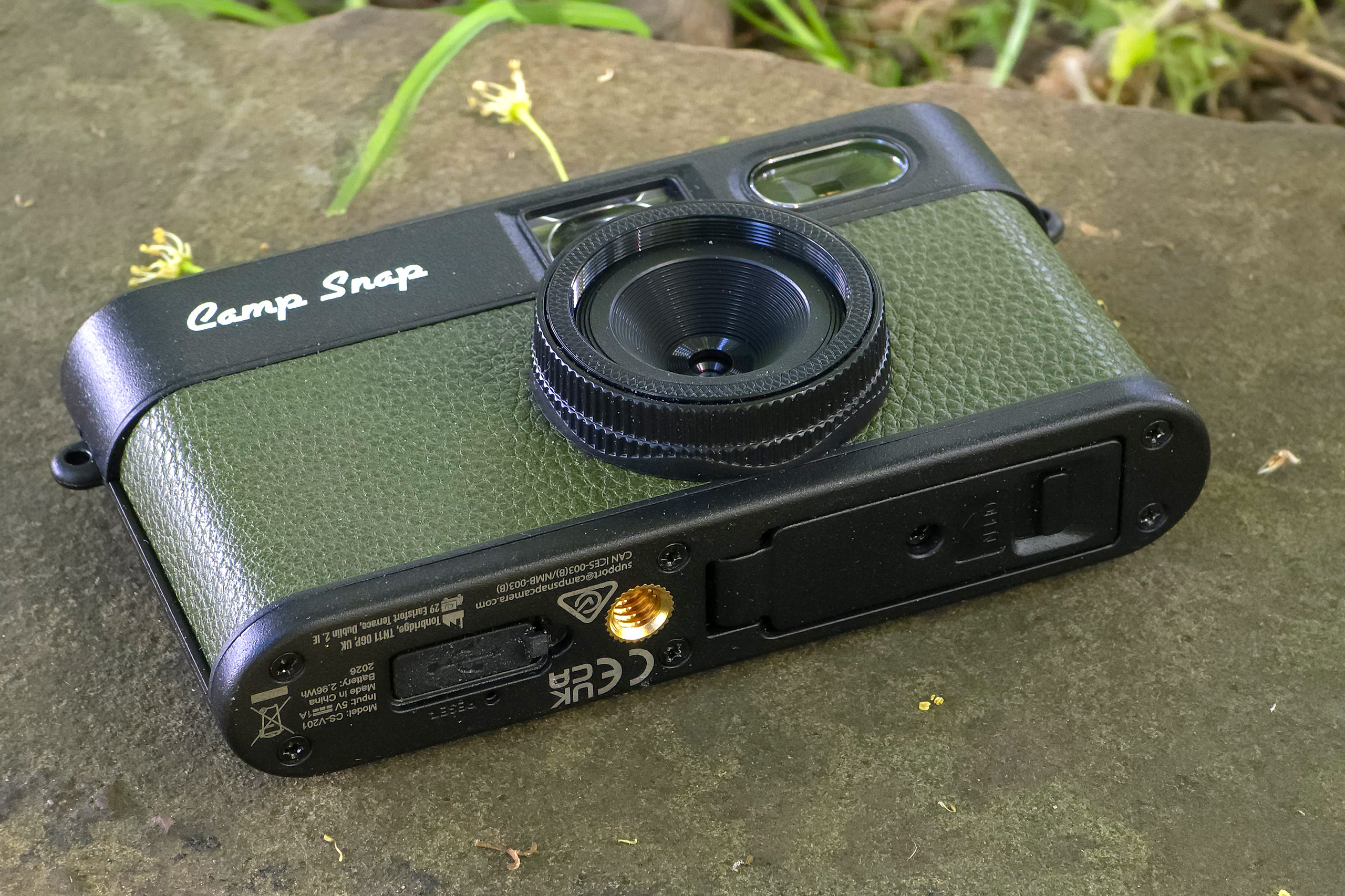
Unscrew the bottom compartment and you can use the M button (hold for 3 seconds) and arrow buttons to easily set the date and time (a complaint I made about the original, so it’s really nice to see this fixed), and sound level. Leave the screw out if you want easy access to the memory card, leave the screw in if you want this area to stay closed.
Underneath the camera, alongside the metal tripod socket, you’ll also find the USB C connection (for charging and image transfer), as well as a small reset button that can be used with a pin / sim-removal tool. The USB port is protected with a soft rubber cover.
Around the lens is a 30.5mm filter thread – so if you can find a filter this size (or a step-up ring) then you can add whatever filter you want. Perhaps Camp Snap will offer some of these themselves, and you could potentially add a close-up filter to give close-up photo features.
Image Quality

The image quality is nothing to write home about – but is perfectly acceptable if you know what to expect. It’s clearly worse than most smartphones (with phones offering automatic HDR shooting for everything), but there’s a nice simplicity to the images, which show noise, contrast, and a low level of processing.
There is vignetting (darkened corners) to see, as well as noise, and these add to the charm of the images – you’re not buying a screen-free camera for perfect photos – not at this price anyway. But if I did have a genuine complaint about the image quality, I would say that the images appear over sharpened in places – and it would be nice if the sharpness could be turned down a little bit.

After taking photos there doesn’t seem to be a clear indication of which filter you’ve used, for example file names don’t give the shooting mode away, and in the EXIF information you’ll need to hunt for the filter number, so it’s easier if you pay attention when shooting. (There is a number in the file comments – and with the right software you’ll be able to find it – 26 is Standard for example.)





The filters: Vintage 1, 2, 3 and Analog can seem quite subtle at times, depending on the subject, and for most people the standard or black and white filters will be perfectly fine. But here’s what I’ve noticed from using them all:
- Standard – nice warm colours, with strong blues and greens
- Vintage 1 – stronger saturation with deeper blue skies
- Vintage 2 – cooler tone
- Vintage 3 – Warm images with stronger yellow tone, but more washed out colours, perhaps looking the most natural
- Analog – Faded colours, along with a pink-ish magenta colour cast
- Black and white – does what it says on the tin, with strong contrasty images
Your own personal preferences may come in to play here, and experimentation is recommended till you find what you want. But the most important take away here is that the standard filter will give images with pleasingly warm colour as well as nice saturation, so if you don’t want to mess around with different filters, then don’t worry because you don’t have to.
Value for money
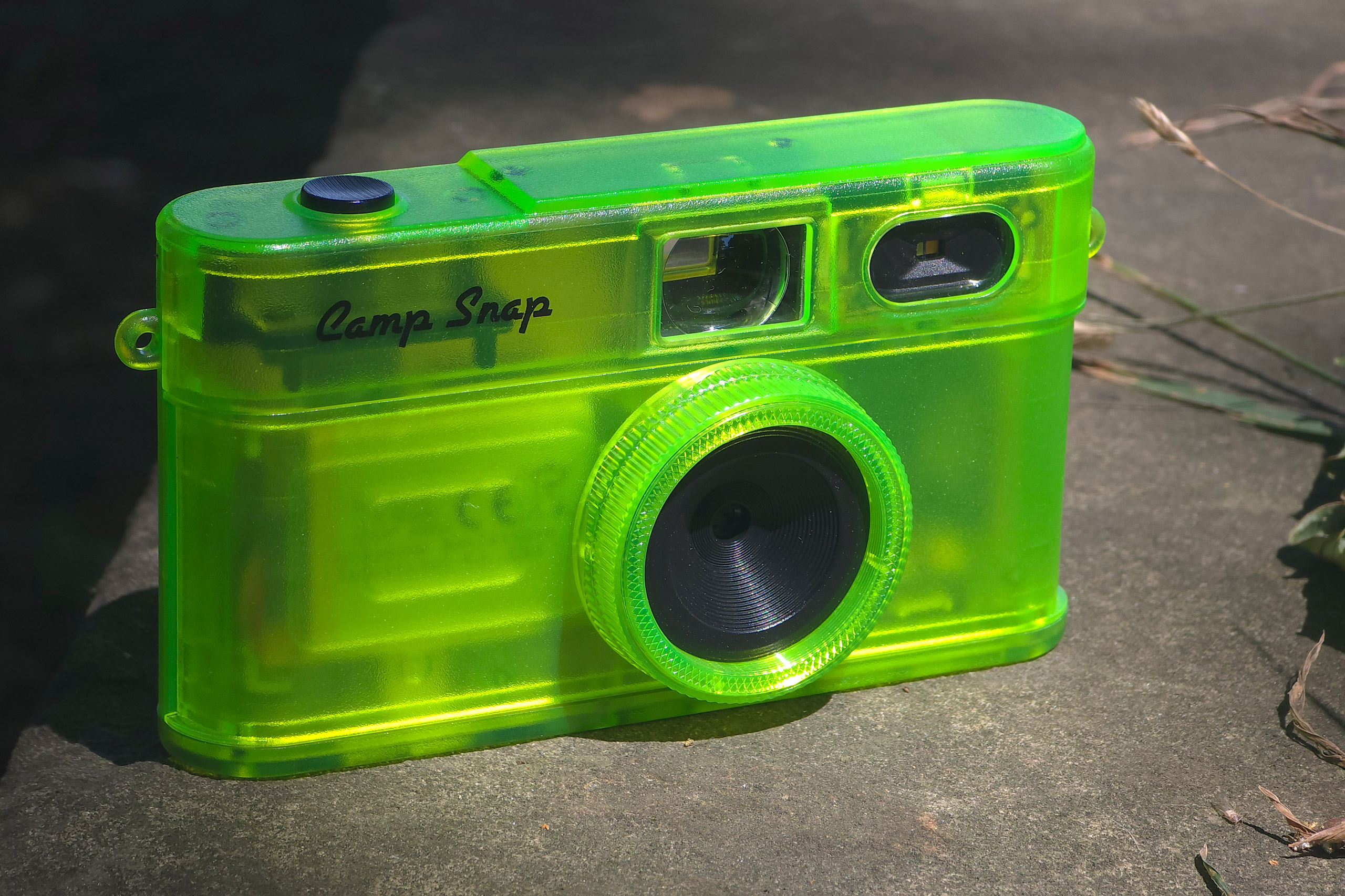
At this price point ($69 / £53) you don’t really have much choice – you can buy an unbranded / no-name camera from somewhere and guess as to what the results are going to be like, or stretch to $100 and you can buy the Kodak PixPro FZ45, and have the usual compact digital camera experience. The Camp Snap 2 offers something different, a fun screen-free shooting experience that is well worth trying. I think it represents excellent value for money, and available to buy right now, puts it at a massive advantage compared to the usual KickStarter cameras.
Verdict
The camera now lets you set the date and time on the camera (easily by using buttons under the bottom cover). Shutter lag is improved, and I’m liking the new design, with support for filters. The new semi see-through versions look fantastic and I can’t wait to get hold of one. The LED flash does a reasonable job, but shoot without it indoors, and you can still get a nice (but noise filled) image.

It’s a camera you can take with you everywhere, without worrying about it getting damaged, and without the pressure to take “the perfect picture” – the simplicity and almost “lo-fi” shooting give you permission to use the camera to take photos for fun. Without the immediate feedback loop you can take photos without worrying about what you or others look like.
Buy it if you want a fun screen-free camera, and aren’t a pixel peeper obsessed with image quality. Don’t buy if if you are obsessed by image quality. Buy it if you want photography to be fun again. The reasons to buy this camera far outweigh the reasons to avoid it in my opinion.

Related reading:
- Camp Snap Camera Review – Simplicity at its finest?
- Camp Snap CS-PRO review: this screen-free digicam is better than the original, and still very affordable
- Camp Snap 2 announced – in amazing new colours
Follow AP on Facebook, Instagram, YouTube and TikTok.