Amateur Photographer verdict
A stylish camera phone with a good range of cameras, with long support, as well as an updated design. If the third camera was a telephoto unit, we’d have an even better phone.- High resolution main camera
- Good price (when on offer)
- Improved design and styling
- IP68 rating
- Only one high-resolution sensor
- 5MP macro camera needs to go
- Disappointing macro camera
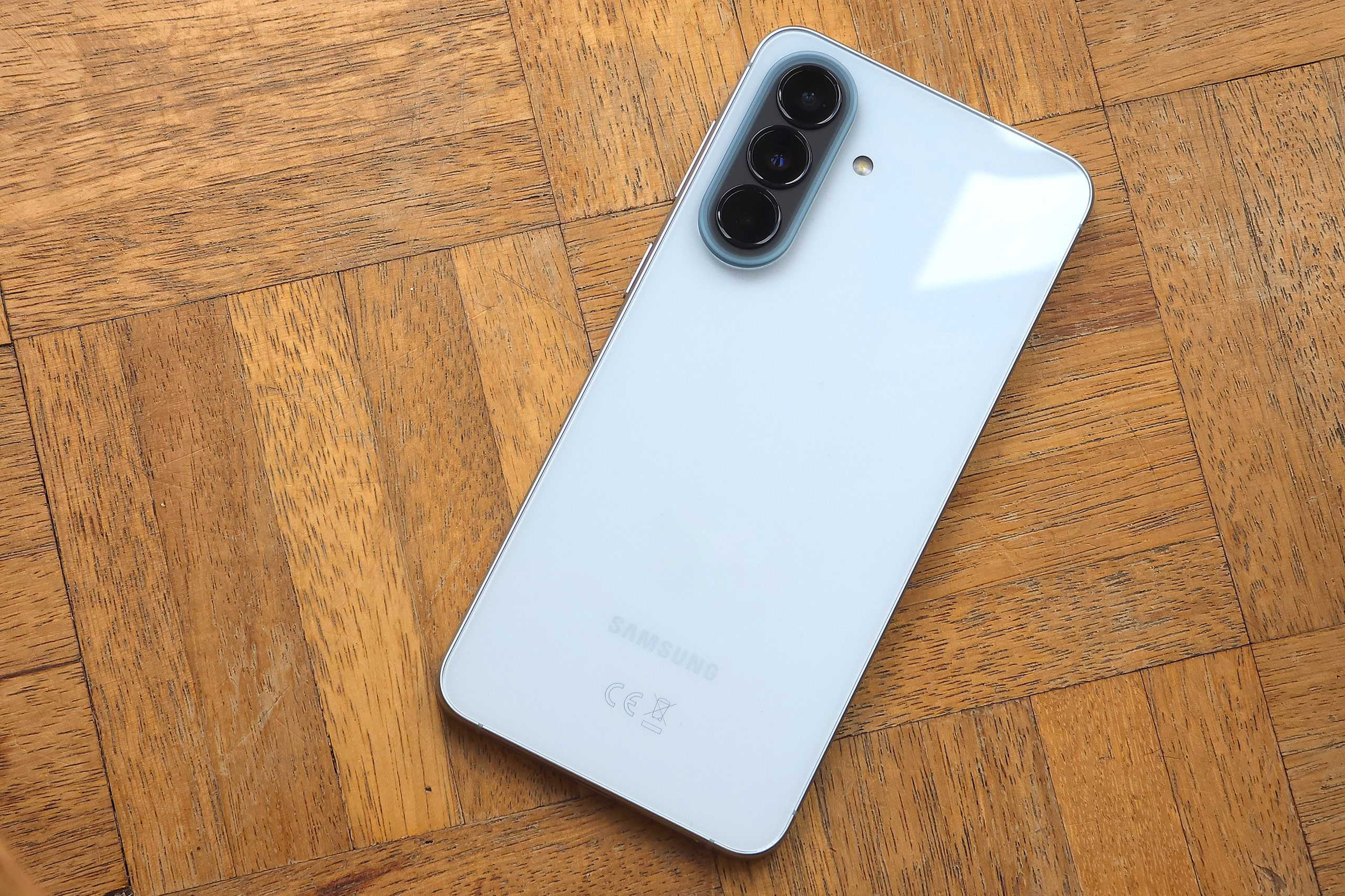
The Samsung Galaxy A57 sits at the top of the A series range, nipping at the toes of the S series, saving you money, but is it good enough to make it into the list of the best budget camera phones? I find out. Smaller, lighter, thinner, more waterproof, and better looking, no I’m not talking about myself, but instead the new Samsung Galaxy A57. It also benefits from a thinner bezel, giving this more affordable phone an even more premium look.
Samsung Galaxy A57 at a glance:
- 50MP f/1.8 1x camera, 1/1.56”, PDAF, OIS (23mm)
- 12MP f/2.2 ultrawide camera, 1/3.06” (13mm)
- 5MP f/2.4 macro camera
- 12MP f/2.2 selfie camera (no AF)
- 4K 30fps video
- 6.7-inch Super AMOLED+, HDR10+, 2340 x 1080 pixel, 1900 nits max brightness, Gorilla Glass Victus+
- 5000 mAh battery, 45W charging, no wireless charging
- 6 major OS/security updates
How I test the Samsung Galaxy A57
I review smartphones from the perspective of choosing one for its photographic camera performance. For this review, I looked closely at what the Samsung Galaxy A57 offers, including specific features for photography and video. Otherwise, I pay close attention to the listed specifications for the cameras, but also think about other aspects, for example the screen and the battery life. I also think about things such as photo editing capabilities, and any other features which may appeal from a photographic point of view.
Samsung Galaxy A57 Features
It feels like we’ve come a long way from the A55, with the premium update on the A56 continuing with the A57, with even more refinement. The A57 may not offer much in the way of upgraded cameras, but the refinement in the phone’s design all adds up to something rather special. It’s an affordable phone that easily looks like a much more expensive model.
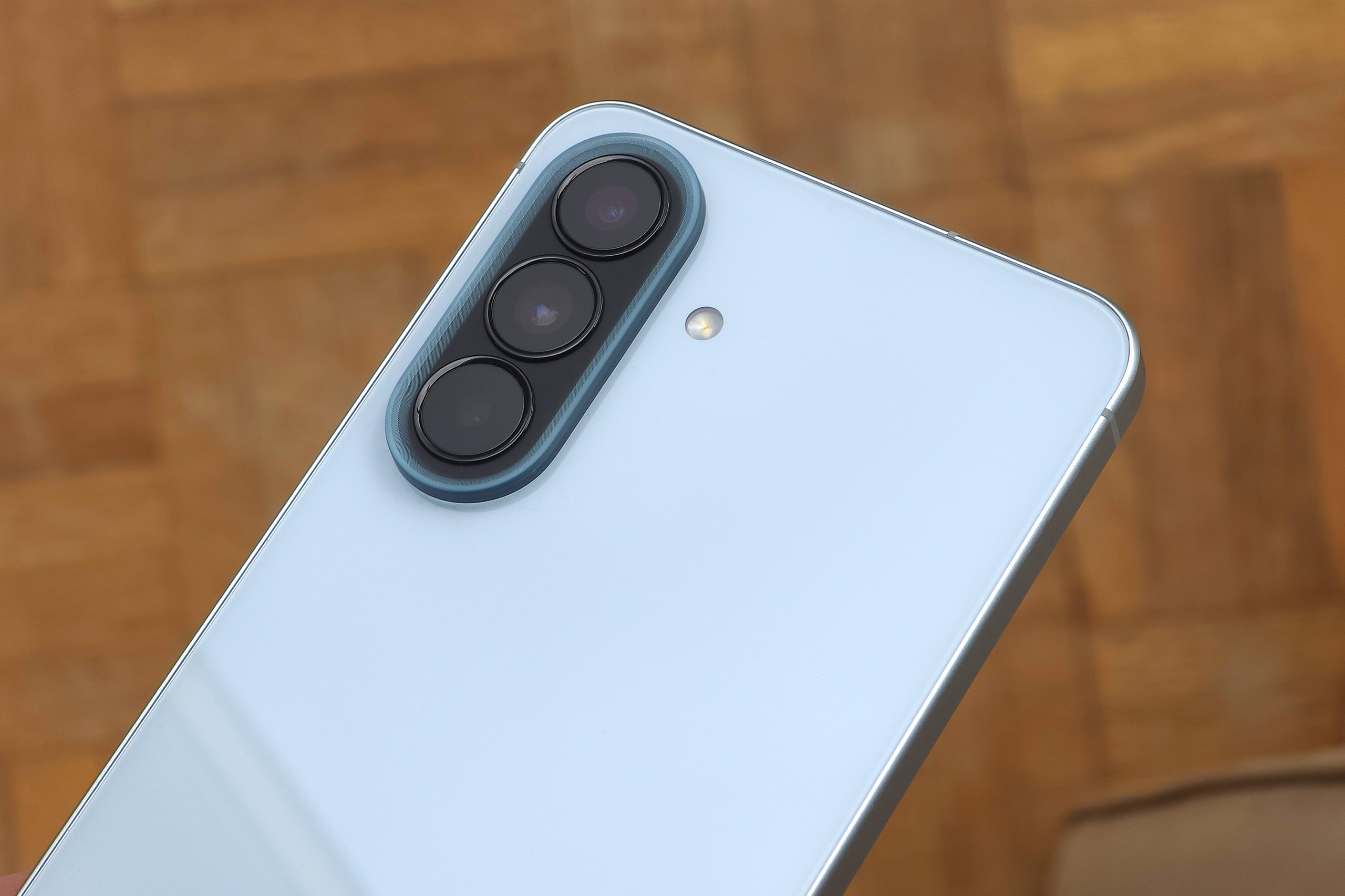
A slimmer body, with slightly less height and width, but still with a 6.7inch screen means there’s a thinner bezel, and this adds to the premium look. This improvement in build isn’t just in appearance, as the waterproof (and dustproof) rating has been improved, now IP68, rather than IP67 on the last model.
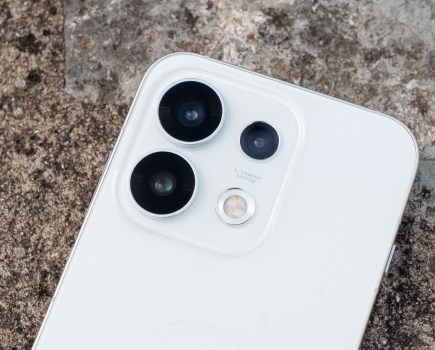
The Samsung Galaxy A57 gives you three different lenses. This puts it two ahead of the similarly priced iPhone 17e and one ahead of the Pixel 10a. While it’s clearly a better offering than the iPhone 17e, it’s important to remember that the third lens here is a low-resolution macro lens, which is nothing to write home about.
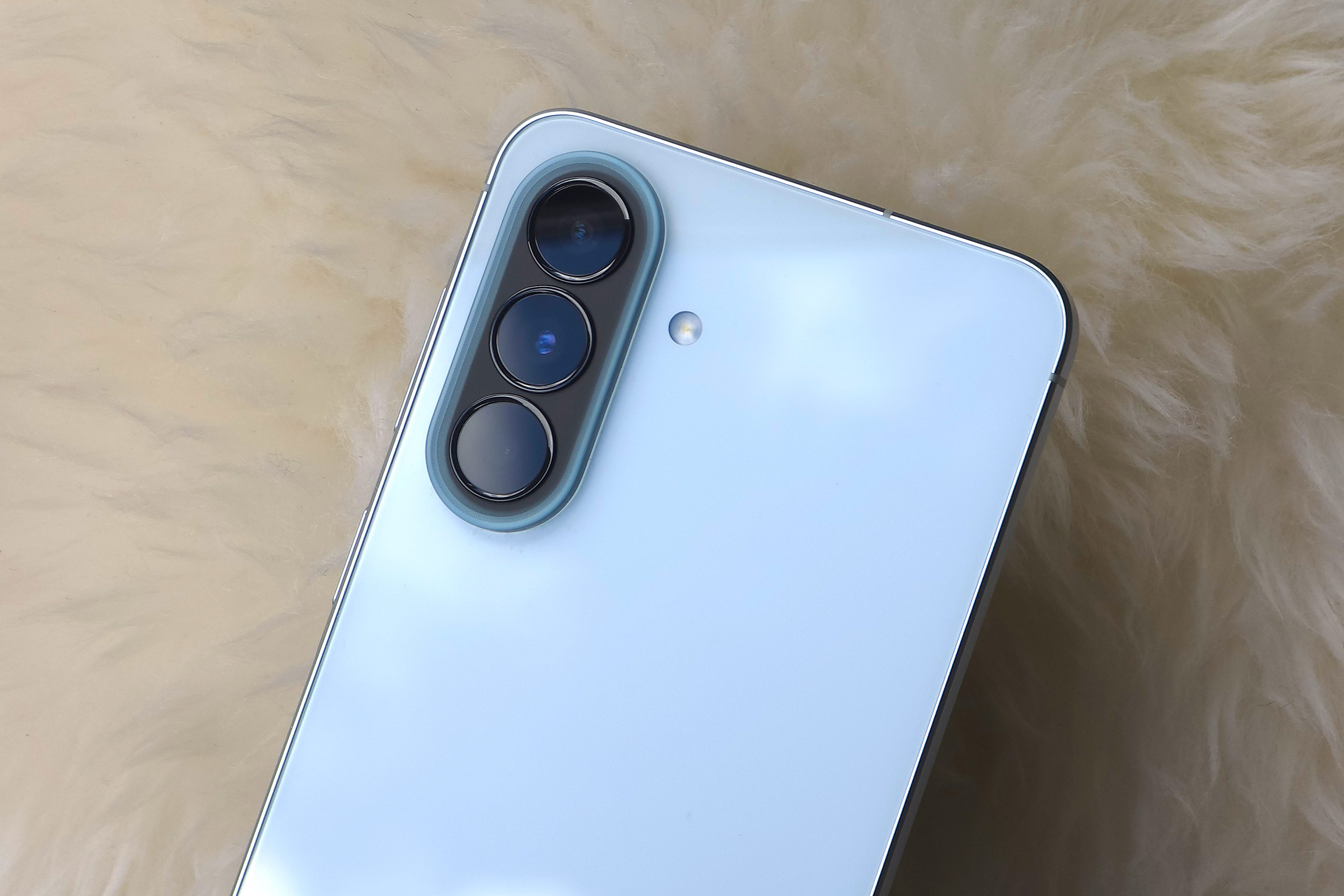
The main lens is a 50MP f/1.8 camera, which is pretty decent at the mid-price point, with phase-detection auto-focus, and optical image stabilisation (OIS). This should mean good results from this main camera in almost all shooting conditions.
It’s joined by a 12MP ultrawide lens with an f/2.2 aperture, and fixed focus – if this was changed to a camera with auto-focus, then it could be a useful option for macros. Unfortunately it’s not, but this is to be expected on a mid-range phone.
The third lens is the 5MP macro camera that we’ve seen on the A56 and A55 before it, we didn’t like it two years ago, and we still don’t like it now, as the main camera can give better close-up results, and if there is going to be a third lens on a phone, then ideally it would be a telephoto camera.
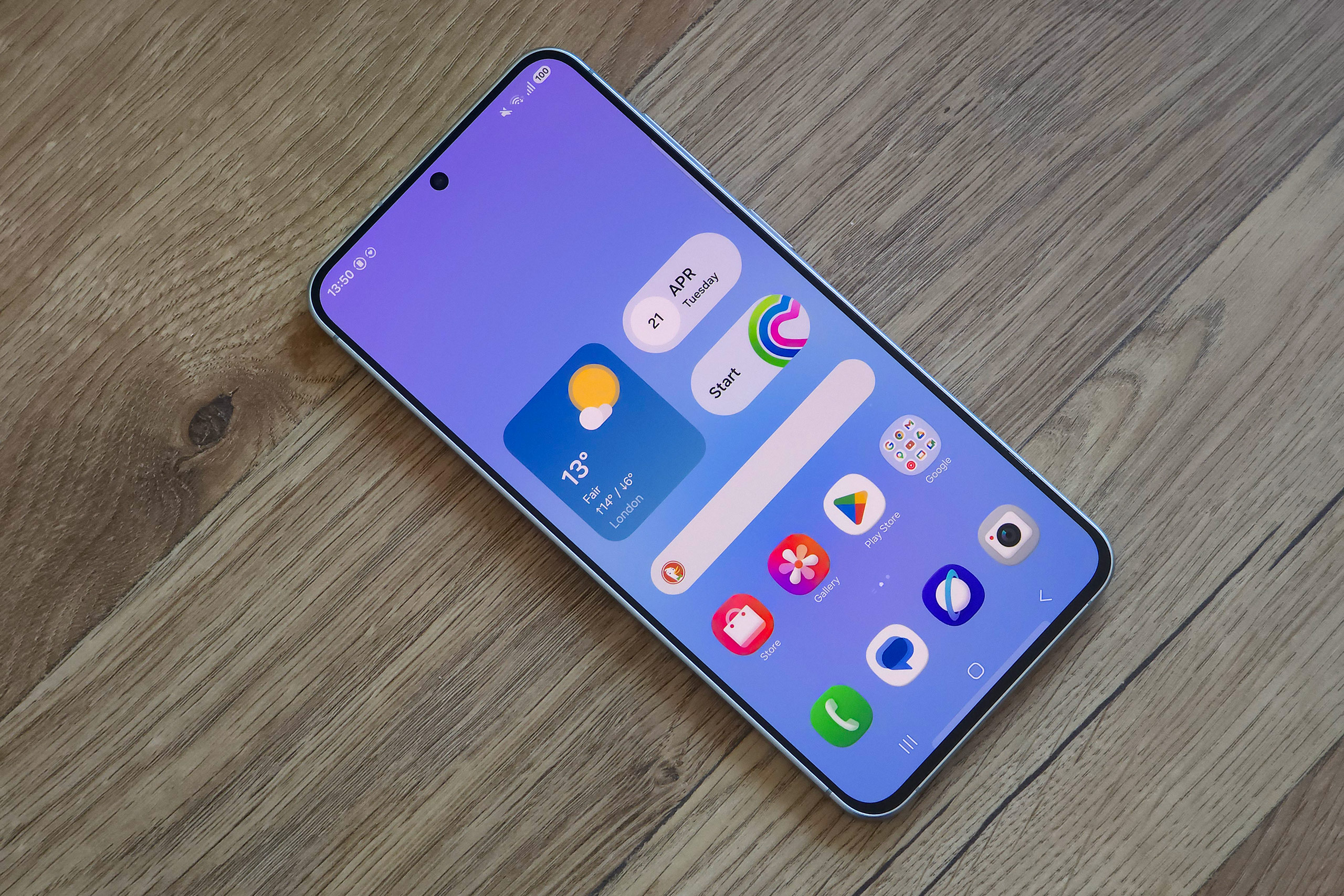
On the front of the phone, the selfie camera is 12MP f/2.2 – fairly standard fare for mid-range, and even high-end smartphones from the likes of Samsung and Apple. It doesn’t have AF, but again, not all high-end smartphones have this so that’s no surprise on this cheaper model.
Samsung Galaxy A57 vs Samsung Galaxy A56: What’s new?
On paper the differences between the A56 and A57 may seem quite minor, and in many ways they are. A slightly thinner phone, a slightly smaller, lighter phone, with a slight change to the design around the cameras, minor changes, but it all adds up. The thinner border around the screen makes it look more premium, and gives a bigger screen the body ratio (another factor in how good a phone looks), and add in the IP68 rating (rather than IP67) and you have a phone that has clearly been built to a higher quality.
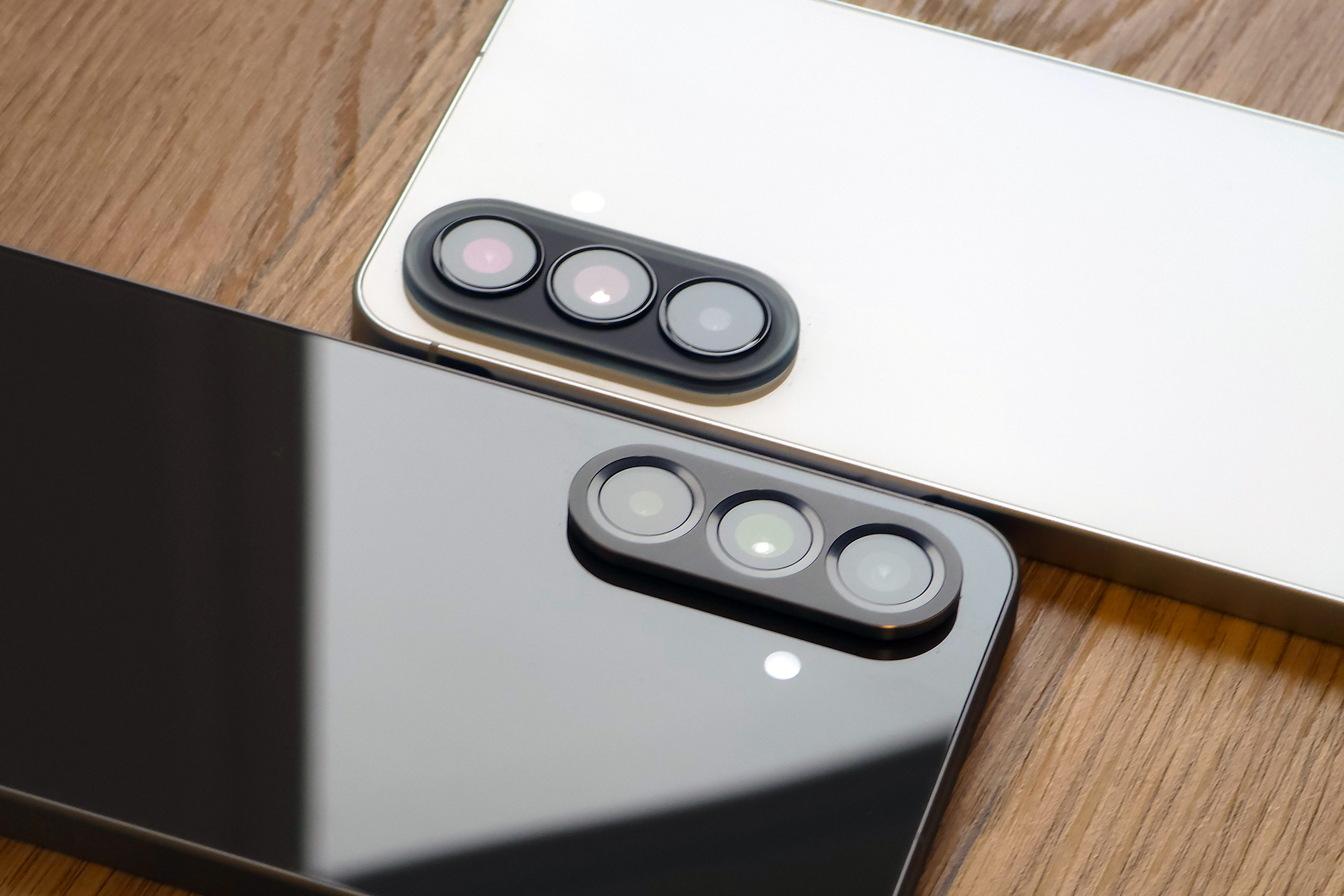
In terms of the cameras, both phones have a triple lens set up, with both featuring a 50MP f/1.8 1x main camera, a 12MP f/2.2 ultrawide and a 5MP f/2.4 macro camera. Both also feature a 12MP selfie camera, without auto-focus (AF). Like the A56, you get 45W wired charging, but no wireless charging. There’s a slight bump in processor performance with the new A57.
Samsung Galaxy A57 Design and Handling
Compared to some phones at this price point, such as the iPhone 17e and the Google Pixel 10a, the Samsung Galaxy A57 has a large screen, at 6.7-inches. This puts it on par with some flagship models, and is great to have at a mid-range price point. Beyond that, it’s also fairly impressive that it has Corning Gorilla Glass Victus+, which should mean it withstands scrapes and scratches fairly well. The screen has a maximum brightness at 1900 nits, which is good at this price point. It displays photos and videos well and has good colour reproduction.
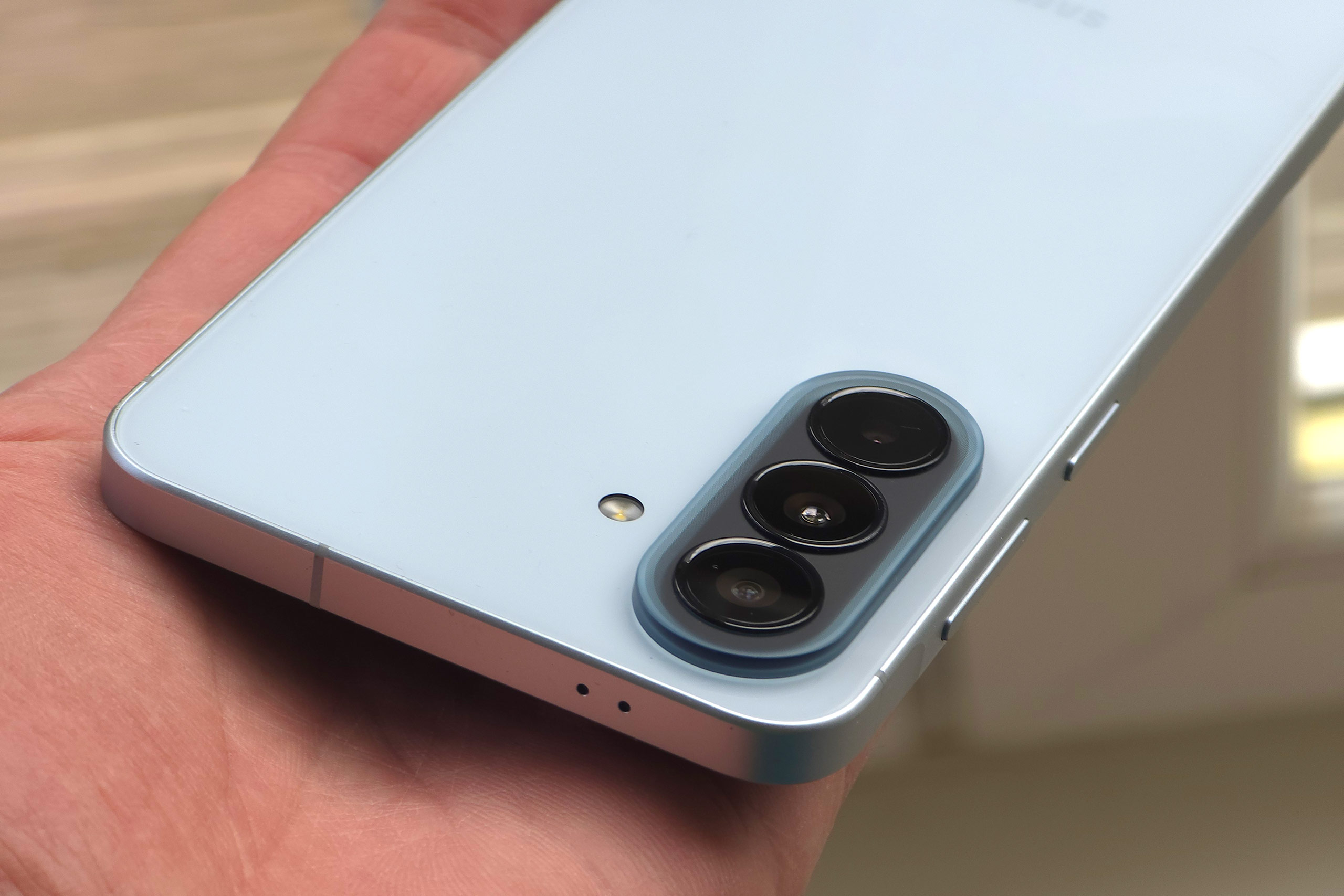
The A57 comes with IP68 water and dust proofing – so it should be more than enough to withstand you accidentally dropping it in the bath or using it outside in a rain shower. You can submerge the phone in water, but it’s not really recommended, as USB ports often complain when wet. We complained about the size of the bezels on the A56, and there’s an improvement here, adding to the premium look to the phone.
The screen is flat, as is the norm these days for most phones, and there’s a small cutout circle for the selfie camera.
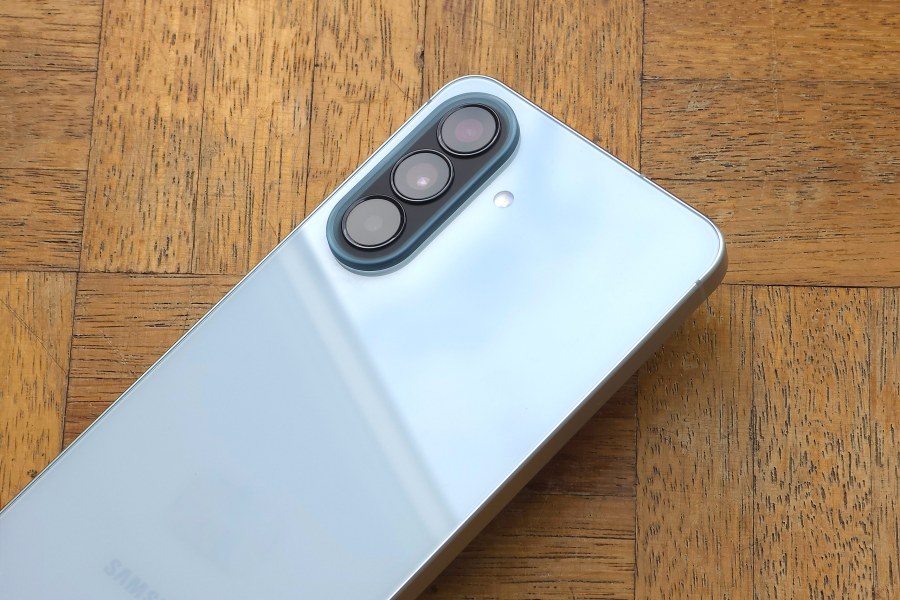
The A57’s three cameras are arranged in a straight line on the back of the camera. Not particularly exciting, but the updated design is nice to see. The big brands (Apple, Samsung and Google) tend to favour this fairly ordinary design, compared to the more unusual or interesting designs of other brands, such as Xiaomi, Vivo, Motorola or Oppo.
The phone does not have the same high-end performance as the latest S series phones such as wireless charging, or Samsung DeX, but in use, it felt perfectly competent. You’re unlikely to notice much difference unless you’re comparing different phones side-by-side.
Samsung Galaxy A57: Native Camera App
On the first launch of the camera app, there’s a built-in guide to how to change settings and options, which will be helpful for anyone switching to a Samsung or just for anyone wanting a quick refresher. Like other Samsung phones I’ve used, you can very quickly access the camera by double tapping the power button, and the camera app will automatically open
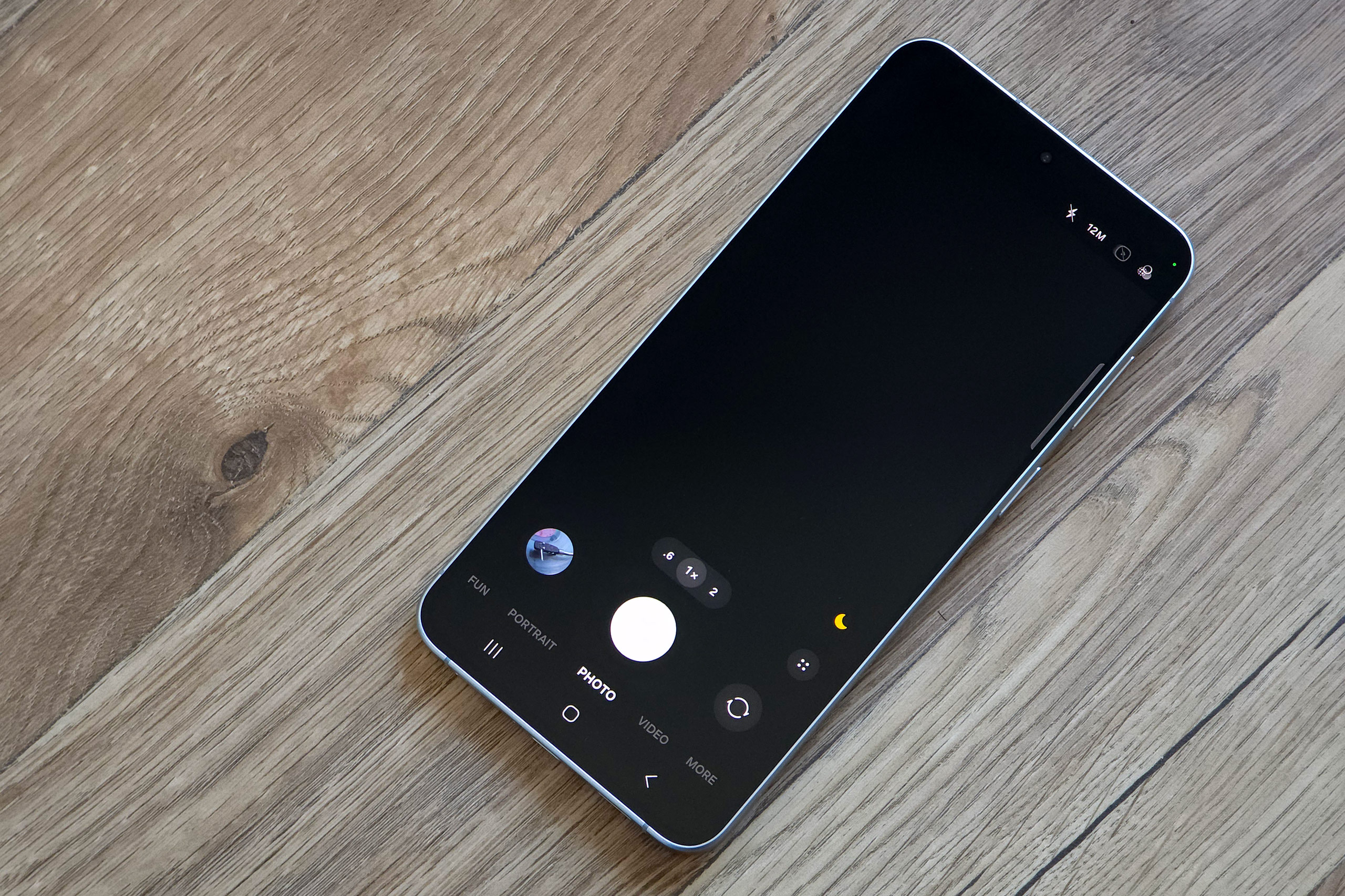
For a mid-range phone, you get a good degree of different shooting modes with the A57 – which is something we’ve come to expect from Android models at this price point.
The standard shooting mode is “Photo”, which gives you access to the 0.6x and 1x lens, as well as quick tap options for 2x, 4x and the maximum 10x digital zoom. You can also pinch in and out to zoom if you prefer.
If you’re shooting in low light, a Night mode should automatically activate, but you can also select this manually from the “More” tab if you need to.
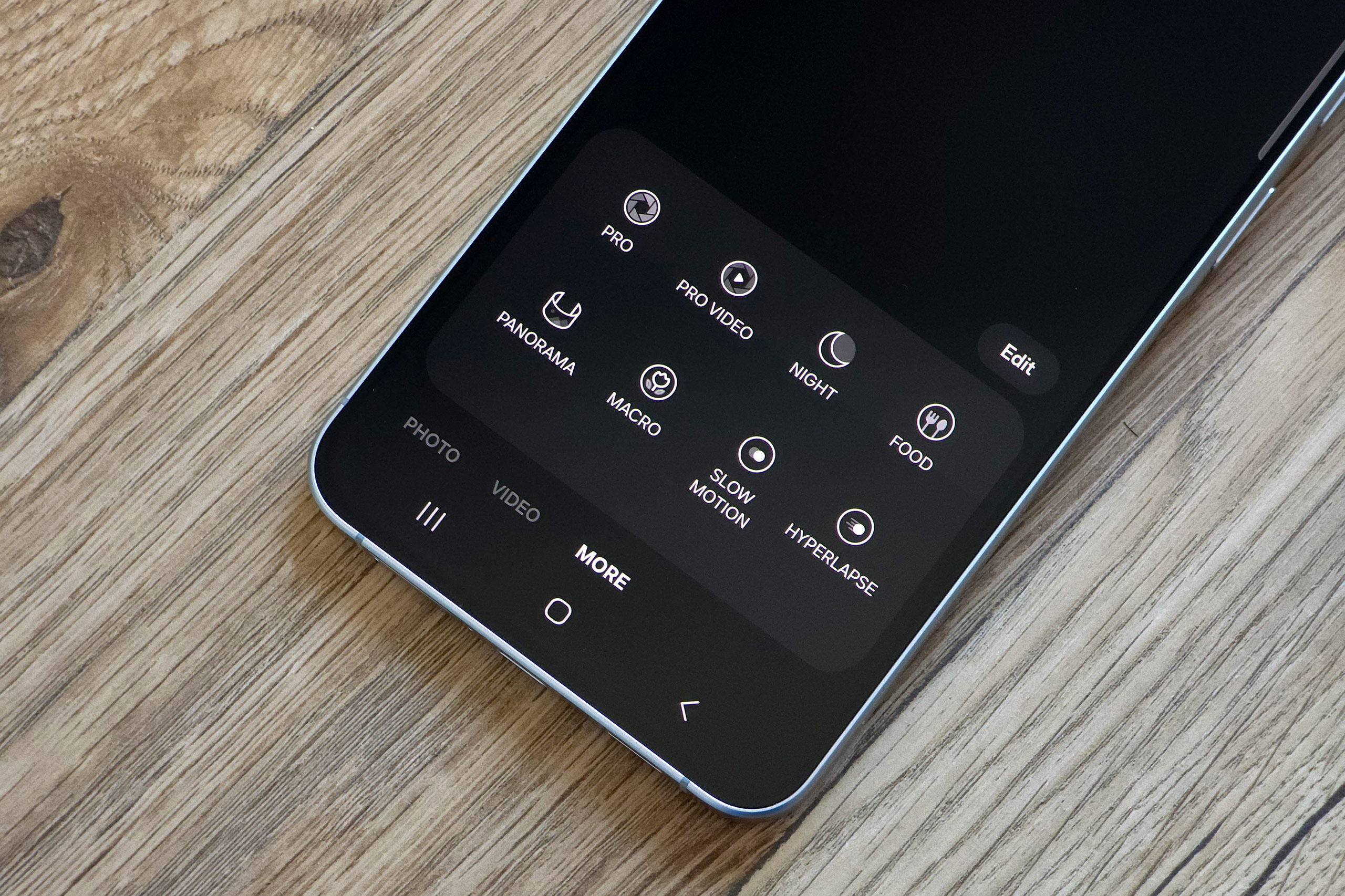
Additional options in the Photo setting include adding “FUN” digital filters to your images, choosing to shoot at the full 50MP (if using the 1x lens), switching the flash on/off and changing the aspect ratio. It’s also possible to adjust exposure compensation in this mode, too. Further settings can be accessed by tapping a cog icon, and give you options such as switching on/off the “Scene Optimiser” (which works to automatically “optimise” the colour of the scene – you might feel inclined to switch this off if you don’t like things quite so vivid), adding a watermark or changing the file format of your pictures.
Other shooting modes in the native camera app include the Portrait mode, with options to shoot at 1x or 2x, increase or decrease the effect it creates, and again change things such as aspect ratio. There’s even a Pro mode, where you can adjust ISO, white balance, exposure compensation, metering and shutter speed, and you can set Pro mode to shoot in raw format if you want (in the advanced settings).
For recording movies, there’s a Video mode with resolutions up to 4K 30fps available, as well as the option to switch on Super Steady (but which will limit you to 1080p 30fps) image stabilisation. Extra video modes can be found under the More tab including Pro Video, Slow Motion, and Hyperlapse.
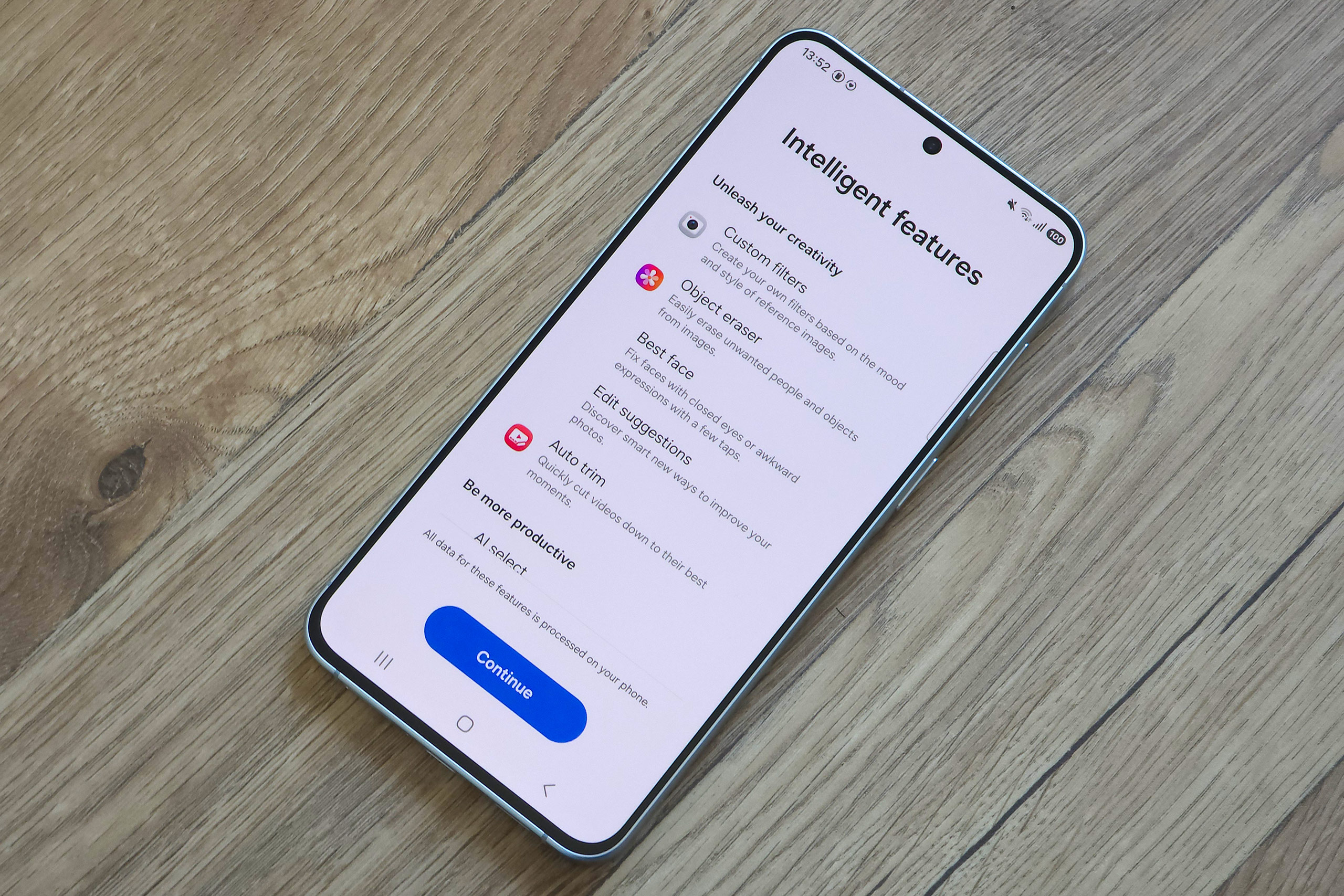
As is starting to become ever more common, there’s a set of AI editing tools which you can use. This includes the ability to erase shadows, erase reflections and erase other objects in the frame. It’s quite a useful thing to have the ability to do quickly and easily on your phone, and works well so long as the editing involved is fairly simple – i.e. no complex backgrounds or subjects to sort out – and you don’t look at the finished results too closely. Some of these features can be used directly on the phone, others need a Wi-Fi (or data) connection.
Samsung Galaxy A57: Performance
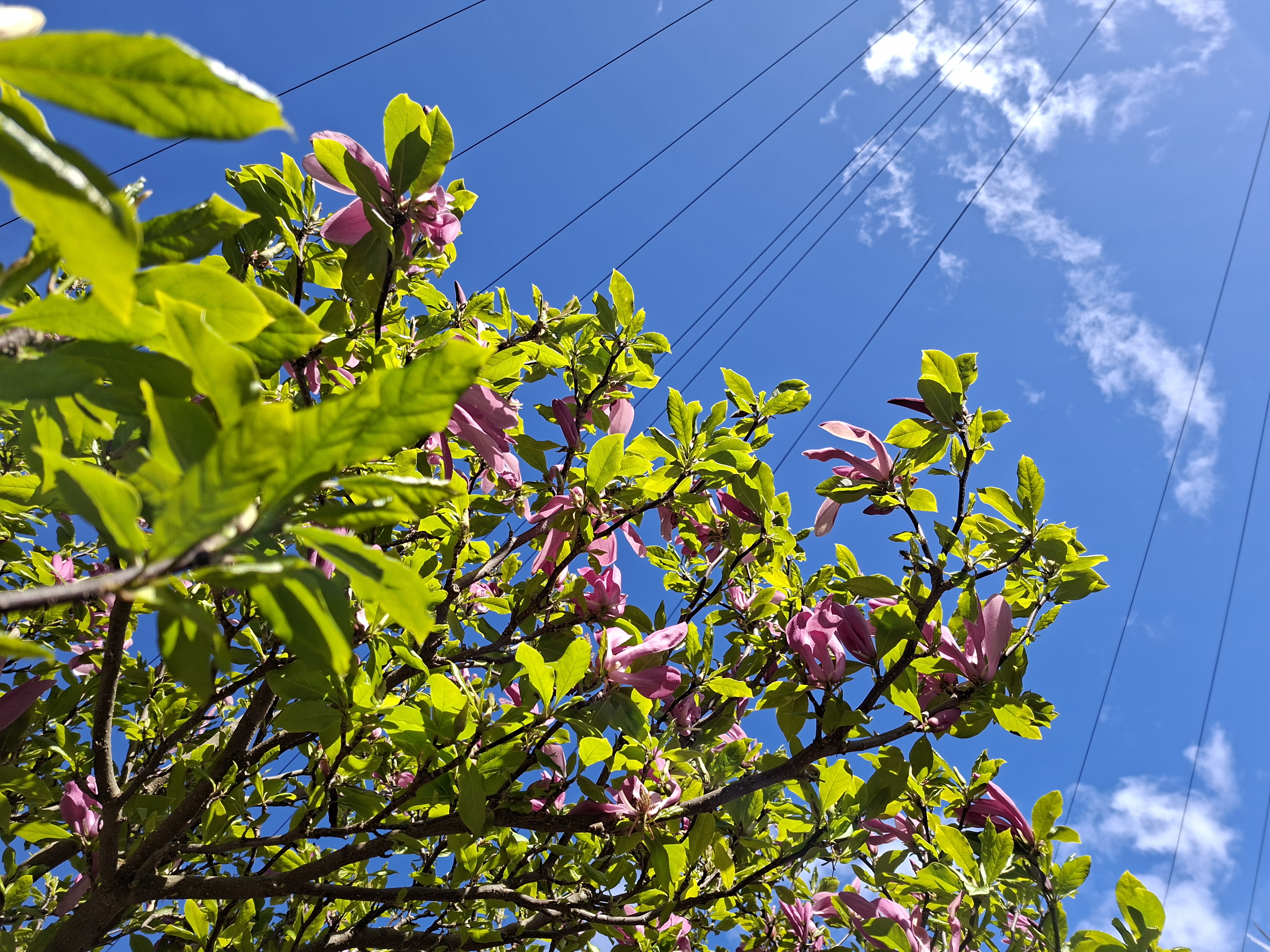
The A57 is capable of creating some really nice images, with overall lovely detailed shots with pleasing colours. I wouldn’t say there’s been any kind of jump in quality when compared to its predecessor though, so if you already own one of those, you might find its better to stick with what you’ve got.
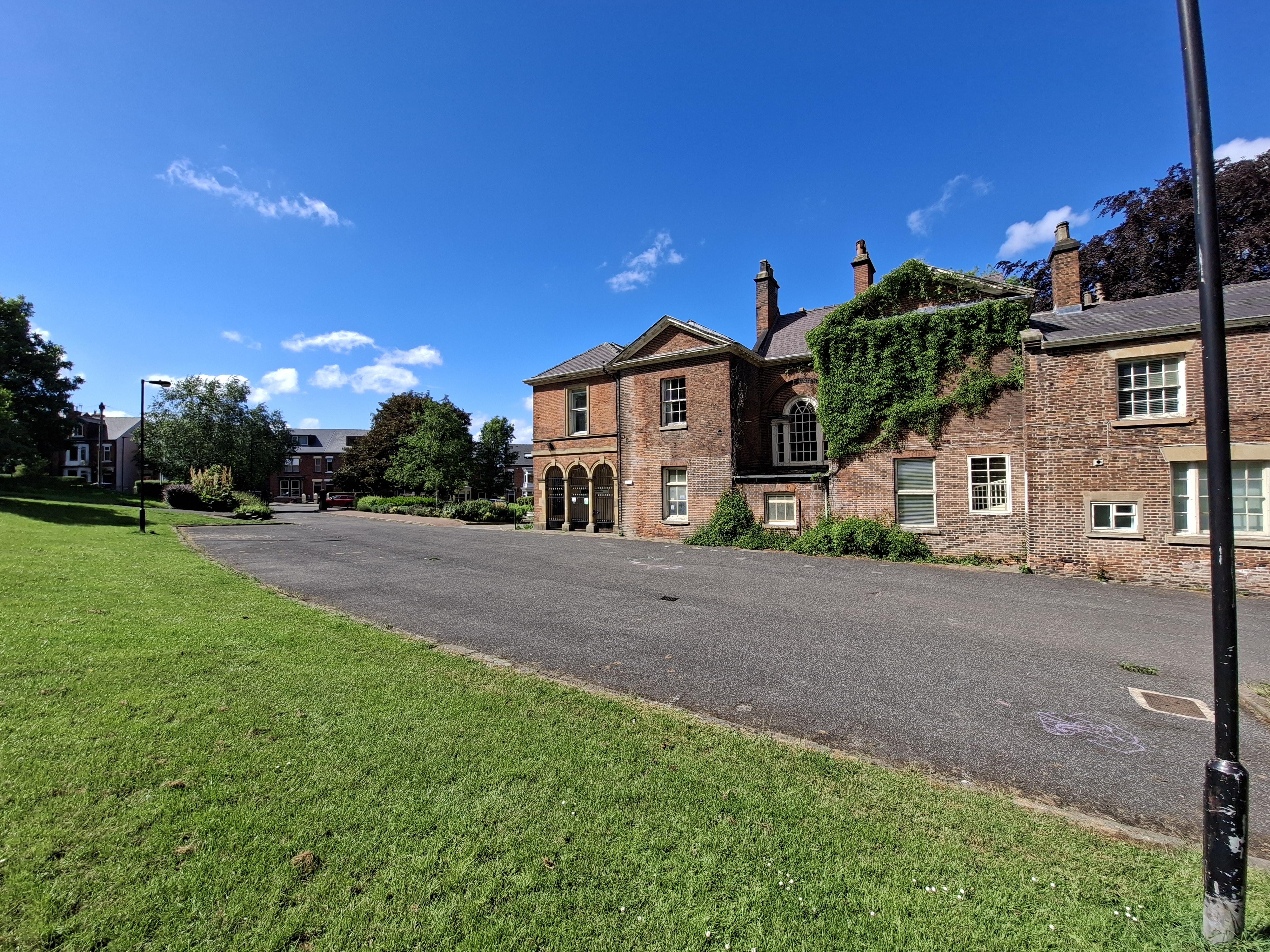



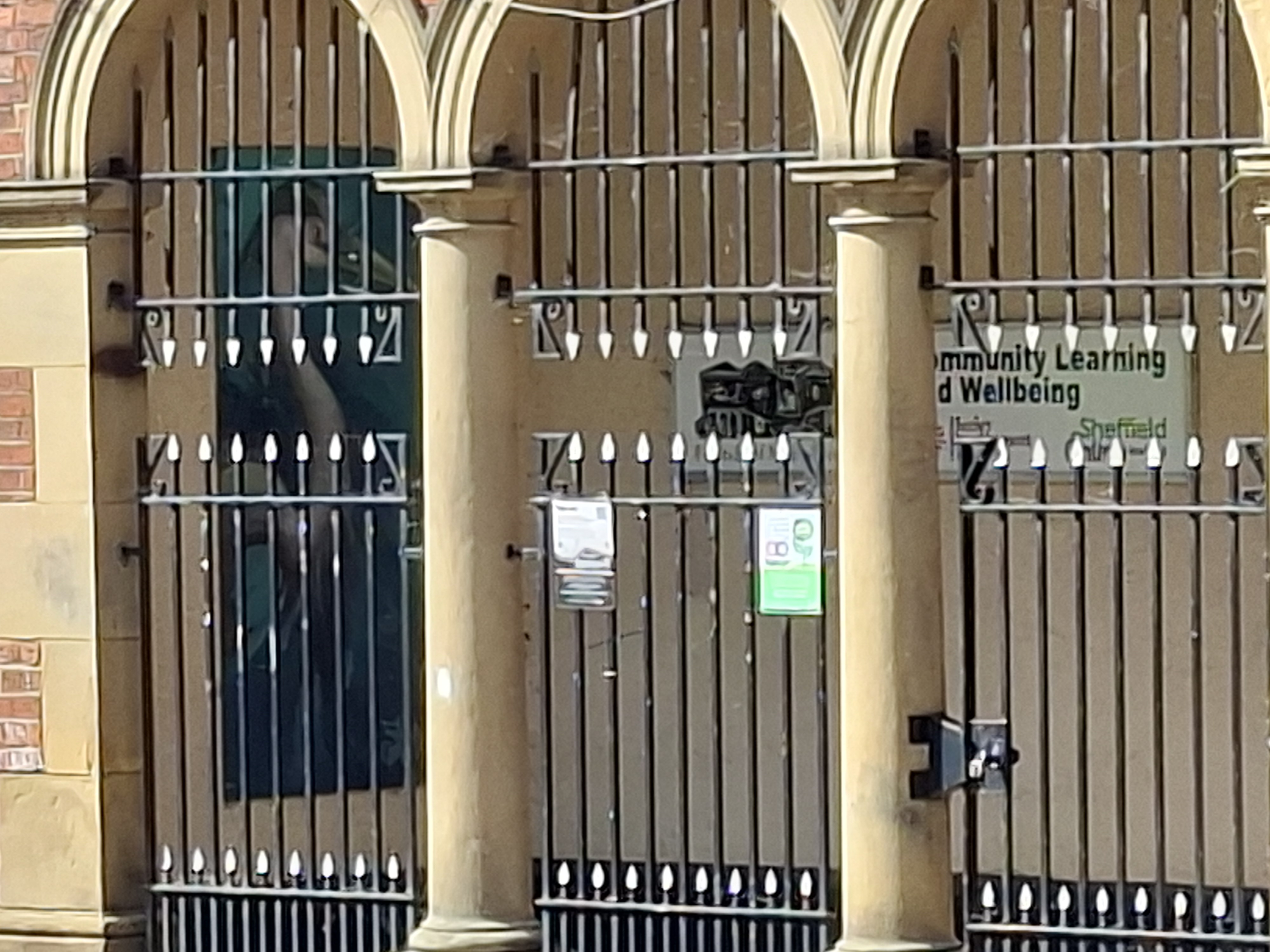
As expected, the best results come from the 1x lens, with 2x providing reasonable results. Beyond this is best avoided with images getting softer as more zoom is used. As you can see in these examples 4x and 10x (max zoom) are best avoided – although this may depend on what you want to do with the images.
The ultrawide lens gives good enough results, although does show some distortion when there are objects near the edges of the shot that should be straight. Images can appear a little too saturated in colour at times as well.

Depending on what’s in the scene, colours can appear very bright with overly strong saturation. This might be something you like, as it can give images extra pop, but you might also prefer slightly less in-your-face colour reproduction. When using the 5MP macro camera, the opposite is true, with dull-muted colours.

There is no telephoto lens. In place of a telephoto lens is a macro lens, which only has a 5MP sensor. The results are not great, and every time we used the macro camera, we then switched to the main camera, used 2x zoom, and got better results. The dedicated macro camera on the A57 give poor images with poor colour reproduction, as well as low levels of detail. Due to the fixed focus lens you have to be at a very specific distance from the subject. This also means it’s very easy for the phone to block the light reaching the subject, ruining your shot.

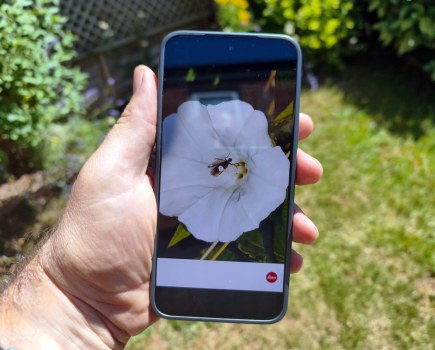
For general close-ups you’re better off using the main camera and you get some really nice shots, like the one above and below, with 2x zoom getting you even closer, and still giving better results than the 5MP macro camera.

Portraits and selfies come out looking good, with options to add additional background blur using the dedicated ‘Portrait’ mode.

The selfie camera gives results that are good when taken in good light, but in low-light results aren’t as good, due to a relatively small sensor size. The fixed focus distance means that there’s a natural looking background blur to photos taken in the normal photo mode.
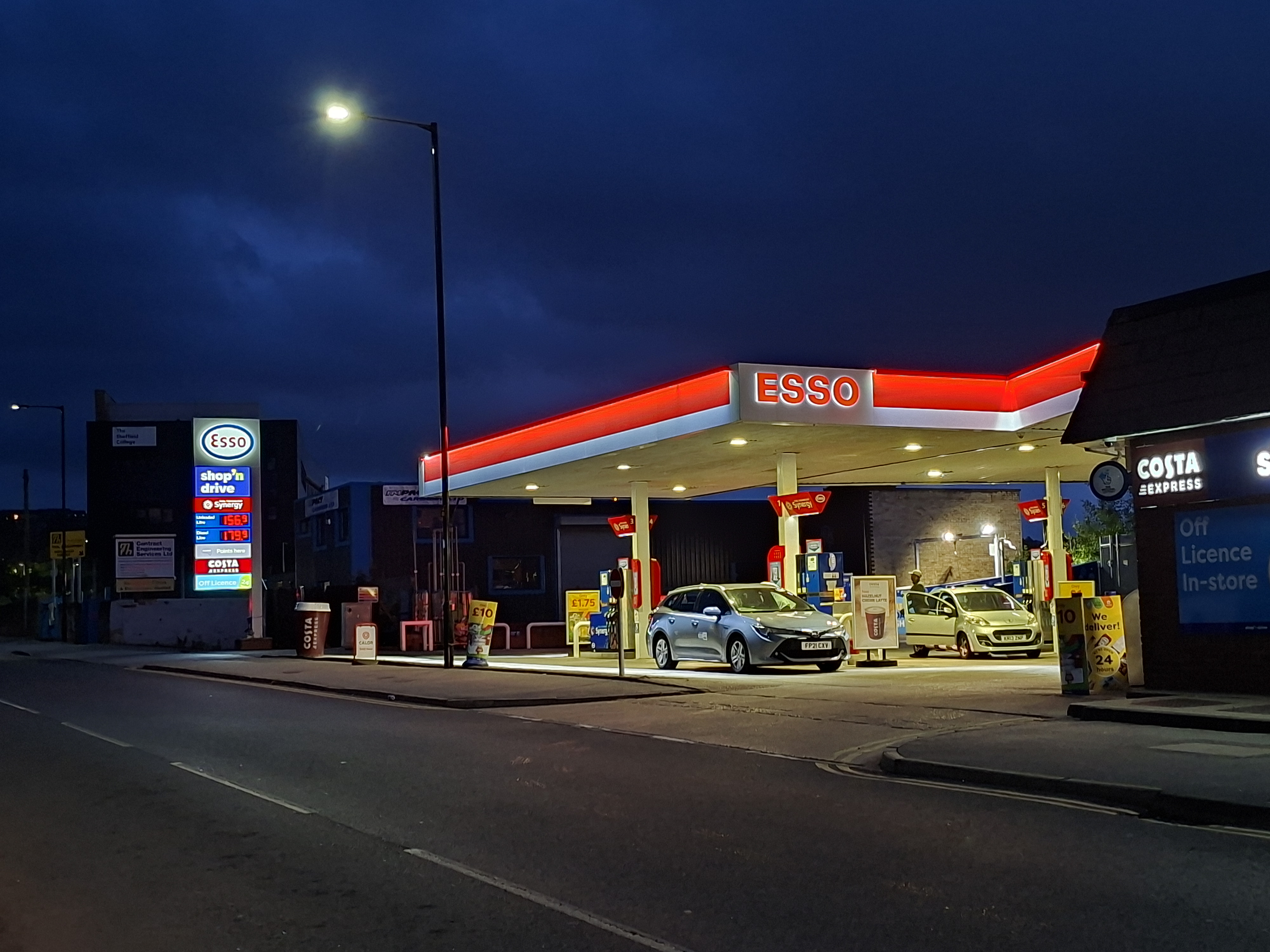
In low light, the main camera does a good job, thanks to optical image stabilisation, and automatic multi-shot processing that balances the lighter and darker areas well. The ultra-wide-angle camera doesn’t do as good a job.
Samsung Galaxy A56: Value for Money
Priced at roughly $600 / £500 with 256GB storage – the A57 starts at a price point similar to last years A56. This means it feels a little bit high right now, but like the A56 we expect the price to drop over time, as well as be on offer at times of the year. If you find the phone on offer then it will be great value.
However, if you’re looking at phones in the $600/£500 price range, there are other options available with telephoto cameras, and the biggest competitor is Samsung’s own Galaxy S25 FE, regularly available for around $600/£500, and it is better in multiple ways (telephoto camera, wireless charging, Samsung DeX to name a few), or you could look at the Google Pixel 9a/10a and others like the Motorola 70 Edge at around this price point.
Samsung Galaxy A57 Verdict
There’s a heck of a lot of stiff competition in the budget smartphone category right now, and there’s one thing that stops the A57 being a complete knock-out winner (well two if you count the Samsung S25 FE). But mostly it’s the 3rd camera – the 5MP macro camera should have been replaced with a telephoto camera by now – meaning that the S25 FE (with telephoto camera) is a much better option if you can get it at the same price (and you also benefit from DeX, wireless charging, a better processor and more).
For those looking for a camera phone that looks good, performs well, and won’t break the bank, the A57 will be a great option, specifically when the price drops. At the current price it feels little too expensive, as the S25 FE (128GB) is available for roughly the same price as the A57 is currently, with better cameras, better performance, and other S series benefits like DeX and more.
Whilst we complained that the A56 was a minor update from the A55, it seems like Samsung has made some noticeable and worthwhile updates to the A57. It’s just a shame that we don’t see wireless charging, or an update to the camera system. Perhaps with the A58, Samsung will turn their attention to the camera system, and if it comes with a telephoto camera, then it could easily become the king of the budget camera phones.
Specifications
| Specifications | Samsung Galaxy A57 |
|---|---|
| Main camera | 50MP f/1.8 1x camera, 1/1.56”, PDAF, OIS |
| Ultra-wide camera | 12MP f/2.2 ultrawide camera, 1/3.06” |
| Macro camera | 5MP f/2.4 macro camera |
| Selfie camera | 12MP f/2.2 selfie camera (no AF) |
| Video | 4K 30p |
| Battery | 5000mAh, 45W charging (no wireless) |
| Screen | 6.7inch Super AMOLED, 2340 x 1080 pixel, 1900 nits max brightness, Gorilla Glass Victus+ |
| Dimensions | 161.5 x 76.8 x 6.9mm |
| Weight | 179g |
| Dust and water resistance | IP68 |
Follow AP on Facebook, Instagram, YouTube and TikTok.