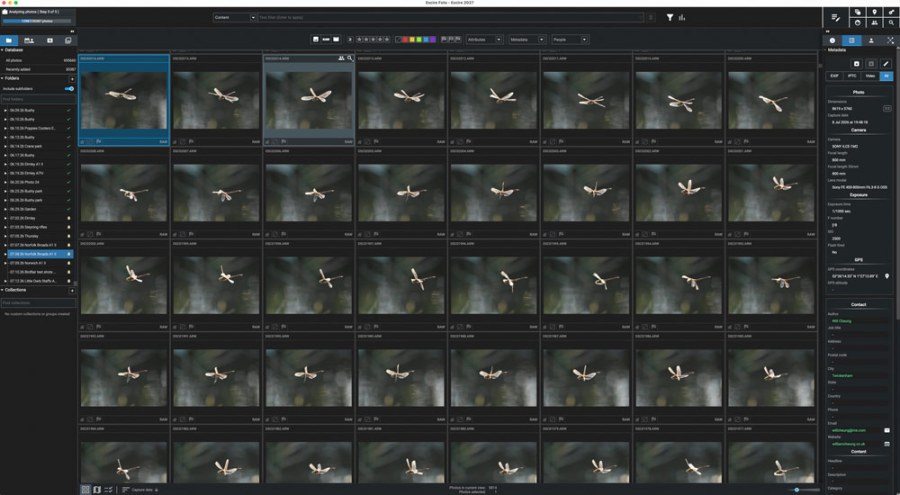
During a very busy week of nature and wildlife photography, Will Cheung ended up with over 30,000 images to work through. For this mammoth task, he relied on Excire Foto 2027, an innovative, AI-driven image management tool.
My nature photography journey started during the pandemic when daily walks took me through the local nature reserve. During the summer months of 2020, with my normal photographic subjects out of bounds, I was irresistibly drawn by the challenge of shooting dragonflies in flight and stalking marbled white butterflies with a macro lens.
Post-pandemic, encouraged by my partner Annie, who happens to be an expert nature photographer, the addiction took hold. Since then, I have invested in long telephoto lenses, macro flash kit and other nature-oriented paraphernalia.
Anyway, that’s the backstory to why last month we had a week’s break indulging our passion, which just happened to coincide with the third heatwave of the summer. Kent, Norfolk, Surrey, Sussex and Staffordshire were the destinations with shoots planned in nature reserves, parks and conservation areas.
Subject matter was going to be varied, the sort of fauna that you would typically expect to find during a warm British summer. Birds included kestrels, marsh harriers, herons, terns and little owls, the last-named from a paid hide.
The longer roll call was with insects: seven species of dragonfly including the endangered Norfolk hawker, a cross-section of butterflies and something rare in the UK, the golden horsefly (atylotus fulvus).
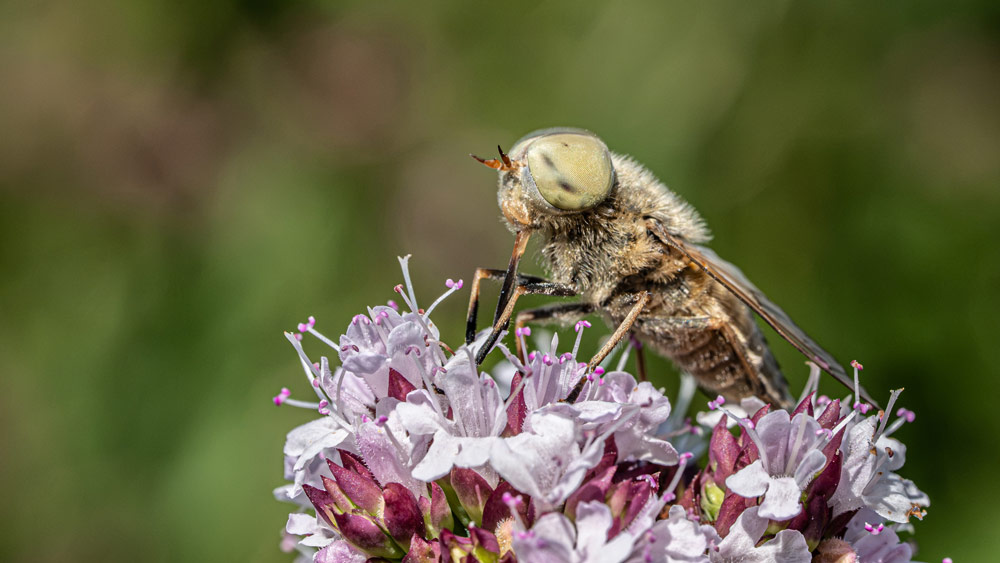
I’ll be totally honest, I wouldn’t know a golden horsefly if it bit me, but Annie found one when we were shooting in Sussex. It was the first time she had seen the insect so it was new to her too, and I don’t usually bother with flies but her excitement got me interested.
It was only later, with the help of the Internet and various apps, that we identified the insect and learnt that they are scarce in the UK.
In the end, I took over 1000 shots, which I appreciate is excessive, but they were lively creatures and the stiff breeze didn’t help with focusing. Also, there was little depth-of-field even with the macro lens stopped down to f/10.
A big benefit of mirrorless cameras with their electronic shutters is that you can blaze away without wearing out them out as quickly as SLR-type cameras with their mechanical shutters and reflex mirrors.
For the trip I’d packed a Sony Alpha A1 II together with a trio of Sony lenses: the FE 100mm F2.8 Macro GM OSS, the FE 70-200mm F4 Macro G OSS II and the FE 400-800mm F6.3-8 G OSS.
I ended up with over 30 grand
During the seven-day nature trip I racked up 30,387 photographs! Yes, that’s a great deal but there was no shortage of photo opportunities and numbers build quickly when you’re shooting sustained bursts at up to 30fps.
Obviously, in that lot there are plenty of pictorial and technical failures, plus many very similar images and pre-capture sequences. Ultimately, though, I hope there’ll be enough ‘keepers’ to make the trip worthwhile.
Could I have been more frugal? Probably. Would I be more sparing in the future? Maybe. Right now, though, I get excited with having an emperor dragonfly or marsh harrier in the viewfinder, so the shutter release stays jammed down. It’s just my way of working and I’d expect most nature photographers will be less trigger happy or have the skill to get it right in a few frames…
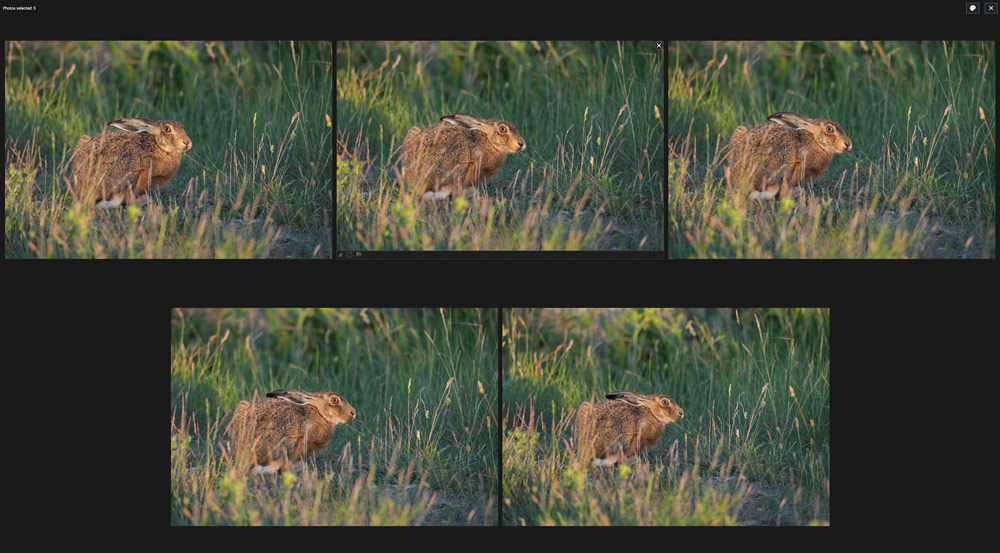
Anyway, managing such prodigious output is not an issue with Excire Foto 2027. My workflow took a turn for the better when I had a demonstration of Excire Foto 2025 at The Photography Show a couple of years ago.
I tried it, was impressed and it suited my workflow. Its search skills are remarkable, but what I really appreciated was its speed. Adobe Lightroom Classic is a good product, but when catalogues get large, it’s frustratingly – even agonisingly – slow to show large image previews.
Not so with Excire Foto 2025 which shows images very quickly even with my database comprising hundreds of thousands of raw files. The latest total is 695,660.
Anyway, when Excire Foto 2027 was launched earlier this summer, I simply couldn’t resist. It has all the powerful search tools of its predecessor including Find by text prompt, Find faces and Find people plus AI-powered keywording, culling and more.
New features include Map view which places photos with GPS data on an interactive map, Timeline graph, focus peaking and Survey view for a more relaxing method of image selection.
There’s also a new search method, Text in photos. If you need images containing a particular word, which might be the name of a shop, a place or company in your vast archive, give Excire Foto 2027 a few seconds to work its magic.
It’s very effective and works well.
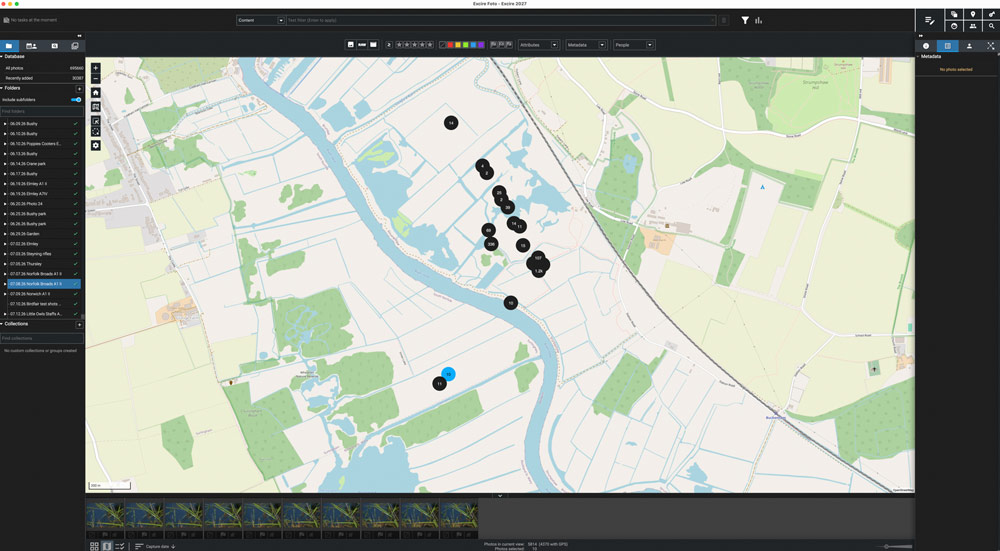
My workflow now is to start with Excire Foto 2027 and star and colour rate the images, delete the obvious dross and then take the images into Adobe Lightroom Classic for editing.
Local legend
When new photographs are imported into Excire Foto 2027, each one is AI-analysed, automatically keyworded and given an Aesthetic rating score out of 100. The 30,387 photos from my nature week took just over 78 minutes to be initialised. It’s worth saying that Excire Foto 2027 works locally so there’s no risk to your data.
Many shots I deleted without any help from Excire Foto 2027. For example, I took a serious number of frames of marsh harriers on the wing to practice my birds in flight skills and most were tiny distant silhouettes and serve no useful purpose.
In other cases, I skipped through long sequences of potentially good shots and thanks to Excire Foto 2027’s speed at showing large previews, rating images was quick.
Of course, I did tap into Excire Foto 2027’s skills to help. We’re all different when it comes to assessing images, but for my owl shoot I used its Aesthetic ratings. I viewed the shoot, comprising 6500 images, in descending order, so the highest rated images appeared top of the pile.
The highest rated shot scored 80.89. I quickly flicked through the top 200 or so images and I could see Excire Foto 2027 had done a good job and these I five-starred for closer scrutiny later. Naturally, I went through most of the session anyway.
Colour ratings, stars and flags can be stored in metadata so appear when the images are imported into Lightroom for editing. When working retrospectively, ie with images already in Lightroom, ratings made within Excire Foto 2027 can be updated.
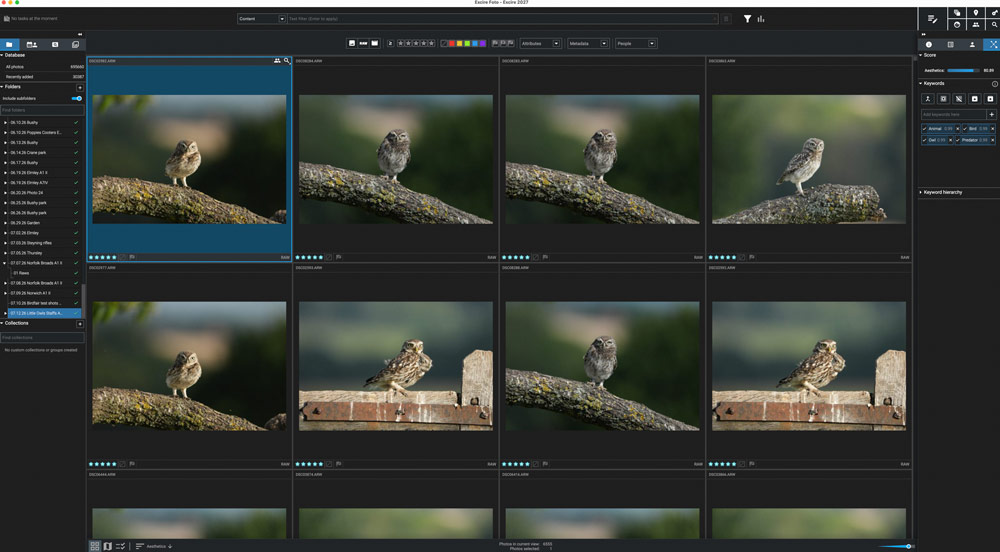
The little owl shoot was convenient because that’s more or less all I photographed that day in the hide. On sessions when I photographed a mix of insects, animals, birds and scenics, I again used Excire Foto 2027’s Aesthetic ratings but applied a keyword search first so I could rate each subject genre independently.
Three weeks on, I’ve parked the shoot for two reasons. Firstly, I’ve been busy with the camera ever since, and two, I know I have a batch of five-star images to consider thanks to Excire Foto 2027, and I always allow a cooling off period before making any final decisions and selecting images for printing.
So, no mad rush, but I am happy with my week’s efforts and the assistance received from Excire Foto 2027.
More about Excire Foto 2027
- The new Excire Foto 2027 app retains all the rating, culling and search skills of Foto 2025 plus it has gained several significant features.
- AI Text Recognition gives a new way of searching the image database and the software will automatically detect visible text in your images, and it does this quickly. It means if you’re looking for a place name, street, shop front or brand name, you can do it accurately and very quickly.
- Another major feature is Map View. Excire Foto 2027 automatically detects GPS data – whether embedded at the time or added post-shoot – in your images and videos and places where you shot the content on an interactive map.
- Click on an appropriate location and you immediately see all the images shot there. It’s a great tool for travel, street and landscape photographers.
- If you need to find images taken at a particular time frame, there’s a powerful timeline tool and it’s intuitive to use too. Just zoom into the timeline graph and the date you are looking for, and you see the images instantly and then you can rate, keyword and discard your work as normal.
- Excire Foto 2027’s workflow is now even more efficient with, among other features, a redesigned search bar and Survey view, where you can assess images quickly in an uncluttered interface. Watch out for a full review soon.
- Excire Foto 2027 is currently available for a limited-time launch discount. (Use code AMATEURPHOTO for an additional 15% off your lifetime license).
Related reading:
Do you want to win some great prizes for your photography? Enter your photos in our International Amateur Photographer of the Year competition. Free entry for photographers aged 13-21.
Follow AP on Facebook, Instagram, YouTube, TikTok and Irys.