Amateur Photographer verdict
This LED panel is bright enough for a lot of things, such as fill light outside on a bright day. It’s also easy to use, so even a beginner will only need ten minutes to get a grip on the basics.- Nice bright light
- Easy to use controls
- Massive range of colours
- Accepts battery power, albeit at reduced output
- Power cable a bit awkward to remove
- No dedicated softbox
Neewer AP150C at a glance:
- Price: $359/£459
- 52x43cm RGBWW panel light
- 150W output
- Comes with barn doors
- DMX, app and 2.4G remote controls
- www.uk.neewer.com
The LED panel is slightly unique in the continuous lighting world as it doesn’t really have an equivalent form in flash. Flash can emulate the single source head, the strip light and even the ring light, but we don’t really see flash set-ups that work as a panel of lights aiming in the same direction. You can add a softbox to a flash to get something of the same effect, but a panel of bare bulbs, especially one that can turn on a massive range of colours, produces a quality of light unmatched by instantaneous lighting solutions.
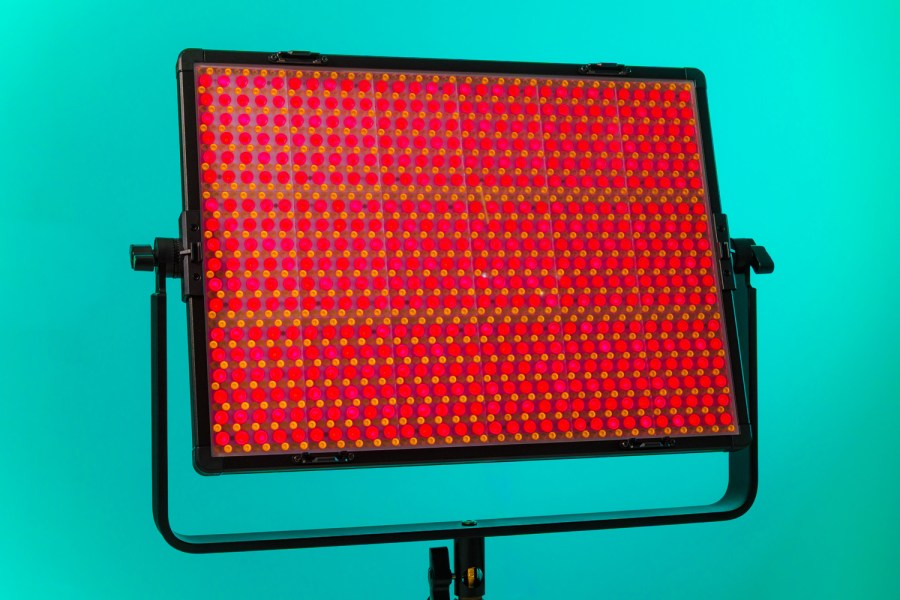
While many panel lights hide their LEDs behind a large diffuser screen to create a soft unified light by default, this AP150C from Neewer offers us the bare bulbs undiluted – all 1800 of them, in an array measuring 42.5×30.5cm. This means we get a brighter, but also harsher light source that, in its raw state, is ideal for adding light to large spaces in any colour you can think of.
Neewer AP150C – Features
The Neewer AP150C is an RGBWW LED panel light that outputs a maximum 150W. With its mixture of Warm White and Cool White LEDs, we can adjust the colour temperature of the panel from a golden 2500K to an icy 10,000K, while bringing the Red, Green and Blue LEDs in to play offers users a generous range of colour effects.
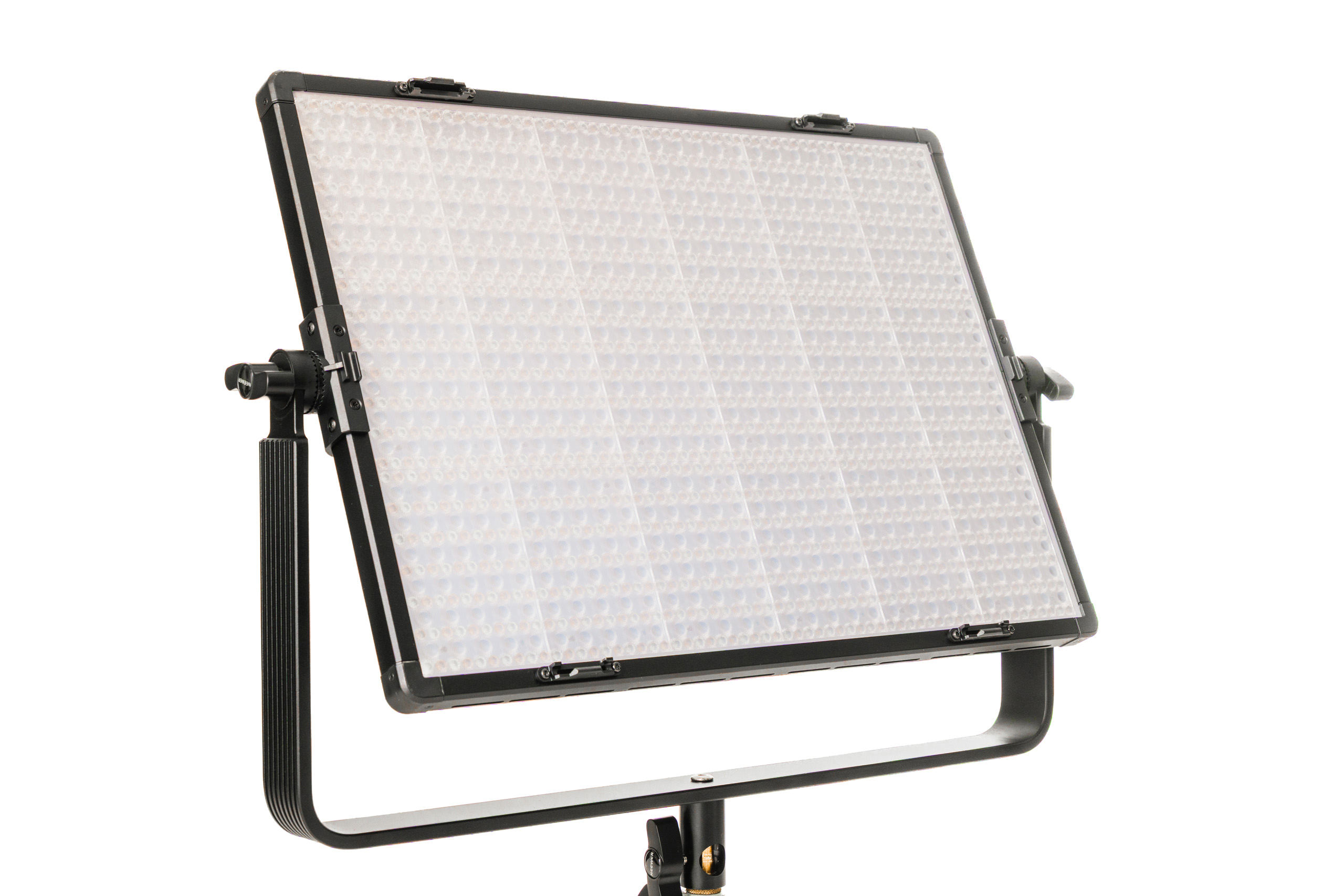
The mix of LEDs can be controlled using CCT (Colour Correlated Temperature) modes for regular warm-to-cool ‘white’ tones, while the Hue/Saturation/Intensity (HSI) mode lets us pick the colour, how strong we want that colour to be and how bright it should be. We can manually mix all of the available colours using the RGBCW mode, we can apply the look of 20 coloured gels from Rosco and 20 from the Lee range, we can use xy coordinates to help get a match with other light sources, and the light has built-in pre-sets to match 17 specific light source types.

If you need to emulate the light from a fire, a police car, a broken fluorescent tube or a TV, Neewer supplies us with 18 flicker-box effects which can be tuned and tailored to the scene you want to create. Via the Neewer Studio app we can also use a smartphone camera to measure the colour of an object or another light, and then have the AP150C match that colour. And, in the CCT mode we get +/-50 red/green shift to play with in case the colour is a little off neutral – or if we want it to be, to add some red to skin-tones, for example. The app also helps the AP150C pulse colours in time to music, should you decide to give up photography and become a DJ.
The fixture comes with a set of removable barn doors that allows us to shape the spread of light, and to narrow the native 45° beam angle to suit the situation. There’s no specific softbox or diffusing panel available from Neewer for the AP150C, but the barn doors provide a neat frame on which to attach your own diffusion material if you need a softer source.
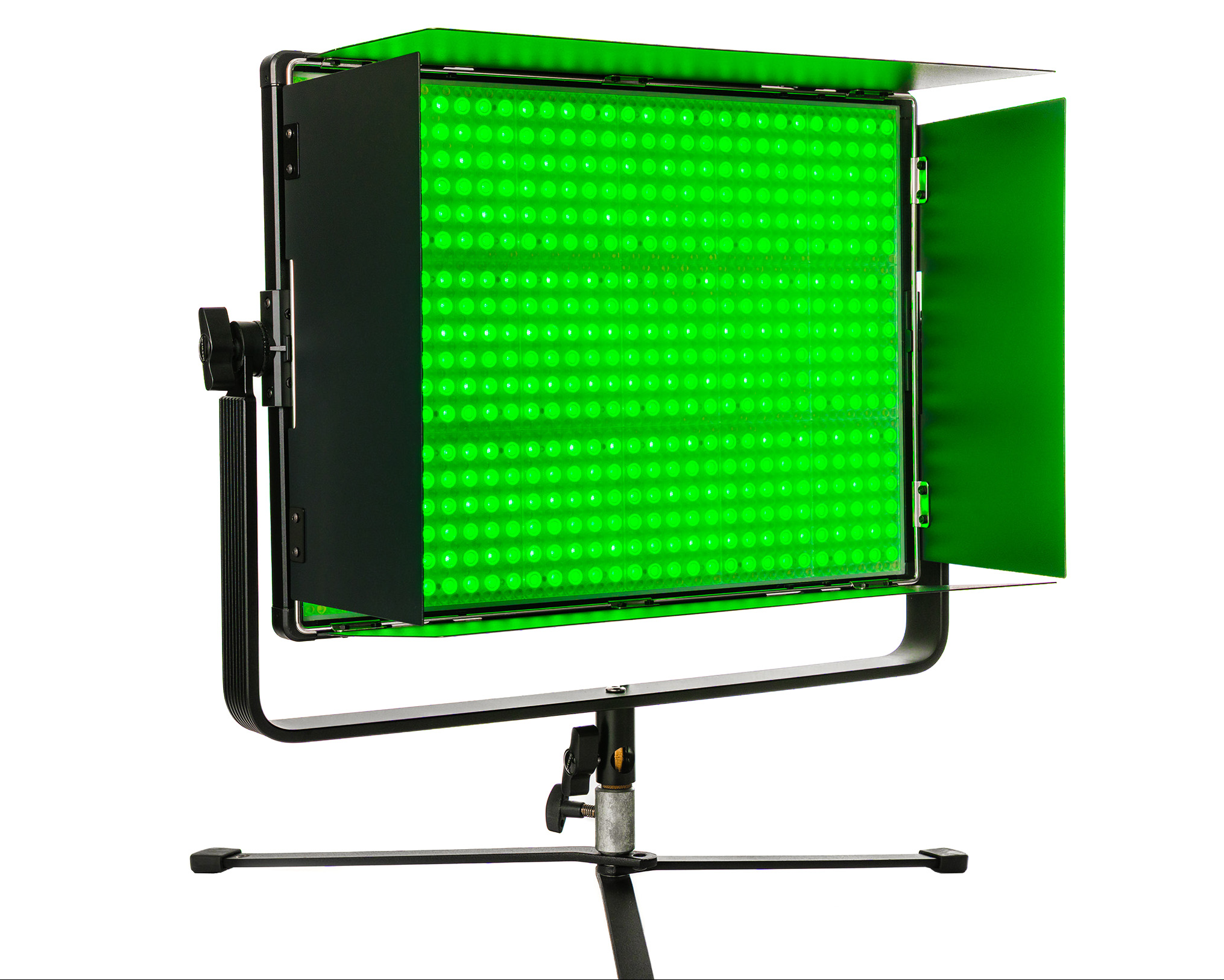
To keep things running smoothly there’s a built-in fan that can be left on Auto mode or controlled manually. As with all lights, when the fan is switched to ‘off’ we can’t access the full brightness settings.
Power comes from the wall, but with a NC011 (£29) D-Tap to 4-Pin XLR cable we can also run the light from a V-Lock battery and thus take it outside – or work in a cable-free environment. Inevitably, power output is reduced when batteries are running the show.
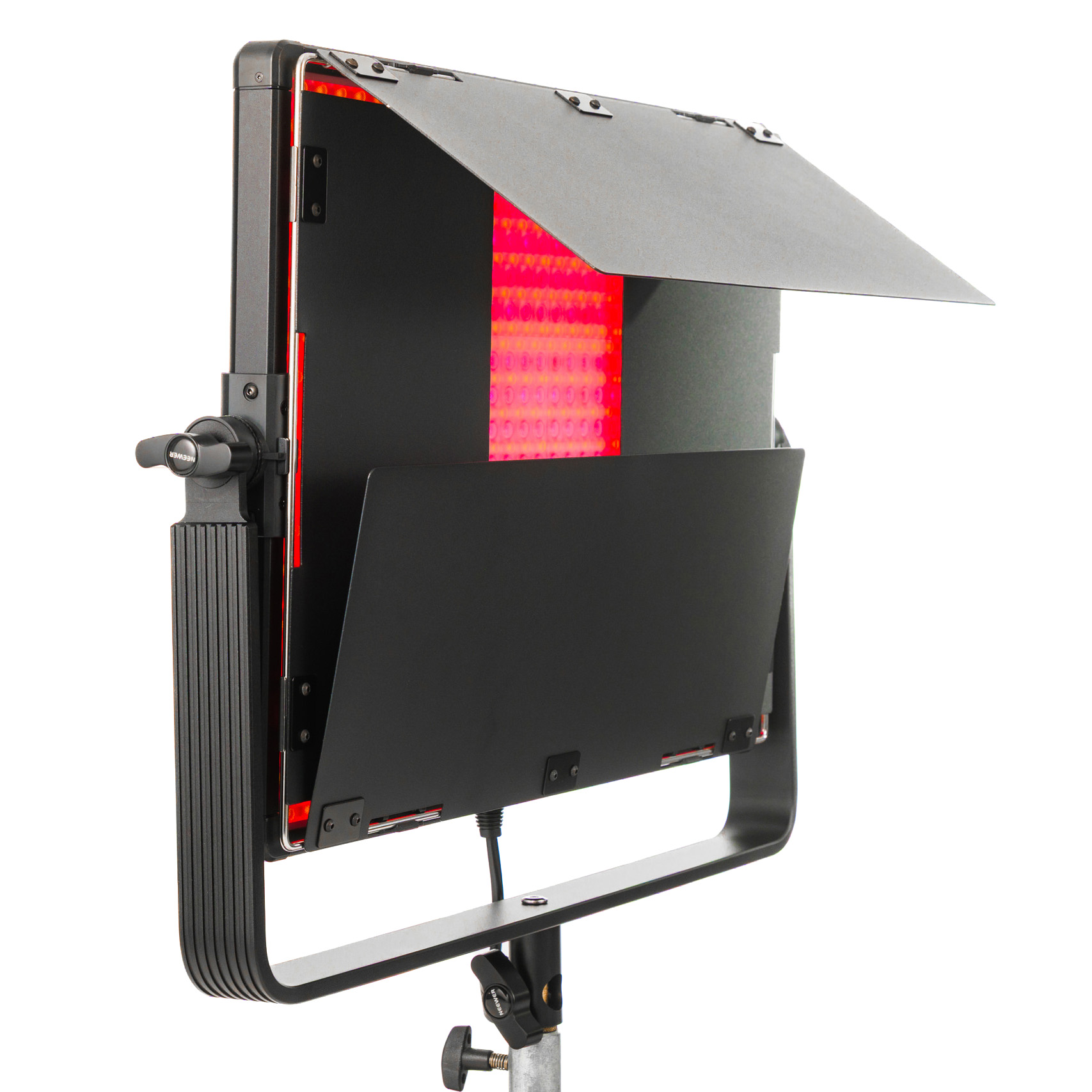
A large yoke system supports the panel, allows it to be mounted on a regular light stand, and lets us rotate the panel through 360 degrees to send its illumination in any direction. The yoke and the full-metal body of the light make it reasonably heavy at 4.6kg – I make it 4.8kg with the barn doors attached – but no one will ever be holding it during a shoot. It’s not too heavy to lift to the height of your stand. Including the bezel, body and protruding controls, the AP150 measures 52.3x43x8.6cm, but the actual light panel is only about 2.5cm deep.
Neewer AP150C – In use
At the basic level, the Neewer AP150C is very easy to use. You switch it on and then press the mode button until the display shows the mode you want to work with. Then a press of the dial selects the options, and a turn of that same dial alters them. And you can get away with leaving the instruction book/download alone after that, if you need no more from the light.
However, digging a bit deeper brings up some other features that might be useful. We have four custom/memory buttons above the main display that work like saving Classic FM to your radio – you set the mode and settings in that mode the way you want them, and then long press on one of the buttons saves them to that button. A single press at any time will bring them back.
If we have more than one 2.4G-compatible Neewer light, they can be paired together so that one light can control others set to the same channel – and via the Neewer Studio app we can group any set of Neewer lights together and control them from a phone. The app also allows extensive control of individual lights (perhaps in a more convenient format than on the lights themselves) and lets us adjust them when it’s not easy to reach them physically. DMX users will be pleased to have DMX In and Out ports, so the light can be connected to a mixing desk for cabled remote control.
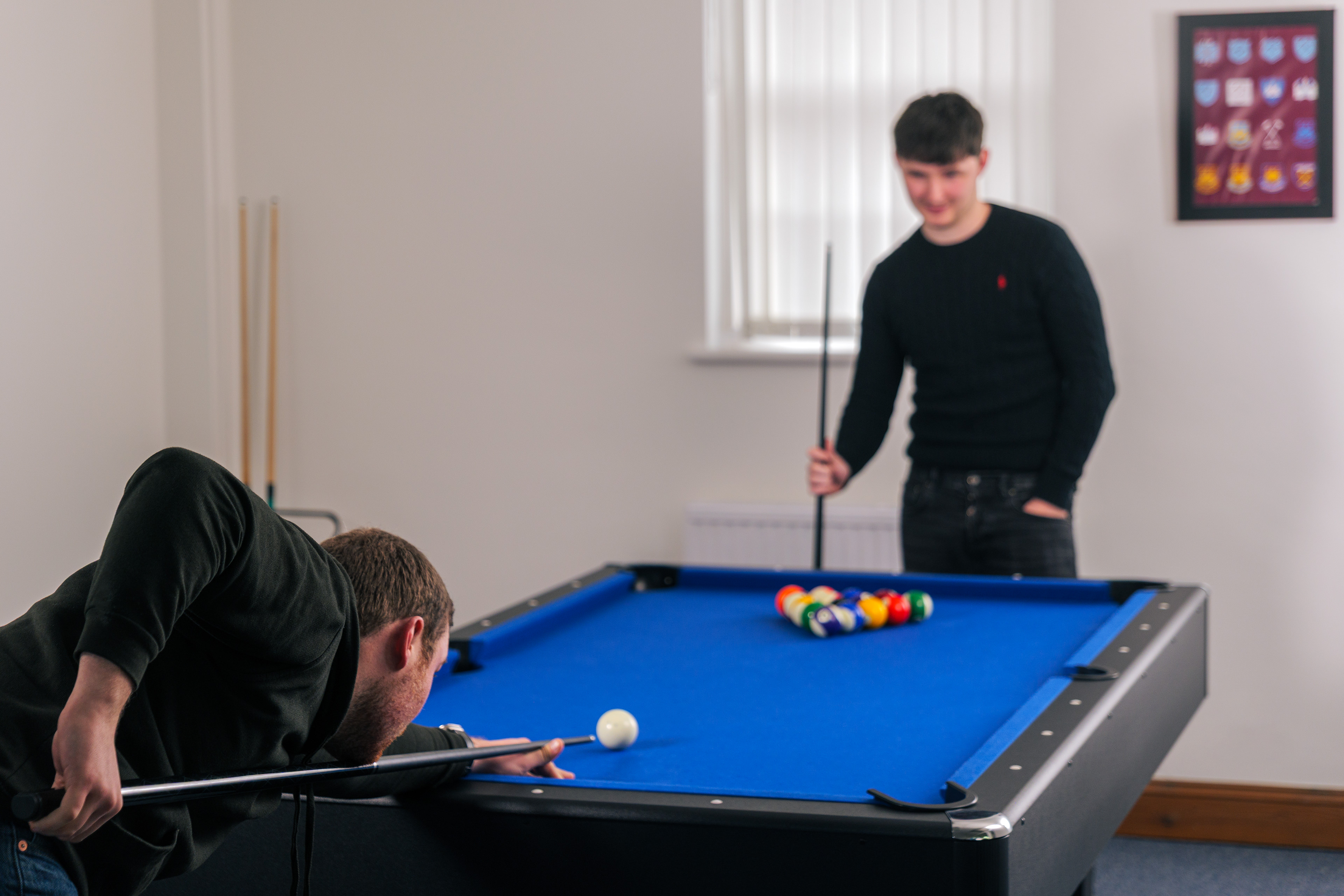
The great benefit of having a light with a slim profile like this is that it can operate in small spaces without taking up a lot of room. When an overhead light is needed, it can be held close to a ceiling and still leave plenty of clearance below for the subject – not always something that’s simple to do with a standard mono-block type head and a softbox. In many situations it’s easier to conceal a panel like this in a scene, as it can slot behind a sofa, for example, or be pressed alongside a wall behind a (large) plant.
As the back end is well vented, I didn’t have too much issue with fan noise during the test. The light does get warm in Auto mode, but the fans and vents don’t allow it to overheat. Even with the fan running at full speed, the light will only disturb your audio if the mic is close to it.
Neewer AP150C – Quality of light
This isn’t the kind of light you’re going to aim at someone’s face to make a portrait – at least not without something between the LEDs and the person. On its own the light is quite harsh, and those LED’s create hard edged multiple shadows that aren’t flattering in a close up. A piece of diffuser material though, attached to the barn doors with clothes pegs/clamps, turns it into a beautifully soft source, with a light distribution far more even than can be achieved with a traditional softbox on a regular light source.
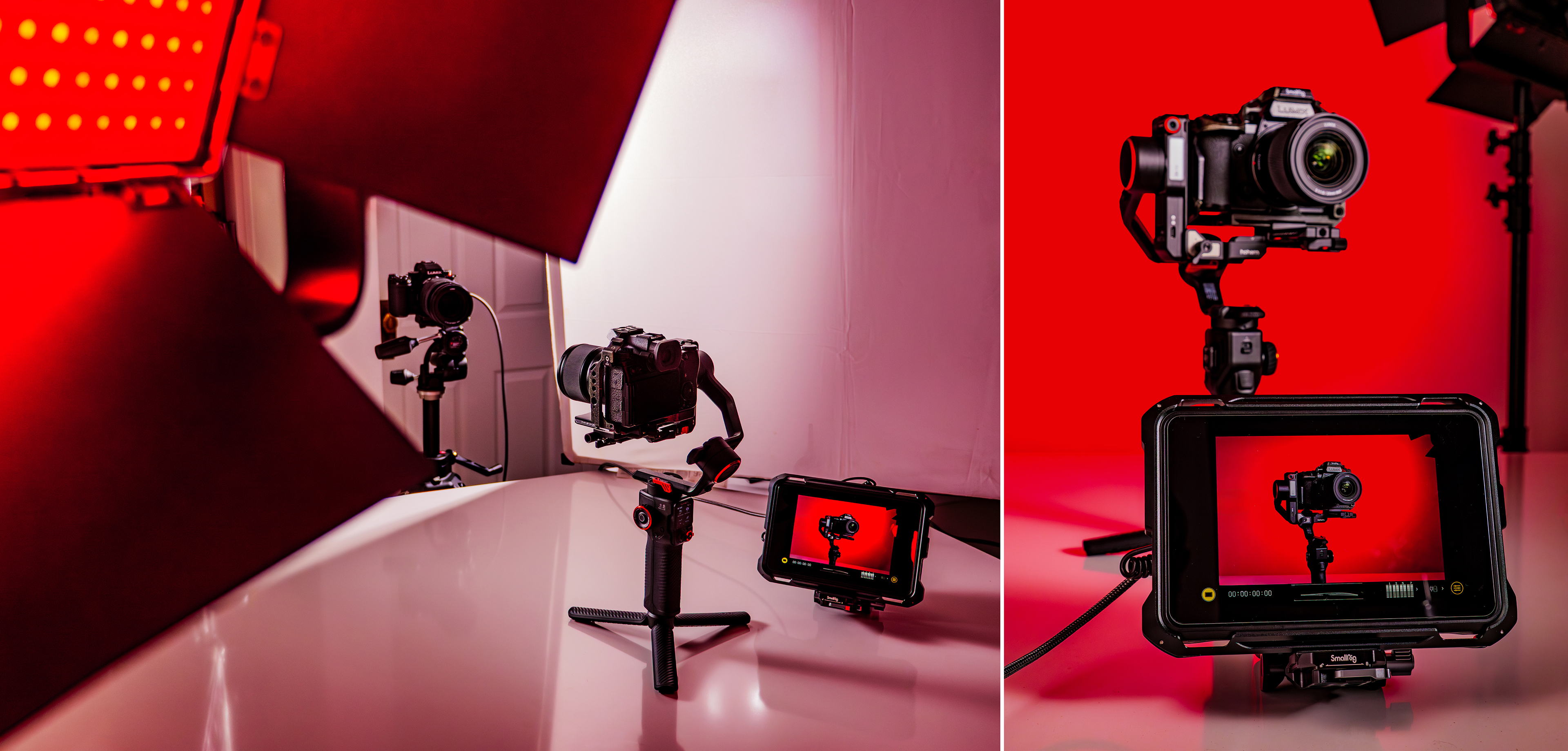
The light is fantastic too for bouncing off a white wall or reflector panel, and because it is a large source already, it spreads very nicely. I also used it to light large spaces and backgrounds, especially with colours, and to provide a general fill alongside other lights acting as the principles.

When used in CCT mode and with a matching Kelvin setting in the camera white balance, I found images recorded in the Natural Photo Style in my Lumix S5ll returned a touch red and blue, but only a touch. As always, using a grey card and a custom white balance is best when you need really accurate colours.
Neewer says we should expect 14000 Lux at 1m. I found this translates to f/8 and 1/60sec at ISO 400, when 2m from the light set to CCT mode and 5500K. When the red LEDs are set to 100% on their own, that drops to f/4 7/10 – so still a reasonable brightness.
Neewer AP150C – Verdict
It’s been interesting examining this panel light with its naked LEDs. I’ve used lots of soft panels with diffusion built-in which make a nice main light, but the diffusion knocks out some of power when that softness isn’t needed. With this light, we can have the benefit of the power when we need to light a space or bounce the light, and it’s a simple matter to peg diffusion material to the barn doors when we want something softer – and we can choose the softness of that diffusion, so this actually gives us more options.
The panel is bright enough for a lot of things, including as a fill light outside on a bright day, and it’s easy enough to use that even a beginner will only need ten minutes to get a grip on the basics. It also provides light with a characteristic very different to that from point sources, which can trigger imaginations and new creative ideas. It’s a remarkably good price, too – and almost always on offer.
Related reading:
- Neewer HB80C RGB COB LED light review
- Neewer Q6 flash review – reliable, consistent and persistent
- Neewer Q200 review – well featured and portable studio flash
- Neewer AS600B review – powerful LED light shines brightly for photo and video
Follow AP on Facebook, Instagram, YouTube and TikTok.
Neewer AP150C – Full Specifications
| Specifications | Neewer AP150C |
|---|---|
| Power | 150W |
| Output | 42,500 lux @ 0.5m |
| Modes | CCT, HSI, RGBCW, 40 gels, XY, FX, light source matching |
| Colour shift | -50~+50 (red, green) |
| Colour temperature | 2,500-10,000K |
| Weight | 10.1lb / 4.6kg |
| Dimensions | 26.6 x 16.9 x 3.4in/52.3 x 43 x 8.6 cm |