If there’s something we all have already, it’s pretty pictures that other people like. Well, perhaps we do. And if we do, there’s a chance that those other people will be happy to part with money to be able to have one of those pretty pictures on their wall. That’s the simple bit, but finding a way to efficiently progress from someone saying ‘Ooh, that’s fabulous, I’d love to have that photo on the wall’ to the point where it is actually on the wall and your pocket is a bit heavier, is the hard bit.
In an ideal world you’d have the person sitting with you while you chat about the size they want, the finish they like and then you press ‘print’ and watch it come off the printer. They are delighted and you are richer. But we often want to sell to people who aren’t in the seat next to us in the office – some of us don’t have a printer or a printer that’s capable of making big prints, we can’t always make canvas prints at home and then how do you post a framed 30in print from here to Canada without it arriving in a thousand pieces?
I’d love to sell prints
It’s actually a massive drag, and as immeasurably satisfying as it is to have someone put one of my pictures on their wall at home I can’t be bothered with the process. I’ve actually developed a bit of an allergy. When I get an email asking about print sales I convince myself it’s a scam, and when someone corners me and asks in person I feign deafness. I’d love to sell prints, but there’s just so much involved that I can’t convince myself it’s worth the effort, unless someone else is prepared to handle it all for me. And I mean all of it.
Someone Else to handle it all
I do now offer print sales on my website. No one has bought one yet, but I have my fingers crossed. I don’t mind having my fingers crossed and waiting, as setting up the infrastructure for me to sell prints was, in the end, pretty easy and I will never have to ask people what size they want, actually print anything or visit the Post Office with an odd shaped box on pension day. Picfair runs the back end of my print-sale service and deals with all the boring bits. I just had to pick the pictures, load them into a gallery, name them and set a base price. I watched a video of a man setting up his Picfair account in less than two minutes – it took me a little longer than that but not a whole lot more, and it was actually quite simple.
The idea behind Picfair is that photographers sign up, load images to a gallery and then embed that gallery into their website as though it is a native part of their own site. Then visitors to your site can not only wonder at your visual genius, they can enjoy a dose of it on their walls every day. When they decide which picture they want, they are given a choice of fine art prints, canvases or framed prints. Then from drop-down menus they select the finish and the size, and then pay. Picfair makes the print, sends it to them and then drops the not-so-hard earned cash in your bank account. So the Picfair service supplies all the tedious bits and the features it’s very hard for normal people to create and install themselves.
The customer end
There are two ways to get people to your gallery. You can send people a link to your gallery hosted on Picfair which will have ‘picfair’ in the link address, or you can integrate the Picfair gallery into your own website and make it feel like part of your own native offering with your own domain name in the address. The difference for my own gallery is damiendemolder.picfair.com if the gallery is on the Picfair site, and prints.damiendemolder.com when you come across it on my own website.
Either way, your visitor will see the images you offer and the albums you have put them into. You don’t need to use the albums feature, but it’s handy if you want to keep pictures of a type together in one place.
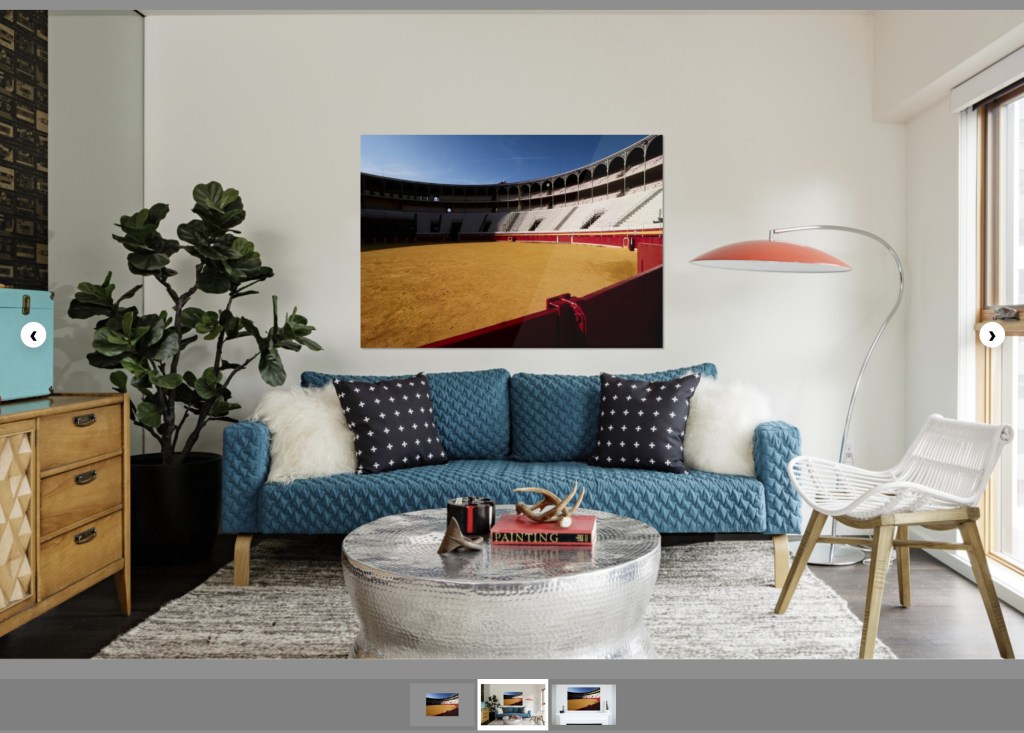
The customer sees a picture they like, clicks on it to see it magnified to full-screen and then decides they want to buy it. Hitting the ‘Buy’ button takes them to the choices you offer – prints, canvas, framed prints and digital downloads. You don’t have to offer downloads, but if you do there are choices for buyers depending on how they intend to use the image.

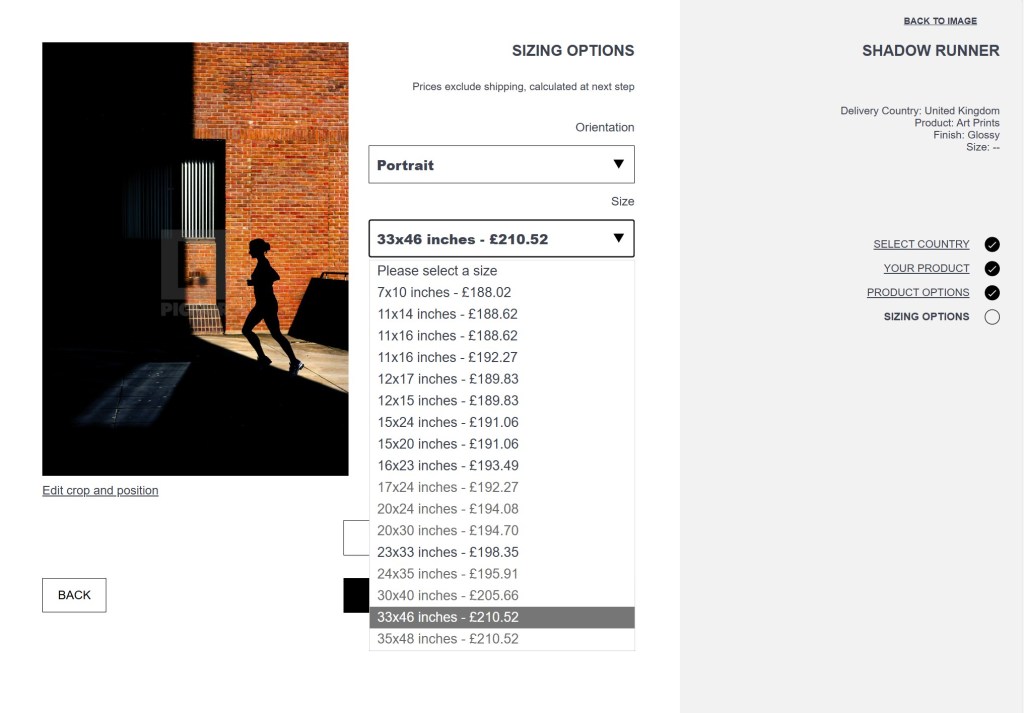
If someone wants a print, they decide what size they want and the prices are shown alongside the dimensions. They specify the country they are in, and the total price is shown just before checkout. The photographer gets the money they have priced the image at, while Picfair adds the cost of the print and shipping during the process so the customer sees it early on. The print is then made locally to the customer via Picfair partner labs, and delivered to their door.
Those wishing to download the image can choose between three licence types – Editorial & Personal, Commercial and Advertising. Picfair has terms built in to these licences that explain to the downloader what can and can’t be done with the picture once downloaded. Which licences are available for any one image is a matter for the photographer to decide.
In practice
Remarkably, setting up an account and a gallery was as simple as Picfair claims it is, and I actually did have one up and running in a few minutes. We can pick between Picfair Lite which is free but only operates as a show gallery that doesn’t have the selling options, and Picfair Plus which requires a subscription but which allows you to sell.
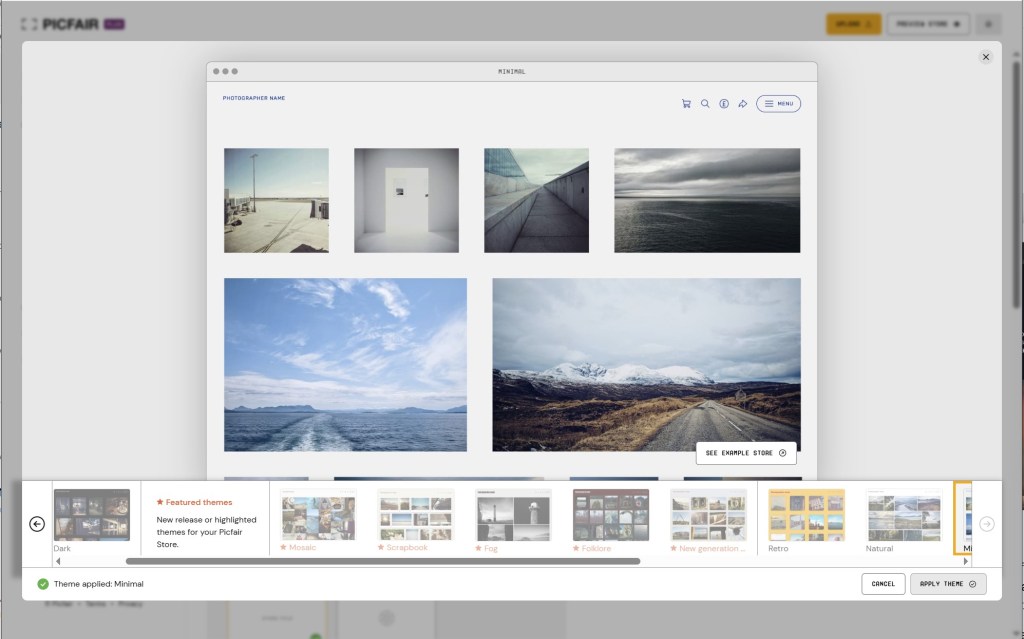
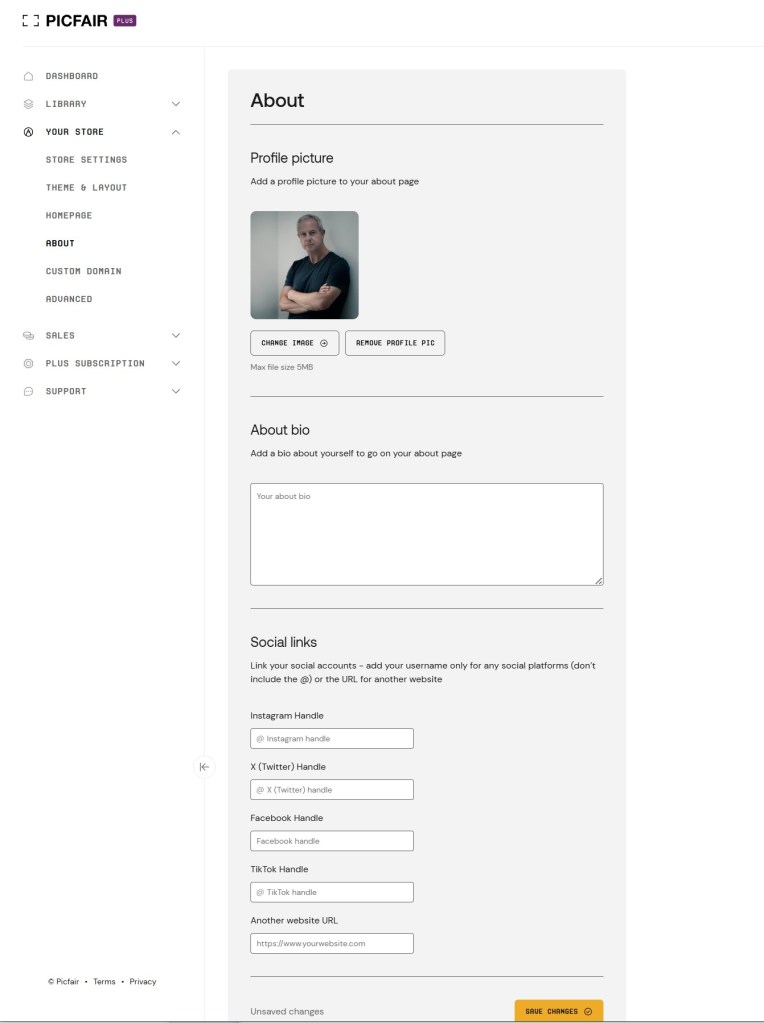
The subscription to the Plus service, costs £7.50 a month if you pay annually or £9.00 if you pay on a month-by-month basis – though AP readers can get 60% off these fees. The Lite version is really just a try out to see how the store works, allowing you to add 20 images and brand it with your logo, but it doesn’t go further than that. The Plus service allows up to 10,000 images to be shown, allows selling to the public and lets us integrate the store into our own site if we want to. We have a choice of templates for the store to give it different looks, and we can create a biographical page to tell our customers our life story, help them connect with our art or just make them feel sorry for us.
Each image loaded can be given a title instead its file name, and we can add caption information to make it seem more interesting. We also set a base price per image or per group of images as we upload (which can be changed later) and decide if we want to allow downloads, and if so which licences we’ll allow. It is actually a pretty simple process, though of course at first, when you are loading a bunch of pictures, it takes some time to give each picture the required attention. If you file names is the title of the image, this will be shown automatically – so it pays if you are an organised person.
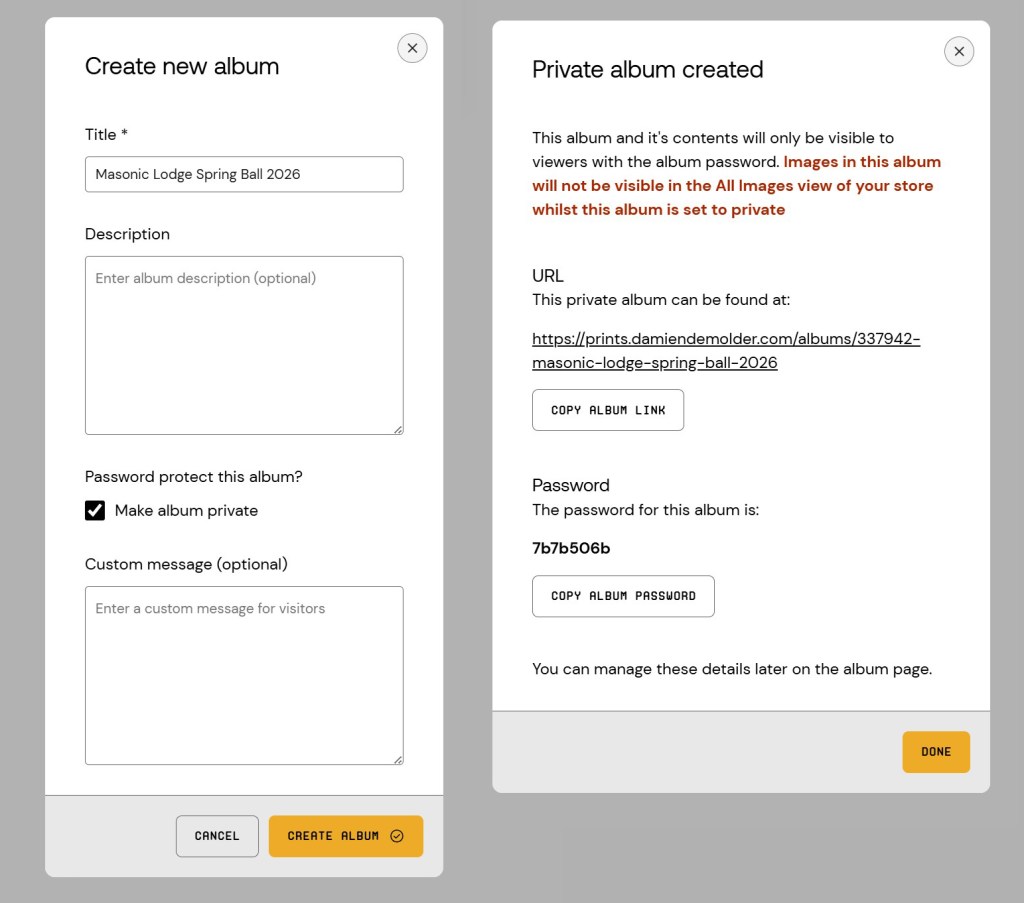
As I’d mentioned, you can create albums to separate your wildlife images from your fighter jets, and so guide customers to the subjects they are interested in. A new feature for Picfair is the ability to make albums private, so only those with a direct link, or a password, can see the images inside.
The only complicated bit from my side was integrating the Picfair gallery into my own site. The company does give us pretty clear instructions, but you need to be able to generate CNAMEs via your DNS provider – and to know what those things are. An internet search will help anyone not sure how to do this.
The Picfair website has an instructional section called Focus Blog that’s designed to support sellers with information and tips for best practices and making the most of the subscription. It seems pretty good and covers quite a lot.
Not Just Pretty Pictures
The recent ability to make albums private makes Picfair a lot more useful to professional photographers. Weddings and events can get their own album and only those with permissions can go see the pictures. It’s a great feature to allow exclusive areas in your galleries, so that people from events can view and order pictures without the whole world seeing.
I hadn’t thought of this sort of use for Picfair when I first looked at it, but can see that it would have been very handy for some of the events I’ve shot recently, and would allow people an easy way to order prints for themselves without me having to be involved. It’s great too for kid’s events, like football teams and school sports, where parents aren’t keen to have their children posted online in public domains.
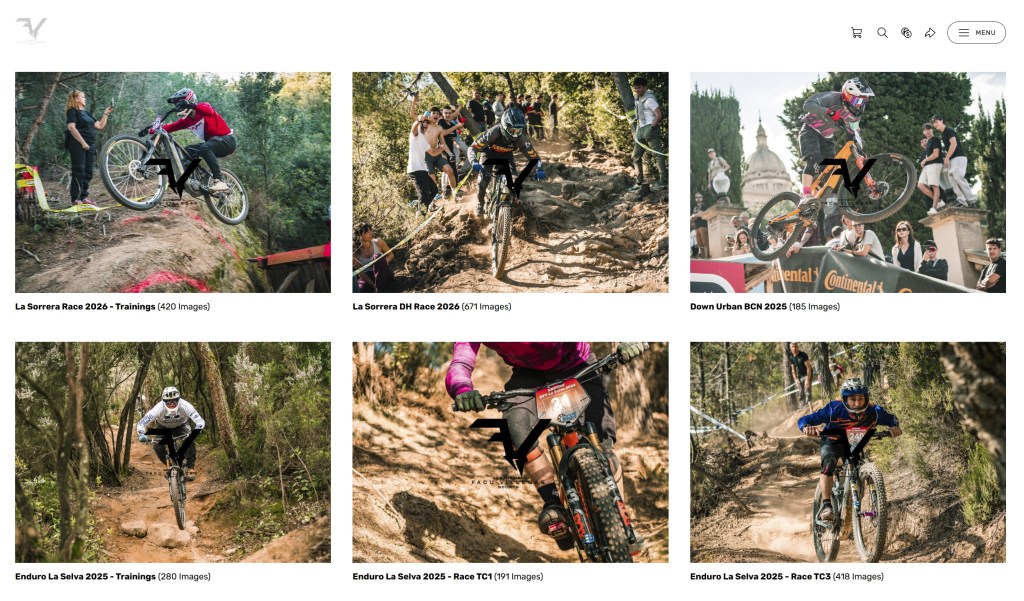
One of the Picfair users I’ve looked at, Facundo Villegas, uses his albums to post pictures from motor cycling events – all he has to do is give out the address of the album either in text form or as a QR code, and the bikers he shot can see, and buy, their pictures. Participants can order prints or download their images to use on their phone or on their social media. It’s pretty slick, and one event should easily cover the annual cost of the Picfair Plus subscription.
Show me the money
Picfair’s CEO Benji Lanyado tells me Picfair makes its money from the fees subscribers pay to use the platform, not from their sales, so the price users set for their images is the price they get. If you determine you want £100 for your Cornish sunset that’s what you’ll get every time someone buys it, no matter what size they buy or whether it’s a print or a mounted print. The customer pays more than £100, but the difference is only the cost of the product that they’ve ordered.
It’s an interesting pricing model, which makes it financially easy for your customer to order larger and larger prints, as the incremental cost is less dramatic than had we set the prices manually – we’d generally charge a lot more for a big print and make a greater margin on it. So, when setting prices we need to think about the size or product we would like to be selling and aim for that. You might think £10 is about right for a small print, but then you’ll find when someone buys a massive print you still only get £10. If you expect people to buy small prints – from an event for example – then pricing at £10 might be about right, as you’re less likely to sell wall art of someone grinning into the camera with a friend at a drinks reception. If you are selling decorative images though you might want to set a price of £300 – which makes small prints seem expensive, but 30in art works about right. We can set different prices for the three download categories dependant on expected uses, or switch them off entirely.
To give you an idea, one of my pictures I priced at £150. A 10x7in print will cost the customer £188.02, and a 33x23in print will cost £198.35 – not as much of a difference as had I priced those sizes manually, but at least I don’t need to think too much about pricing. I still get £150 whichever size the customer chooses. Were they to select a 26x20in framed print the price would be £220, and a 50x42in framed print would be £282.90. A 25.5x20in canvas wrap would be £191.60, and one sized at 50x40in would be £201.89 – all before shipping costs are added.
Not rich yet
Well, my prints have been up for sale for at least twenty minutes, and I’m still not rich, but I’m pleased to have this utility top hand to make art print sales a possibility and to make life a whole lot easier when I next have event pictures for people to browse, download and/or print. It was easy to do, adds another potential revenue stream for my business, it looks nice on my website and I know that for most of the time it will involve no additional effort on my part. And that makes me happy.
Get 60% off Picfair Plus subscriptions with this special code for AP readers: AMPHOTO60 at www.picfair.com
Related reading:
- 46 ways to make free money from photography
- Is home printing still worth it?
- Make sure you never lose your photos again (backup, backup, backup)
Follow AP on Facebook, Instagram, YouTube and TikTok.